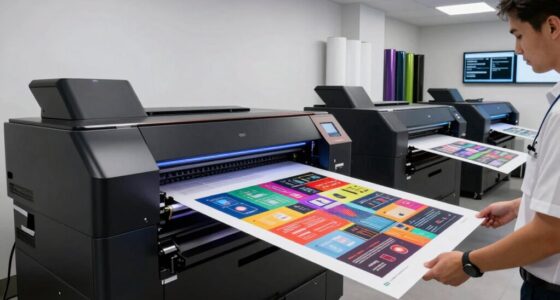
When selecting a wide format printer for CAD and GIS applications, precision, reliability, and media versatility are key. The HP DesignJet T850 stands out as the overall best for its ease of use and robust support. The Canon imagePROGRAF TM-300 offers exceptional color accuracy for detailed maps and drawings, making it a strong contender. Many buyers struggle with balancing print quality, speed, and maintenance costs, especially when dealing with large-format jobs. Continue reading to see a detailed breakdown of these options and find the best fit for your needs.

Get business pricing on monitors, keyboards and dev gear
- Business-only prices and quantity discounts
- Tax-exempt purchasing
- Multiple users, one account, clear invoices
Key Takeaways
- The top-ranked models excel in balancing print quality and ease of use, making them suitable for professional CAD and GIS workflows.
- Print speed and media handling are critical factors, especially for high-volume environments, and are often trade-offs for higher precision models.
- Cost of consumables and maintenance can significantly impact overall value, with some printers offering better long-term affordability.
- Larger formats, like 44-inch models, are better for extensive GIS maps, while 24-36 inch printers suit most CAD drawings.
- Build quality and support options distinguish premium models from more budget-oriented choices.
| HP DesignJet T850 Large Format 36-inch Color Plotter Printer with 2-Year Support |  | Best Overall for Large-Scale CAD and GIS Printing | Media Size: Up to 36 inches wide | Media Handling: Roll feed, sheet feed, automatic cutter | Maximum Media Roll Diameter: 100mm | VIEW ON AMAZON | See Our Full Breakdown |
| Canon imagePROGRAF TM-300 36-inch 5-Color Inkjet Printer Plotter |  | Best for High-Quality, Compact Workflow Integration | Print Width: 36 inches | Ink Type: LUCIA TD pigment inks | Maximum Resolution: 1200 dpi | VIEW ON AMAZON | See Our Full Breakdown |
| Canon imagePROGRAF TM-250 MFP Lm24 24-Inch Large Format Printer with Scanner |  | Best for Low-Volume, Creative CAD and GIS Work | Printer Type: Inkjet | Printer Output Type: Color | Maximum Print Resolution: 1200 dpi | VIEW ON AMAZON | See Our Full Breakdown |
| Canon imagePROGRAF TX-3200 Large Format Printer with Stacker and Paper Roll |  | Best for High-Speed, Professional Technical Printing | Print Speed: Up to 3.3 D-size prints per minute | Media Handling: Automatic detection, media recognition | Connectivity: Wi-Fi, Ethernet, USB | VIEW ON AMAZON | See Our Full Breakdown |
| HP DesignJet T210 Large Format 24-Inch Plotter Printer with 2-Year HP Care Pack |  | Best for Compact, Reliable CAD and GIS Printing | Media Sizes: Up to 24 inches wide | Media Handling: Sheet and roll feed, automatic cutter | Print Speed: 45 seconds per A1/D page | VIEW ON AMAZON | See Our Full Breakdown |
| HP DesignJet T630 Large Format 36-inch Plotter Printer with Auto Sheet Feeder, Media Bin & Stand |  | Best Overall for Small Offices and Versatile Use | Media Sizes: Up to 36-inch wide media rolls, 13-inch by 19-inch sheets | Media Handling: Sheet feed, roll feed, automatic sheet/roll switch, media bin, automatic horizontal cutter | Connectivity: Gigabit Ethernet, Hi-Speed USB 2.0, Wi-Fi Direct, Wi-Fi 802.11 b/g/n | VIEW ON AMAZON | See Our Full Breakdown |
| HP DesignJet T210 Large Format 24-inch Plotter Printer | | Best for Budget-Conscious Users Needing Smaller Prints | Media Size: Up to 24-inch wide media rolls, 13×19-inch sheets (optional accessory) | Media Handling: Sheet feed, roll feed, automatic horizontal cutter | Connectivity: Gigabit Ethernet, Hi-Speed USB 2.0, Wi-Fi 802.11 | VIEW ON AMAZON | See Our Full Breakdown |
| HP DesignJet T650 Large Format 36-inch Plotter Printer |  | Best for Precise Technical and Rendered Output | Media Size: Up to 36-inch wide media rolls, 13×19-inch sheets | Media Handling: Sheet feed, roll feed, automatic switch, media bin | Connectivity: Gigabit Ethernet, Hi-Speed USB 2.0, Wi-Fi 802.11 | VIEW ON AMAZON | See Our Full Breakdown |
| Canon imagePROGRAF TM-240 24-Inch Large Format Printer |  | Best for Outdoor and High-Detail Signage | Printer Type: Large Format Printer | Print Width: 24 inches | Resolution: 2400 x 1200 dpi | VIEW ON AMAZON | See Our Full Breakdown |
| Canon imagePROGRAF TX-4100 44-Inch Printer with Lucia TS Pigment Ink Set and Sub Ink Tank System |  | Best for High-Volume CAD and GIS Printing | Printer Type: Inkjet | Maximum Media Size: 44 inches | Output Type: Color | VIEW ON AMAZON | See Our Full Breakdown |
| wide format printer for cad and gi | Connectivity | Media Handling | Print Speed |
|---|---|---|---|
| HP DesignJet T850 Large Format | — | Roll feed, sheet feed, automatic cutter | — |
| Canon imagePROGRAF TM-300 36-i | WiFi, USB 3.0, Ethernet | — | — |
| Canon imagePROGRAF TM-250 MFP | — | — | — |
| Canon imagePROGRAF TX-3200 Lar | Wi-Fi, Ethernet, USB | Automatic detection, media recognition | Up to 3.3 D-size prints per minute |
| HP DesignJet T210 Large Format | Ethernet, Wi-Fi, USB | Sheet and roll feed, automatic cutter | 45 seconds per A1/D page |
| HP DesignJet T630 Large Format | Gigabit Ethernet, Hi-Speed USB 2.0, Wi-Fi Direct, Wi-Fi 802.11 b/g/n | Sheet feed, roll feed, automatic sheet/roll switch, media bin, automatic horizontal cutter | Up to 30 seconds per page on A1/D size, 76 A1/D size prints per hour |
| HP DesignJet T210 Large Format | Gigabit Ethernet, Hi-Speed USB 2.0, Wi-Fi 802.11 | Sheet feed, roll feed, automatic horizontal cutter | Up to 45 seconds per page on A1/D size |
| HP DesignJet T650 Large Format | Gigabit Ethernet, Hi-Speed USB 2.0, Wi-Fi 802.11 | Sheet feed, roll feed, automatic switch, media bin | Up to 25 seconds per page on A1/D |
| Canon imagePROGRAF TM-240 24-I | — | — | Up to 3.2 ppm |
| Canon imagePROGRAF TX-4100 44- | Wi-Fi | — | — |
More Details on Our Top Picks
HP DesignJet T850 Large Format 36-inch Color Plotter Printer with 2-Year Support
The HP DesignJet T850 stands out for its ability to handle media up to 36 inches wide, making it ideal for large CAD and GIS projects. Compared with the Canon TM-300, it offers more extensive media handling options and a larger media capacity, but it doesn’t include integrated scanning. Its comprehensive 2-year onsite support adds peace of mind, especially for busy offices. The automatic cutter and multiple media options support diverse workflows, although the limited roll diameter support (100mm) may restrict some media choices. Space requirements for large-format setups are a consideration, but overall, this model balances high-quality output with reliable support for demanding professional environments.
Pros:- Supports media up to 36 inches wide, ideal for large CAD and GIS prints
- Includes a 2-year onsite support package for peace of mind
- Features automatic cutter and multiple media handling options
Cons:- Limited media roll diameter (100mm) may restrict some media choices
- Requires significant space for setup and operation
Best for: Architectural firms and GIS specialists requiring reliable, high-volume large-format printing with support services.
Not ideal for: Small offices with limited space or those needing frequent scanning or copying, as it focuses primarily on printing.
- Media Size:Up to 36 inches wide
- Media Handling:Roll feed, sheet feed, automatic cutter
- Maximum Media Roll Diameter:100mm
- Memory:1 GB
- Supported Media Types:Bond, coated, heavyweight paper/media rolls
- Support:2-year onsite and phone support
Our verdict“This printer makes the most sense for professionals who need dependable, large-format CAD and GIS printing with robust support.”
Canon imagePROGRAF TM-300 36-inch 5-Color Inkjet Printer Plotter
The Canon imagePROGRAF TM-300 excels in delivering sharp, water-resistant prints thanks to its 5-color LUCIA TD pigment inks. It offers a compact footprint compared to the larger HP T850, making it suitable for smaller offices or design studios. Its integrated scanning and copying, combined with WiFi connectivity, support flexible workflows, but the setup can be more complex, especially for users unfamiliar with multi-function devices. While the high-quality output and user-friendly touchscreen are advantages, the ink costs are higher, and handling large files may demand more powerful hardware. This model suits environments where high-quality color and space-saving design are priorities.
Pros:- High-quality 5-color pigment inks produce sharp, water-resistant prints
- Compact design with WiFi for flexible placement
- Includes integrated scanning and copying features
Cons:- Setup may be complex for non-technical users
- Higher ink costs impact ongoing expenses
Best for: Designers and GIS analysts who need high-resolution, water-resistant prints within limited space and value integrated scanning.
Not ideal for: High-volume production environments due to its lower media capacity and higher ink costs.
- Print Width:36 inches
- Ink Type:LUCIA TD pigment inks
- Maximum Resolution:1200 dpi
- Scanning Resolution:9600 dpi
- Connectivity:WiFi, USB 3.0, Ethernet
- Included Software:SmartWorks MFP
Our verdict“Ideal for small teams prioritizing high-quality color output and space efficiency over high-volume throughput.”
Canon imagePROGRAF TM-250 MFP Lm24 24-Inch Large Format Printer with Scanner
The Canon imagePROGRAF TM-250 MFP Lm24 offers a versatile solution for low-volume printing, combining vivid color reproduction with basic scanning. Its smaller 24-inch size makes it suitable for compact offices, especially where occasional CAD or GIS prints are needed. The adjustable user interface and energy-efficient design add to its appeal, but it’s not designed for high-volume or fast-paced workflows. The limited scanning capabilities and single-copy runs mean it’s better suited for creative tasks or small project loads. Compared to larger, more robust models, this is a practical choice for users who prioritize flexibility and color quality in a limited space.
Pros:- Vivid color reproduction for detailed CAD and GIS visuals
- User-friendly, adjustable interface screen
- Energy-efficient with environmentally friendly features
Cons:- Limited to low-volume printing and single copies
- Basic scanning capabilities may not suit complex tasks
Best for: Small offices or individual professionals producing occasional CAD, GIS, or signage prints with creative needs.
Not ideal for: High-volume printing environments or teams requiring extensive scanning and copying features.
- Printer Type:Inkjet
- Printer Output Type:Color
- Maximum Print Resolution:1200 dpi
- Scanner Type:Photo
- Display Type:LCD
- Energy Star:Yes
Our verdict“Great for small-scale, high-quality CAD and GIS work where space and volume are limited.”
Canon imagePROGRAF TX-3200 Large Format Printer with Stacker and Paper Roll
The Canon imagePROGRAF TX-3200 is built for fast-paced professional environments, delivering up to 3.3 D-size prints per minute. Its high resolution (2400 x 1200 dpi) and 15,360 nozzles enable precise, high-quality output. The built-in hard drive and security features like PIN printing cater to demanding workflows and sensitive documents. Compared to the HP T850, it offers faster print speeds and more sophisticated security, but its setup can be complex, and its size may be unsuitable for smaller offices. Its versatile media handling and support for various file formats make it ideal for technical drawings and large GIS maps requiring rapid turnaround times.
Pros:- High-speed printing up to 3.3 D-size prints per minute
- Advanced security features including PIN printing and self-encrypting hard drive
- Supports versatile media handling with automatic detection
Cons:- Setup complexity requiring technical expertise
- Large footprint may be unsuitable for small spaces
Best for: Large engineering, GIS, or architectural firms needing high-speed, secure printing of technical documents.
Not ideal for: Small or medium-sized offices with space constraints or those primarily doing occasional printing tasks.
- Print Speed:Up to 3.3 D-size prints per minute
- Media Handling:Automatic detection, media recognition
- Connectivity:Wi-Fi, Ethernet, USB
- Hard Drive:500GB
- Ink System:5-color LUCIA TD Pigment
- Resolution:2400 x 1200 dpi
Our verdict“Designed for fast, secure, high-volume technical printing in demanding professional settings.”
HP DesignJet T210 Large Format 24-Inch Plotter Printer with 2-Year HP Care Pack
The HP DesignJet T210 offers a compact solution for professionals needing dependable 24-inch wide-format printing with quick turnaround times. Its support for media up to 24 inches and fast print speeds make it well-suited for architects and GIS professionals working on smaller projects. The inclusion of a 2-year HP Care Pack adds value, especially for smaller teams. Compared to larger models like the T850 or TX-3200, it’s less suitable for high-volume or large-format needs, but its ease of use and reliable performance make it a smart choice for limited space and moderate workloads. Some users may find the optional sheet feeder necessary for their workflow, adding to setup considerations.
Pros:- Compact size suitable for small offices
- Fast printing speeds improve workflow efficiency
- Supports a wide range of media sizes and types
Cons:- Limited to 24-inch media width, not suitable for larger projects
- Requires optional accessory for sheet printing
Best for: Architects and GIS users who need a space-efficient, reliable printer for medium-sized projects and maps.
Not ideal for: High-volume or large-format projects, as it is limited to 24-inch media width and lower throughput.
- Media Sizes:Up to 24 inches wide
- Media Handling:Sheet and roll feed, automatic cutter
- Print Speed:45 seconds per A1/D page
- Memory:500MB
- Connectivity:Ethernet, Wi-Fi, USB
- Inks:HP 712 and 713 cartridges
Our verdict“A dependable, space-saving choice for professionals handling moderate CAD and GIS projects in limited spaces.”
HP DesignJet T630 Large Format 36-inch Plotter Printer with Auto Sheet Feeder, Media Bin & Stand
The HP DesignJet T630 stands out for its compact size combined with high-speed printing, making it ideal for small offices needing reliable large-format output. It supports media up to 36 inches, similar to the HP T650, but with a more streamlined design that fits tighter spaces. Unlike the T210, which is limited to 24 inches, the T630 provides more flexibility for technical and mapping projects. Its user-friendly software simplifies workflow, though the setup can feel complex for those unfamiliar with network configuration. The T630’s ability to handle both sheet and roll media with automatic switching offers a notable advantage over less versatile models. However, it’s limited to media widths up to 36 inches and relies on Wi-Fi, which might be a drawback for some. This makes it a strong choice for small teams needing quick, versatile plotting without occupying too much space.
Pros:- Compact design fits small office spaces
- Fast printing speeds improve productivity
- Supports both sheet and roll media with auto switching
Cons:- Limited to media widths up to 36 inches
- Requires Wi-Fi for wireless connectivity
- Initial setup could be complex for some users
Best for: Small architectural or engineering firms with limited space that need fast, flexible printing options.
Not ideal for: High-volume printing environments or those requiring print widths beyond 36 inches, as it limits media size and may struggle with large batch jobs.
- Media Sizes:Up to 36-inch wide media rolls, 13-inch by 19-inch sheets
- Media Handling:Sheet feed, roll feed, automatic sheet/roll switch, media bin, automatic horizontal cutter
- Connectivity:Gigabit Ethernet, Hi-Speed USB 2.0, Wi-Fi Direct, Wi-Fi 802.11 b/g/n
- Print Speed:Up to 30 seconds per page on A1/D size, 76 A1/D size prints per hour
- Onboard Memory:1 GB
- Included Accessories:Automatic sheet feeder, media bin, stand, printhead, introductory ink cartridges, spindle, setup poster, power cord
Our verdict“This printer suits small offices needing a versatile, space-efficient large-format plotter with fast output.”
HP DesignJet T210 Large Format 24-inch Plotter Printer
The HP DesignJet T210 provides a compact, affordable option for users who require large-format printing up to 24 inches, making it ideal for smaller projects such as maps, technical drawings, and posters. Compared to the T630 and T650, it offers a more economical entry point but is limited in media width, which can restrict larger job capabilities. Its automatic media handling and HP Click software streamline workflow, making it accessible for users with limited technical experience. The tradeoff is slower print speeds—up to 45 seconds per page—and the need for optional accessories to support larger sheets like 13×19 inches. It’s best suited for occasional or small-scale jobs rather than high-volume printing. Overall, this model balances cost and functionality for smaller offices or individual professionals.
Pros:- Supports media up to 24 inches wide for versatile projects
- Cost-efficient with low ink use and maintenance
- Easy-to-use workflow with HP Click software
Cons:- Limited to 24-inch media width
- Requires optional accessory for 13×19-inch sheets
- Slower print speeds for high-volume jobs
Best for: Small firms or independent professionals needing reliable 24-inch printing without large-scale volume requirements.
Not ideal for: High-volume or large-format projects exceeding 24 inches, as this printer’s width limit constrains larger jobs.
- Media Size:Up to 24-inch wide media rolls, 13×19-inch sheets (optional accessory)
- Media Handling:Sheet feed, roll feed, automatic horizontal cutter
- Connectivity:Gigabit Ethernet, Hi-Speed USB 2.0, Wi-Fi 802.11
- Print Speed:Up to 45 seconds per page on A1/D size
- Memory:500MB
- Supported Ink Cartridges:HP 712 and 713 cartridges
Our verdict“A practical choice for small-scale users prioritizing affordability and manageable print sizes.”
HP DesignJet T650 Large Format 36-inch Plotter Printer
The HP DesignJet T650 excels in producing high-precision technical drawings, maps, and renders, thanks to its support for media up to 36 inches wide and automatic media switching. Compared to the T630, the T650 offers enhanced remote management via the HP Smart app, ideal for teams needing remote access. Its print speed of up to 25 seconds per page on A1/D makes it suitable for medium-volume workflows. The T650’s support for multiple media types and automatic switching streamline complex projects, but it comes with a higher price tag and demands ample space for setup. Its advanced features may require some technical familiarity, making it less suitable for casual users. Overall, it’s tailored for professionals who need detailed, consistent output with remote control capabilities.
Pros:- High-precision printing for technical drawings
- Supports multiple media types with automatic switching
- Remote printing and management via HP Smart app
Cons:- Expensive for occasional or small-scale use
- Large footprint requires ample space
- Complex features may need some technical skill
Best for: Architects and engineers requiring high-precision technical prints with remote management features.
Not ideal for: Casual users or small offices with limited space, due to its size and cost.
- Media Size:Up to 36-inch wide media rolls, 13×19-inch sheets
- Media Handling:Sheet feed, roll feed, automatic switch, media bin
- Connectivity:Gigabit Ethernet, Hi-Speed USB 2.0, Wi-Fi 802.11
- Print Speed:Up to 25 seconds per page on A1/D
- Memory:1 GB
- Warranty:2-year onsite support
Our verdict“Ideal for professionals seeking precise, high-quality prints with remote workflow management.”
Canon imagePROGRAF TM-240 24-Inch Large Format Printer
The Canon imagePROGRAF TM-240 offers a 24-inch wide format with a high-resolution 2400 x 1200 dpi output, making it well-suited for outdoor posters, signs, and detailed images. Its high-speed of 3.2 ppm supports quick turnaround for outdoor signage and detailed maps. The 5-color water-resistant UV ink set provides durability against weather, a key advantage over models like the T210, which are less suitable for outdoor use. The TM-240’s automatic media detection and calibration ensure consistent quality, but its 24-inch width limits larger project sizes, and high initial costs may deter casual or small-scale users. It’s best for professionals who prioritize outdoor durability and fine detail in their large-format printing projects.
Pros:- High-resolution print quality with sharp detail
- Fast printing speed for large jobs
- Water and UV resistant ink for outdoor durability
Cons:- Limited to 24-inch print width
- High initial cost
- Requires ample space for large-format setup
Best for: Outdoor signage and detailed map printing professionals needing water and UV resistance.
Not ideal for: Small offices or indoor projects that do not require outdoor durability or high-resolution detail.
- Printer Type:Large Format Printer
- Print Width:24 inches
- Resolution:2400 x 1200 dpi
- Print Speed:Up to 3.2 ppm
- Ink Colors:5-color water-resistant UV ink
- Nozzles:15,360
Our verdict“Best suited for outdoor signage and outdoor map applications where durability and detail are priorities.”
Canon imagePROGRAF TX-4100 44-Inch Printer with Lucia TS Pigment Ink Set and Sub Ink Tank System
The Canon imagePROGRAF TX-4100 is designed for demanding CAD and GIS workflows, supporting media up to 44 inches wide—larger than most in this roundup. Its remarkable print speed of up to 190 D-sized prints per hour makes it stand out for high-volume environments. Compared with the smaller TM-240 or T210, the TX-4100 excels in efficiency and capacity, though it is primarily aimed at professional, commercial use, with no scanning or copying features. Its support for borderless printing and Wi-Fi connectivity adds convenience for busy offices. The tradeoff involves higher costs for media, ink, and maintenance, which may not be justified for infrequent or small-scale use. This model makes the most sense for large offices or print shops focused on CAD, GIS, or detailed color work.
Pros:- Supports media up to 44 inches for large projects
- Exceptional high-speed printing for large-volume workflows
- Wireless connectivity and borderless printing
Cons:- Designed mainly for professional or commercial use
- High initial and media costs
- No scanning or copying features
Best for: Large architectural firms, GIS mapping services, or print shops handling high-volume, detailed large-format jobs.
Not ideal for: Small or casual users who do not need high-speed, large-media printing or have budget constraints, as costs can escalate quickly.
- Printer Type:Inkjet
- Maximum Media Size:44 inches
- Output Type:Color
- Print Media:Glossy photo paper, Labels, Plain paper
- Special Features:Borderless printing, Energy Star
- Connectivity:Wi-Fi
Our verdict“Perfect for high-volume CAD and GIS printing environments where speed and large media support are essential.”

How We Picked
These printers were selected based on a combination of performance, build quality, user reviews, and value for CAD and GIS applications. I prioritized models that offer high-resolution output, reliable media handling, and compatibility with professional design software. Ease of maintenance and support options were also key, as these factors influence long-term ownership costs. The ranking reflects a balance between features and affordability, ensuring options for different user needs—from heavy-duty workflows to smaller offices. Ultimately, I aimed to highlight printers that deliver consistent quality without overwhelming users with unnecessary complexity.
| wide format printer for cad and gi | Media Handling | Connectivity |
|---|---|---|
| HP DesignJet T850 Large Format | Roll feed, sheet feed, automatic cutter | — |
| Canon imagePROGRAF TM-300 36-i | — | WiFi, USB 3.0, Ethernet |
| Canon imagePROGRAF TM-250 MFP | — | — |
| Canon imagePROGRAF TX-3200 Lar | Automatic detection, media recognition | Wi-Fi, Ethernet, USB |
| HP DesignJet T210 Large Format | Sheet and roll feed, automatic cutter | Ethernet, Wi-Fi, USB |
| HP DesignJet T630 Large Format | Sheet feed, roll feed, automatic sheet/roll switch, media bin, automatic horizontal cutter | Gigabit Ethernet, Hi-Speed USB 2.0, Wi-Fi Direct, Wi-Fi 802.11 b/g/n |
| HP DesignJet T210 Large Format | Sheet feed, roll feed, automatic horizontal cutter | Gigabit Ethernet, Hi-Speed USB 2.0, Wi-Fi 802.11 |
| HP DesignJet T650 Large Format | Sheet feed, roll feed, automatic switch, media bin | Gigabit Ethernet, Hi-Speed USB 2.0, Wi-Fi 802.11 |
| Canon imagePROGRAF TM-240 24-I | — | — |
| Canon imagePROGRAF TX-4100 44- | — | Wi-Fi |
Factors to Consider When Choosing Wide Format Printer For Cad And Gis
Choosing the right wide format printer for CAD and GIS involves several critical considerations. Beyond basic specs, understanding how features impact your workflow can save time and money. In this guide, I cover the most important factors to evaluate before making a purchase, helping you align your needs with the right model.Print Quality and Resolution
For detailed CAD drawings and GIS maps, high resolution and color accuracy are essential. Look for printers with at least 2400 dpi, which ensures crisp lines and fine details. However, higher resolution often comes with slower print speeds, so consider your volume and turnaround needs. A balance between sharp output and efficiency will serve most professional users best.
Media Handling and Size Compatibility
Media versatility impacts how well a printer adapts to different job types. Check the maximum printable width, especially if you regularly print large GIS maps or engineering plans. Also, consider the media loading process—automatic roll feeders save time, but manual loading might be sufficient for smaller volumes. Some printers support multiple media types, which can be a big advantage in complex workflows.
Speed and Productivity
Print speed can be a deciding factor if you handle high-volume CAD and GIS projects. Faster models reduce wait times but may come at a higher price. For occasional use, slower but more affordable printers might suffice. Additionally, features like multi-page printing and automatic stacking help streamline large jobs, saving valuable time.
Cost of Consumables and Maintenance
High-quality inks and media can add up, especially for large-format printers. Evaluate the cost per page and the availability of refill options. Some printers have large ink tanks or efficient ink-saving modes, which lower long-term expenses. Maintenance routines and support plans also influence overall ownership costs—investing in brands with reliable support can reduce downtime and repair costs.
Ease of Use and Software Compatibility
Intuitive interfaces and seamless software integration are vital for minimizing setup time and avoiding errors. Look for printers with user-friendly controls, touchscreen interfaces, and compatibility with CAD and GIS software. Some models offer cloud connectivity or mobile printing options, which can add flexibility, especially in collaborative environments.
Frequently Asked Questions
Can these printers handle both CAD drawings and GIS maps efficiently?
Yes, most of these wide format printers are designed to accommodate both CAD and GIS outputs, but their efficiency depends on resolution, media handling, and speed. Higher-end models like the Canon imagePROGRAF TX-4100 and HP DesignJet T850 excel in delivering detailed, color-accurate prints quickly. For mixed workflows, choosing a model with versatile media support and high resolution is advisable to ensure consistent quality across different types of files.
What should I consider when choosing between a 24-inch and a 36-inch printer?
The decision largely hinges on the typical size of your projects. A 24-inch printer is usually sufficient for standard CAD drawings and smaller GIS maps, offering lower initial cost and easier maintenance. Conversely, a 36-inch model handles larger documents and maps, reducing the need for tiling and making it ideal for extensive GIS work or detailed engineering plans. Consider your current and future project sizes to select the most suitable width.
Are color printers necessary for CAD and GIS work?
While monochrome printers can produce precise line work, color printers significantly enhance the clarity and utility of GIS maps and complex CAD designs that rely on color coding. Color can improve readability, reduce errors, and provide richer visual data. However, color printing tends to be more expensive in terms of consumables and maintenance, so weigh the benefits against your specific workflow needs.
How important is support and warranty for these large-format printers?
Support and warranty are vital because troubleshooting large-format printers can be complex and costly. Brands like HP and Canon generally offer reliable support plans, which can minimize downtime during critical projects. A good warranty also covers parts and repairs, ensuring your investment remains protected over time. For busy environments, investing in extended support options can be a wise choice to keep workflows running smoothly.
Should I prioritize initial cost or long-term value when choosing a wide format printer?
While a lower upfront cost might be tempting, long-term value often depends on consumable prices, maintenance, and durability. Investing slightly more in a reputable brand with lower running costs can lead to savings over time and reduce frustrations caused by frequent repairs or expensive ink replacements. Consider your projected usage and total cost of ownership to make a balanced decision that fits your budget and workflow demands.
Conclusion
For most users seeking an all-around reliable choice, the HP DesignJet T850 offers excellent value with user-friendly features and solid support, making it ideal for busy offices. Budget-conscious buyers or smaller teams may prefer the Canon imagePROGRAF TM-300 for its balance of quality and affordability. Those with extensive GIS needs or larger workflows should consider the Canon imagePROGRAF TX-4100 for its size and advanced features. Beginners and small offices will find the 24-inch models sufficient, while professionals requiring high precision and large formats should opt for the 36- or 44-inch options. Ultimately, matching the printer’s capabilities to your specific project scope and budget will lead to the best long-term results.
Fall Picks
fall essentials
As an affiliate, we earn on qualifying purchases.