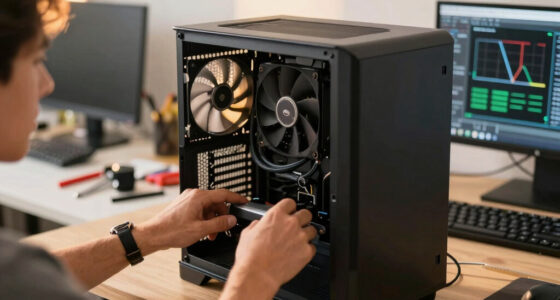
📊 Full opportunity report: Build vs Buy a Prebuilt AI Workstation on ThorstenMeyerAI.com — validation score, market gap, and execution plan.

Get business pricing on monitors, keyboards and dev gear
- Business-only prices and quantity discounts
- Tax-exempt purchasing
- Multiple users, one account, clear invoices
TL;DR
In 2026, the traditional cost advantage of building a custom AI workstation has diminished due to component shortages and price spikes. Buyers now must weigh cost, time, thermal control, and support when choosing between building or buying prebuilt systems.
In 2026, the long-held assumption that building a custom AI workstation is cheaper than buying a prebuilt has been challenged by recent market shifts, including component shortages and price increases. Buyers now face a genuine trade-off between cost, time, thermal management, and support options when choosing how to build or buy their AI hardware.
Traditionally, building a DIY AI workstation was considered more economical, but recent shortages of key components like DDR5 RAM and high-end GPUs have driven up prices significantly. As a result, some prebuilt systems from manufacturers like BIZON, Puget Systems, and Lambda now match or even surpass the cost of assembling a custom rig, especially when factoring in the cost of high-quality cooling and thermal validation.
Prebuilt vendors often perform extensive thermal testing, optimize fan curves, and include warranties, reducing the complexity and risk for users who lack the time or expertise to tune their systems. These systems are validated for sustained load, with some offering water-cooling and noise reduction solutions, which are typically challenging to replicate in DIY builds.
Meanwhile, DIY builders retain control over component selection, cooling solutions, and future upgrades. They also gain a deeper understanding of their machine’s thermal behavior, which can be critical for high-load AI workloads. However, this approach requires significant time investment and technical skill, especially when troubleshooting or optimizing for noise and heat.
Build vs buy
an AI workstation.
The real question behind this whole series: do you pull the five heat-and-noise levers yourself, or buy a prebuilt where the vendor pulled them for you? And in 2026, the old “building is cheaper” rule has broken. Match your situation in Part 3.
Why Cost and Control Are Changing in 2026
The shift in component pricing and availability means that the decision to build or buy is no longer straightforward. For many, the economic advantage of DIY has eroded, making prebuilt options more attractive for those valuing reliability, thermal performance, and support. This change impacts hobbyists, researchers, and professionals who must now carefully evaluate their budget against their technical needs and time constraints.
high performance AI workstation prebuilt
As an affiliate, we earn on qualifying purchases.
As an affiliate, we earn on qualifying purchases.
Market Conditions and the Impact of AI Boom
The AI boom of 2026 has caused unprecedented demand for high-performance GPUs, DDR5 RAM, and SSDs, leading to supply shortages and price spikes. Major vendors secured bulk components early, enabling them to offer systems at prices that are difficult to match through DIY sourcing today. This market dynamic has upended the classic build vs buy calculus, making prebuilt systems more competitive on price and reliability than in previous years.
"Component shortages and price increases have made prebuilt AI workstations more cost-effective in 2026, especially when factoring in thermal validation and support."
— Thorsten Meyer, AI hardware expert
As an affiliate, we earn on qualifying purchases.
Unresolved Questions About Future Pricing and Availability
It remains unclear how long component shortages and price spikes will persist. Market conditions could change, affecting the relative costs of building versus buying. Additionally, the availability of high-end cooling solutions and upgrades for DIY systems may evolve, influencing future decision-making.
As an affiliate, we earn on qualifying purchases.
Next Steps for Buyers and Builders in 2026
Consumers should now carefully compare current prices of parts and prebuilt systems for their specific configurations. As the market stabilizes or shifts, reassessing the total cost, time investment, and thermal management needs will be essential. Manufacturers may also introduce new models or options that further influence the decision.
As an affiliate, we earn on qualifying purchases.
Key Questions
Is building a DIY AI workstation still cheaper in 2026?
Not necessarily. Due to component shortages and rising prices, prebuilt systems can now match or outperform DIY builds on cost for certain configurations, especially when factoring in thermal management and support.
What are the main benefits of buying a prebuilt AI workstation?
Prebuilts offer plug-and-play convenience, validated thermal performance, warranties, and expert support, reducing setup time and technical risk.
Can I upgrade a prebuilt AI workstation later?
Many prebuilt systems allow future upgrades, but the extent depends on the model and design. It's important to verify upgrade paths before purchase.
What should I consider if I want to build my own AI workstation?
You should evaluate your technical skills, time availability, and the current component prices. Building offers customization and learning but may be more challenging under current market conditions.
How long will component shortages and price spikes last?
It is uncertain. Market conditions are evolving, and supply chain issues could persist into 2026 or resolve sooner depending on industry developments.
Source: ThorstenMeyerAI.com
Fall Picks
fall essentials
As an affiliate, we earn on qualifying purchases.