
TL;DR
A recent experiment demonstrates that it is technically possible to connect an NVIDIA RTX 5090 GPU to an M4 MacBook Air via Thunderbolt, but practical use for gaming or AI is limited. Compatibility issues and performance bottlenecks remain significant challenges.
Recent experiments show that it is technically possible to connect an NVIDIA RTX 5090 GPU to an M4 MacBook Air via Thunderbolt using PCIe tunneling, though practical use remains limited by compatibility and performance issues.
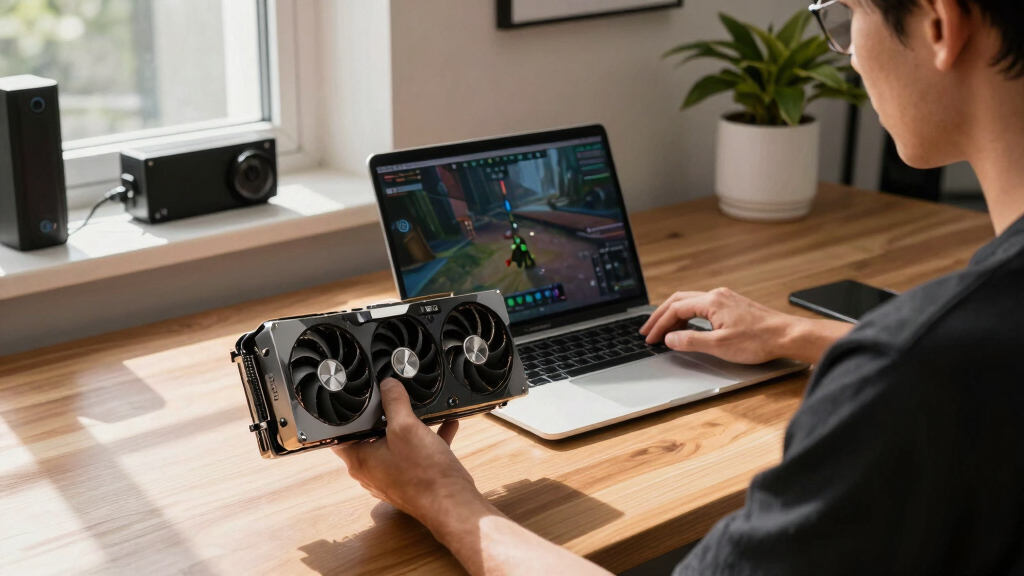
A tech enthusiast demonstrated that a full desktop GPU, specifically an NVIDIA RTX 5090, can be connected to an Apple Silicon MacBook Air through a Thunderbolt dock that adapts PCIe to Thunderbolt. This setup involves plugging the GPU into a Thunderbolt dock, which then interfaces with the MacBook Air via USB-C. The connection relies on PCIe tunneling over Thunderbolt 4, which provides 4 lanes at up to 40Gbps, allowing the GPU to be recognized as a PCIe device by the system.
However, macOS does not include native drivers for NVIDIA or AMD GPUs on Apple Silicon, complicating direct use. Recent developments include tinygrad’s open-source drivers for NVIDIA and AMD, but these are primarily suited for AI inference and not gaming, with significant performance limitations. For example, running AI inference via tinygrad on an eGPU is about ten times slower than native Metal inference on the M4 Pro.
In terms of practical use, Linux can support NVIDIA GPUs on Apple Silicon Macs through virtualization. Users can run Linux in a VM on macOS, pass through the GPU to the VM, and potentially utilize the GPU for tasks like gaming or AI. Nevertheless, this process involves complex PCI passthrough configurations, and stability issues have been reported, including kernel crashes when touching PCIe memory regions. The process remains experimental and not ready for mainstream use.
Why It Matters
This development matters because it challenges assumptions about the limitations of Apple Silicon Macs for high-performance GPU tasks such as gaming and AI inference. If feasible, it could expand the capabilities of MacBooks beyond their native hardware, allowing users to leverage powerful desktop GPUs. However, current technical hurdles and driver support issues mean this is still largely experimental, with no immediate practical impact for most users.
As an affiliate, we earn on qualifying purchases.
Background
Apple Silicon Macs have limited support for external GPUs due to driver and system architecture restrictions. While Thunderbolt 4 offers high-speed PCIe tunneling, macOS lacks native support for NVIDIA and AMD GPUs, especially on ARM-based Macs. Previous attempts to use eGPUs on MacBooks have been limited, and recent efforts involve running Linux in a VM with PCI passthrough to access external GPUs. The NVIDIA RTX 5090, a high-end desktop GPU, has not been officially supported on Macs, but enthusiasts are exploring ways to connect and utilize such hardware via advanced configurations.
“It is technically possible to connect an RTX 5090 to an M4 MacBook Air via Thunderbolt using PCIe tunneling, but practical use remains limited.”
— Tech enthusiast on Hacker News
“Our open-source drivers for NVIDIA and AMD are primarily for AI inference and not suitable for gaming or general GPU tasks on macOS.”
— tinygrad developer
external NVIDIA RTX 5090 GPU for MacBook Air
As an affiliate, we earn on qualifying purchases.
As an affiliate, we earn on qualifying purchases.
What Remains Unclear
It remains unclear whether future driver developments or hardware improvements will enable reliable, high-performance gaming or AI inference on external GPUs connected to Apple Silicon Macs. Stability issues, kernel crashes, and performance bottlenecks are ongoing challenges, and widespread support is not yet available.
As an affiliate, we earn on qualifying purchases.
What’s Next
Next steps include refining PCIe passthrough techniques, developing better drivers, and testing stability and performance in real-world scenarios. Further experiments may clarify whether this approach can become practical for gaming or AI workloads on MacBook Airs and other Apple Silicon devices.
Linux VM GPU passthrough for Mac
As an affiliate, we earn on qualifying purchases.
As an affiliate, we earn on qualifying purchases.
Key Questions
Can I currently use an RTX 5090 with my MacBook Air for gaming?
Not practically. While technically possible to connect an RTX 5090 via Thunderbolt, driver support and stability issues prevent effective gaming use at this time.
Will Apple support external GPUs on Apple Silicon Macs in the future?
There is no official support announced, but ongoing experimentation suggests potential for future driver or system updates to improve external GPU compatibility.
Is this setup suitable for AI inference or deep learning?
Current open-source drivers like tinygrad are limited to AI inference and are significantly slower than native Metal performance, making this setup unsuitable for serious AI workloads now.
What are the main technical hurdles in connecting high-end GPUs to Macs?
The primary challenges are lack of native driver support, stability issues with PCIe passthrough, and performance bottlenecks caused by tunneling and system architecture limitations.