A color-managed workflow saves you more than just time by ensuring your projects stay consistent, accurate, and professional from start to finish. It helps prevent costly rework and reduces guesswork, ultimately improving your work quality and client satisfaction. By maintaining color fidelity across devices and platforms, you can predict results and streamline revisions. Keep exploring, and you’ll discover how adopting these practices can boost your efficiency and confidence even further.

Get business pricing on monitors, keyboards and dev gear
- Business-only prices and quantity discounts
- Tax-exempt purchasing
- Multiple users, one account, clear invoices
Key Takeaways
- They ensure color consistency across devices, reducing rework and preventing costly mistakes.
- They improve workflow predictability, leading to higher quality and client satisfaction.
- They minimize resource waste by reducing unnecessary test prints and revisions.
- They streamline processes, allowing faster project completion without sacrificing accuracy.
- They protect brand reputation through professional, reliable, and standardized color output.
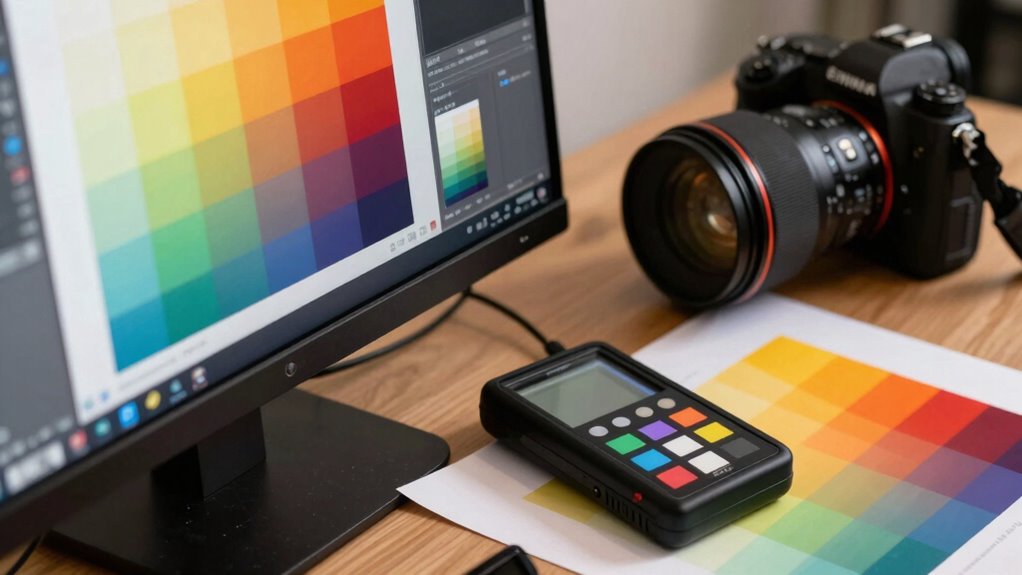
Color-managed workflow guarantees that colors remain consistent and accurate from the moment you capture an image to its final output. This process isn’t just about getting the colors to look right; it’s about saving you time and reducing costly mistakes along the way. When you perform proper color calibration on your devices, such as monitors, printers, and cameras, you assure that each component reflects true colors. This calibration aligns devices to a common color standard, meaning what you see on your screen will match the final printed piece or digital display. Without calibration, you risk discrepancies that force you to redo work, wasting hours on guesswork and adjustments. Incorporating color calibration into your workflow ensures that all devices are synchronized for optimal accuracy. Soft proofing is another essential element in a color-managed workflow. It allows you to preview how an image will appear once printed or displayed on different devices, right on your monitor. Instead of printing multiple test copies to see how colors turn out, you can simulate the final output with soft proofing. This technique helps you identify potential color shifts or mismatches early in the process, saving both time and money. When combined with accurate color calibration, soft proofing becomes a powerful tool that ensures your digital work translates seamlessly into the physical world or other digital platforms. By integrating these practices, you avoid the common pitfalls of color inconsistency, which often lead to delays. For example, if you’re preparing images for print, failing to calibrate your monitor might cause you to adjust colors based on an inaccurate display. That adjustment could look perfect on your screen but appear completely different in print, resulting in reprints and wasted materials. Soft proofing helps mitigate this risk by giving you a realistic preview, so you can make necessary adjustments before hitting print or final delivery. This proactive approach reduces the need for multiple revisions, which can be time-consuming and costly. Additionally, understanding color management principles can help you troubleshoot issues more effectively when discrepancies occur. Recognizing the importance of device synchronization ensures a smoother workflow and fewer surprises during final output. Implementing color standards ensures consistency across devices and projects, further streamlining the entire process. Staying informed about color profiles can also improve your ability to maintain color fidelity across various media types. Ultimately, a color-managed workflow streamlines your entire creative process. It minimizes guesswork, ensures predictable results, and empowers you to make precise adjustments early on. This not only accelerates project timelines but also enhances the quality of your work, making clients happier and your reputation stronger. When you prioritize color calibration and soft proofing, you’re investing in a workflow that saves more than just time—you’re saving resources, reducing stress, and delivering consistent, professional results every time.
As an affiliate, we earn on qualifying purchases.
Frequently Asked Questions
How Does Color Management Improve Collaboration Across Teams?
You’ll find that color management improves collaboration by ensuring color consistency across all team members’ work, reducing misunderstandings and rework. When everyone uses the same color profiles and standards, team communication becomes clearer, helping everyone stay aligned. This consistency means your team can work more efficiently, deliver high-quality results, and avoid costly mistakes caused by color discrepancies, ultimately streamlining the entire creative process.
Can Color Management Reduce Printing Costs?
Yes, color management can reduce printing costs. By ensuring color consistency across devices, you improve print efficiency, minimizing wasted ink and paper due to mismatched colors or reprints. This precise control over colors helps you avoid costly reprints and reduces the need for multiple print runs. Over time, these improvements lead to significant cost reduction, saving your team money while maintaining high-quality prints.
What Hardware Is Essential for an Effective Color-Managed Workflow?
You need a calibrated monitor and a reliable color calibration device to verify accurate colors. Monitor profiling helps you achieve consistent display performance, essential for color accuracy. Along with hardware like a high-quality printer and color-accurate paper, these tools create a seamless workflow. By routinely calibrating your monitor and maintaining proper profiling, you guarantee your colors stay true from screen to print, saving time and reducing costly errors.
How Does Color Management Impact Archival and Long-Term Storage?
Imagine your digital files as vibrant, fading paintings in a dusty attic. Color management guarantees your stored images maintain consistent color accuracy over time, like preserving the original hues. By adhering to archival standards, you protect your work from fading and color shifts, ensuring long-term fidelity. This process safeguards your creative legacy, making sure future generations see your work as vividly as you intended, beyond just immediate projects.
Is Color Management Necessary for Personal or Hobbyist Projects?
Color management isn’t strictly necessary for your personal or hobbyist projects, but it helps you achieve personal consistency and hobbyist accuracy. By using color management, you guarantee that your images look the same across different devices and displays, making your work more professional and satisfying. It’s a valuable skill that enhances your creative control, even if you’re not producing commercial work. Plus, it makes learning and experimenting more enjoyable.
professional color calibration monitor
As an affiliate, we earn on qualifying purchases.
As an affiliate, we earn on qualifying purchases.
Conclusion
By adopting a color-managed workflow, you not only save time but also guarantee consistent, professional results across all your projects. Did you know that 67% of creative professionals report improved client satisfaction after implementing proper color management? That’s because accurate colors build trust and elevate your work’s quality. So, invest in a color-managed process—you’ll see faster turnaround, happier clients, and work that truly stands out. It’s more than efficiency; it’s about delivering excellence every time.
As an affiliate, we earn on qualifying purchases.
printer color calibration device
As an affiliate, we earn on qualifying purchases.
As an affiliate, we earn on qualifying purchases.
Halloween Picks
halloween
As an affiliate, we earn on qualifying purchases.