
TL;DR

Get monitors, keyboards and dev gear delivered free — and shop member deals
- Fast, free delivery on millions of items
- Access to Prime Big Deal Days deals on October 6–7
- Prime Video, Amazon Music and more included
Gyroflow is a new software tool that stabilizes videos by leveraging gyroscope and accelerometer data from modern cameras or external sensors. It supports various camera models, offers real-time previews, and integrates with editing software. This development could significantly improve video stabilization quality for creators using compatible devices.
Gyroflow, a new video stabilization application, now allows users to enhance footage quality by utilizing gyroscope and accelerometer data from compatible cameras and external sensors. The software is designed to improve stabilization accuracy and offers real-time previews, supporting a wide range of cameras and editing platforms. This development is relevant for videographers seeking higher-quality stabilization without hardware upgrades.
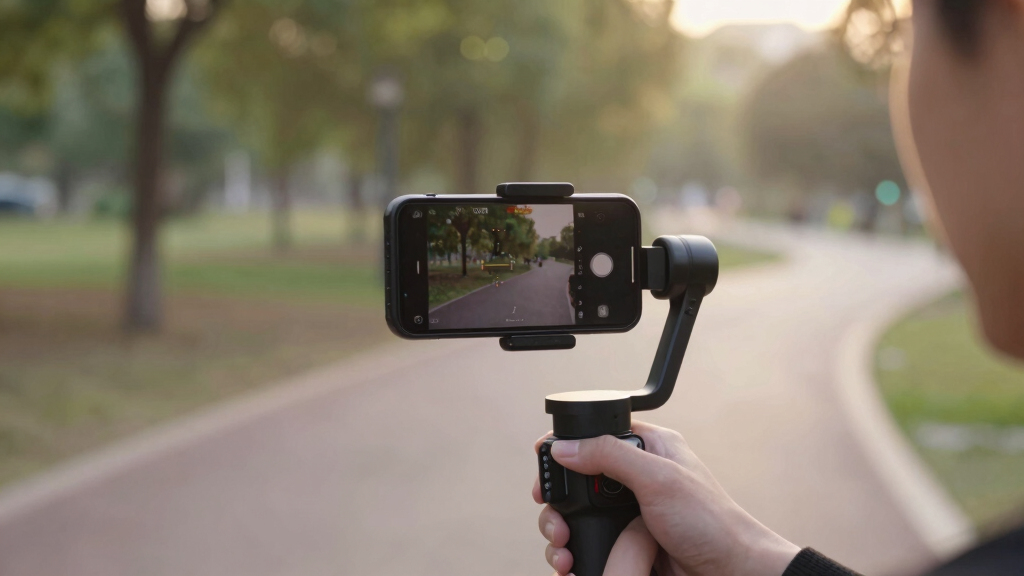
Gyroflow works by using motion data recorded internally by cameras such as GoPro HERO 6 and later, Sony, Insta360, DJI, and others. It can also incorporate external gyroscope data from devices like Betaflight blackbox logs or smartphone sensors. The application processes this data alongside video footage, applying stabilization algorithms that correct for camera shake. Features include GPU-accelerated processing, rolling shutter correction, support for high bit-depth videos, and compatibility with popular video editing software like Adobe Premiere, DaVinci Resolve, and Final Cut Pro. It supports multiple gyro sources, offers customizable lens correction, and can handle underwater footage, making it versatile for various shooting conditions.
Why It Matters
This development matters because it offers a more precise and flexible approach to video stabilization, especially for professional and enthusiast videographers using action cameras or drones equipped with gyroscopes. By integrating gyroscope data directly into the stabilization process, Gyroflow can produce smoother, more stable footage, reducing post-processing time and improving overall video quality. Its support for multiple platforms and editing tools broadens its potential user base, potentially setting a new standard in stabilization technology.
action camera gyroscope stabilization
As an affiliate, we earn on qualifying purchases.
As an affiliate, we earn on qualifying purchases.
Background
Traditional video stabilization relies on software algorithms that analyze frame-to-frame motion, often resulting in cropping or loss of detail. Cameras like GoPro HERO 8 and newer have built-in stabilization features such as Hypersmooth, which Gyroflow can complement or enhance. Previous tools lacked the ability to fully utilize gyroscope data recorded during capture, limiting stabilization precision. Gyroflow builds on recent advances in motion data recording and GPU processing, offering a new approach that leverages telemetry for more accurate stabilization.
“Gyroflow enables precise stabilization by directly using gyroscope and accelerometer data, providing significant improvements over purely software-based methods.”
— Gyroflow developers
“Using Gyroflow with external gyro logs from Betaflight has dramatically improved the stability of drone footage, especially in challenging conditions.”
— Beta tester from drone community
external gyroscope sensor for drones
As an affiliate, we earn on qualifying purchases.
As an affiliate, we earn on qualifying purchases.
What Remains Unclear
While Gyroflow’s capabilities are well-documented, it is not yet clear how it performs across all camera models or in all shooting conditions. Support for some cameras without built-in gyroscopes depends on external sensors, which may require additional setup. The long-term stability, user interface refinements, and integration with all editing platforms are still evolving as the software develops.
video stabilization software with gyroscope data
As an affiliate, we earn on qualifying purchases.
As an affiliate, we earn on qualifying purchases.
What’s Next
Next steps include broader testing by the community, integration of more camera profiles, and potential updates to improve usability and compatibility. Developers plan to expand plugin support for more editing tools and refine stabilization algorithms based on user feedback. A public release is expected to be followed by ongoing updates addressing emerging needs and hardware support.
GoPro HERO 8 stabilization accessories
As an affiliate, we earn on qualifying purchases.
As an affiliate, we earn on qualifying purchases.
Key Questions
Can Gyroflow stabilize footage from any camera?
Gyroflow supports cameras with built-in gyroscopes like GoPro HERO 6 and later, Sony, Insta360, DJI, and others. For cameras without internal gyros, external sensors can be used to record motion data for stabilization.
Is Gyroflow compatible with popular editing software?
Yes, Gyroflow offers plugins for Adobe Premiere, DaVinci Resolve, Final Cut Pro, and others, allowing users to apply stabilization directly within their editing workflow.
Does Gyroflow require high-end hardware?
While GPU acceleration is supported for faster processing, basic stabilization can be performed on standard systems. Recommended specifications include modern graphics drivers and sufficient processing power for real-time previews and high-resolution videos.
Is the software free or paid?
Gyroflow is available as an open-source project, with downloads accessible from its official website and nightly builds for ongoing development.
What types of gyro data sources are supported?
Gyroflow supports internal camera gyroscopes, external logs from Betaflight blackbox, ArduPilot logs, and various sensor logging apps on iOS and Android devices.
Halloween Picks
halloween
As an affiliate, we earn on qualifying purchases.