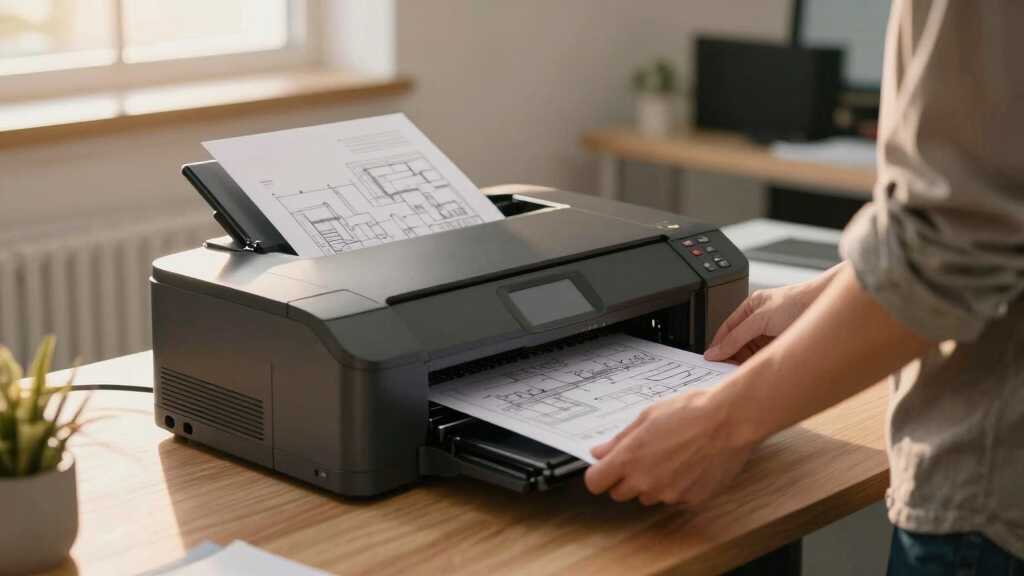

Finding the best plotter printer for monochrome plans involves balancing print quality, speed, and cost-effectiveness. The HP DesignJet T630 stands out as the overall top pick thanks to its reliable performance and user-friendly features. For those prioritizing speed and durability, the HP DesignJet T850 offers excellent value with a robust warranty. Meanwhile, the Canon imagePROGRAF TM-240 provides crisp, high-quality black-and-white output suitable for detailed technical drawings. Buyers face tradeoffs between budget, size, and multifunctionality, making it crucial to match the printer to specific project needs. Keep reading to find a detailed breakdown of these options and more.

Get business pricing on monitors, keyboards and dev gear
- Business-only prices and quantity discounts
- Tax-exempt purchasing
- Multiple users, one account, clear invoices
Key Takeaways
- The top-ranked models balance print quality, speed, and ease of use, with the HP DesignJet T630 leading overall.
- Larger format options like 36-inch printers are best suited for professional architects and large-scale projects, while 24-inch models serve smaller offices.
- Multifunction features often add convenience but can increase complexity and cost, making dedicated plotters preferable for straightforward monochrome printing.
- Warranty and support are critical for high-volume use; models with extended coverage like the T850 offer better peace of mind.
- Budget constraints remain a key factor, but investing in a reliable, durable printer often pays off through fewer repairs and higher-quality output.
| HP DesignJet T630 Large Format 36-inch Plotter Printer with Auto Sheet Feeder, Media Bin & Stand |  | Best Overall for Small Offices and Space-Conscious Professionals | Media Sizes: Up to 36-inch wide media rolls and 13×19-inch sheets | Media Handling: Sheet feed, roll feed, automatic sheet/roll switch, media bin, automatic horizontal cutter | Connectivity: Gigabit Ethernet, Wi-Fi 802.11 b/g/n, Hi-Speed USB 2.0, Wi-Fi Direct | VIEW LATEST PRICE | See Our Full Breakdown |
| HP DesignJet T850 Large Format 36-inch Color Plotter Printer with 2-Year Warranty |  | Best for Color and High-Quality Technical Output | Printer Type: Thermal Inkjet | Media Sizes: Up to 36 inches wide | Media Handling: Roll feed, sheet input tray (50 sheets), media bin | VIEW LATEST PRICE | See Our Full Breakdown |
| HP DesignJet T870 Large Format 24-inch Plotter Printer |  | Best for Precise Technical and Creative Projects | Media Sizes: Up to 24 inches wide | Media Handling: Sheet feed, roll feed, automatic switch, media bin | Connectivity: Gigabit Ethernet, Wi-Fi 802.11 b/g/n | VIEW LATEST PRICE | See Our Full Breakdown |
| HP DesignJet T230 Large Format 24-inch Plotter Printer |  | Best for Compact, Cost-Effective, High-Speed Printing | Media Sizes: Up to 24-inch wide media rolls, up to 13×19-inch sheets | Media Handling: Sheet feed, roll feed, automatic cutter | Connectivity: Gigabit Ethernet, Wi-Fi Direct, Wi-Fi 802.11 b/g/n, Hi-Speed USB 2.0 | VIEW LATEST PRICE | See Our Full Breakdown |
| Canon imagePROGRAF TM-240 24-Inch Large Format Printer |  | Best for High-Resolution, Outdoor-Ready Printing | Printer Type: Inkjet | Maximum Print Width: 24 inches | Print Resolution: 2400 x 1200 dpi | VIEW LATEST PRICE | See Our Full Breakdown |
| Canon imagePROGRAF TM-340 36″ Large Format 5-Color Poster & Plotter Printer |  | Best Overall for Vivid Monochrome Plans with User-Friendly Features | Print Width: 36 inches | Color: 5-color pigment ink | Ink Capacity: 300 ml total (BK/C/M/Y 55ml, MBK 80ml) | VIEW LATEST PRICE | See Our Full Breakdown |
| HP DesignJet T210 Large Format 24-inch Plotter Printer |  | Best Compact Choice for Professional 24-inch Monochrome Plans | Media Sizes: Up to 24-inch wide media rolls | Print Speed: Up to 45 seconds per page | Connectivity: Wi-Fi, Ethernet, USB | VIEW LATEST PRICE | See Our Full Breakdown |
| HP DesignJet T210 Large Format 24-Inch Plotter Printer with 2-Year HP Care Pack | | Best Speed and Cost Efficiency for Monochrome Plans in Professional Settings | Media Sizes: Up to 24-inch wide media rolls | Print Speed: Up to 59 pages/hour | Connectivity: Wi-Fi, Ethernet, USB | VIEW LATEST PRICE | See Our Full Breakdown |
| Canon imagePROGRAF TC-21M 24-Inch Large Format Multifunction Printer |  | Best Versatile Multifunction for Monochrome and Basic CAD Plans | Maximum Print Width: 24 inches | Print Resolution: 2400 x 1200 dpi | Display Screen: 2.7″ touchscreen LCD | VIEW LATEST PRICE | See Our Full Breakdown |
| HP DesignJet T650 Large Format 36″ Plotter Printer |  | Best for High-Speed, Large-Format Monochrome Plans in Professional Settings | Media Sizes: Up to 36 inches wide | Print Speed: Up to 26 seconds per A1/D | Connectivity: Wi-Fi, Ethernet, USB | VIEW LATEST PRICE | See Our Full Breakdown |
| HP DesignJet T830 Large Format Multifunction Wireless Plotter Printer – 24″ |  | Best for Small Office Multifunction Needs | Media Sizes: 8.3 to 24-in wide sheets; 11 to 24-in rolls | Media Handling: Sheet feed; roll feed; input tray; media bin; automatic cutter | Connectivity: Wi-Fi, Gigabit Ethernet | VIEW LATEST PRICE | See Our Full Breakdown |
| HP DesignJet T630 24-Inch Wide-Format Inkjet Printer with Stand and Accessories |  | Best for Office-Ready Large-Format Printing | Print Width: 24 inches | Max Resolution: 2400 x 1200 dpi | Print Speed: 30 seconds per A1 page | VIEW LATEST PRICE | See Our Full Breakdown |
| Canon imagePROGRAF TC-21 24″ Large Format Printer with Automatic Roll & Cut Sheet Feeder |  | Best for Vibrant, High-Quality Monochrome and Color Prints | Maximum Media Size: 11 x 17 inches | Maximum Sheet Capacity: 100 sheets | Print Resolution: 1200 x 1200 dpi | VIEW LATEST PRICE | See Our Full Breakdown |
| plotter printer for monochrome plan | Connectivity | Print Speed | Media Sizes |
|---|---|---|---|
| HP DesignJet T630 Large Format | Gigabit Ethernet, Wi-Fi 802.11 b/g/n, Hi-Speed USB 2.0, Wi-Fi Direct | Up to 30 seconds per page on A1/D size | Up to 36-inch wide media rolls and 13×19-inch sheets |
| HP DesignJet T850 Large Format | — | — | Up to 36 inches wide |
| HP DesignJet T870 Large Format | Gigabit Ethernet, Wi-Fi 802.11 b/g/n | Up to 21 seconds per page on A1/D size | Up to 24 inches wide |
| HP DesignJet T230 Large Format | Gigabit Ethernet, Wi-Fi Direct, Wi-Fi 802.11 b/g/n, Hi-Speed USB 2.0 | Up to 45 seconds per page | Up to 24-inch wide media rolls, up to 13×19-inch sheets |
| Canon imagePROGRAF TM-240 24-I | — | Up to 3.2 ppm | — |
| Canon imagePROGRAF TM-340 36" | Wired and Wireless (USB, Ethernet) | — | — |
| HP DesignJet T210 Large Format | Wi-Fi, Ethernet, USB | Up to 45 seconds per page | Up to 24-inch wide media rolls |
| HP DesignJet T210 Large Format | Wi-Fi, Ethernet, USB | Up to 59 pages/hour | Up to 24-inch wide media rolls |
| Canon imagePROGRAF TC-21M 24-I | — | — | — |
| HP DesignJet T650 Large Format | Wi-Fi, Ethernet, USB | Up to 26 seconds per A1/D | Up to 36 inches wide |
| HP DesignJet T830 Large Format | Wi-Fi, Gigabit Ethernet | — | 8.3 to 24-in wide sheets; 11 to 24-in rolls |
| HP DesignJet T630 24-Inch Wide | Gigabit Ethernet, Wi-Fi, Wi-Fi Direct | 30 seconds per A1 page | — |
| Canon imagePROGRAF TC-21 24" L | Wi-Fi, Ethernet, USB | 15 pages per minute (color), 20 pages per minute (black & white) | — |
More Details on Our Top Picks
HP DesignJet T630 Large Format 36-inch Plotter Printer with Auto Sheet Feeder, Media Bin & Stand
The HP DesignJet T630 stands out for its compact size, making it an ideal choice for small offices where space is limited. It offers fast printing speeds and high accuracy, which are crucial for professional technical drawings and maps. Compared to the larger T850, the T630’s smaller footprint means sacrificing some media width flexibility but gaining easier installation and storage. Its connectivity options, including Wi-Fi and Ethernet, make remote printing straightforward, though initial setup may challenge beginners. This model balances performance and convenience, making it a practical choice for professionals needing reliable monochrome plans without bulky equipment.
Pros:- Compact size fits well in small office spaces
- Fast printing speeds enhance productivity
- High accuracy ensures detailed monochrome plans
- Easy to use with HP software and mobile app
Cons:- Limited to 36-inch media width, restricting larger formats
- Network setup can be complex for beginners
- Initial setup may be challenging for new users
Best for: Small architectural firms or engineering teams with limited space who need quick, accurate monochrome prints
Not ideal for: Large-scale printing environments or users requiring media over 36 inches wide, as it is limited to 36-inch media width
- Media Sizes:Up to 36-inch wide media rolls and 13×19-inch sheets
- Media Handling:Sheet feed, roll feed, automatic sheet/roll switch, media bin, automatic horizontal cutter
- Connectivity:Gigabit Ethernet, Wi-Fi 802.11 b/g/n, Hi-Speed USB 2.0, Wi-Fi Direct
- Print Speed:Up to 30 seconds per page on A1/D size
- Onboard Memory:1 GB
- Eco Features:Uses up to 95% less ink, reduces CO2 emissions
Our verdict“This printer excels for small offices needing space-efficient, accurate monochrome plotting with quick turnaround times.”
HP DesignJet T850 Large Format 36-inch Color Plotter Printer with 2-Year Warranty
The HP DesignJet T850 is a versatile, color-capable large-format plotter that surpasses monochrome-only options like the T870 for users who also need vibrant color output. Its support for both roll and sheet media, along with a comprehensive 2-year warranty, makes it suitable for professional environments demanding reliability. While it’s larger and more expensive than the T630, its ability to handle high-quality color prints on various media types makes it better suited for presentations, posters, and detailed maps. Compared with the T870, it provides richer output, though its bigger footprint requires more space. It’s a strong pick for professionals who value color versatility alongside precise monochrome plans.
Pros:- High-quality color printing for detailed presentations
- Supports multiple media types and sizes with ease
- Reliable 2-year onsite warranty for peace of mind
- Versatile media handling for roll and sheet printing
Cons:- Larger footprint, requiring significant space
- Higher price point for a monochrome-focused user
- Setup complexity may challenge casual users
Best for: Architects and engineers who need both monochrome and color printing capabilities within a professional setup
Not ideal for: Small offices with space constraints or users focused solely on monochrome plans, as it’s more expensive and takes up more room
- Printer Type:Thermal Inkjet
- Media Sizes:Up to 36 inches wide
- Media Handling:Roll feed, sheet input tray (50 sheets), media bin
- Memory:1 GB
- Supported Media:Bond, coated, heavyweight paper/media rolls
- Warranty:2 years
Our verdict“This model makes the most sense for professionals who need reliable color output alongside monochrome plans and have sufficient space to accommodate it.”
HP DesignJet T870 Large Format 24-inch Plotter Printer
The HP DesignJet T870 is tailored for professionals needing a 24-inch wide format with high precision and fast output. Its automatic media switching and high-speed printing make it a practical choice for architects, engineers, and educators handling technical drawings or signage. Compared to the larger T850, the T870’s smaller size is more suitable for compact offices but limits media width. Its wireless and Ethernet connectivity offer flexible printing options, yet it’s primarily designed for professional use, which can be overkill for casual hobbyists. This printer provides dependable performance for monochrome plans and detailed posters, with a focus on ease of use and support.
Pros:- High-resolution output suitable for detailed technical plans
- Automatic media switching enhances workflow efficiency
- Wireless and Ethernet for flexible printing
- Includes 2-year onsite support
Cons:- Limited to 24-inch media width, less versatile for larger projects
- Requires compatible HP ink cartridges, which can be costly
- Designed mainly for professional use, not casual hobbyists
Best for: Designers, educators, and professionals needing precise monochrome or color prints up to 24 inches wide
Not ideal for: High-volume large-format printing over 24 inches or users needing extensive media handling capacity
- Media Sizes:Up to 24 inches wide
- Media Handling:Sheet feed, roll feed, automatic switch, media bin
- Connectivity:Gigabit Ethernet, Wi-Fi 802.11 b/g/n
- Print Speed:Up to 21 seconds per page on A1/D size
- Memory:1 GB
- Support:2-year onsite and phone support
Our verdict“This printer offers reliable, precise monochrome and color printing for smaller formats, ideal for busy professionals in tight spaces.”
HP DesignJet T230 Large Format 24-inch Plotter Printer
The HP DesignJet T230 is a compact, budget-friendly option that excels in speed, making it suitable for busy offices with high print volumes. Its ability to produce up to 45 seconds per page on A1/D size ensures quick turnarounds, surpassing the T870’s speed. While its smaller size limits media width to 24 inches, it offers easy software for poster creation and remote management, appealing to professionals who need efficiency without extensive space commitments. Compared with the T870, the T230’s focus on speed and affordability comes with some tradeoffs in media handling complexity and optional accessories, but it remains a solid choice for straightforward monochrome plans in smaller setups.
Pros:- Very compact, fits small offices easily
- Fast printing speeds improve workflow
- Cost-efficient ink reduces ongoing expenses
- Intuitive software for poster creation
Cons:- Limited to 24-inch media width
- May require optional accessories for sheet printing
- Setup can be complex for some users
Best for: Architectural and engineering firms needing fast, reliable monochrome printing in limited space
Not ideal for: Large-format projects over 24 inches or offices requiring advanced media handling features
- Media Sizes:Up to 24-inch wide media rolls, up to 13×19-inch sheets
- Media Handling:Sheet feed, roll feed, automatic cutter
- Connectivity:Gigabit Ethernet, Wi-Fi Direct, Wi-Fi 802.11 b/g/n, Hi-Speed USB 2.0
- Print Speed:Up to 45 seconds per page
- Print Volume:59 A1/D prints per hour
- Warranty:2-year onsite support
Our verdict“This printer is ideal for professionals prioritizing speed and affordability in small, monochrome-focused offices.”
Canon imagePROGRAF TM-240 24-Inch Large Format Printer
The Canon imagePROGRAF TM-240 offers exceptional resolution and water-resistant inks, making it ideal for outdoor signage and posters. Its 2400 x 1200 dpi resolution ensures crisp, detailed monochrome plans, surpassing many competitors like the T870 in print quality. Although it’s heavier and larger, this model provides water-resistant prints suitable for outdoor or long-term displays. Its 5-color ink set and automatic calibration ensure consistent, high-quality output, but the higher price and single tray media handling may put off casual or small-scale users. This printer is best for those who need professional-grade, detailed monochrome and color prints with outdoor durability.
Pros:- High-resolution output up to 2400 x 1200 dpi
- Water-resistant inks for outdoor signage
- Fast print speeds for large jobs
- Automatic color calibration for consistency
Cons:- Heavy and takes up substantial space
- Limited to a single tray, restricting media handling options
- Higher price point for professional-grade quality
Best for: Professionals needing high-resolution, outdoor-capable monochrome or color prints on various media
Not ideal for: Small offices or users prioritizing compactness and lower costs, due to its weight and size
- Printer Type:Inkjet
- Maximum Print Width:24 inches
- Print Resolution:2400 x 1200 dpi
- Print Speed:Up to 3.2 ppm
- Ink Colors:5-color set
- Media Types:Banner, glossy, high-res paper, plain paper
Our verdict“This printer is best suited for outdoor signage and detailed monochrome plans where resolution and durability are critical.”
Canon imagePROGRAF TM-340 36″ Large Format 5-Color Poster & Plotter Printer
The Canon imagePROGRAF TM-340 stands out for delivering vibrant, precise black-and-white prints thanks to its 5-color pigment ink set, making it ideal for detailed monochrome plans. Compared to the HP DesignJet T650, it offers superior color calibration and more comprehensive workflow software, which benefits users needing reliable, high-quality output. Its automatic media detection and easy setup streamline operations, especially in small offices. However, the 36-inch width might limit those requiring larger formats, and the higher initial cost reflects its professional-grade features. This model is best suited for small teams or individuals who prioritize print quality and ease of use over expansive media capacity or budget constraints.
Pros:- Vivid color output with automatic calibration ensures sharp monochrome details
- Intuitive touchscreen and media loading simplify operation for beginners
- Includes creative workflow software for versatile printing needs
Cons:- Limited to 36-inch media width, not suitable for larger projects
- Higher upfront cost due to professional features
Best for: Small architecture firms or design studios needing high-quality monochrome plans with vibrant detail
Not ideal for: Large enterprises or contractors requiring wider formats and bulk production, as it’s limited to 36 inches
- Print Width:36 inches
- Color:5-color pigment ink
- Ink Capacity:300 ml total (BK/C/M/Y 55ml, MBK 80ml)
- Connectivity:Wired and Wireless (USB, Ethernet)
- Display:4.3-inch adjustable touchscreen
- Included Software:PosterArtist, Free Layout Plus, Direct Print Plus, Accounting Manager
Our verdict“This printer is perfect for small-scale professionals valuing color accuracy and straightforward operation for monochrome plans.”
HP DesignJet T210 Large Format 24-inch Plotter Printer
The HP DesignJet T210 offers a compact footprint tailored for small offices that need reliable 24-inch monochrome plan printing with high accuracy. Its fast print speed—up to 45 seconds per page—outpaces many competitors like the Canon imagePROGRAF TC-21M, making it ideal for time-sensitive projects. Its user-friendly HP Click software and mobile compatibility streamline workflow, but the limited media width can be restrictive for larger-scale plans. This printer excels for users who prioritize speed and ease of use in a space-constrained environment, but it’s less suitable for those needing wider formats or expanded media handling.
Pros:- Compact size fits in small office spaces comfortably
- Fast printing speeds support tight project deadlines
- Easy software integration and mobile printing capabilities
Cons:- Limited to 24-inch media, restricting larger plan sizes
- Requires optional sheet feeder for certain media types
- Higher initial cost compared to basic models
Best for: Architects and engineers in small offices needing quick, accurate 24-inch monochrome prints
Not ideal for: Large construction firms or labs requiring wider media formats, as it maxes out at 24 inches
- Media Sizes:Up to 24-inch wide media rolls
- Print Speed:Up to 45 seconds per page
- Connectivity:Wi-Fi, Ethernet, USB
- Supported Ink Cartridges:HP 712, HP 713
- Memory:500MB
- Warranty:One-year limited hardware
Our verdict“Ideal for small teams demanding quick, precise monochrome prints in limited space environments.”
HP DesignJet T210 Large Format 24-Inch Plotter Printer with 2-Year HP Care Pack
The HP DesignJet T210 with a 2-year Care Pack emphasizes cost-efficient, high-speed production of monochrome plans up to 24 inches wide. Its impressive printing rate—up to 59 pages per hour—surpasses many competitors, including the Canon TM-340, especially when volume is a concern. Using up to 95% less ink, it reduces ongoing costs and environmental impact, making it suitable for busy offices. Nonetheless, its media width remains limited to 24 inches, and some users report that initial setup can be complex. This pick suits professionals who prioritize speed, economy, and small footprint but don’t require wider formats.
Pros:- High-speed output supports rapid project turnover
- Supports media up to 24 inches wide, fitting many technical needs
- Uses significantly less ink, lowering operational costs
Cons:- Limited to 24-inch media, not suitable for larger plans
- Complex initial setup for some users
- Requires optional accessories for full media handling
Best for: Construction professionals and architectural firms with high-volume monochrome printing needs in tight spaces
Not ideal for: Organizations needing larger format widths or more straightforward setup processes, as these are less emphasized here
- Media Sizes:Up to 24-inch wide media rolls
- Print Speed:Up to 59 pages/hour
- Connectivity:Wi-Fi, Ethernet, USB
- Eco Features:Uses up to 95% less ink
- Included Accessories:Printhead, introductory ink
- Warranty:2-year HP Care Pack
Our verdict“Best suited for fast-paced offices seeking economical, high-volume monochrome printing in a compact form.”
Canon imagePROGRAF TC-21M 24-Inch Large Format Multifunction Printer
The Canon imagePROGRAF TC-21M combines printing and scanning, offering a flexible solution for monochrome plans, CAD drawings, and posters. Its flatbed scanner enables easy enlargements and detailed editing, a feature absent in purely printer-only models like the HP T210. While its 2400 x 1200 dpi resolution ensures crisp output, its inkjet technology can be slower than laser counterparts, especially for bulk monochrome printing. Its weight and size demand significant space, and setup might challenge beginners. This multifunction device is best for small offices needing both printing and scanning in a single unit, but it’s less suited for high-volume, fast-paced environments.
Pros:- Versatile media handling with roll and flat media
- Enlargement from the flatbed scanner simplifies detailed editing
- Supports multiple functions—print, scan, copy
Cons:- Slower than laser printers for bulk monochrome output
- Heavy and takes up considerable space
- Complex setup for less tech-savvy users
Best for: Small architectural or educational offices requiring both printing and scanning of monochrome plans
Not ideal for: High-volume printing environments or those needing wider formats, as it maxes out at 24 inches
- Maximum Print Width:24 inches
- Print Resolution:2400 x 1200 dpi
- Display Screen:2.7″ touchscreen LCD
- Additional Functions:Flatbed scanning, copying
- Supported Media:Banner, high-res paper, labels
- Item Dimensions:21″D x 38″W x 10″H
Our verdict“A flexible choice for small offices needing multifunction capabilities with reliable monochrome output in 24 inches.”
HP DesignJet T650 Large Format 36″ Plotter Printer
The HP DesignJet T650 shines for producing large monochrome plans up to 36 inches wide with rapid throughput—up to 26 seconds per A1/D plot—making it suitable for busy architectural or engineering offices. Its support for media rolls and sheets, combined with HP Click software, simplifies workflow management, especially for batch printing. Compared to the Canon TM-340, it offers a broader media capacity and faster printing for large-scale projects. Conversely, its setup can be complex without prior experience, and it relies heavily on specific HP ink cartridges. This printer is ideal for professionals needing quick, reliable output at larger widths but may be overkill for small-scale users or those on a tight budget.
Pros:- High-speed printing supports tight deadlines
- Supports media up to 36 inches wide, suitable for large plans
- Easy workflow with HP Click software
Cons:- Limited to specific media sizes (up to 36 inches wide)
- Setup can be complex for new users
- Requires genuine HP cartridges for optimal results
Best for: Construction firms or large engineering offices requiring fast, large-format monochrome plans
Not ideal for: Small businesses or individual architects with limited space or lower volume needs, due to its size and cost
- Media Sizes:Up to 36 inches wide
- Print Speed:Up to 26 seconds per A1/D
- Connectivity:Wi-Fi, Ethernet, USB
- Supported Ink:HP 712, HP 713 cartridges
- Print Volume:76-82 A1/D prints per hour
- Warranty:2-year onsite support
Our verdict“A robust, fast large-format printer perfect for high-volume, wide monochrome plan printing in professional environments.”
HP DesignJet T830 Large Format Multifunction Wireless Plotter Printer – 24″
The HP DesignJet T830 stands out as the most versatile choice in this lineup, combining printing, scanning, and copying capabilities in a compact, easy-to-manage device. Compared to the Canon imagePROGRAF TC-21, which is dedicated to printing only, the T830 offers an all-in-one solution ideal for teams needing to handle multiple document tasks without multiple machines. Its support for media sizes up to 24 inches and fast print speeds of 81 A1/D prints per hour make it efficient for technical projects. However, the tradeoff is that its cartridges, using non-HP chips, may face compatibility issues, and it’s primarily focused on technical and architectural documents, limiting its use for high-quality photo printing. This printer is best suited for small offices where space, multifunctionality, and speed are priorities, but not for those needing high-fidelity color or large-format printing beyond 24 inches.
Pros:- Compact size fits well in small office spaces
- Supports mobile printing through multiple apps
- Fast print speeds for large-format documents
- Includes scanning and copying functions for project management
Cons:- Cartridges may have compatibility issues due to non-HP chips
- Limited to technical and architectural document printing, not ideal for high-quality color images
Best for: Small architecture or engineering firms that require a multifunction device with quick, reliable monochrome plan printing and scanning.
Not ideal for: Large design studios needing high-resolution color output and larger media formats, as this model is limited to 24 inches and monochrome plans only.
- Media Sizes:8.3 to 24-in wide sheets; 11 to 24-in rolls
- Media Handling:Sheet feed; roll feed; input tray; media bin; automatic cutter
- Connectivity:Wi-Fi, Gigabit Ethernet
- Print Speeds:Up to 26 sec/page on A1/D, 81 A1/D prints per hour
- Cartridges:HP 728 series
- Warranty:One-year limited warranty
Our verdict“This model is best for small offices seeking an all-in-one monochrome plotter with quick turnaround times.”
HP DesignJet T630 24-Inch Wide-Format Inkjet Printer with Stand and Accessories
The HP DesignJet T630 is a compact, user-friendly printer that balances speed and media versatility, making it suitable for busy office environments. Unlike the HP T830, which offers multifunctionality, the T630 is a dedicated printer optimized for technical drawings, presentations, and large-format projects up to 24 inches wide. Its high resolution of 2400 x 1200 dpi and a print speed of 30 seconds per A1 page ensure sharp, vibrant monochrome and color prints efficiently. It features versatile media handling, including bond, coated, and technical papers, with enhanced connectivity options such as Wi-Fi and Ethernet. While it excels in space efficiency and speed, it does require setup knowledge and is limited to 24-inch media, making it less suited for larger or high-volume print jobs. This pick makes the most sense for small to medium offices that prioritize straightforward, high-quality monochrome plan printing without multifunction needs.
Pros:- Space-efficient and easy to integrate into small offices
- High-resolution output for detailed technical drawings
- Fast printing speeds improve workflow efficiency
- Supports a variety of media types and sizes
Cons:- Limited to 24-inch media width, restricting larger projects
- Requires some setup and maintenance knowledge for optimal performance
Best for: Design offices or engineering teams needing reliable, fast monochrome plans with excellent print quality and ease of use.
Not ideal for: Large print shops or studios requiring larger formats or multi-function capabilities, as this model is limited to 24 inches and print-only functions.
- Print Width:24 inches
- Max Resolution:2400 x 1200 dpi
- Print Speed:30 seconds per A1 page
- Media Support:A4 to A1, bond, coated, technical papers
- Connectivity:Gigabit Ethernet, Wi-Fi, Wi-Fi Direct
- Included Accessories:Stand, auto sheet feeder, ink cartridges, setup poster
Our verdict“This printer is ideal for offices needing quick, high-quality monochrome plans in a compact footprint.”
Canon imagePROGRAF TC-21 24″ Large Format Printer with Automatic Roll & Cut Sheet Feeder
The Canon imagePROGRAF TC-21 is a dedicated, high-resolution inkjet printer offering crisp monochrome and vibrant color output, making it suitable for detailed technical plans and posters. Compared to the HP models, the TC-21 emphasizes color vibrancy and print quality, thanks to its 1200 x 1200 dpi resolution and full set of 280 ml ink cartridges, which reduce the need for frequent refills. Its automatic roll and sheet feeding provide flexibility for larger projects, and wireless connectivity facilitates easy printing from mobile devices. The heavy build and larger footprint might be a drawback for small offices with limited space, and its higher initial cost can be a barrier. While it lacks scanning or copying functions, this printer excels in delivering high-quality monochrome plans with fine detail, especially when color differentiation is needed.
Pros:- High-resolution printing for crisp, detailed plans
- Automatic roll and sheet feeding for versatile media options
- Includes a full set of large ink cartridges, saving on refills
- Wireless and Ethernet connectivity for flexible printing
Cons:- Heavy and occupies significant space, needing dedicated placement
- Limited to print-only functions, no scanning or copying
Best for: Architectural firms or technical illustrators needing detailed, high-quality monochrome plans with occasional color accents, and ample space for a dedicated printer.
Not ideal for: Small offices or teams looking for multifunction devices, or those with limited space, as this model is bulky and print-only.
- Maximum Media Size:11 x 17 inches
- Maximum Sheet Capacity:100 sheets
- Print Resolution:1200 x 1200 dpi
- Print Speed:15 pages per minute (color), 20 pages per minute (black & white)
- Connectivity:Wi-Fi, Ethernet, USB
- Included Ink:280 ml (each color)
Our verdict“This printer is best for those prioritizing top-tier monochrome and color quality over multifunctionality or compact size.”
How We Picked
These printers were selected based on their performance in producing high-quality monochrome plans, reliability under heavy use, and overall value. We evaluated print resolution, speed, media handling, ease of setup, and maintenance costs. Preference was given to models that excel in delivering crisp, precise black-and-white lines, which are essential for technical drawings. Additionally, we considered user reviews and warranty coverage to ensure long-term satisfaction. The ranking reflects a balance of professional-grade features and affordability suitable for different buyer profiles.Factors to Consider When Choosing Best Plotter Printer For Monochrome Plans
Choosing the right plotter printer for monochrome plans requires understanding key factors that influence performance, usability, and cost. Beyond just printing quality, buyers should consider how the printer fits into their workflow, maintenance needs, and future scalability. Making an informed decision involves weighing these broader considerations to find a model that aligns with your specific project requirements and budget constraints.Print Quality and Resolution
For monochrome plans, sharp, clear lines are non-negotiable. Look for printers with high resolution (at least 1200 dpi) to ensure crisp details, especially if plans include fine text or intricate line work. Cheaper models may save initial costs but often produce less precise outputs, which can compromise the clarity of technical drawings. Prioritize printers with proven accuracy and a reputation for consistent black-and-white output to avoid reprints and delays.
Print Speed and Volume
Large projects or daily office demands require a printer that can handle high-volume printing without bottlenecks. Pay attention to pages per hour (PPH) ratings—faster models reduce wait times. However, faster printers can sometimes be more expensive or bulkier. Consider your typical workload: if you produce dozens of plans weekly, investing in a higher-capacity model makes sense; for occasional use, a more modest printer might suffice.
Media Handling and Paper Sizes
Versatile media handling is vital, especially if you plan to print on different types of paper or require large formats. Check whether the printer supports automatic roll feeding, sheet loading, and various media widths. For monochrome plans, consistent media feed and reliable cutting mechanisms help maintain clean, professional edges. Misaligned media or manual feeding can slow down workflows or lead to waste.
Ease of Use and Maintenance
An intuitive interface and straightforward maintenance routines reduce downtime and frustration. Look for printers with user-friendly control panels, clear instructions, and accessible parts for cleaning or replacing ink and paper. Some models include automatic cleaning features, extending device lifespan. Keep in mind that more complex multifunction printers may require additional training or troubleshooting, which might not be ideal for smaller teams or less experienced users.
Cost of Ownership and Support
Initial purchase price is just one part of the total cost. Factor in ongoing expenses such as ink or toner, maintenance kits, and service contracts. Models with higher reliability and longer warranty coverage often prove more economical long-term, especially for frequent use. It’s worth considering brands with strong customer support and readily available parts, as downtime for repairs can be costly and disruptive.
Frequently Asked Questions
How do I choose a plotter printer that will last for years?
Durability depends on build quality, warranty coverage, and the availability of replacement parts. Look for models from reputable brands with positive user reviews for longevity. A longer warranty, such as two or more years, provides peace of mind and often indicates confidence in the product’s durability. Regular maintenance and proper handling also extend the lifespan of your printer, making initial investment in quality worthwhile.
Is it better to get a multifunction printer or a dedicated plotter?
Multifunction printers combine printing, scanning, and copying, offering convenience for small offices with limited space. However, they may compromise on speed and output quality for monochrome plans compared to dedicated plotters. If your primary need is high-volume, precise monochrome printing, a dedicated plotter usually delivers better reliability and performance. Consider your workflow and volume needs carefully before choosing between the two options.
What’s the most important feature for monochrome plan printing?
Print resolution and line accuracy are paramount for monochrome plans, as they directly affect the clarity of technical details. High resolution ensures crisp lines and sharp text, which are essential for accurate interpretation of plans. Additionally, media handling features that support large formats and consistent feeding prevent misalignments and waste, further supporting professional-quality output.
How much should I budget for a reliable monochrome plotter?
Prices vary widely depending on size, features, and brand reputation, but a reliable, professional-grade monochrome plotter generally costs between $2,000 and $6,000. Investing more often results in better durability, faster printing speeds, and lower maintenance costs over time. For occasional use or small projects, budget models under $2,000 may suffice, but for frequent, high-volume printing, higher upfront costs are justified by savings in time and reduced repairs.
Are wireless features worth paying extra for?
Wireless connectivity adds significant convenience, especially in shared office environments or multi-device setups. It allows you to print directly from laptops, tablets, or smartphones without cumbersome cables. While wireless features typically increase the initial price, they can streamline workflows and reduce setup time. For teams that need flexibility and quick access, investing in a wireless-enabled model is often well worth the extra cost.
Conclusion
For most professional users seeking a reliable, high-quality monochrome plotter, the HP DesignJet T630 offers a balanced mix of performance and ease of use, making it the best overall choice. Budget-conscious buyers aiming to keep costs low without sacrificing too much quality should consider the Canon imagePROGRAF TM-240. For those with larger projects or demanding workflows, the HP DesignJet T850 provides durability and extensive coverage, justifying a higher investment. Beginners or small offices will benefit from simpler, more affordable models, while experienced professionals needing precision should look at premium options with advanced features. Your ideal choice depends on your specific volume, size, and quality requirements.
As an affiliate, we earn on qualifying purchases.Halloween Picks
halloween