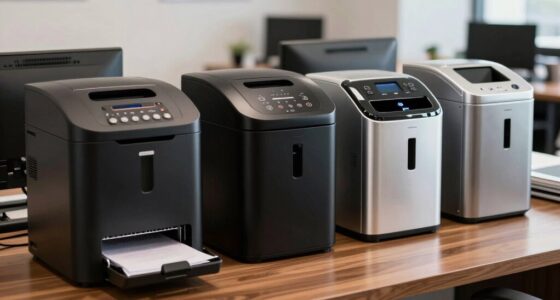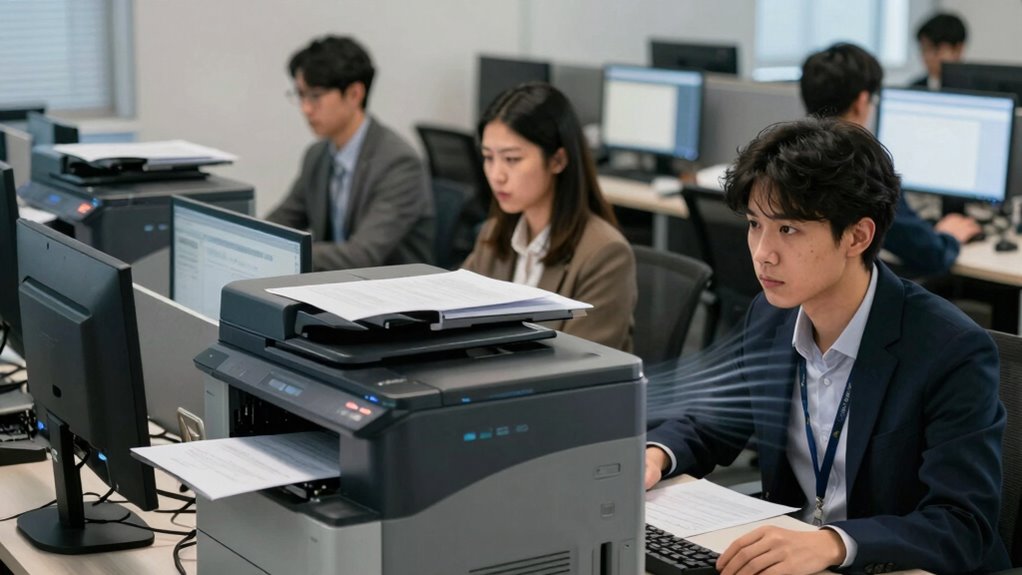

For printer noise and office productivity, the best choice balances quieter day-to-day operation with the speed and features your work actually needs. I’d put the Brother HL-L2460DW first for routine monochrome printing, while the HP LaserJet M110w suits a compact personal desk and the Brother MFC-L2820DW adds useful office functions. The tradeoff is that higher-capacity all-in-ones can take up more space, while compact printers may lack scanning, copying, or a larger paper supply. Color and inkjet models can serve different document needs, but their workflow and operating sounds differ from monochrome laser printers. Read on for the full comparison and guidance on matching printer noise to your office routine.

Get business pricing on monitors, keyboards and dev gear
- Business-only prices and quantity discounts
- Tax-exempt purchasing
- Multiple users, one account, clear invoices
Key Takeaways
- The Brother HL-L2460DW is the strongest everyday monochrome fit in this lineup because duplex printing and wireless access support routine office jobs without requiring an all-in-one footprint.
- The Brother MFC-L2820DW and HP LaserJet Pro MFP 3101sdw prioritize workflow capacity with multifunction features, making them more suitable for shared document work than the smallest personal printers.
- The HP LaserJet M110w favors desk space over flexibility; its compact monochrome role makes sense for one-person printing, but buyers needing duplex printing or document handling should look elsewhere.
- The Canon PIXMA TR4720 and HP DeskJet 4355 bring color inkjet options, while the monochrome laser models better match text-heavy office routines; choose by document mix rather than assuming one technology suits every task.
- Printer noise is only one part of office disruption: placement, print volume, duplex habits, and whether jobs queue near a worker can affect focus as much as the model itself.
| Brother Color Laser Printer with Wireless Printing, Duplex, 250-Sheet Tray, Mobile Compatibility |  | Best for Color Without Frequent Refills | Printer type: Color laser | Print speed: Up to 19 pages per minute | Maximum media size: 8.5 x 14 inches | VIEW ON AMAZON | See Our Full Breakdown |
| Canon imageCLASS MF462dw II – Wireless Monochrome Duplex Laser Printer |  | Best for High-Volume Office Throughput | Printer type: Monochrome laser | Functions: Print, scan, copy, and fax | Print speed: Up to 37 pages per minute | VIEW ON AMAZON | See Our Full Breakdown |
| Brother HL-L2460DW Wireless Monochrome Laser Printer with Duplex and Mobile Printing |  | Best Compact Pick for Routine Monochrome Work | Printer type: Monochrome laser | Print speed: Up to 36 pages per minute | Connectivity: Dual-band wireless, Ethernet, and USB 2.0 | VIEW ON AMAZON | See Our Full Breakdown |
| HP LaserJet MFP M140w Wireless Black & White Printer |  | Best for Tight Desks and Light Office Work | Printer type: Monochrome laser | Functions: Print, scan, and copy | Maximum print speed: Up to 21 pages per minute | VIEW ON AMAZON | See Our Full Breakdown |
| Brother MFC-L2820DW Wireless Monochrome All-in-One Laser Printer with Copy, Scan, and Fax | 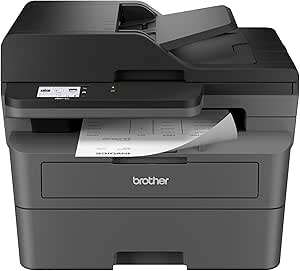 | Best Multifunction Balance for Small Teams | Printer type: Monochrome laser all-in-one | Functions: Print, scan, copy, and fax | Print speed: Up to 36 pages per minute | VIEW ON AMAZON | See Our Full Breakdown |
| HP LaserJet Pro MFP 3101sdw Wireless Black and White All-in-One Laser Printer |  | Best for Busy Small Teams | Printer type: Monochrome laser all-in-one | Print speed: 35 pages per minute | Functions: Print, scan, copy | VIEW ON AMAZON | See Our Full Breakdown |
| Canon PIXMA TR4720 All-in-One Wireless Printer, Home Use with Auto Document Feeder, Mobile Printing and Built-in Fax | 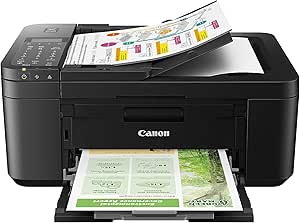 | Best for Home Offices Needing Fax | Printer type: Inkjet all-in-one | Functions: Print, copy, scan, fax | Black print speed: Approx. 8.8 images per minute | VIEW ON AMAZON | See Our Full Breakdown |
| HP LaserJet M110w Monochrome Laser Printer |  | Best Compact Pick | Printer type: Monochrome laser | Maximum print speed: 21 pages per minute | Resolution: 600 × 600 dpi | VIEW ON AMAZON | See Our Full Breakdown |
| HP LaserJet M207dw Monochrome Laser Printer with Duplex Printing |  | Best for Fast Two-Sided Printing | Printer type: Monochrome laser, print only | Maximum listed speed: 28 pages per minute | Print resolution: 600 × 600 dpi | VIEW ON AMAZON | See Our Full Breakdown |
| HP DeskJet 4355 Color Inkjet Printer – Wireless All-in-One |  | Best for Occasional Color Home Printing | Printer type: Color inkjet all-in-one | Functions: Print, copy, scan, fax | Print speed: 8 pages per minute black; 5 pages per minute color | VIEW ON AMAZON | See Our Full Breakdown |
| printer noise office productivity | Printer type | Connectivity | Dimensions | Weight |
|---|---|---|---|---|
| Brother Color Laser Printer wi | Color laser | Wireless, app, touch, and voice | 15.7 x 15.7 x 9.4 inches | — |
| Canon imageCLASS MF462dw II | Monochrome laser | Ethernet, Wi-Fi, and USB | — | 44 pounds |
| Brother HL-L2460DW Wireless Mo | Monochrome laser | Dual-band wireless, Ethernet, and USB 2.0 | — | — |
| HP LaserJet MFP M140w Wireless | Monochrome laser | USB and wireless | 10.4 x 14.2 x 7.8 inches | 11.9 pounds |
| Brother MFC-L2820DW Wireless M | Monochrome laser all-in-one | Dual-band wireless, Ethernet, and USB | — | — |
| HP LaserJet Pro MFP 3101sdw Wi | Monochrome laser all-in-one | Wi-Fi, Ethernet, USB, Apple AirPrint, Mopria | 15.7 × 16.5 × 12.3 inches | 23.1 pounds |
| Canon PIXMA TR4720 All-in-One | Inkjet all-in-one | Wireless, mobile printing | 11.7 × 17.2 × 7.5 inches | 12.7 pounds |
| HP LaserJet M110w Monochrome L | Monochrome laser | USB, wireless | 13.63 × 6.26 × 7.45 inches | 9 pounds |
| HP LaserJet M207dw Monochrome | Monochrome laser, print only | Ethernet, USB, wireless | 11 × 13.98 × 8.07 inches | 12.4 pounds |
| HP DeskJet 4355 Color Inkjet P | Color inkjet all-in-one | Wi-Fi, USB | 16.85 × 7.87 × 13.07 inches | 6 pounds |
More Details on Our Top Picks
Brother Color Laser Printer with Wireless Printing, Duplex, 250-Sheet Tray, Mobile Compatibility
I’d choose the Brother HL-L3220CDW when color documents matter but a steady, work-friendly pace matters too. Its listed speed of 19 pages per minute is slower than the monochrome Brother HL-L2460DW, so large black-and-white batches will take longer; in return, this model prints color and holds 250 sheets, reducing interruptions to reload paper. Automatic duplexing can also cut down on page handling for routine documents. The product data does not provide a noise level, so I can’t claim it runs quietly; its moderate speed may suit a shared workspace better than a printer selected mainly for rapid bulk output. The tradeoffs are a print-only design, a relatively substantial footprint, and toner costs to account for. It makes most sense when color output is worth giving up scanning and copying.
Pros:- Color laser printing supports charts and other color office documents.
- 250-sheet input tray reduces interruptions for paper reloading.
- Automatic duplex printing helps limit manual page handling.
- Wireless and mobile compatibility support printing from different devices.
Cons:- Print-only functionality means scanning and copying require separate equipment.
- Listed speed of 19 pages per minute is below the faster monochrome models here.
- The 15.7-inch-square footprint and toner replacements take space and budget.
Best for: Small office teams that print color reports and want a 250-sheet tray with automatic two-sided printing.
Not ideal for: Buyers who need scanning or copying, or teams that regularly print large monochrome batches as quickly as possible.
- Printer type:Color laser
- Print speed:Up to 19 pages per minute
- Maximum media size:8.5 x 14 inches
- Input capacity:250 sheets
- Output capacity:150 sheets
- Duplex printing:Automatic
- Connectivity:Wireless, app, touch, and voice
- Dimensions:15.7 x 15.7 x 9.4 inches
Our verdict“Choose the HL-L3220CDW if office color and a generous paper tray matter more than multifunction features or high-speed monochrome output.”
Canon imageCLASS MF462dw II – Wireless Monochrome Duplex Laser Printer
For a busy office, the Canon imageCLASS MF462dw II is the throughput-focused choice: it prints at a listed 37 pages per minute and has an approximately five-second first print time. That can help keep print jobs from backing up, though the product data gives no sound measurement, so speed should not be mistaken for quiet operation. Unlike the print-only Brother HL-L2460DW, the Canon adds print, scan, copy, and fax functions, plus a 50-sheet duplex document feeder for multi-page jobs. Its expandable paper capacity can reduce refill breaks, but the 44-pound body and large footprint make it a poor fit for a crowded desk or a frequently moved printer. Monochrome output is another firm limit. I’d rank it for teams that value fast document handling over color and compactness.
Pros:- 37-page-per-minute listed speed supports high-volume document workflows.
- Print, scan, copy, and fax functions consolidate office tasks.
- 50-sheet duplex automatic document feeder handles multi-page originals.
- 800-sheet maximum paper capacity can reduce reload interruptions.
Cons:- At 44 pounds, it is heavy to position or relocate.
- Its 18.1 x 16.6-inch footprint needs more space than compact options such as the HP LaserJet M140w.
- Monochrome printing cannot handle color charts or documents.
Best for: Small offices with frequent black-and-white jobs, multi-page scanning needs, and room for a substantial all-in-one.
Not ideal for: Home-office users with limited desk space, anyone needing color, or workers who move their printer often.
- Printer type:Monochrome laser
- Functions:Print, scan, copy, and fax
- Print speed:Up to 37 pages per minute
- First print time:Approximately 5 seconds
- Connectivity:Ethernet, Wi-Fi, and USB
- Automatic document feeder:50-sheet duplex ADF
- Maximum paper capacity:800 sheets
- Weight:44 pounds
Our verdict“Pick the Canon MF462dw II for fast, high-volume monochrome work and document handling if you can accommodate its size and weight.”
Brother HL-L2460DW Wireless Monochrome Laser Printer with Duplex and Mobile Printing
The Brother HL-L2460DW is a practical fit for teams that want brisk black-and-white printing without the bulk of the Canon imageCLASS MF462dw II. Its 36-page-per-minute listed speed is close to the Canon’s, while the 250-sheet tray and automatic duplexing support everyday document batches with fewer paper-handling pauses. Wireless, Ethernet, and USB connections give an office several ways to keep printing accessible. That simpler setup comes with a real limitation: this is a print-only monochrome model, unlike the Canon and Brother MFC-L2820DW, which can also handle scans and copies. The supplied data does not list a noise level, so I would not treat its speed as evidence of quieter operation. Toner replacement costs and the subscription requirement for toner savings may also shape its long-term fit.
Pros:- 36-page-per-minute listed speed supports quick monochrome jobs.
- 250-sheet paper capacity reduces frequent reloading.
- Automatic duplexing saves manual page turning on two-sided documents.
- Wireless, Ethernet, and USB provide flexible connection choices.
Cons:- Print-only design lacks the scan and copy functions available on the Canon MF462dw II and Brother MFC-L2820DW.
- Monochrome output is unsuitable for color documents.
- Toner savings require subscription enrollment, and replacement toner adds ongoing costs.
Best for: Small teams that mostly print black-and-white documents and want fast duplex output in a space-conscious setup.
Not ideal for: Offices that need scanning or copying, color output, or toner savings without enrolling in a subscription service.
- Printer type:Monochrome laser
- Print speed:Up to 36 pages per minute
- Connectivity:Dual-band wireless, Ethernet, and USB 2.0
- Paper capacity:250 sheets
- Duplex printing:Automatic
- Supported toner:TN830 and TN830XL
Our verdict“Choose the HL-L2460DW for fast, straightforward monochrome printing when multifunction features and color are not priorities.”
HP LaserJet MFP M140w Wireless Black & White Printer
When desk space is scarce, the HP LaserJet MFP M140w offers a useful mix of compact size and basic multifunction capability. At 14.2 inches wide and 11.9 pounds, it is easier to place than the 44-pound Canon imageCLASS MF462dw II, while still printing, scanning, and copying. The tradeoff is capacity and pace: its 99-sheet tray and listed speed of up to 21 pages per minute are less suited to sustained batches than the Brother HL-L2460DW, which prints faster and holds 250 sheets. This gap can mean more pauses for reloads and longer waits on busy print runs. The HP is monochrome only, and its cartridge circuitry requirement narrows replacement choices. The product data provides no noise measurement, so its compact format—not a verified quiet mode—is the clearer productivity advantage.
Pros:- Compact 14.2-inch width fits tighter work areas than the larger Canon MF462dw II.
- Print, scan, and copy functions cover common small-office tasks.
- Wireless and USB connectivity support mobile and computer-based printing.
- 11.9-pound weight makes placement easier than heavier all-in-one options.
Cons:- 99-sheet capacity means more frequent paper reloads than the Brother HL-L2460DW.
- Listed print speed is slower than the faster Brother and Canon monochrome models.
- Requires original HP cartridges with circuitry and cannot print in color.
Best for: Solo workers or small teams with limited desk space who need occasional black-and-white printing, scanning, and copying.
Not ideal for: Teams with frequent high-volume jobs, large paper needs, or a preference for flexible cartridge sourcing.
- Printer type:Monochrome laser
- Functions:Print, scan, and copy
- Maximum print speed:Up to 21 pages per minute
- Paper capacity:99 sheets
- Connectivity:USB and wireless
- Media size:4.13 x 5.83 to 8.5 x 14 inches
- Weight:11.9 pounds
- Dimensions:10.4 x 14.2 x 7.8 inches
Our verdict“Choose the M140w for a compact, entry-level monochrome all-in-one when space matters more than batch speed or paper capacity.”
Brother MFC-L2820DW Wireless Monochrome All-in-One Laser Printer with Copy, Scan, and Fax
The Brother MFC-L2820DW suits offices that want scanning and copying without giving up fast monochrome printing. Its listed 36-page-per-minute speed matches the print-focused Brother HL-L2460DW, but the MFC adds faxing, a 50-page automatic document feeder, and a 2.7-inch touchscreen. That feeder can reduce hands-on work when digitizing or copying multi-page documents, a practical productivity gain over the compact HP LaserJet M140w’s lower paper capacity. Wireless, Ethernet, and USB connections also make it easier to fit into different office setups. The tradeoff is that it remains monochrome, and toner costs may rise without high-yield cartridges; some features also require subscription enrollment. No noise level is supplied, so I’d choose this for reduced task switching, not on an assumption that it is quieter than the others.
Pros:- 36-page-per-minute listed speed supports busy monochrome workflows.
- 50-page automatic document feeder reduces manual handling of multi-page originals.
- Print, scan, copy, and fax functions consolidate office equipment.
- Wireless, Ethernet, and USB offer flexible network and device connections.
Cons:- Monochrome-only output cannot handle color reports or presentations.
- Toner may need more frequent replacement without high-yield cartridges.
- Some features require subscription enrollment.
Best for: Small teams that regularly print, scan, copy, or fax multi-page black-and-white documents and want wired or wireless connections.
Not ideal for: Users who need color output, a verified low-noise model, or an especially lightweight printer for frequent relocation.
- Printer type:Monochrome laser all-in-one
- Functions:Print, scan, copy, and fax
- Print speed:Up to 36 pages per minute
- Scan speed:23.6 ipm black / 7.9 ipm color
- Automatic document feeder:50 pages
- Paper capacity:250 sheets
- Display:2.7-inch touchscreen
- Connectivity:Dual-band wireless, Ethernet, and USB
Our verdict“Pick the MFC-L2820DW if your team needs a fast monochrome printer plus a document feeder and the convenience of an all-in-one.”
HP LaserJet Pro MFP 3101sdw Wireless Black and White All-in-One Laser Printer
For a small team that needs documents moving without long pauses, the LaserJet Pro MFP 3101sdw pairs a stated 35-page-per-minute print speed with scanning, copying, and an automatic document feeder. That speed can shorten the time colleagues wait near a shared printer, though the listed specifications do not provide a noise level, so quiet operation cannot be assumed. Compared with the print-only HP LaserJet M207dw, this model handles more office tasks but takes up more room and weighs more. Its 250-sheet tray, duplex printing, and Wi-Fi, Ethernet, and USB connections suit shared workflows; the tradeoff is monochrome-only output and a single tray. I’d choose it when reducing task handoffs matters more than minimizing printer footprint or sound.
Pros:- Listed 35-page-per-minute print speed helps reduce waiting during shared print runs.
- Print, scan, and copy functions with an automatic document feeder consolidate routine office tasks.
- 250-sheet input capacity and automatic duplex printing reduce frequent paper handling.
- Wi-Fi, Ethernet, USB, AirPrint, and Mopria support a range of office devices.
Cons:- Monochrome-only output cannot handle color charts or presentation materials.
- The specifications provide no noise rating, so buyers cannot judge sound directly.
- At 23.1 pounds and 16.5 inches wide, it is less compact than the HP LaserJet M110w.
Best for: Small teams that regularly print, scan, and copy black-and-white documents and want one shared device with a larger paper supply.
Not ideal for: Home users who print occasional color pages, or noise-sensitive offices that need a verified quiet-mode or decibel rating.
- Printer type:Monochrome laser all-in-one
- Print speed:35 pages per minute
- Functions:Print, scan, copy
- Input capacity:250 sheets
- Connectivity:Wi-Fi, Ethernet, USB, Apple AirPrint, Mopria
- Automatic duplex:Yes
- Dimensions:15.7 × 16.5 × 12.3 inches
- Weight:23.1 pounds
Our verdict“Choose this multifunction model for a small team that values fast shared document handling over color output and a minimal footprint.”
Canon PIXMA TR4720 All-in-One Wireless Printer, Home Use with Auto Document Feeder, Mobile Printing and Built-in Fax
The Canon PIXMA TR4720 is the flexible home-office pick here: it prints, scans, copies, and faxes, with an automatic document feeder for multi-page jobs. Its inkjet mechanism and stated black print speed of about 8.8 images per minute make it a slower fit for repeated office batches than the laser HP LaserJet Pro MFP 3101sdw. That distinction matters for productivity: the Canon can cover mixed home tasks, but longer queues may keep its motor and paper handling active for more time. The 100-sheet capacity and compact, 12.7-pound body are easier to place in a home workspace than the HP multifunction model. The supplied data has no noise measurement, so I would not treat inkjet as proof of quiet operation. Skip it for sustained high-volume printing or wired Ethernet networks.
Pros:- Combines print, copy, scan, and fax functions in one home-office device.
- Automatic document feeder helps process multi-page originals without feeding each sheet by hand.
- Automatic duplex printing reduces manual page turning for two-sided documents.
- At 12.7 pounds, it is easier to reposition than the HP LaserJet Pro MFP 3101sdw.
Cons:- About 8.8 black-and-white images per minute is slow beside the laser models for batch work.
- 100-sheet paper capacity means more frequent refills than the HP LaserJet Pro MFP 3101sdw.
- No Ethernet port is listed, and the provided specifications do not state a noise level.
Best for: Home-office users who need fax, scanning, copying, and occasional color printing in a compact wireless device.
Not ideal for: Small teams with frequent print queues, or offices that require Ethernet and documented noise performance.
- Printer type:Inkjet all-in-one
- Functions:Print, copy, scan, fax
- Black print speed:Approx. 8.8 images per minute
- Print resolution:4800 × 1200 dpi
- Paper capacity:100 sheets
- Connectivity:Wireless, mobile printing
- Weight:12.7 pounds
- Dimensions:11.7 × 17.2 × 7.5 inches
Our verdict“Pick the TR4720 for varied, occasional home-office tasks and fax support, not for fast or heavy shared printing.”
HP LaserJet M110w Monochrome Laser Printer
When desk space is scarce, the HP LaserJet M110w keeps the setup small: it weighs 9 pounds, measures 13.63 inches wide, and prints black-and-white documents at up to 21 pages per minute. That pace is more useful for routine work than the slower Canon PIXMA TR4720, but it trails the HP LaserJet M207dw on stated speed. Its 150-sheet capacity and wireless/mobile printing make it a practical personal printer, not a fully equipped team hub. It is print-only, so anyone needing scans or copies will need another device. The product data does not include a decibel rating, meaning its small size and laser engine should not be mistaken for a promise of quiet operation. I’d choose it for compactness, while skipping it for large shared queues.
Pros:- 9-pound weight and compact dimensions suit crowded desks and small work areas.
- 21-page-per-minute rated speed is a practical step up from the Canon PIXMA TR4720 for document printing.
- Wireless and USB connections support mobile and computer printing.
- 150-sheet capacity is larger than the HP DeskJet 4355’s 60-sheet tray.
Cons:- Print-only design offers no scanning or copying, unlike the HP LaserJet Pro MFP 3101sdw.
- Its 21-page-per-minute speed is below the HP LaserJet M207dw and larger team-oriented laser models.
- Monochrome output and one tray limit flexibility; no noise rating is supplied.
Best for: A solo worker or very small home office that prints mostly black-and-white documents and has limited desk space.
Not ideal for: Teams that share frequent print jobs, need color or multifunction features, or require evidence of low operating noise.
- Printer type:Monochrome laser
- Maximum print speed:21 pages per minute
- Resolution:600 × 600 dpi
- Maximum sheet capacity:150 sheets
- Connectivity:USB, wireless
- Media size range:4.13 × 5.83 to 8.5 × 14 inches
- Dimensions:13.63 × 6.26 × 7.45 inches
- Weight:9 pounds
Our verdict“Choose the M110w when a small footprint matters more than multifunction features, color, or high-volume speed.”
HP LaserJet M207dw Monochrome Laser Printer with Duplex Printing
The HP LaserJet M207dw is the strongest fit here for a small office that mainly prints documents and wants fewer manual steps. Its rated speed reaches 28 pages per minute, and automatic duplex printing handles two-sided jobs without someone turning pages. That makes it faster on paper than the compact HP LaserJet M110w, while its Ethernet connection gives it a wired-network option the M110w’s listed specs lack. The tradeoff is a print-only design: unlike the HP LaserJet Pro MFP 3101sdw, it cannot scan or copy, and the product data lists just one tray. Monochrome output narrows its role to text and business documents. No noise figure is supplied, so buyers focused on sound should seek a measured rating rather than infer one from its laser type.
Pros:- Rated 28 pages per minute, faster than the HP LaserJet M110w’s stated 21 pages per minute.
- Automatic duplex printing handles two-sided jobs without manual page handling.
- Ethernet, USB, and wireless connectivity support flexible office placement and networking.
- Compact 13.98-inch width fits smaller work areas.
Cons:- Print-only functionality lacks the scanning and copying available on the HP LaserJet Pro MFP 3101sdw.
- Single-tray design offers limited paper-handling flexibility.
- Monochrome-only output and absent noise data may rule it out for color or sound-sensitive workplaces.
Best for: Small offices that print frequent black-and-white documents and want automatic two-sided output plus wired or wireless networking.
Not ideal for: Workplaces that need scanning, copying, color output, multiple paper trays, or a published noise rating.
- Printer type:Monochrome laser, print only
- Maximum listed speed:28 pages per minute
- Print resolution:600 × 600 dpi
- Duplex printing:Automatic
- Connectivity:Ethernet, USB, wireless
- Number of trays:1
- Dimensions:11 × 13.98 × 8.07 inches
- Weight:12.4 pounds
Our verdict“Choose the M207dw for fast, automatic two-sided monochrome printing when scanning and copying are not needed.”
HP DeskJet 4355 Color Inkjet Printer – Wireless All-in-One
The HP DeskJet 4355 earns its place for home users who need color and basic all-in-one functions, not for offices chasing fast print queues. Its listed speeds—8 pages per minute in black and 5 in color—are well below the laser HP LaserJet M207dw, so longer jobs can take more time and keep printing activity going. The DeskJet’s advantage is versatility: it prints, scans, copies, and includes wireless and USB connectivity, while its six-pound weight makes it easy to move. Its 60-sheet tray is the smallest capacity in this group, a real interruption risk for frequent printing. The supplied data gives no noise measurement, so I would not pick it on quietness alone. The included ink and trial may help with setup, but ongoing ink delivery can require a subscription.
Pros:- Color printing plus copy and scan functions cover varied household tasks.
- Six-pound weight makes it easier to move than the laser all-in-one models.
- Wi-Fi and USB support wireless and direct connections.
- AI print optimization is listed as a feature intended to improve formatting and reduce waste.
Cons:- Listed speeds of 8 pages per minute in black and 5 in color are slow beside the HP LaserJet M207dw.
- 60-sheet input capacity requires more frequent refills than the other listed models.
- Ink delivery after the included trial may require a subscription, and no noise rating is provided.
Best for: Home users who print occasional color pages, school or household documents, and need basic scanning and copying in a lightweight device.
Not ideal for: Busy offices with regular print batches, users who want a large paper tray, or buyers seeking verified low-noise performance.
- Printer type:Color inkjet all-in-one
- Functions:Print, copy, scan, fax
- Print speed:8 pages per minute black; 5 pages per minute color
- Maximum media size:Legal, 8.5 × 14 inches
- Maximum sheet capacity:60 sheets
- Connectivity:Wi-Fi, USB
- Dimensions:16.85 × 7.87 × 13.07 inches
- Weight:6 pounds
Our verdict“Choose the DeskJet 4355 for light home use where color and low weight matter more than speed, capacity, or verified quietness.”

How We Picked
I ranked these printers by how well their stated features support productive office use while limiting avoidable disruption. The comparison weighs print type, duplex capability, paper handling, wireless access, multifunction tools, and footprint, since each can reduce interruptions or add friction to common work. I treat product descriptions as feature evidence, not as measured sound-level results: no decibel comparison is supplied, so I do not claim that one model is definitively quieter than another.
The order favors printers with a practical balance for recurring office tasks, then distinguishes focused single-purpose models from multifunction and color alternatives. A compact model can rank well for an individual desk but not for a shared office that needs scanning or a larger work queue. I also account for tradeoffs: a feature-rich printer may add size and workflow complexity, while a basic printer may require separate equipment for document tasks.
| printer noise office productivity | Printer type | Functions |
|---|---|---|
| Brother Color Laser Printer wi | Color laser | — |
| Canon imageCLASS MF462dw II | Monochrome laser | Print, scan, copy, and fax |
| Brother HL-L2460DW Wireless Mo | Monochrome laser | — |
| HP LaserJet MFP M140w Wireless | Monochrome laser | Print, scan, and copy |
| Brother MFC-L2820DW Wireless M | Monochrome laser all-in-one | Print, scan, copy, and fax |
| HP LaserJet Pro MFP 3101sdw Wi | Monochrome laser all-in-one | Print, scan, copy |
| Canon PIXMA TR4720 All-in-One | Inkjet all-in-one | Print, copy, scan, fax |
| HP LaserJet M110w Monochrome L | Monochrome laser | — |
| HP LaserJet M207dw Monochrome | Monochrome laser, print only | — |
| HP DeskJet 4355 Color Inkjet P | Color inkjet all-in-one | Print, copy, scan, fax |
Factors to Consider When Choosing Printer Noise Office Productivity
Choosing a printer for a quieter, more productive office means looking beyond a noise claim. I’d start with how often it runs, where it sits, and which tasks currently interrupt focused work. These factors can help you avoid paying for unused features or buying a small printer that creates extra trips and steps.
Match Printer Type to Your Document Mix
Start by sorting your typical jobs into text, color graphics, forms, and mixed documents. Monochrome laser models suit offices that mainly print text, while color inkjets may make more sense when color output is a regular requirement. A common mistake is buying a color printer for occasional color pages without considering how much of the routine workload is ordinary text. Another is choosing monochrome and later relying on separate equipment for essential color work. The right fit can reduce avoidable reprints and device switching, which helps keep work moving. Think about the whole month of printing rather than the most unusual job.
Look Beyond a Single Noise Claim
Sound can vary across startup, active printing, paper movement, and idle periods, so one general noise label may not reflect the moments that bother your team. Ask whether the printer will run beside a person on calls, in a shared workroom, or in a separate copy area. Placement often changes the practical impact more than a small difference suggested by a specification. If your office has strict quiet needs, seek reliable sound measurements or a return policy before buying, rather than treating printer type as proof of quietness. Also consider whether frequent short jobs or occasional large batches are more common. Those patterns can shape when and how often print activity interrupts people.
Choose Capacity for the Real Work Queue
Paper capacity matters because repeated refills interrupt someone’s work, especially when a printer serves several people. Estimate normal weekly volume and check whether the tray can handle the sizes and quantities you use without constant attention. A larger device can be worthwhile in a shared office, but its added footprint may be a poor trade for a single user with occasional jobs. Duplex printing can reduce manual page handling and paper use, though it may not suit every document or deadline. Avoid treating a high-capacity setup as automatically more productive if most jobs are only a few pages. Match capacity to the frequency and size of your actual print queue.
Pay for Multifunction Features Only When They Remove Steps
Scanning, copying, and faxing can keep document work in one place, but they add features and often a larger physical footprint. A multifunction printer is most useful when those tasks recur and currently involve walking to another device or using separate tools. If your team rarely scans or copies, a simpler printer may be easier to place and manage. Think about who will use each function and whether wireless access makes the workflow easier for them. Consider document handling needs too, since a feature list alone does not tell you how convenient frequent multi-page jobs will be. The goal is fewer workflow interruptions, not the longest list of functions.
Plan Placement, Access, and Maintenance
A printer tucked beside a workstation can make even brief print jobs more disruptive, while a shared location can add walking and queue delays. Before purchase, identify a stable spot with room for paper loading, output, and routine access. Confirm that the wireless setup and mobile printing options fit the devices your office already uses. A printer that is difficult to connect or maintain can create repeated interruptions unrelated to print noise. Check how often you expect to replace supplies and who will handle routine tasks, since maintenance time is part of office productivity. Avoid choosing a compact location that blocks ventilation or makes paper jams awkward to reach.
Frequently Asked Questions
Can I tell which printer will be quietest from these product descriptions?
No definitive quietest model can be identified from the listed descriptions because they do not provide comparable sound measurements. Features such as duplex printing, wireless access, or monochrome output describe workflow, not measured noise. I’d look for sound data recorded under similar conditions if low noise is a firm requirement. If that information is unavailable, placement and a sensible return policy matter. Treat any ranking here as a productivity-fit comparison, not a laboratory noise test.
Is a compact printer the best choice for a quiet personal office?
Compact size helps with placement, but it does not by itself prove quieter operation. A small printer can suit a desk used for occasional printing, yet limited functions may send you elsewhere for scanning, copying, or duplex jobs. Consider whether the printer can sit away from your immediate work area without making access inconvenient. If you print often, compare paper handling and task capacity along with footprint. The best personal-office choice is the one that fits both the space and the workload.
Should I choose a monochrome laser printer or a color inkjet for office productivity?
Choose based on the documents you print most, not on a broad assumption that one type is always better. The monochrome laser options in this roundup focus on black-and-white office documents, while the Canon PIXMA TR4720 and HP DeskJet 4355 offer color inkjet alternatives. If color is needed for routine reports or materials, a monochrome model may create extra steps. If nearly all work is text, color capability may add little value to your workflow. Also compare the specific functions and paper handling you need, since those vary by model.
When is an all-in-one printer worth the extra space?
An all-in-one is worth the footprint when scanning, copying, or faxing happens often enough to interrupt work if handled elsewhere. It can centralize common document tasks and reduce trips between devices. If those functions are rare, a dedicated printer may be simpler to place and use. Check that the model’s document handling suits your typical scan or copy volume rather than relying on the all-in-one label alone. The Brother MFC-L2820DW and HP LaserJet Pro MFP 3101sdw are the multifunction options here, so compare their fit against your actual office tasks.
What can I do if printer noise disrupts calls or focused work?
First, move the printer away from desks used for calls or concentration, while keeping it accessible enough that the new location does not create long trips. If your office can coordinate jobs, grouping routine printing may reduce repeated start-and-stop interruptions. Wireless printing can support placement away from the immediate workstation, though it does not make the printer itself quieter. For a purchase decision, request comparable sound data rather than relying on a model’s category or size. Also consider whether the printer serves one person or a shared queue, since usage patterns affect disruption.
Conclusion
For most text-heavy office routines, I’d choose the Brother HL-L2460DW as best overall for its focused monochrome role and duplex workflow. The HP LaserJet M110w is my best value in simplicity for a compact personal setup, while the Brother MFC-L2820DW is the best premium-style office pick for buyers who will use its multifunction tools. Beginners who want color and an all-in-one format can look at the HP DeskJet 4355, while the Canon PIXMA TR4720 is another color inkjet option with an automatic document feeder and fax. For shared black-and-white document work, compare the HP LaserJet Pro MFP 3101sdw with the Brother multifunction model; for a small monochrome desk, consider the HP LaserJet M110w or HP LaserJet M207dw. Since these descriptions do not establish measured noise levels, prioritize a suitable placement and verified sound information if quiet operation is your deciding factor.