Code debugging tools for developers can mean an editor’s built-in features, AI assistance, or a guide that helps you get more from both. My best overall pick is VS CODE FOR DEVELOPERS, which puts extensions, debugging, and workflow in one VS Code-focused guide. VS Code for Python Developers is the more targeted choice for Python projects, while Claude Code 2.0 for Developers focuses on AI-assisted debugging and automation. The main tradeoff is breadth versus fit: a general workflow guide covers more situations, but a language- or AI-specific title may better match your day-to-day work. Read on for the full comparison and advice on choosing a guide that suits your setup.

Get business pricing on monitors, keyboards and dev gear
- Business-only prices and quantity discounts
- Tax-exempt purchasing
- Multiple users, one account, clear invoices
Key Takeaways
- VS CODE FOR DEVELOPERS earns the overall lead because its stated focus spans extensions, debugging, and workflow rather than concentrating on only one tool or language.
- VS Code for Python Developers is the clearest match for Python users who want debugging alongside building, testing, and scaling applications.
- The two Claude Code 2.0 titles share an AI-assisted coding and debugging focus; compare their stated emphasis on documentation and automation versus Git workflows before choosing.
- VS Code Secrets is aimed at developers seeking advanced techniques, so beginners may benefit more from a foundational VS Code guide.
- AI-Powered Developer covers ChatGPT and Copilot rather than centering on VS Code, making it a better fit for readers exploring AI coding assistants across tools.



| code debugging tools for developer | Format | Subject | Primary software | Additional subject |
|---|---|---|---|---|
| AI-Powered Developer: Build Gr | Book | AI-assisted software development | — | — |
| VS Code Secrets: Advanced Tech | Book | Advanced developer techniques | Visual Studio Code | — |
| VS CODE FOR DEVELOPERS: Extens | Book | — | Visual Studio Code | Extensions |
| Claude Code 2.0 for Developers | Book | AI-driven developer tools | — | — |
| VS Code for Python Developers: | Book | — | Visual Studio Code | Testing |
| Claude Code 2.0 for Developers | — | — | — | — |
More Details on Our Top Picks
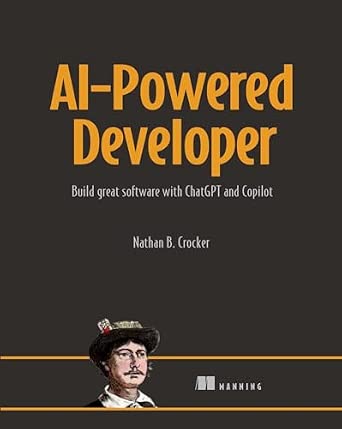
AI-Powered Developer: Build Great Software with ChatGPT and Copilot
This book takes a broad AI-workflow approach rather than focusing on one editor or programming language. Its stated coverage of ChatGPT and Copilot gives developers ideas for using AI to interpret errors, suggest fixes, and improve coding workflows. Compared with VS Code for Python Developers, it is less tied to a specific debugging setup, which may suit readers working across different environments. That breadth is also its limitation: the available product information does not describe particular debugging exercises, supported languages, or how deeply it explains troubleshooting. I would choose it for guidance on bringing AI into everyday development, not as a replacement for learning breakpoints, stack traces, or a debugger’s controls. Readers who want editor-specific instruction may find the VS Code-focused titles more actionable.
Pros:- Covers both ChatGPT and Copilot as development aids
- Focuses on applying AI within coding workflows
- Offers an editor-independent angle compared with the VS Code-specific books
Cons:- Available information does not establish the depth of its debugging instruction
- No supported languages, exercises, or technical specifics are listed
- AI suggestions still require developer verification and do not replace debugger fundamentals
Best for: Developers who want general guidance on using ChatGPT and Copilot during coding and debugging, regardless of their editor.
Not ideal for: Readers seeking detailed, step-by-step debugger instruction, a language-specific guide, or documented exercises and technical coverage.
- Format:Book
- Subject:AI-assisted software development
- Named tools:ChatGPT and Copilot
- Workflow focus:Integrating AI tools into coding workflows
- Stated aim:Improve software development efficiency and quality
- Programming languages:Not specified in the supplied product information
Our verdict“Choose this book for broad guidance on adding ChatGPT and Copilot to development work, but pick a VS Code title for more editor-centered debugging direction.”
VS Code Secrets: Advanced Techniques for Elite Developers (Professional Software & Digital Tools Library)
VS Code Secrets is positioned for experienced developers who want advanced techniques inside a familiar editor, rather than an introduction to debugging. That makes it a different kind of choice from VS CODE FOR DEVELOPERS: Extensions, Debugging, and Workflow Mastery, whose title explicitly promises debugging coverage. Advanced editor knowledge can help developers shape a faster workflow around investigation and code changes, but the supplied listing gives no chapter details or confirmation of specific debugger features. I would treat this as a potentially useful companion for VS Code power users, not a dependable stand-alone debugging manual. The tradeoff is clear: its advanced positioning may appeal to readers who already know the basics, while the lack of described topics makes it hard to judge how much practical debugging instruction it contains.
Pros:- Aimed at advanced VS Code users rather than complete beginners
- Keeps its focus on a widely used code editor
- Could complement a more explicitly debugging-focused guide such as VS CODE FOR DEVELOPERS
Cons:- The supplied product information does not describe its techniques or contents
- No specific debugging features, languages, or exercises are confirmed
- Its advanced framing may be a poor fit for developers still learning VS Code basics
Best for: Experienced developers who already use VS Code and want a guide framed around advanced editor techniques.
Not ideal for: Beginners or buyers who need confirmed, step-by-step coverage of breakpoints, launch configurations, or a particular language debugger.
- Format:Book
- Primary software:Visual Studio Code
- Stated level:Advanced
- Subject:Advanced developer techniques
- Series or collection:Professional Software & Digital Tools Library
- Specific debugging topics:Not specified in the supplied product information
Our verdict“Consider it if you already know VS Code and want advanced editor guidance, but choose a title with explicit debugging coverage when that is your main need.”
VS CODE FOR DEVELOPERS: Extensions, Debugging, and Workflow Mastery (The VS Code Playbook Series)
This is the clearest direct match for VS Code debugging among these options: its title names debugging alongside extensions and workflow. That makes it a more focused pick for someone who wants editor-centered help than AI-Powered Developer, which discusses AI tools across development workflows. The promised combination may help readers connect debugger use with the extensions and everyday habits surrounding it, rather than treating troubleshooting as an isolated task. Still, the supplied information does not identify covered languages, debugger configurations, or the depth of its examples, so I would not assume it fits a particular stack without checking the book’s contents. Compared with VS Code for Python Developers, this title appears broader, but less specifically tailored to Python.
Pros:- Explicitly names debugging as a central subject
- Combines debugging with extensions and workflow guidance
- Offers a broader VS Code focus than the Python-specific book
Cons:- The supplied listing does not name supported languages or debugger configurations
- No detail is available about examples, exercises, or technical depth
- Its broad scope may provide less Python-specific guidance than VS Code for Python Developers
Best for: Developers who use VS Code and want one general guide spanning debugging, extensions, and workflow.
Not ideal for: Python developers looking for language-specific setup, or buyers who need verified coverage of a particular debugger or programming stack.
- Format:Book
- Primary software:Visual Studio Code
- Named subject:Debugging
- Additional subject:Extensions
- Additional subject:Developer workflow
- Series:The VS Code Playbook Series
Our verdict“Pick this for a general VS Code debugging and workflow guide, and favor VS Code for Python Developers if your work centers on Python.”
Claude Code 2.0 for Developers: Automate Your Coding, Debugging, and Documentation with AI-Driven Tools for Maximum Efficiency
This title puts AI-assisted automation at the center, with coding, debugging, and documentation all named in its scope. It is a better fit for developers interested in delegating parts of a troubleshooting workflow to an AI tool than VS CODE FOR DEVELOPERS, which centers on editor-based techniques. The potential benefit is a joined-up workflow: investigate an issue, work on a fix, and produce documentation with AI support. But the supplied description offers no detail about supported integrations, required setup, or how the book handles checking AI-generated fixes. Its specific Claude Code focus may also be less useful to readers seeking guidance for ChatGPT and Copilot, as covered by AI-Powered Developer. I would choose it for AI workflow exploration, not as a substitute for hands-on debugging skills.
Pros:- Names debugging, coding, and documentation as coverage areas
- Focuses on AI-driven developer workflows
- Provides a different emphasis from the editor-centered VS Code books
Cons:- The supplied information does not describe setup steps or supported integrations
- No programming languages or debugging examples are specified
- AI-assisted fixes still need developer review and validation
Best for: Developers curious about using Claude Code to assist with debugging, coding tasks, and documentation.
Not ideal for: Readers who need editor-specific debugger instructions, verified integration details, or guidance centered on ChatGPT and Copilot.
- Format:Book
- Named tool:Claude Code 2.0
- Subject:AI-driven developer tools
- Stated coverage:Coding, debugging, and documentation
- Workflow emphasis:Automation
- Programming languages:Not specified in the supplied product information
Our verdict“Choose this for a Claude Code-focused look at AI-assisted debugging and documentation, but choose a VS Code guide for direct editor debugger instruction.”
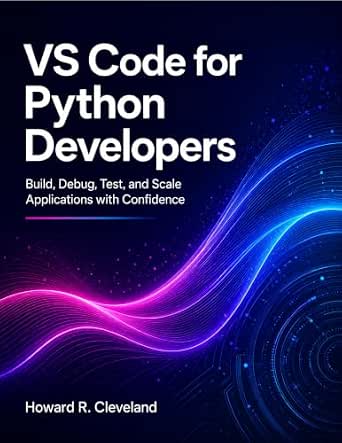
VS Code for Python Developers: Build, Debug, Test, and Scale Applications with Confidence
Python developers get the most targeted promise here: the title pairs VS Code with building, debugging, testing, and scaling Python applications. That narrower scope can make it a more relevant choice than VS CODE FOR DEVELOPERS for readers whose daily work is in Python, while the broader guide may suit mixed-language projects better. The inclusion of testing alongside debugging also points toward a useful development loop: reproduce a problem, inspect behavior, and check whether a change holds. The supplied information does not specify Python versions, environment setup, or debugger features, so buyers with a particular stack should verify the book’s contents. Its specialization is a strength for Python-focused work, but a limitation for developers who want general VS Code instruction.
Pros:- Explicitly targets Python development in VS Code
- Names debugging and testing as part of the subject
- Connects troubleshooting to building and scaling applications
Cons:- Its Python focus makes it less relevant for other language stacks
- The supplied information does not specify Python versions or environment setup
- No particular debugging tools, configurations, or examples are listed
Best for: Python developers who want a VS Code-oriented guide spanning debugging, testing, and application development.
Not ideal for: Developers working mainly in other languages or readers who need confirmed details about Python versions, environments, or debugger configurations.
- Format:Book
- Primary software:Visual Studio Code
- Programming language:Python
- Named subject:Debugging
- Additional subject:Testing
- Stated coverage:Building and scaling applications
Our verdict“Choose this for Python-centered work in VS Code, and pick the broader VS CODE FOR DEVELOPERS guide if you need cross-language coverage.”
Claude Code 2.0 for Developers – Master AI‑Assisted Coding, Debugging and Git Automation with Natural Language Commands
This pick suits developers who want to describe a coding problem in plain English and get AI help with debugging, refactoring, and routine Git work. Its main distinction from VS CODE FOR DEVELOPERS: Extensions, Debugging, and Workflow Mastery is that it centers on conversational assistance rather than teaching an IDE-based debugging workflow. That can reduce command-line friction and context switching, particularly when a developer is already comfortable reviewing AI-generated suggestions.
The tradeoff is reliance on an internet connection for AI processing, along with the need to check generated code and version-control actions before accepting them. Unlike VS Code for Python Developers, the supplied details do not identify language-specific instruction or a focused testing curriculum. I’d choose this as an AI-assisted companion, not as a replacement for learning a debugger or validating changes independently.
Pros:- Natural-language prompts can make debugging and refactoring requests easier to express.
- AI assistance may reduce time spent switching between coding tasks and reference material.
- Automates common Git workflows without requiring every action to be entered manually at the command line.
- Supports work across multiple programming languages.
Cons:- AI processing requires an internet connection.
- Generated code and Git actions need developer review before use.
- The supplied product details do not specify debugger integrations, supported languages, or a structured testing curriculum.
Best for: Developers who want conversational help debugging code and automating routine Git actions across multiple programming languages.
Not ideal for: Developers working offline, handling code that cannot be sent for online AI processing, or seeking a structured, language-specific debugger course.
- Product type:AI-powered development assistant
- Primary functions:Code writing, debugging, and refactoring
- Interaction method:Plain-English prompts
- Version-control support:Automates common Git workflows
- Language support:Multiple programming languages; specific languages not listed
- AI processing:Requires an internet connection
Our verdict“Choose this for conversational debugging and Git assistance, but pick a dedicated VS Code guide if your priority is learning a repeatable IDE-based debugging workflow.”
How We Picked
I compared the six titles by how directly their stated subject matter supports real debugging work: editor debugging, extensions, AI-assisted diagnosis, language-specific guidance, and adjacent workflows such as testing or Git. I also considered audience fit, practical scope, and whether a title appears focused on foundational learning or advanced techniques. Since these options are books and learning guides, not standalone debuggers or IDEs, I ranked them by how well their topics can help a developer choose and use debugging approaches—not by runtime performance or features the product descriptions do not establish.
VS CODE FOR DEVELOPERS ranks first for its broad combination of extensions, debugging, and workflow. The Python-specific title follows for readers whose work makes its narrower scope especially relevant, while the Claude Code guides and ChatGPT/Copilot title serve developers prioritizing AI assistance. VS Code Secrets rounds out the list as an advanced-technique option, with a narrower audience than a general guide. These rankings reflect the titles’ stated focus; buyers should check the contents and edition details to confirm depth and compatibility with their tools.
| code debugging tools for developer | Subject | Additional subject |
|---|---|---|
| AI-Powered Developer: Build Gr | AI-assisted software development | — |
| VS Code Secrets: Advanced Tech | Advanced developer techniques | — |
| VS CODE FOR DEVELOPERS: Extens | — | Extensions |
| Claude Code 2.0 for Developers | AI-driven developer tools | — |
| VS Code for Python Developers: | — | Testing |
| Claude Code 2.0 for Developers | — | — |
Factors to Consider When Choosing Code Debugging Tools For Developers
Before choosing a guide, decide what is slowing your debugging down: finding the right editor workflow, diagnosing a particular language, or using AI without giving up control. The title that sounds broadest is not automatically the most useful for your project. I’d match the subject, skill level, and toolchain first, then weigh how much adjacent material—such as testing or Git—will help with the problems you actually face.
Match the guide to your debugging bottleneck
Start by naming the point where work stalls: reproducing a bug, tracing state, interpreting an error, or validating a fix. A guide centered on VS Code can help when the issue is how you use the editor, while a Python-specific resource makes more sense when language and project conventions shape the problem. AI-focused books address a different bottleneck: generating explanations or automating parts of a coding workflow. A common mistake is buying a broad guide because it mentions debugging, even when the specific pain point is a framework or runtime it may not cover. Check the contents for your language, stack, and debugging task before deciding.
Check tool and version fit
Debugging guidance depends on the editor, extensions, language support, and AI products available in your environment. Before buying, check whether the material names the tools and versions you use, especially if your team maintains a tightly controlled setup. A guide can teach lasting ideas such as setting breakpoints or inspecting variables, but screenshots and menus may age faster than those ideas. Don’t assume a title’s mention of an editor or AI assistant means it covers your exact configuration. If compatibility is unclear, confirm the publication details and sample contents before relying on it for a current project.
Choose the right level of detail for your experience
Beginners often need a clear path from installing tools to diagnosing and verifying a simple bug; advanced readers may prefer shortcuts, customization, and workflow refinements. An advanced-technique guide can be useful once the basics are familiar, but it may leave a novice without enough context to follow along. At the other end, a foundational book may spend too much space on setup for a developer who already debugs daily. Look for evidence of the intended reader in the title, table of contents, and sample chapter. Buying for the skill level you want to build—not just the one you have—can work, provided the learning curve is manageable.
Treat AI assistance as a workflow choice, not a replacement debugger
AI tools can suggest explanations or code changes, but their output still needs to be checked against logs, tests, and observed program behavior. Before choosing an AI-focused guide, decide whether you want help with code generation, debugging, documentation, or command-driven automation; these are related but distinct tasks. Also consider data handling rules, since private code may not be suitable for every assistant or account configuration. A common buying mistake is expecting an AI title to teach all the editor’s native debugging features. Pair AI guidance with a dependable process for reproducing the issue and confirming that a proposed fix resolves it.
Value adjacent topics only when they support your work
Testing, Git, documentation, and workflow can make debugging more repeatable, but extra topics are useful only when they connect to your needs. A developer who frequently investigates regressions may benefit from material that links debugging with tests and version control. Someone who wants a quick reference for editor breakpoints may prefer a narrower guide rather than a broad tour of development practices. Compare the table of contents against the tasks you perform each week, not simply the number of subjects named on the cover. Paying more for breadth makes sense only if you expect to use that breadth.
Decide whether you need a book or a working tool
These six options are learning resources, not debugger software, IDE licenses, or managed troubleshooting services. They can help you learn workflows and make better use of developer tools, but they will not attach to a process or inspect variables on their own. If you need an immediate capability, first check what your editor, language runtime, and existing extensions already provide. A book is a better fit when the challenge is knowledge or workflow rather than missing software. Keeping that distinction clear prevents buying a guide when the actual need is a configured tool or project-specific support.
Frequently Asked Questions
Are these products debugging software or books about debugging?
They are books and learning guides, not standalone debugging applications. Their subjects include VS Code workflows, Python development, and AI-assisted coding and debugging. That makes them useful for learning how to approach debugging or use related tools, but they will not run inside your editor as a debugger. If you need software that attaches to a process or inspects program state, check your IDE and language runtime options separately.
Which title should I choose if I mainly write Python?
VS Code for Python Developers is the most direct match because its stated scope includes building, debugging, testing, and scaling Python applications. A broader VS Code guide may suit you better if your main goal is learning editor features across several languages. Check whether the Python guide addresses your framework and environment before buying; Python workflows can vary across notebooks, web apps, and command-line projects. If your debugging problem is specific to a library or deployment platform, look for that topic in the contents rather than relying on the title alone.
Should I choose one of the Claude Code guides or the ChatGPT and Copilot book?
Choose based on the AI tools and tasks you want to learn, not just the shared promise of faster coding. The two Claude Code titles emphasize AI-assisted coding and debugging, with one also naming documentation and the other Git automation. AI-Powered Developer names ChatGPT and Copilot, making it the more relevant option if those are the assistants you use. Confirm that the specific product versions and workflows in a book match your environment, and treat AI suggestions as hypotheses that still need testing.
Is an advanced VS Code guide a good starting point for a new developer?
It may be a difficult first resource if it assumes familiarity with editor settings, extensions, or debugging concepts. The title VS Code Secrets signals an advanced-technique focus, while VS CODE FOR DEVELOPERS presents a broader mix of extensions, debugging, and workflow. A newer developer should inspect the contents for setup instructions and step-by-step examples before choosing. If those foundations are missing, start with a beginner-oriented guide and return to advanced techniques once basic debugging feels familiar.
Can a book about AI-assisted debugging replace learning breakpoints and tests?
No. AI may help explain an error or suggest a change, but breakpoints and tests give you ways to inspect behavior and check whether a fix works. A useful debugging process still starts with reproducing the issue, narrowing down its cause, and verifying the result. AI-focused guidance can complement that process, especially when you want assistance with routine coding tasks, but it should not be your only method. If you are still learning core debugging concepts, pair an AI guide with material that teaches your editor and testing workflow.
Conclusion
For most developers choosing among these six learning resources, VS CODE FOR DEVELOPERS is my best overall pick because it brings together editor extensions, debugging, and workflow. For best value in practical fit, choose VS Code for Python Developers if Python is your main language; its focused scope is more useful than broad coverage when it matches your projects. The best premium-style choice for advanced readers is VS Code Secrets, provided you already know the basics and want to explore more advanced techniques. For beginners, start with the broader VS Code guide rather than a title aimed at elite developers, and check the contents for step-by-step instruction. For specific needs, pick a Claude Code title for its named AI and Git or documentation workflows, or the ChatGPT and Copilot book if those assistants are your priority. These are guides rather than debugging software, so choose based on what you need to learn and confirm the contents fit your tools.