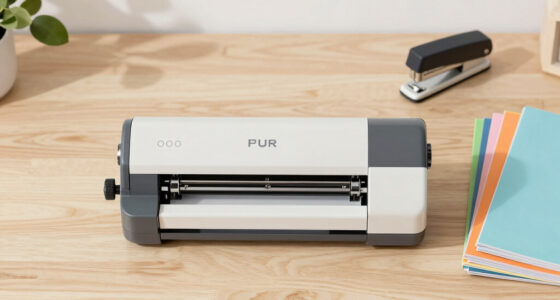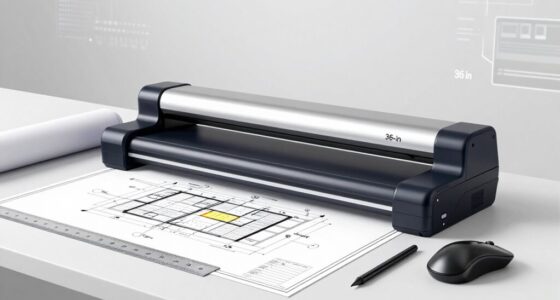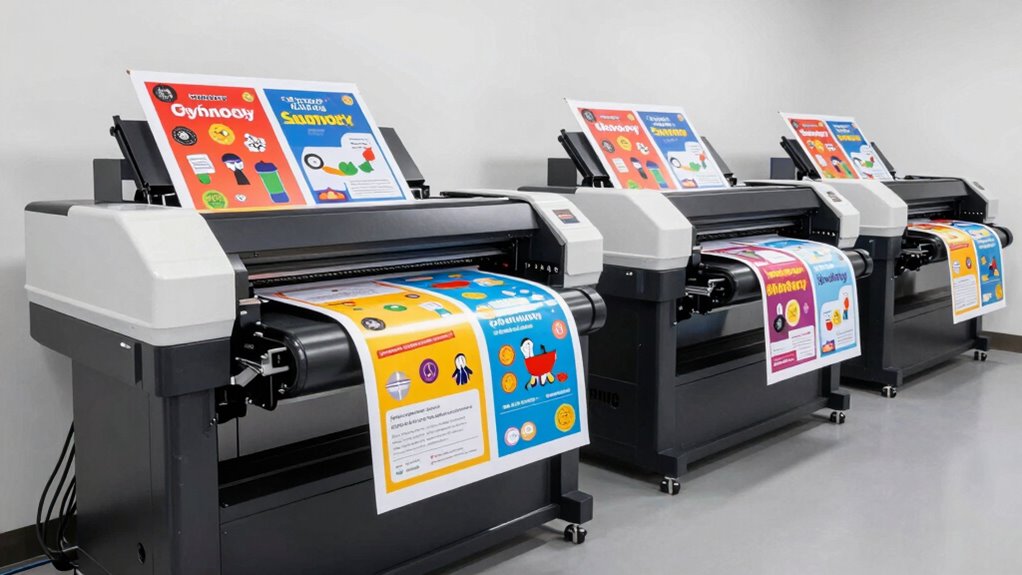

When selecting a wide format printer for school posters, the key factors are print size, ease of use, and cost of maintenance. The HP DesignJet T210 stands out as the best overall choice, offering reliable performance and durability. The Epson SureColor T2170 provides excellent print quality for detailed designs, while the HP OfficeJet Pro 9720 offers versatility with its all-in-one functionality. Readers should weigh the tradeoffs between upfront costs, ongoing supplies, and user-friendliness. Keep reading for a detailed breakdown of these options and more to find the perfect fit for your school needs.

Get business pricing on monitors, keyboards and dev gear
- Business-only prices and quantity discounts
- Tax-exempt purchasing
- Multiple users, one account, clear invoices
Key Takeaways
- The best printers balance print quality, size capability, and ease of maintenance.
- High upfront costs often correlate with lower long-term running expenses, especially for frequent poster printing.
- Multi-function models save space but may compromise speed and print volume for other tasks.
- Durability and support services are crucial for school environments with high usage.
- Choosing the right model depends heavily on whether the priority is cost savings or maximum print quality.
| HP DesignJet T210 Large Format 24-Inch Plotter Printer with 2-Year HP Care Pack |  | Best Overall for School Posters | Media Sizes: Up to 24-inch wide media rolls, 13×19-inch sheets with accessory | Media Handling: Sheet feed, roll feed, automatic cutter | Print Speed: Up to 45 seconds per page on A1/D | VIEW ON AMAZON | See Our Full Breakdown |
| Epson SureColor T2170 24-Inch Wireless Desktop Poster Plotter Printer |  | Best for Small Offices and Educational Settings | Print Speed: 43 seconds for A1/D | Display: 4.3-inch LCD touchscreen | Cartridge Capacity: 50 mL for color, 80 mL for black | VIEW ON AMAZON | See Our Full Breakdown |
| HP OfficeJet Pro 9720 Wide-Format Wireless All-in-One Color Inkjet Printer |  | Best for Versatile Office Use | Print Speed (Black): Up to 22 ppm | Print Speed (Color): Up to 18 ppm | Max Print Size: 11 x 17 inches | VIEW ON AMAZON | See Our Full Breakdown |
| HP DesignJet T650 Large Format 36-inch Plotter Printer |  | Best for Technical and Large-Scale Posters | Media Size: Up to 36 inches wide | Media Handling: Sheet feed, roll feed, automatic switch | Print Speed: Up to 25 seconds per A1/D page | VIEW ON AMAZON | See Our Full Breakdown |
| Canon imagePROGRAF TC-21M 24-Inch Large Format Multifunction Printer |  | Best for Versatile Educational and Small Business Use | Maximum Print Width: 24 inches | Maximum Copy Speed: 16 pages per minute | Print Resolution: 2400 x 1200 dpi | VIEW ON AMAZON | See Our Full Breakdown |
| Epson Workforce Pro WF-7820 Wireless All-in-One Wide-Format Inkjet Printer |  | Best Overall for High-Volume School Poster Printing | Maximum Print Size: 13 x 19 inches | Print Speed: 25 black/12 color ISO ppm | Paper Capacity: 250 sheets | VIEW ON AMAZON | See Our Full Breakdown |
| Epson EcoTank Photo ET-8550 Wireless Wide-Format All-in-One Tank Printer |  | Best for Cost-Effective, Creative Poster Printing | Maximum Print Size: Wide-Format | Page Yield: Up to 6,200 color pages | Connectivity: Wireless | VIEW ON AMAZON | See Our Full Breakdown |
| Epson WorkForce Pro WF-7310 Wireless All-in-One Wide-Format Inkjet Printer |  | Best for Office-Ready Speed and Large-Format Tasks | Maximum Print Size: 13 x 19 inches | Print Speed: 25 black/12 color ppm | Paper Capacity: 500 sheets | VIEW ON AMAZON | See Our Full Breakdown |
| Epson Workforce Pro WF-7840 Wireless All-in-One Wide-Format Inkjet Printer |  | Best for Versatile, All-in-One Office Use | Maximum Print Size: 13 x 19 inches | Print Speed: 25 black/12 color ppm | Paper Capacity: 500 sheets | VIEW ON AMAZON | See Our Full Breakdown |
| HP DesignJet T630 Large Format 36-inch Plotter Printer |  | Best for Technical and Professional-Grade Posters | Media Size: Up to 36 inches wide | Media Handling: Sheet, roll | Connectivity: Wi-Fi, Ethernet, USB | VIEW ON AMAZON | See Our Full Breakdown |
| Epson EcoTank ET-15000 Wireless All-in-One Wide-Format Supertank Printer |  | Best Overall for Large-Scale School Poster Printing | Printer Type: Inkjet | Maximum Media Size: 13 x 19 inches | Print Speed: 17 pages per minute (black/white) | VIEW ON AMAZON | See Our Full Breakdown |
| wide format printer for school poster | Connectivity | Print Speed |
|---|---|---|
| HP DesignJet T210 Large Format | USB, Ethernet, Wi-Fi | Up to 45 seconds per page on A1/D |
| Epson SureColor T2170 24-Inch | Wireless, Wi-Fi Direct | 43 seconds for A1/D |
| HP OfficeJet Pro 9720 Wide-For | Wireless, dual-band Wi-Fi | — |
| HP DesignJet T650 Large Format | Ethernet, Wi-Fi, USB | Up to 25 seconds per A1/D page |
| Canon imagePROGRAF TC-21M 24-I | USB, cloud, optional Wi-Fi | — |
| Epson Workforce Pro WF-7820 Wi | Wi-Fi, Wi-Fi Direct, Ethernet, Bluetooth LE | 25 black/12 color ISO ppm |
| Epson EcoTank Photo ET-8550 Wi | Wireless | — |
| Epson WorkForce Pro WF-7310 Wi | Wi-Fi 5, Wi-Fi Direct | 25 black/12 color ppm |
| Epson Workforce Pro WF-7840 Wi | Wireless, Ethernet | 25 black/12 color ppm |
| HP DesignJet T630 Large Format | Wi-Fi, Ethernet, USB | — |
| Epson EcoTank ET-15000 Wireles | Wi-Fi, LAN, USB | 17 pages per minute (black/white) |
More Details on Our Top Picks
HP DesignJet T210 Large Format 24-Inch Plotter Printer with 2-Year HP Care Pack
The HP DesignJet T210 stands out as the most versatile choice for schools needing reliable, large-format posters. It offers media handling up to 24 inches wide, making it perfect for standard school posters, while its cost-efficient ink system minimizes ongoing expenses. Compared to the Epson SureColor T2170, the T210 supports both roll and sheet media but requires an optional accessory for sheet printing, which adds a layer of complexity. Its slower print speed may be a tradeoff for its affordability and ease of use. This model excels for schools that prioritize print quality and budget-conscious operation over ultra-high volume output.
Pros:- Supports media up to 24 inches wide, suitable for most school posters
- Very low ink consumption reduces long-term costs
- Easy remote printing via HP Click software and mobile app
Cons:- Requires an optional accessory for sheet printing, adding to initial cost
- Print speed may be slow for large batches
Best for: Schools or educators needing a reliable, all-around poster printer with flexible media options and cost efficiency.
Not ideal for: High-volume printing environments or users requiring fast turnaround for large batches of posters.
- Media Sizes:Up to 24-inch wide media rolls, 13×19-inch sheets with accessory
- Media Handling:Sheet feed, roll feed, automatic cutter
- Print Speed:Up to 45 seconds per page on A1/D
- Memory:500MB
- Supported Ink Cartridges:HP 712 and 713
- Connectivity:USB, Ethernet, Wi-Fi
- Warranty:2 years
Our verdict“This printer is ideal for schools that want a dependable, cost-effective solution for standard poster sizes.”
Epson SureColor T2170 24-Inch Wireless Desktop Poster Plotter Printer
The Epson SureColor T2170 excels in delivering high-quality posters with fast speeds and a compact footprint. Its 2400 dpi resolution and large 4.3-inch touchscreen make it easy to produce detailed, durable posters, superior in detail to the HP DesignJet T210. While it’s limited to media up to 24 inches wide, this model’s wireless connectivity and minimal setup make it appealing for smaller schools or classrooms that value convenience. However, it exclusively uses Epson cartridges, which can increase ongoing costs compared to more flexible systems. Compared to the HP T650, the T2170 offers faster setup and wireless operation but supports narrower media, suited for more modest poster projects.
Pros:- Fast print speeds and high-resolution output for detailed posters
- Wireless connectivity allows printing from multiple devices
- Compact size fits well into limited spaces
Cons:- Uses only Epson cartridges, potentially increasing ongoing costs
- Limited to media widths of up to 24 inches
Best for: Small schools or classrooms requiring high-quality posters with easy wireless operation and limited space.
Not ideal for: High-volume poster printing or larger-format projects beyond 24 inches.
- Print Speed:43 seconds for A1/D
- Display:4.3-inch LCD touchscreen
- Cartridge Capacity:50 mL for color, 80 mL for black
- Media Width:Up to 24 inches
- Max Resolution:2400 dpi
- Connectivity:Wireless, Wi-Fi Direct
Our verdict“This pick makes the most sense for schools that prioritize quality and convenience in small-scale poster printing.”
HP OfficeJet Pro 9720 Wide-Format Wireless All-in-One Color Inkjet Printer
The HP OfficeJet Pro 9720 combines wide-format printing with multifunction capabilities, making it a flexible choice for schools that need more than just posters. Its ability to print, scan, copy, and fax up to 11×17 inches provides added versatility for classroom activities and administrative tasks. While its maximum print size is smaller than dedicated large-format printers like the HP T210 or T650, it offers wireless, mobile printing, and security features that improve workflow. However, its bulkier design and complex setup can be drawbacks for smaller or budget-conscious schools. Compared with the dedicated plotters, it sacrifices some size and media flexibility for multifunctional convenience, suited for schools balancing poster needs with other office functions.
Pros:- Wide-format color printing up to 11×17 inches
- Wireless and mobile device compatibility
- Integrated security features for sensitive documents
Cons:- Limited to 11×17 inch maximum print size
- Bulkier and more complex setup than dedicated plotters
Best for: Schools seeking a multifunction device capable of handling posters along with scanning and copying tasks.
Not ideal for: Schools that primarily need large-format posters beyond 11×17 inches or high-volume poster production.
- Print Speed (Black):Up to 22 ppm
- Print Speed (Color):Up to 18 ppm
- Max Print Size:11 x 17 inches
- Paper Capacity:250 sheets
- Touchscreen:2.7-inch color
- Connectivity:Wireless, dual-band Wi-Fi
Our verdict“This printer suits schools that want a multifunction device for posters and everyday office tasks, not high-volume large posters.”
HP DesignJet T650 Large Format 36-inch Plotter Printer
The HP DesignJet T650 stands out for its ability to handle very large media up to 36 inches wide, making it ideal for technical drawings, maps, or oversized posters typical in educational settings. Its automatic media handling and software support, like HP Click, streamline workflows similar to the T210 but with a focus on larger formats. While its large size and higher price point may deter casual users, it offers superior precision and media versatility for detailed, large-scale projects. Compared to the T210, the T650 can produce wider posters but requires more space and investment, making it better suited for schools with dedicated print rooms or those producing large-format technical or artistic posters regularly.
Pros:- Supports media sizes up to 36 inches wide for large posters
- High-precision, professional-grade printing
- Includes workflow software for efficient media management
Cons:- Expensive and large, requiring significant space
- Setup complexity may challenge beginners
Best for: Educational institutions requiring large, precise technical posters or maps on a regular basis.
Not ideal for: Small classrooms or schools with limited space for large equipment or those with infrequent poster needs.
- Media Size:Up to 36 inches wide
- Media Handling:Sheet feed, roll feed, automatic switch
- Print Speed:Up to 25 seconds per A1/D page
- Memory:1GB RAM
- Included Ink:HP 712 and 713 cartridges
- Connectivity:Ethernet, Wi-Fi, USB
- Warranty:2 years onsite
Our verdict“This model is perfect for schools focused on producing large, detailed posters and technical drawings regularly.”
Canon imagePROGRAF TC-21M 24-Inch Large Format Multifunction Printer
The Canon imagePROGRAF TC-21M offers a flexible solution for schools that need more than just poster printing. Its 24-inch maximum media width covers most standard school poster sizes, but it also includes a flatbed scanner, making it suitable for enlargements and detailed projects like banners or CAD drawings. Its USB and cloud connectivity enable easy printing without complex network setups, similar to the Epson T2170 but with added scanning capabilities. The tradeoff involves its bulk size and lack of wireless connectivity, which might limit convenience for smaller classrooms. Compared to dedicated plotters, the TC-21M provides a multifunction approach but with narrower media support, ideal for schools balancing multiple document needs.
Pros:- Versatile printing and scanning combined in one device
- Supports media up to 24 inches wide
- Enlargements and detailed projects facilitated by flatbed scanner
Cons:- Bulkier and requires more space
- Limited to 24-inch media, not suitable for larger posters
Best for: Educational environments requiring multifunction capabilities, including scanning and enlargements, alongside poster printing.
Not ideal for: Schools needing wide-format posters beyond 24 inches or high-volume production.
- Maximum Print Width:24 inches
- Maximum Copy Speed:16 pages per minute
- Print Resolution:2400 x 1200 dpi
- Display Screen:2.7-inch touchscreen LCD
- Auto Sheet Feeder Capacity:Up to 100 sheets
- Connectivity:USB, cloud, optional Wi-Fi
- Item Dimensions:21″ D x 38″ W x 10″ H
Our verdict“Ideal for schools that need multifunctionality, especially for enlargements and detailed projects within a 24-inch format.”
Epson Workforce Pro WF-7820 Wireless All-in-One Wide-Format Inkjet Printer
The Epson Workforce Pro WF-7820 stands out as the most versatile and reliable choice for schools that need to produce large quantities of posters efficiently. Its fast print speed of 25 black and 12 color ppm, combined with a substantial 250-sheet paper capacity, makes it well-suited for busy environments. Unlike the EcoTank options, it relies on genuine Epson cartridges, which can drive up ongoing costs but ensure consistent quality and prevent damage. The large 4.3-inch color touchscreen simplifies operation, although complex setup may challenge less tech-savvy staff. Compared to the WF-7310, it offers similar print sizes but with higher speed and larger capacity, making it the best for high-volume needs. However, the need for authentic cartridges and the potential for costly replacements are tradeoffs to consider.
Pros:- High-speed printing up to 25 black and 12 color ppm for efficiency
- Large 250-sheet paper capacity minimizes reloads
- Wireless and Ethernet options for flexible setup
Cons:- Requires use of genuine Epson cartridges to prevent damage
- Higher ongoing costs for ink compared to tank-based options
- Setup can be complex for less experienced users
Best for: Schools with high print volumes requiring quick, professional-quality posters regularly.
Not ideal for: Small schools or groups with limited budgets or infrequent printing needs, due to higher initial and ongoing costs.
- Maximum Print Size:13 x 19 inches
- Print Speed:25 black/12 color ISO ppm
- Paper Capacity:250 sheets
- Touchscreen:4.3-inch color touchscreen
- Connectivity:Wi-Fi, Wi-Fi Direct, Ethernet, Bluetooth LE
Our verdict“This printer is best suited for schools that prioritize speed and volume, and are willing to invest in authentic ink cartridges.”
Epson EcoTank Photo ET-8550 Wireless Wide-Format All-in-One Tank Printer
The Epson EcoTank ET-8550 offers a compelling option for schools that value long-term savings and eco-friendliness. Its high-capacity ink bottles, capable of producing up to 6,200 color pages per set, significantly reduce ongoing costs compared to cartridge-based printers like the WF-7820. This model excels in printing high-quality photos and graphics, making it ideal for creative projects and vibrant posters. While the initial investment is higher, its cartridge-free design means fewer replacements and less waste, which appeals to environmentally conscious schools. However, the handling of ink bottles can be messy, and it’s limited strictly to ink-based printing, which may restrict media options. Compared to the WF-7310, it offers better cost efficiency but lacks the same speed and paper capacity for high-volume tasks.
Pros:- Cartridge-free ink bottles lower waste and ongoing costs
- High page yield per ink set enhances affordability
- Wireless connectivity for flexible device printing
- Excellent color quality for photos and graphics
Cons:- Higher initial purchase price compared to traditional printers
- Handling ink bottles may be messy for some users
- Limited media options beyond standard photo/media types
Best for: Schools focusing on creative, colorful posters with budget-conscious long-term printing costs.
Not ideal for: Schools that need fast, high-volume printing or require media beyond standard paper and photos, due to slower speeds and media limitations.
- Maximum Print Size:Wide-Format
- Page Yield:Up to 6,200 color pages
- Connectivity:Wireless
- Ink System:Claria ET Premium 6-color inks
- Media Handling:Standard media, photos
Our verdict“Ideal for creative schools prioritizing vibrant posters and low running costs over speed.”
Epson WorkForce Pro WF-7310 Wireless All-in-One Wide-Format Inkjet Printer
The Epson WorkForce Pro WF-7310 offers a strong balance for schools needing high-speed, high-volume poster printing. Its ability to print up to 13 x 19 inches at 25 ppm in black and 12 ppm in color makes it suitable for busy school environments. The 500-sheet paper capacity is a significant advantage over smaller-capacity models, reducing downtime. Its use of PrecisionCore Heat-Free Technology ensures consistent quality and quick drying times, especially beneficial for posters that need to be ready fast. However, it demands genuine Epson cartridges, which can increase running costs, and the setup might challenge those unfamiliar with advanced office printers. Compared with the WF-7820, it offers similar speeds but with larger paper capacity, making it better suited for sustained high-volume printing.
Pros:- Fast printing speeds of up to 25 ppm
- Large 500-sheet paper capacity supports high-volume printing
- Borderless printing up to 11 x 17 inches
Cons:- Requires genuine Epson cartridges, adding to costs
- Setup may be complex for less experienced users
- Higher initial investment than smaller or basic printers
Best for: Schools with frequent, large-format poster needs and a focus on speed and capacity.
Not ideal for: Smaller schools or budgets where initial cost and ongoing cartridge expenses are restrictive, as it is more expensive upfront and in operation.
- Maximum Print Size:13 x 19 inches
- Print Speed:25 black/12 color ppm
- Paper Capacity:500 sheets
- Borderless Printing:up to 11 x 17 inches
- Connectivity:Wi-Fi 5, Wi-Fi Direct
Our verdict“Best suited for school environments demanding fast, high-capacity poster printing with minimal interruptions.”
Epson Workforce Pro WF-7840 Wireless All-in-One Wide-Format Inkjet Printer
The Epson Workforce Pro WF-7840 offers a comprehensive solution for schools that need multiple functions in a single device. Its ability to print, scan, copy, and fax up to 13 x 19 inches provides flexibility for various school projects, from posters to administrative documents. Its use of PrecisionCore Heat-Free Technology ensures fast, high-quality prints, while the 500-sheet capacity supports large print runs. The built-in wireless options, including Epson Smart Panel app, make it easy to print from multiple devices remotely. Compared to the WF-7310, it adds fax and scanning features but at a slightly higher price. The main tradeoff is its complexity, which might be overkill for schools only needing basic printing functions.
Pros:- All-in-one capability including scan, copy, fax
- Fast print speeds and wide-format support
- Wireless connectivity with Epson Smart Panel app
Cons:- Higher purchase price due to multifunction features
- More complex setup process
- Potentially higher maintenance costs
Best for: Schools needing an all-in-one device capable of handling diverse poster and administrative printing tasks.
Not ideal for: Schools seeking a simple, dedicated poster printer, as the multifunctionality adds complexity and cost.
- Maximum Print Size:13 x 19 inches
- Print Speed:25 black/12 color ppm
- Paper Capacity:500 sheets
- Functions:Print, scan, copy, fax
- Connectivity:Wireless, Ethernet
Our verdict“Best for schools that need a multifunction device to handle a variety of poster and administrative tasks efficiently.”
HP DesignJet T630 Large Format 36-inch Plotter Printer
The HP DesignJet T630 excels in producing detailed, large-format posters, especially for technical, architectural, or engineering use. Its support for media up to 36 inches wide makes it ideal for detailed maps, blueprints, and maps, rather than typical school posters. The automatic sheet feeder and media handling options provide efficient workflow for professional environments. Compared to smaller printers like the Epson WF-7820, it offers a wider media range but comes with a higher price tag and complexity that may overwhelm schools only needing basic poster printing. Its wireless connectivity allows easy printing from multiple devices, but the setup and operation require some technical knowledge. It’s best for schools with specialized needs and budget for professional-grade equipment.
Pros:- Supports media up to 36 inches wide for large posters
- Multiple media handling options including roll and sheet feed
- Wireless connectivity for flexible printing
Cons:- Designed mainly for professional use, not casual printing
- Expensive initial investment
- Setup and operation may require technical expertise
Best for: Schools that produce large-scale, detailed technical posters, maps, or blueprints regularly.
Not ideal for: Small schools or those mainly printing colorful classroom posters, due to its professional focus and higher cost.
- Media Size:Up to 36 inches wide
- Media Handling:Sheet, roll
- Connectivity:Wi-Fi, Ethernet, USB
- Auto Sheet Feeder:Yes
- Media Bin:Yes
Our verdict“Ideal for specialized educational environments needing large, detailed posters and maps with professional quality.”
Epson EcoTank ET-15000 Wireless All-in-One Wide-Format Supertank Printer
This Epson EcoTank ET-15000 stands out for its combination of high-capacity ink tanks and versatile functionality, making it ideal for schools that need to produce numerous posters with vibrant color and minimal ongoing costs. Compared to the HP OfficeJet Pro 9720, it offers significantly lower ink expenses—up to 90% savings—thanks to refillable tanks, though it takes up more space and has a higher initial investment. Its ability to print up to 13″ x 19″ and scan large documents makes it suitable for large school projects, but the setup process can be complex for less tech-savvy users. The durability with a 33,000-page duty cycle and fast print speeds (17 ppm B/W) ensure it can handle busy school environments, yet the size (29.6″ x 19.6″ x 14.3″) may be a drawback for smaller rooms. This pick makes the most sense for schools prioritizing economy and volume over compactness or ultra-high resolution.
Pros:- Very low ink cost with refillable tanks, saving up to 90% on ink expenses
- Prints up to 13″ x 19″ for large posters and banners
- All-in-one functionality includes fax, scan, copy, and print
Cons:- Large footprint may be impractical for small rooms
- Initial purchase price is higher compared to cartridge-based printers
- Complex setup process for non-technical users
Best for: Large schools or districts that need to produce many posters regularly and value long-term savings on ink.
Not ideal for: Small classrooms or schools with limited space, where a more compact or less feature-rich printer would suffice.
- Printer Type:Inkjet
- Maximum Media Size:13 x 19 inches
- Print Speed:17 pages per minute (black/white)
- Connectivity:Wi-Fi, LAN, USB
- Print Resolution:4800 x 2400 dpi
- Monthly Duty Cycle:33,000 pages
Our verdict“This model is best suited for schools that need high-volume, cost-efficient poster printing and have sufficient space to accommodate its size.”
How We Picked
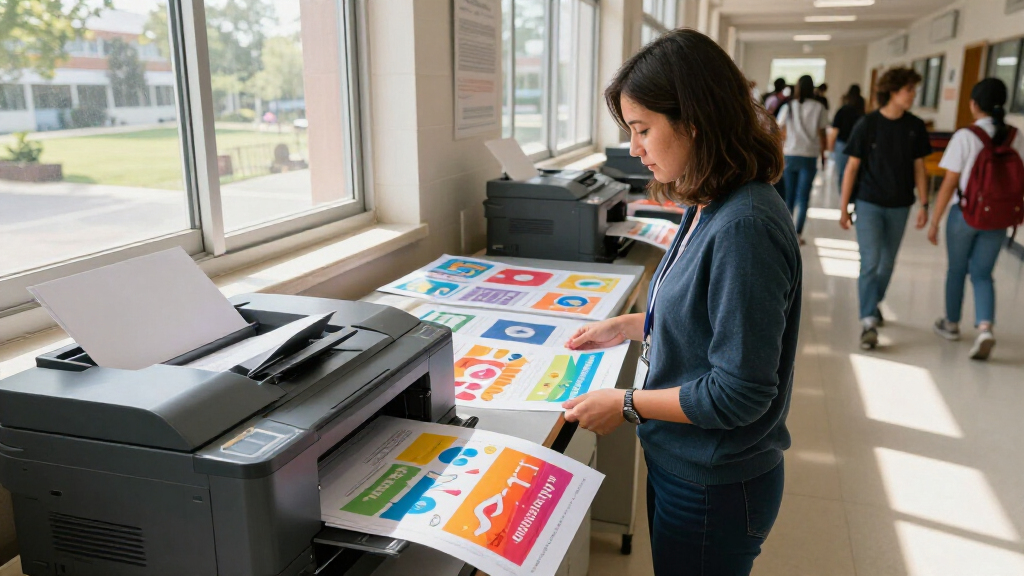
Each printer was evaluated based on performance, print size, usability, build quality, and value for money. We prioritized models that are reliable for frequent poster printing in a school setting, factoring in ease of setup, maintenance costs, and versatility. The ranking reflects a balance between initial investment and ongoing expenses, as well as user-friendly features that reduce learning curves for staff. Products were compared against each other to identify standout features and common tradeoffs, ensuring the lineup covers a range of needs from budget-conscious schools to those seeking premium quality.Factors to Consider When Choosing Wide Format Printer For School Posters
Choosing the right wide format printer for school posters involves several key considerations. Beyond just print size, it’s important to evaluate usability, operational costs, and maintenance. Schools need a model that can handle frequent printing without excessive downtime or costs. This guide highlights the most critical factors to consider, helping you avoid common pitfalls such as overpaying for unnecessary features or selecting a model with incompatible media handling capabilities.Print Size and Media Compatibility
Ensure the printer can handle the maximum poster size you require, typically 24 inches or 36 inches for most school projects. Also, check media compatibility—some printers work only with specific paper types or thicknesses, which could limit creative options. Opting for a model that supports a variety of media ensures flexibility for different poster designs and materials.
Ease of Use and Setup
Look for models with intuitive controls and straightforward setup processes. Multi-function printers can save space and simplify workflows, but they often add complexity. Consider whether your staff prefers a dedicated poster printer or a versatile all-in-one that can also handle scanning and copying, depending on your school’s workflow.
Print Quality and Resolution
High resolution is essential for vibrant, detailed posters, especially if your designs include fine text or images. Investing in a model with at least 1200 dpi helps ensure posters look sharp and professional. Keep in mind that higher resolution printers may come at a higher cost, so balance quality needs with your budget.
Operational Costs and Maintenance
Consider ongoing expenses such as ink or toner costs, which can significantly increase the total cost of ownership. Some printers use refillable tanks that reduce per-page costs, while others rely on cartridges that may be pricier. Also, check the availability of support and warranty options—durability and reliable service are vital for busy school environments.
Speed and Volume Capacity
Schools often need to produce multiple posters quickly. Look for printers with fast print speeds and sufficient media handling capacity to manage large-volume printing without frequent interruptions. Balancing speed with print quality and cost is key to selecting a model that keeps up with your school’s demands.
Frequently Asked Questions
What is the ideal print size for school posters?
Most schools find that 24-inch or 36-inch wide printers meet their needs for posters, banners, and displays. The choice depends on the typical size of your posters and available space. For larger projects or more flexibility, a 36-inch model offers greater versatility, but it may come at a higher cost and larger footprint.
Are all wide format printers suitable for color printing?
Not all wide format printers are designed for high-quality color output. Many budget models may produce decent results for simple posters, but for vibrant, detailed color images, look for printers with higher resolution and dedicated color management features. This ensures your posters are visually impactful and professional-looking.
How often will I need to replace ink or toner in a school setting?
This depends on the printer’s ink capacity and your volume of printing. Models with larger tanks or cartridges tend to last longer and reduce downtime. For frequent poster printing, investing in tanks that are easy to refill and have a low cost per page can lead to significant savings over time.
Is it better to buy a dedicated poster printer or an all-in-one?
This depends on your space and workflow needs. Dedicated poster printers often excel in speed and quality for large-format prints but lack scanning and copying functions. All-in-one models save space and add versatility but might compromise on speed or print size. Consider how often you’ll need each feature and your available space when choosing.
What should I consider regarding maintenance and support?
Choosing a model from a reputable brand with accessible support services can reduce downtime and repair costs. Regular maintenance, such as cleaning print heads and replacing consumables, is essential for consistent quality. Check for warranty options and support plans to keep your school’s printing running smoothly throughout the year.
Conclusion
For schools prioritizing overall reliability and ease of use, the HP DesignJet T210 offers a balanced mix of performance and durability. Budget-conscious institutions will appreciate the Epson EcoTank ET-15000 for its low running costs, while those seeking high-quality, detailed posters will find the Epson SureColor T2170 ideal. Beginners should consider models with straightforward interfaces, like the HP OfficeJet Pro 9720, to minimize setup hassle. Schools with high-volume needs or larger posters may find a 36-inch model like the HP DesignJet T650 or Epson T630 more suitable. Ultimately, matching your specific printing demands and budget will guide you to the best choice for your school.
As an affiliate, we earn on qualifying purchases.Halloween Picks
halloween