

Teams comparing Playwright and Cypress are usually choosing how to write and maintain end-to-end tests for web applications. Both automate browser interactions, check application behavior, and support continuous integration. The practical divide is that Playwright puts more emphasis on running tests across browser engines and supporting varied automation workflows, while Cypress centers its experience on a closely integrated test runner and interactive debugging.

Get business pricing on monitors, keyboards and dev gear
- Business-only prices and quantity discounts
- Tax-exempt purchasing
- Multiple users, one account, clear invoices

AI for Quality Assurance and Software Testing: The Practitioner’s Complete Guide to AI-Powered Testing, Tools, and Transformation
- ✔ Format: Practitioner’s guide
- ✔ Primary topic: AI for quality assurance and software testing
- ✔ Tool coverage: AI-powered testing tools

AI-Assisted QA and Software Testing with Claude Code
- ✔ Format: Guide
- ✔ Primary topic: AI-assisted QA and software testing
- ✔ Named assistant: Claude Code
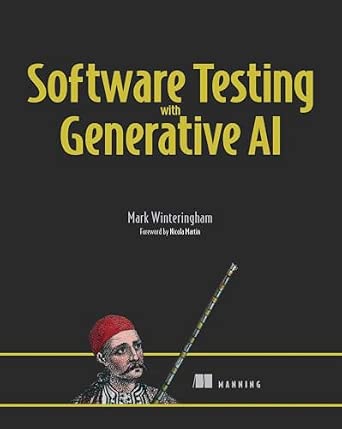
Software Testing with Generative AI
- ✔ Format: Book
- ✔ Primary topic: Generative AI in software testing
- ✔ Named platform: Not specified
That difference matters when a team has to cover several browsers, run tests in parallel, or reuse automation beyond a conventional browser test suite. Playwright is usually the stronger starting point for those needs. Cypress can be the more comfortable choice for teams that want a focused workflow for developing and diagnosing browser tests, especially when their existing tools and habits already fit its ecosystem. Neither choice removes the need for sound test design: brittle selectors, slow test data setup, and unclear ownership can undermine either tool.
At a Glance
| Criteria | Playwright | Cypress | Winner |
|---|---|---|---|
| Browser coverage | Chromium, Firefox, and WebKit support | Primarily Chromium-based browsers, with Firefox and WebKit support subject to Cypress version and feature limits | A |
| Test authoring and setup | Direct setup with familiar test and browser automation APIs | Integrated runner and commands designed for browser-based testing | Depends |
| Debugging workflow | Trace viewer, screenshots, video, and inspector tools | Interactive runner with command history, snapshots, and debugging support | B |
| Automation flexibility | Broad support for browser, API, and end-to-end workflows | Strong for browser end-to-end and component testing; some cross-origin and multi-tab workflows need extra care | A |
| CI and parallel execution | Built-in parallel workers; hosted execution is optional | Parallelization and some hosted features use Cypress Cloud | A |
| Language and ecosystem | JavaScript, TypeScript, Python, Java, and .NET | JavaScript and TypeScript | A |
| Cost and value | Open source; paid hosting is optional | Open-source core; Cypress Cloud has paid plans | A |
AI for Quality Assurance and Software Testing: The Practitioner’s Complete Guide to AI-Powered Testing, Tools, and Transformation
For readers deciding how AI should change a testing practice, this is the widest-ranging option in the lineup. Its stated coverage connects AI-powered testing tools with QA transformation, giving it a broader remit than the Claude Code guide, which concentrates on automating testing workflows with a named assistant. That makes this practitioner-oriented title the strongest overall match for people who need to frame the decision before settling on a particular workflow or product.That breadth is also the main compromise. The available description does not identify particular tools, implementation examples, or testing levels, so we cannot assume it supplies a step-by-step route from strategy to adoption. Readers seeking a defined workflow across unit, integration, and end-to-end tests have a more explicit scope in the Claude Code title. Compared with the generative AI book, this guide makes its QA and transformation focus clearer, but prospective readers should still check whether its level of detail fits their role. Its best case is helping a team discuss what AI adoption means for quality assurance; its weaker case is serving as a reference for a specific platform or test framework.
Pros:
- Explicitly connects QA practice with AI-powered testing tools.
- Includes organizational transformation in its stated scope.
- Practitioner framing suggests relevance to applied team decisions.
- Broader remit than the assistant-specific Claude Code guide.
Cons:
- The supplied description names no specific tools or integrations.
- It does not specify which testing levels or implementation examples it covers.
- Its broad scope may be less direct for readers seeking an immediate workflow.
Best for: QA leads, engineering managers, and practitioners weighing AI adoption across a testing practice.
Not ideal for: Readers who need documented instructions for a specific testing framework, assistant, or existing toolchain.
Bottom line: We’d start here when the decision is how AI fits into QA overall, while checking the contents for concrete implementation guidance.
“We’d start here when the decision is how AI fits into QA overall, while checking the contents for concrete implementation guidance.”
AI-Assisted QA and Software Testing with Claude Code
This is the clearest pick for readers who want to explore Claude Code in testing work rather than survey AI in QA broadly. Its description names unit, integration, and end-to-end testing, a useful distinction because automation needs vary across those levels. That defined range makes its intended workflow more legible than the first guide’s wider transformation remit and more specific than the general generative AI title.The same specificity narrows its fit. Readers who do not plan to use Claude Code may find the central premise less transferable, and the available details do not explain the examples, setup requirements, or depth of the material. It is also not evidence that Claude Code replaces a test runner, framework, or review process: the stated focus is automating workflows with an assistant. Compared with the overall pick, this title trades organizational breadth for a named tool and a clearer set of test levels. Choose it when that workflow focus matches your environment; skip it when you need a vendor-neutral assessment or a guide to selecting among testing platforms.
Pros:
- Names Claude Code as the central assistant.
- Covers unit, integration, and end-to-end testing workflows.
- Focuses on automating testing work rather than AI adoption in the abstract.
Cons:
- Its named assistant focus may limit transfer to other tools.
- The available description gives no detail on setup, examples, or framework compatibility.
- It does not state a broader QA transformation or tool-selection scope.
Best for: Developers and QA practitioners specifically exploring Claude Code to assist work across multiple testing levels.
Not ideal for: Teams seeking vendor-neutral guidance or readers whose workflows do not include Claude Code.
Bottom line: We’d choose this when Claude Code is already under consideration and the goal is to explore its role across test levels.
“We’d choose this when Claude Code is already under consideration and the goal is to explore its role across test levels.”
Software Testing with Generative AI
The most open-ended title in this comparison is also the hardest to evaluate from the information available. Software Testing with Generative AI signals a broad subject that may interest readers who want to understand how generative AI relates to testing, without starting from the transformation focus of the first guide or the named assistant in the second. That breadth could suit someone still defining the questions they want to ask.However, the supplied description provides no further information about tools, test levels, examples, or audience. We therefore cannot tell whether it provides practical workflows, conceptual discussion, or a mix. This makes it a less certain purchase for a team with a defined need: the Claude Code guide at least identifies testing levels, while the overall pick explicitly signals QA transformation. Compared with both, this title leaves the most room for interpretation. It may be a reasonable candidate for readers seeking a general treatment, but buyers should inspect the full contents before relying on it for implementation decisions.
Pros:
- Directly addresses generative AI in software testing.
- Does not signal dependence on a specific named assistant in the supplied description.
- Could suit readers still surveying the topic.
Cons:
- No further product details were supplied.
- The described coverage does not identify workflows, tools, or testing levels.
- Its practical depth and intended audience are unclear.
Best for: Readers exploring the relationship between generative AI and software testing before choosing a specific workflow.
Not ideal for: Practitioners who need confirmed coverage of named tools, particular testing levels, or implementation steps.
Bottom line: We’d consider this for broad exploration, but verify its contents first if we need actionable guidance for a specific testing stack.
“We’d consider this for broad exploration, but verify its contents first if we need actionable guidance for a specific testing stack.”
As an Amazon Associate we earn from qualifying purchases.
Key Differences
The clearest distinction is browser coverage. Playwright supports Chromium, Firefox, and WebKit as first-class browser engines, making it a better fit when a release needs credible checks across major browser families. Cypress can cover multiple browsers, but its support and feature parity have varied by browser and release. Teams should verify their precise browser and feature requirements against current documentation before committing. If most users run one Chromium-based browser, that distinction may have little day-to-day impact.
Cypress makes test execution feel especially close to application development: its runner presents commands, snapshots, and browser state in an interactive view. Playwright offers a different balance, with traces, screenshots, video, and debugging tools that work well in local development and CI. For larger suites or varied automation jobs, Playwright’s built-in parallel workers and broader language support can reduce dependency on a hosted service. Cypress remains compelling when its runner and ecosystem match the team’s existing workflow, and paid Cypress Cloud features provide useful orchestration and reporting for teams willing to pay for them.
The buyer-fit question is not which tool has more features in the abstract. It is whether the team places more value on browser breadth and automation flexibility, or on a focused, integrated workflow for browser tests. Playwright is the stronger default for teams starting from a cross-browser or multi-language requirement. Cypress is a reasonable preference for teams that prioritize its interactive debugging model and have no near-term need for workflows it handles less directly.
Detailed Comparison
Browser coverage (Playwright wins — major)
Playwright wins; the gap is major for teams that require testing in Chromium, Firefox, and WebKit. That breadth lets a team exercise browser-specific behavior using one framework and can make a cross-browser release policy easier to implement. Cypress supports more than one browser family, but teams should check current support and feature limits rather than assume identical behavior everywhere. For a product whose supported audience is effectively Chromium-only, the advantage becomes minor: paying the maintenance cost of extra browser coverage may not improve user outcomes.
This depends on the team; the gap is moderate. Cypress’s integrated runner and commands give developers a guided place to see a test interact with the application. That can help a team new to end-to-end testing understand what a test did and diagnose a failure. Playwright uses a direct automation API and test runner designed for readable tests, fixtures, and parallel execution. Developers who value an established, flexible test structure may find that approach straightforward. The practical winner is the tool that fits the team’s language, fixtures, and development habits; a small trial using representative tests is more informative than comparing syntax alone.
Debugging workflow (Cypress wins — moderate)
Cypress has a slight edge for interactive local debugging; the gap is minor to moderate. Its runner makes command history and snapshots visible alongside browser activity, which can make a failing test’s sequence of actions easy to inspect. Playwright offers a strong alternative through its inspector and trace viewer, where teams can examine actions, screenshots, and network or page details. That evidence is particularly useful when investigating CI-only failures. Developers who prefer to watch and inspect a test locally may favor Cypress; teams that need durable artifacts from a remote run may prefer Playwright’s trace workflow. Both can support productive debugging when the suite captures useful context.
Automation flexibility (Playwright wins — moderate)
Playwright wins; the gap is moderate. Its browser automation APIs cover common end-to-end needs and leave room for workflows involving multiple pages, contexts, browser engines, or API setup. It also supports use cases beyond a single conventional browser test suite. Cypress is effective for browser end-to-end and component tests, but some situations, such as complex multi-tab behavior or certain cross-origin interactions, require more planning or workarounds. For a straightforward single-page application, both can do the job. Teams with unusual authentication, multiple browser contexts, or broader automation needs have more room to work with Playwright.
CI and parallel execution (Playwright wins — moderate)
Playwright wins on included flexibility; the gap is moderate. Its test runner can distribute work across workers without requiring a paid hosted service. Cypress also supports parallel execution, and Cypress Cloud can add orchestration and reporting, but those hosted capabilities may affect the team’s bill. In practice, the best choice depends on suite size and how much operational work the team wants to manage. A small suite may run quickly enough without elaborate parallelization. A large suite can benefit from Playwright’s built-in workers or from Cypress Cloud if its reporting and coordination justify the recurring cost.
Language and ecosystem (Playwright wins — major)
Playwright wins; the gap is major for teams that do not standardize on JavaScript or TypeScript. Its supported language bindings include Python, Java, and .NET as well as JavaScript and TypeScript, allowing teams to keep automation closer to their existing skills and codebase. Cypress is centered on JavaScript and TypeScript, a good fit for many web teams and their frontend tooling. If the team already writes frontend code in TypeScript, Cypress’s narrower language choice may not matter. If automation ownership spans services written in other languages, Playwright gives the team more options.
Cost and value (Playwright wins — moderate)
Playwright is the better value for teams that can operate their own test infrastructure; the gap is moderate. Both tools have open-source cores, so a basic comparison does not come down to a license fee. The difference emerges when a team wants hosted execution, orchestration, or reports. Cypress Cloud offers paid features that may save time for teams that want a managed workflow. Playwright can run parallel workers without that hosted service, though the team still pays for CI compute and maintenance. Paying for Cypress Cloud makes sense when its capabilities reduce meaningful engineering effort; otherwise, the added spend is hard to justify solely to run browser tests.
Playwright: Pros and Cons
Pros:
- First-class support for Chromium, Firefox, and WebKit
- Built-in parallel workers and useful CI traces
- Language bindings for JavaScript, TypeScript, Python, Java, and .NET
- Open-source tooling covers a broad range of browser automation needs
Cons:
- Its APIs and configuration can require more initial learning for teams used to Cypress’s runner
- Teams must set up their own CI artifacts and reporting workflow if they want a tailored hosted experience
- Cross-browser coverage increases execution time and maintenance if those browsers do not matter to the product’s audience
Cypress: Pros and Cons
Pros:
- Interactive runner makes local test behavior and command history easy to inspect
- Integrated workflow suits teams focused on browser end-to-end and component tests
- Cypress Cloud can offer hosted coordination and reporting for teams that value a managed service
Cons:
- JavaScript and TypeScript focus limits teams using other languages
- Browser support and feature availability should be checked for each required browser and workflow
- Hosted parallelization and reporting can add recurring cost
Who Should Choose What
Choose Playwright if:
- You need reliable coverage across Chromium, Firefox, and WebKit.
- Your automation team works in Python, Java, or .NET as well as JavaScript or TypeScript.
- You want parallel test execution without depending on a paid test orchestration service.
- Your tests involve multiple pages, browser contexts, or API and browser work in one suite.
Choose Cypress if:
- Your team is already comfortable with JavaScript or TypeScript and wants a focused browser testing workflow.
- You value an interactive runner that makes it easy to follow commands and inspect a local failure.
- Your browser requirements fit Cypress’s current support, and you are willing to pay for Cypress Cloud if its hosted features save enough time.
Skip both if: Skip both if your main need is fast unit testing of isolated functions rather than browser behavior; choose a unit test framework suited to your language and keep end-to-end coverage focused on important user journeys.
Value for Money
For most teams, neither tool has an upfront license charge for its open-source core. The more useful value comparison is the cost of operating a suite: CI compute, debugging time, maintenance, and any hosted reporting or orchestration. Playwright is better value when its built-in parallel workers and broad language and browser support meet the need without a paid service. That does not make its CI infrastructure free, and teams still need to manage runtime, artifacts, and test reliability.
Paying for Cypress Cloud can be worthwhile when centralized reports, parallelization, or hosted workflows remove enough work from a team to justify the subscription. A small team with a modest suite may not gain enough to warrant the added expense. A larger team with frequent CI runs and a strong preference for Cypress’s workflow may find the service worthwhile. Choose the paid option for a concrete time or coordination benefit, not because a hosted dashboard alone guarantees more reliable tests.
Final Verdict
Choose Playwright for most new teams that need cross-browser coverage, multiple language options, or flexible CI execution. Its broader browser support and built-in parallel workers make it the more capable general choice, particularly when the application has users across browser families or the test suite is growing. Teams should still keep the suite focused: more browser runs are valuable only when they reflect the product’s support commitments.
Choose Cypress when its interactive local runner is a meaningful advantage for your JavaScript or TypeScript team and your browser and automation requirements fit its current capabilities. The biggest deciding factor is whether browser breadth and workflow flexibility matter more than a guided, integrated testing experience. If they do, use Playwright. If your team is already productive in Cypress and a hosted service would meaningfully simplify CI, staying with Cypress can be the better business choice.
Frequently Asked Questions
Is Playwright better than Cypress?
Playwright is the stronger general choice for cross-browser coverage, multi-language teams, and built-in parallel execution. Cypress can be better for a JavaScript or TypeScript team that prefers its interactive runner and whose requirements fit its browser support. The better tool is the one that meets the team’s actual release and debugging needs.
Which tool is easier for beginners?
Cypress often feels more guided because its runner shows the test’s commands and browser state together. Playwright is also approachable, particularly for teams familiar with its language and test runner, but its wider automation options can take time to learn. A representative test in each tool is the best way to judge fit.
Can Playwright and Cypress test multiple browsers?
Yes, both offer multi-browser options, but their supported browsers and feature behavior are not identical. Playwright’s Chromium, Firefox, and WebKit support is a central strength. Before choosing Cypress for a cross-browser policy, confirm its current browser and feature support for the exact scenarios your application must cover.
Is Cypress Cloud worth paying for?
It can be worth paying for when hosted orchestration, parallel runs, or reporting saves the team more time than the subscription costs. Teams with a small suite or a preference to manage CI themselves may get better value from Playwright’s built-in workers. Compare total operating effort, not just the plan price.
Fall Picks
fall essentials
As an affiliate, we earn on qualifying purchases.