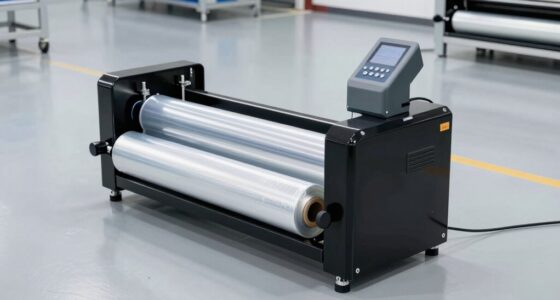
Choosing paper for CAD drawings, technical documents, presentations, artwork, packaging, or archival storage is more complicated than selecting a size and pressing Print. The paper must suit the printer, ink or toner, software-generated output, handling conditions, and intended lifespan of the finished work. A sheet that performs well for routine office documents may be unsuitable for a detailed site plan, while a smooth tracing or marker paper may be excellent for design development but too delicate for field use.
This hub explains the major paper categories used in technical, professional, and creative workflows. It can help architects, engineers, developers, QA teams, artists, print-room operators, students, and home users identify the specifications that matter before comparing individual options. Use each section as an orientation guide, then follow the linked resources for deeper coverage of particular formats and applications.
Start With the Intended Output
The right paper begins with the final deliverable rather than the printer alone. A working sketch, an internal QA checklist, a client presentation, and a construction drawing may originate in the same software environment, yet each has different requirements.
- Working documents prioritize affordability, dependable feeding, and easy annotation.
- Technical drawings require fine-line clarity, dimensional consistency, and an appropriate sheet or roll size.
- Field documents may need resistance to moisture, dirt, folding, and frequent handling.
- Presentation graphics benefit from controlled color, suitable brightness, and a surface that supports the chosen print technology.
- Archival materials must avoid substances that could accelerate yellowing or deterioration.
- Creative media should match the drawing tool, including pencil, charcoal, ink, or marker.
Define the job before comparing paper weight, coating, finish, or price. This prevents both overbuying and false economy: premium media may be unnecessary for temporary drafts, but an unsuitable inexpensive roll can undermine a carefully prepared final drawing.

VEVOR Wide Format Paper, 36 in x 150 ft Plotter Paper, 4 Rolls CAD Bond Rolls with 2 in Core, 20 LB Bond Paper Rolls, Idea for CAD Drawings, Engineering Plans, GIS Maps & Architectural Designs
- Standard Size Rolls: 36-inch width, 150 ft length, 4 rolls
- Compatible with Most Plotters: 2-inch core fits standard printers
- Precise Weight Control: 80 g/m² weight for smooth feeding
As an affiliate, we earn on qualifying purchases.
As an affiliate, we earn on qualifying purchases.
CAD Plotter Paper for Plans and Technical Drawings
CAD plotter paper is designed for wide-format output such as architectural plans, engineering drawings, schematics, maps, and manufacturing documents. These files often contain thin linework, dense dimensions, hatching, symbols, and small text. Paper quality affects how clearly those elements appear and how well the drawing survives handling.
Important factors include roll width, roll length, core size, basis weight, opacity, brightness, and compatibility with the plotter’s ink system. Width must match both the device and the document format. Core size affects whether the roll can be mounted correctly, while excessive curl or inconsistent winding can complicate feeding and stacking.
Opacity becomes especially useful when drawings are viewed on a table or printed on both sides. Brightness and whiteness influence contrast, although the brightest sheet is not automatically the best choice for every environment. For a focused overview of media intended for line drawings and plans, consult this guide to the best CAD plotter papers for precision printing.
Match the Roll to the File Setup
Before printing, compare the document’s page size and orientation with the loaded roll. A mismatch can create unnecessary margins, clipped information, or wasted media. Check the plotting software’s scale settings, printable area, line-weight table, and page rotation. A paper problem can sometimes be a configuration problem: blurry raster elements, weak lines, or incorrect scaling may originate in export or driver settings rather than the roll itself.

11" x 17" Large Quad-Ruled Graph Paper Pad, 50 Sheets Engineering Paper, 4×4 Grid, Blueprint, Drafting Paper, Graft Paper for Architect Engineer Designer Mathematician Draftsman Technical Drawing
- Single Pack of 50 Sheets: Ideal for individual projects and on-the-go use
- Large 11 x 17 Inch Size: Provides ample space for complex drawings
- Precise 4×4 Blue Grid: Ensures accurate scaling and alignment
As an affiliate, we earn on qualifying purchases.
As an affiliate, we earn on qualifying purchases.
Choosing 24-Inch Printer Paper Rolls
A 24-inch roll is a common option for design studios, educational environments, small offices, and anyone producing medium-format technical documents or posters. Width alone, however, does not guarantee compatibility. Confirm the printer’s supported roll dimensions, spindle or holder design, core diameter, maximum media thickness, and accepted paper type.
Roll length affects changeover frequency and storage demands. Longer rolls may suit busy print rooms, while shorter rolls can be easier to handle in low-volume settings. Consider how completed prints will be cut, collected, labeled, and stored as well. The guide to 24-inch printer paper rolls provides a practical starting point for comparing this widely used format.
Reduce Waste During Setup
Use print preview, verify scale, and inspect the first portion of a job before committing to multiple copies. When the software permits it, nest smaller documents efficiently across the roll. Maintain consistent presets for recurring drawing types, but review them when a driver, operating system, design application, or printer firmware changes. A repeatable setup process is especially valuable for teams performing visual QA on exported drawings.
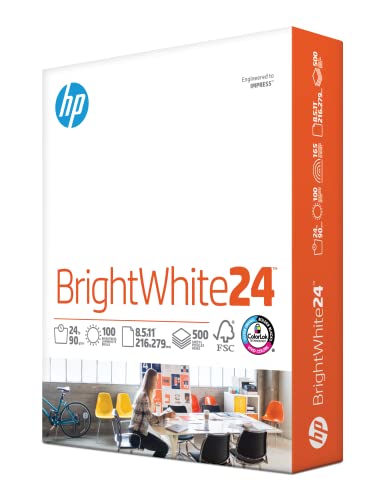
HP Papers | 8.5 x 11 Paper | BrightWhite 24 lb |1 Ream – 500 Sheets| 100 Bright | Made in USA – FSC Certified | 203000R
- Made in USA: Produced from renewable forests with zero deforestation
- Bright White Finish: Extra bright, white, and thicker 24 lb paper
- Optimal for Color Printing: Ideal for full-color inkjet printing and copying
As an affiliate, we earn on qualifying purchases.
As an affiliate, we earn on qualifying purchases.
Waterproof and Water-Resistant Media for Field Use
Standard paper can wrinkle, tear, stain, or lose legibility when exposed to rain and damp working conditions. Survey plans, inspection sheets, maps, outdoor signage, and construction documents may therefore benefit from more durable media. “Waterproof” and “water-resistant” should not be treated as interchangeable without checking the material description and intended print method.
Compatibility is critical because durable synthetic or treated media may have different thickness, heat tolerance, coating, and ink requirements than ordinary bond paper. Confirm that the printer supports the media and that the printed surface is appropriate for the expected exposure. Also consider whether workers need to write on the sheet, fold it, attach it to a board, or scan it after use.
For projects where moisture exposure is a central concern, explore the comparison of waterproof plotter papers for durable prints. Evaluate each option against the actual environment rather than relying on a category label alone.

VOISEN Wide Format Paper, 2 Rolls Plotter Paper 24 In x 150 Ft
- Size and Quantity: 24in x 150ft, 2 rolls
- Compatibility: Fits industry standard 2" core printers
- High-Quality Material: CAD Bond, 20lb weight for precision
As an affiliate, we earn on qualifying purchases.
As an affiliate, we earn on qualifying purchases.
Marker Paper for CAD and Design Development
Not every CAD workflow ends at the plotter. Designers often move between software and hand sketching, using printed underlays, overlays, annotations, and marker studies to explore alternatives. Marker paper is generally selected for its smooth surface and ability to support controlled strokes while limiting unwanted bleeding.
Transparency or translucency may matter when tracing over plans or iterating on a design. Surface behavior matters too: paper that absorbs ink rapidly can change the appearance of a marker stroke, while a less absorbent surface may allow smoother blending but require more drying care. Users should test their actual markers, since alcohol-based, water-based, and other ink systems behave differently.
If your workflow combines digital drafting with manual rendering, the guide to marker paper for CAD precision and design work can help narrow the available choices.
Brown Drawing Paper for Sketches and Presentations
Brown paper provides a mid-tone surface that changes how artists and designers build contrast. Dark media can establish shadows, while white pencil, chalk, or opaque highlights can bring forward illuminated areas. The natural-looking background also suits concept sketches, packaging studies, diagrams, signs, and informal presentations.
When choosing brown drawing paper, consider tooth, weight, color consistency, recycled content if disclosed, and compatibility with the intended tools. A textured surface may suit charcoal or dry media, whereas detailed pen work often benefits from a smoother sheet. Heavier paper generally tolerates handling and layered media better, but stiffness can affect scanning, storage, and printer feeding.
For a closer look at this creative category, see the guide to brown paper for drawing and artist workflows.
A4 Copy Paper for Everyday Documentation
Wide-format output gets much of the attention in CAD environments, but A4 paper supports the daily operation around it. Specifications, meeting notes, code-review checklists, QA records, invoices, test reports, and reduced-size drawing sets frequently use standard office sheets.
For dependable everyday printing, examine weight, opacity, smoothness, brightness, duplex suitability, and compatibility with inkjet or laser equipment. Low opacity can allow text from the reverse side to interfere with reading. Excess paper dust, curl, or inconsistent cutting may contribute to feeding problems, especially in high-volume devices.
The best selection depends on whether the priority is economical internal printing, polished client documentation, color graphics, or double-sided reports. The overview of A4 copy papers for different printing needs offers more detail for standard-format office workflows.
Acid-Free Tissue Paper for Archival Protection
Technical and creative work sometimes requires preservation rather than printing. Original sketches, presentation boards, photographs, models, prototypes, and collectible documents may need protective wrapping or interleaving. Acid-free tissue paper is commonly considered for these tasks because storage materials can influence the long-term condition of the items they touch.
Look beyond the phrase “acid-free” and consider the object being stored, storage duration, tissue color, buffered or unbuffered composition, and any conservation requirements. Different materials can respond differently to buffering agents, dyes, adhesives, humidity, and direct contact. Valuable or irreplaceable objects may justify advice from a qualified conservator.
For general comparison and selection considerations, visit the guide to acid-free tissue papers for preserving cherished items.
Uncoated Butcher Paper for Wrapping, Mockups, and Crafts
Uncoated butcher paper sits outside conventional technical printing, yet it can be useful for workshops, studios, classrooms, prototyping spaces, and creative teams. Large sheets or rolls can cover work surfaces, support full-scale brainstorming, wrap appropriate items, or serve as an inexpensive medium for mockups and pattern development.
Because butcher paper is also associated with food preparation, suitability must be evaluated for the specific use. Craft paper should not automatically be assumed safe for direct food contact, and food-related products should be used according to their stated purpose. For studio work, compare roll width, strength, absorbency, color, and how the surface responds to pens, paints, tape, and adhesives.
The guide to uncoated butcher papers for BBQ and crafting needs explores options across the category.
Build a Reliable Print and QA Workflow
Paper selection works best as part of a controlled workflow. Begin with the source file, confirm export settings, and use a documented print preset for recurring jobs. Check page size, scale, fonts, line weights, image resolution, color mode, and layer visibility before printing. Then verify that the loaded media matches the driver setting.
- Print a small proof or representative page before a long run.
- Inspect fine lines, small text, grayscale differentiation, and barcodes or revision marks.
- Measure a known dimension when exact scale is required.
- Allow ink to dry or cure as recommended before stacking or handling.
- Record the paper, printer, driver settings, and application version for repeatable jobs.
- Store rolls and sheets in stable conditions and protect them from moisture, dust, crushing, and extreme temperature changes.
When defects appear, isolate one variable at a time. Compare the digital file, print preview, driver configuration, media setting, physical paper, and printer condition. This approach prevents a paper substitution from masking a software or hardware issue.
How to Choose With Confidence
No single paper is ideal for every task. Start by identifying the finished document’s size, required lifespan, viewing conditions, exposure risk, and annotation needs. Next, confirm printer compatibility and decide which surface, weight, opacity, and durability characteristics matter. Finally, test a limited quantity with the real file and device before standardizing it across a team or project.
For technical plans, begin with CAD plotter media or a compatible 24-inch roll. Choose durable plotter paper for demanding field conditions, marker paper for hand-rendered design development, and brown paper for expressive sketching. Use dependable A4 sheets for everyday documentation, acid-free tissue for appropriate preservation tasks, and uncoated butcher paper for suitable wrapping or studio applications. Matching the medium to the workflow produces clearer output, fewer interruptions, and documents that are better prepared for their intended use.