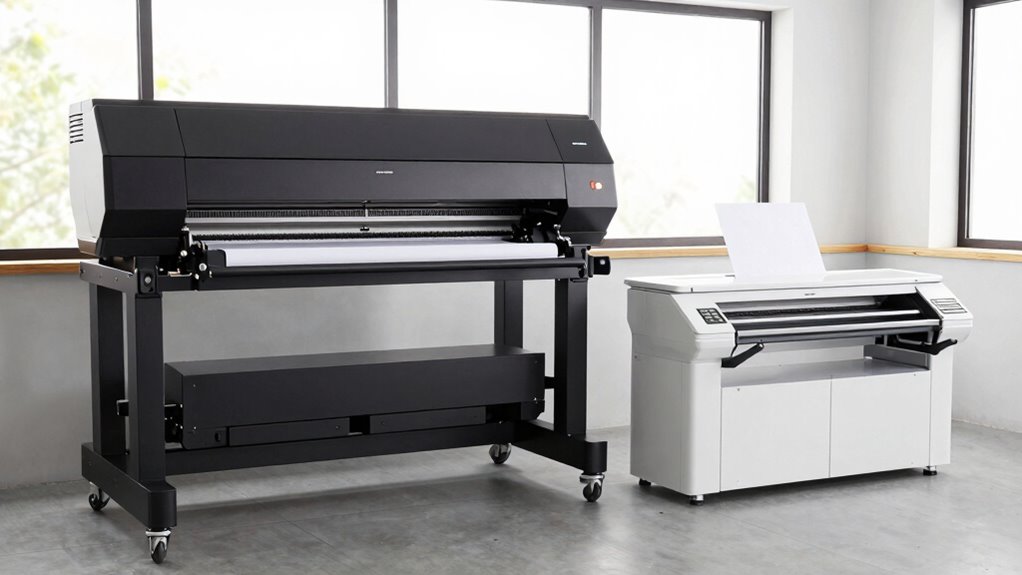
If you need a setup that ages well, consider how often you’ll use it and your space. Floor-standing plotters are built for durability and handle high-volume, demanding jobs, making them more future-proof if your needs grow. Desktop models are smaller, easier to maintain, and suited for light or infrequent tasks, but may not last as long under heavy use. For a deeper look at which option suits your long-term plans, keep exploring the details.

Get business pricing on monitors, keyboards and dev gear
- Business-only prices and quantity discounts
- Tax-exempt purchasing
- Multiple users, one account, clear invoices
Key Takeaways
- Floor-standing plotters are generally more durable and designed for heavy use, potentially aging better with intensive workloads.
- Desktop models typically have simpler components and fewer moving parts, which may lead to longer functional lifespan with less maintenance.
- Upgradability options are often better in floor models, allowing adaptation to technological advancements over time.
- Both types require regular maintenance; proper upkeep can extend their operational lifespan regardless of setup.
- Space constraints and initial costs may influence long-term durability, with larger, more robust floor models often lasting longer in demanding environments.
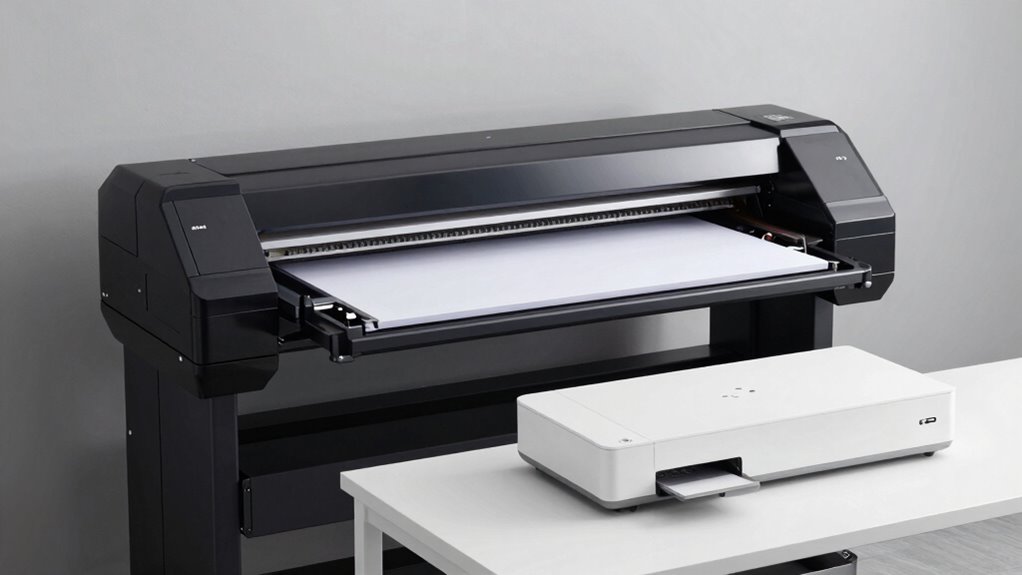
When choosing a plotter, understanding the differences between floor-standing and desktop models is vital for making the right investment. Your decision impacts not only your workspace setup but also how efficiently you work and how well your equipment ages over time. Floor-standing plotters are designed for larger-scale, high-volume projects, often featuring advanced digital integration that enables seamless connectivity with design software and network systems. This integration allows you to send print jobs directly from your computer, monitor device status remotely, and even update firmware easily. If your workflow relies heavily on digital workflows, a floor-standing model offers the scalability and connectivity needed to keep up with demanding tasks. Additionally, the digital integration capabilities of floor-standing plotters typically include automation features that can significantly improve productivity in busy environments.
On the other hand, desktop plotters tend to focus on simplicity and convenience. They usually come with fewer digital features but are still capable of handling detailed, smaller-scale work. When considering a desktop model, think about how digital integration fits your needs. Many modern desktop plotters now include wireless connectivity, allowing you to print directly from your laptop or mobile device without fuss. These models also tend to have lower maintenance requirements—they’re smaller, easier to service, and generally cost less to keep running. If your projects are less frequent or less complex, a desktop plotter might be the smarter choice, especially if you want a setup that ages well without constant upgrades or extensive upkeep.
Furthermore, choosing the right model involves considering upgradeability and how future-proof your investment is, especially if your printing needs are expected to grow over time. Maintenance requirements are another vital factor. Floor-standing plotters often demand more regular attention due to their size, complexity, and higher usage levels. You might need professional servicing for parts like rollers, print heads, or internal electronics. However, because they’re built for durability, they typically last longer if properly maintained. Desktop models require less maintenance overall; their smaller size means fewer moving parts and simpler access for cleaning or minor repairs. This lower upkeep can extend the lifespan of your device, making it a cost-effective option if your printing needs are moderate.
Ultimately, your choice depends on your specific needs—volume of work, space constraints, and how much you value digital integration and ease of maintenance. Floor-standing plotters are better suited for intensive, high-volume environments where digital connectivity is vital and longevity is a priority. Desktop models serve well in smaller offices or individual workspaces where space is limited, digital features are sufficient, and ease of maintenance is a key concern. Whichever you choose, understanding these aspects helps guarantee your setup ages well and continues to support your projects effectively over time.
floor standing large format plotter
As an affiliate, we earn on qualifying purchases.
As an affiliate, we earn on qualifying purchases.
Frequently Asked Questions
What Are the Maintenance Differences Between Floor-Standing and Desktop Plotters?
You’ll find that maintenance differs mainly in calibration accuracy and ink management. Floor-standing plotters often require more frequent calibration to maintain precision due to their larger size and complex mechanics. They also need more meticulous ink management, as refilling and cleaning can be more involved. Desktop models generally demand less maintenance, with simpler calibration and easier ink handling, making them more convenient for smaller-scale or less demanding applications.
How Does Space Requirement Vary Between These Two Plotter Types?
You’ll find that desktop models have a smaller footprint size, making them highly space-efficient for limited areas, like offices or small studios. Floor-standing plotters, on the other hand, have a larger footprint size, requiring more space but offering greater capacity and versatility. If space efficiency is a priority, a desktop model suits tight environments, whereas a floor-standing plotter fits well in spacious setups where size isn’t a constraint.
Are There Specific Industries That Prefer One Setup Over the Other?
You’ll notice industry preferences often lean towards floor standing plotters for large-scale projects like architecture and engineering, thanks to their setup versatility and high output capacity. Desktop models suit smaller tasks, such as graphic design or quick prints. Your choice depends on your workspace and project size, but generally, industries with demanding, large-format printing needs favor the robustness and flexibility of floor standing units.
What Are the Initial Cost Differences for Each Setup?
Imagine starting a journey with a sturdy, reliable vehicle versus a compact car—initial costs reflect that. Floor-standing plotters typically cost more upfront due to their size and capabilities, while desktop models are more budget-friendly. When considering cost comparison, your budget considerations should include long-term maintenance and usage needs. If you need high-volume printing, investing in a floor-standing model might be more cost-effective over time.
How Does User-Friendliness Compare for Beginners?
You’ll find desktop models generally easier for beginners because of their setup simplicity and user-friendly interfaces. They often come with straightforward instructions and require less space, making the ease of use more accessible. Floor-standing plotters, while more powerful, tend to have a steeper learning curve and more complex setup processes. For beginners focusing on ease of use, desktop models are typically the better choice.
As an affiliate, we earn on qualifying purchases.
Conclusion
Ultimately, choosing between floor standing plotters and desktop models depends on your needs. While larger floor models might seem more impressive, they often age faster due to their size and complexity. Desktop models, on the other hand, tend to be more durable and easier to upgrade over time. So, if longevity and ease of maintenance matter, a desktop setup might just be the better choice to keep your work running smoothly for years to come.
As an affiliate, we earn on qualifying purchases.
As an affiliate, we earn on qualifying purchases.
Halloween Picks
halloween
As an affiliate, we earn on qualifying purchases.