
Print speed claims can be misleading because manufacturers often test under ideal conditions that don’t match real-world use. They may use specific paper types, low-resolution settings, or optimized modes to boost advertised numbers. Your actual speed depends on factors like document complexity, quality settings, and paper type, which all slow down printing. To get a clear picture of what to expect, it’s important to look beyond marketing claims. Keep going to discover how to make smarter choices.

Get business pricing on monitors, keyboards and dev gear
- Business-only prices and quantity discounts
- Tax-exempt purchasing
- Multiple users, one account, clear invoices
Key Takeaways
- Manufacturer test conditions often differ from real-world scenarios, making advertised speeds less reliable.
- Print quality settings and document complexity significantly impact actual printing speed.
- Independent reviews provide more realistic insights into true printer performance.
- Testing standards vary across brands, affecting the comparability of speed claims.
- Relying solely on marketing figures can lead to unrealistic expectations about printer capabilities.
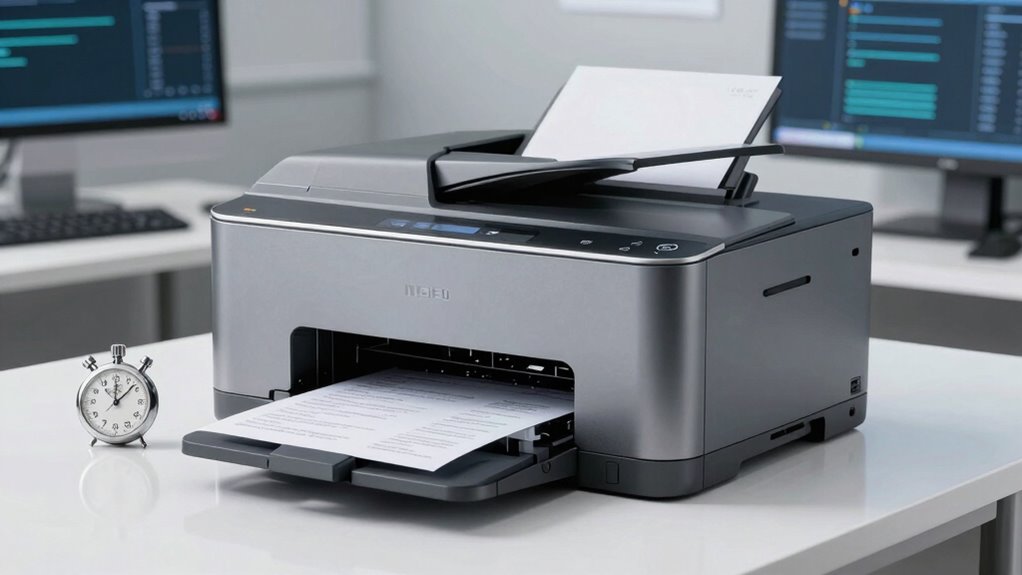
Have you ever wondered if the print speed claimed by manufacturers truly reflects real-world performance? It’s a common question, especially when shopping for a new printer. Manufacturers often advertise impressive print speeds to catch your eye, but those numbers don’t always tell the full story. This is where print speed accuracy becomes essential. Many brands tend to exaggerate their claims, giving you a misleading impression of how fast a printer really is. These numbers are often based on ideal conditions—using specific paper types, low-resolution settings, or even automated testing environments that don’t match everyday use.
When you see a printer boasting a high print speed, it’s tempting to assume you’ll get the same performance every time. But in real-world settings, various factors influence actual output. For example, print quality settings, document complexity, and paper quality all impact speed. Manufacturers, however, often overlook these variables in their advertisements, leading to manufacturer exaggerations that can skew your expectations. You might buy a printer expecting it to handle large jobs quickly, only to find it sluggish under normal conditions.
Understanding the difference between advertised and actual print speed is vital. Many printers are fast in the manufacturer’s tests because they optimize certain parameters or run in a mode that isn’t practical for everyday use. When you’re printing multiple pages, especially in high-resolution or color, the speed can drop markedly. If you rely solely on those advertised numbers, you risk disappointment and frustration when your printer doesn’t meet your needs. Recognizing the ideal testing conditions often used in advertisements can help set more realistic expectations. Additionally, knowing how testing environments can differ from real-world scenarios allows you to better evaluate the claims made by manufacturers. Being aware of testing biases can further help you interpret these figures more accurately. It’s also beneficial to compare speeds across different models using independent reviews, which tend to reflect more practical conditions.
Furthermore, some brands may utilize manufacturer testing standards that are not standardized across the industry, making direct comparisons difficult. To make smarter choices, look beyond the marketing claims. Check independent reviews and real-world user experiences. These sources often provide details about average speeds under typical conditions, giving you a more accurate picture of what to expect. Also, pay attention to the specifications section, where some brands might specify different speeds for draft mode versus high-quality mode. Knowing this can help you choose a model that aligns with your actual printing habits.
As an affiliate, we earn on qualifying purchases.
Frequently Asked Questions
How Do Print Speed Claims Vary Between Different Printer Brands?
Print speed claims vary between brands because each uses different print technology and testing methods. Some brands might exaggerate speeds to boost sales, while others provide more realistic estimates. Your experience depends on the brand’s reputation for accuracy and the type of print technology they employ, like laser or inkjet. Always compare real-world reviews and specifications, as brands with solid reputations tend to give more reliable speed claims.
What Factors Can Affect Actual Print Speeds?
You might think print speed is just about how fast the machine outputs pages, but factors like print quality and print volume can slow things down unexpectedly. Ironically, high-quality prints often take longer, especially with detailed images or complex documents. Heavy print volume tasks can also cause slowdowns, as the printer balances speed with maintaining consistent output. So, don’t be fooled—real-world speeds aren’t always what they seem on paper.
Are Print Speed Claims Based on Color or Black-And-White Printing?
Print speed claims are typically based on black-and-white printing because it requires less ink and often produces faster results. Color printing usually takes longer due to higher ink consumption and complexity in producing vibrant images. When evaluating print speed, keep in mind that actual performance can vary depending on print quality settings. So, if you prioritize speed, especially for black-and-white documents, those claims are more reliable, but color printing always takes a bit more time.
How Can I Verify a Printer’s Real-World Speed Performance?
Did you know that many printers claim speeds up to 30 pages per minute, but real-world performance often drops by 20%? To verify a printer’s actual speed, check independent print speed metrics and compare them with consumer reviews. Look for reports from trusted sources; these reveal how printers perform under typical conditions. Combining these insights helps you determine if the printer meets your speed expectations before making a purchase.
Do Print Speed Claims Include Setup and Warm-Up Times?
Print speed claims typically don’t include setup and warm-up times, so your actual printing process may be slower. When evaluating speed, consider factors like print quality and paper handling, which can impact how quickly your printer produces documents. Warm-up times might add a few seconds or minutes, especially with high-quality printing or complex jobs. Always check detailed specifications and user reviews to get a realistic idea of real-world performance.
professional inkjet printer for home use
As an affiliate, we earn on qualifying purchases.
As an affiliate, we earn on qualifying purchases.
Conclusion
Before you rush to buy a printer based on flashy speed claims, take a closer look. Imagine standing at a busy intersection, where signs promise quick passage—only to find the traffic moves slowly. Don’t let sleek numbers lure you into a false sense of speed. Instead, peek behind the curtain, check real-world reviews, and consider your needs. That way, you’ll avoid the slow crawl and find a printer that truly keeps up with your demands.
printer with real-world speed reviews
As an affiliate, we earn on qualifying purchases.
As an affiliate, we earn on qualifying purchases.
office printer with fast print speed
As an affiliate, we earn on qualifying purchases.
As an affiliate, we earn on qualifying purchases.
Halloween Picks
halloween
As an affiliate, we earn on qualifying purchases.