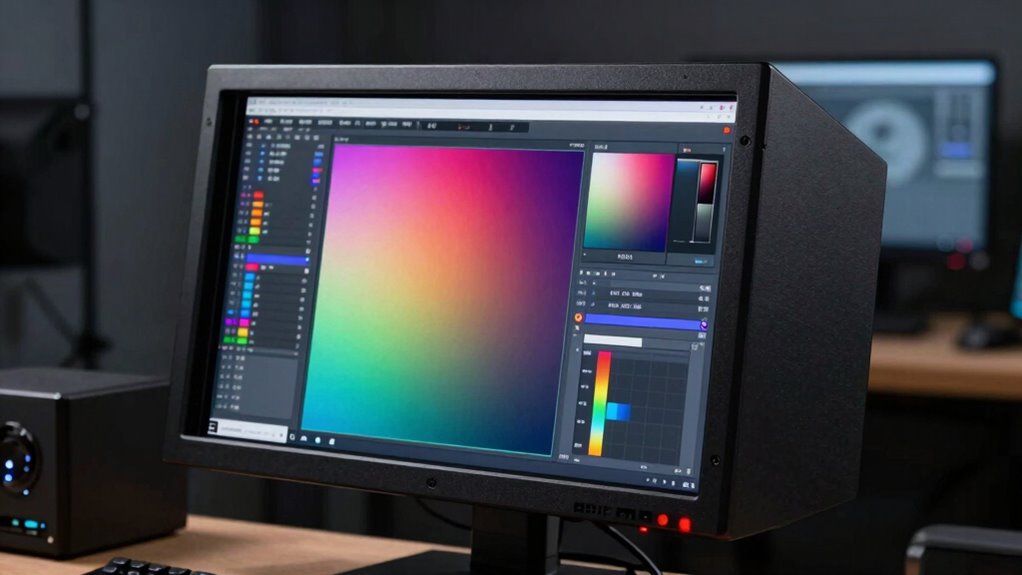

A monitor hood is a valuable tool for serious color work because it blocks out ambient light and reduces reflections that can distort your view. It helps you see true colors by creating a controlled environment, which guarantees your color judgments remain consistent and accurate. Using a hood minimizes glare, eye strain, and external distractions, making your workflow more precise and reliable. Keep exploring to discover how these benefits can improve your professional workspace even further.

Get business pricing on monitors, keyboards and dev gear
- Business-only prices and quantity discounts
- Tax-exempt purchasing
- Multiple users, one account, clear invoices
Key Takeaways
- Monitor hoods block ambient light and reflections, creating a controlled environment for accurate color assessment.
- They improve color consistency by preventing external light from washing out display colors during critical work.
- Using a hood reduces glare and eye strain, enhancing focus and comfort during prolonged editing sessions.
- They help maintain precise color judgment essential for photo editing, graphic design, and video grading.
- Proper ambient light control with monitor hoods ensures reliable, repeatable color accuracy across different work sessions.

When you’re working on serious color-critical projects, understanding how monitor hoods can improve your workflow is essential. Monitor hoods are designed to block out ambient lighting, which can otherwise interfere with your perception of colors on the screen. Ambient lighting varies from environment to environment, and even small changes in light intensity or color temperature can significantly affect your ability to judge color accuracy. This is where a monitor hood becomes a valuable tool, helping you create a controlled viewing environment that minimizes external distractions. By reducing glare and reflections, a monitor hood ensures you see colors as they truly are, which is crucial for professional work like photo editing, graphic design, or video color grading.
With a monitor hood in place, you’re less likely to be misled by the ambient lighting that can wash out or distort your screen display. When ambient light hits your monitor, it causes reflections that make it more difficult to accurately assess color, especially in subtle gradations. These reflections can cause your eyes to strain, leading to fatigue and mistakes over long editing sessions. A well-designed hood directs your focus solely on the display, maintaining consistent viewing conditions and helping you maintain optimal color accuracy. This consistency is key for achieving precise color matching across different projects and ensuring your work looks the same on other calibrated devices. Additionally, controlling ambient lighting is vital for maintaining consistent color accuracy, which can be compromised by fluctuating light conditions.
Your workspace environment plays a significant role in your ability to produce accurate color work. If your room has bright windows or uneven lighting, it creates variable conditions that make it challenging to judge tones and shades correctly. A monitor hood acts as a barrier, preventing light from bouncing off surrounding surfaces and hitting your screen at unwanted angles. This control over ambient lighting allows you to perform critical color assessments with confidence, knowing that external factors won’t skew your perception. Additionally, controlling ambient lighting is essential for maintaining consistent color accuracy, especially in environments with fluctuating light conditions. In fact, ambient lighting control is often overlooked but is fundamental for professional-grade color work. Proper management of ambient light also helps prevent color shift, ensuring your color judgments remain reliable across different sessions. Properly managing ambient light can also help reduce visual fatigue, which is common during prolonged editing sessions. As a result, your workflow becomes more reliable, and you spend less time adjusting or second-guessing your color choices.
Products Worth Considering

LG 34GX90SA-W 34-inch Ultragear WQHD OLED Curved Gaming Monitor

LG UltraGear 27-Inch QHD OLED Gaming Monitor, 240Hz, 0.03ms, G-SYNC Compatible, FreeSync Premium Pro, HDMI 2.1

Samsung 27-Inch Odyssey QD-OLED G8 4K 240Hz Gaming Monitor
As an affiliate, we earn on qualifying purchases.
Frequently Asked Questions
Are Monitor Hoods Compatible With All Monitor Sizes?
Monitor hoods aren’t compatible with all monitor sizes. You need to find one that fits your specific display, especially for critical color work. They help with color calibration by blocking ambient light, reducing glare, and preventing reflections that can distort colors. Measure your monitor accurately and choose a hood designed for that size to guarantee effective light control, which is essential for accurate color work.
How Do Monitor Hoods Affect Color Accuracy Over Time?
Monitor hoods improve color accuracy over time by controlling ambient light and reducing glare, which can distort your perception of colors. By shielding your screen from changing lighting conditions, they help maintain consistent viewing conditions, preventing color shifts caused by reflections or stray light. This steady environment minimizes eye strain and guarantees your color work stays accurate, especially during long sessions, making monitor hoods essential tools for serious color work.
Can Monitor Hoods Be Used Outdoors Effectively?
Yes, monitor hoods can be used outdoors effectively, but with some limitations. Sunlight shielding helps block bright, blinding sunlight, improving outdoor visibility and reducing glare. However, because monitor hoods are designed for controlled indoor conditions, extreme weather or intense sunlight can still challenge their effectiveness. To get the best results outdoors, combine a monitor hood with an anti-glare screen or shade, ensuring your work stays vibrant and visible.
What Materials Are Best for Professional Color Work?
For professional color work, you should use high-quality, neutral gray or matte materials for your monitor hood to minimize reflections and maintain accurate color calibration. These materials help control ambient lighting, reducing glare that can distort your perception of color. Ensuring your workspace has consistent ambient lighting further improves color accuracy. Combining a well-chosen hood with controlled ambient lighting allows you to achieve precise, reliable color results in your work.
Do Monitor Hoods Require Special Maintenance or Cleaning?
Sure, monitor hoods don’t require a spa day, but neglecting dust accumulation can turn your workspace into a smudgy disaster. You should clean them regularly—once a month is a good rule—to prevent dust buildup that could skew your color accuracy. Use a soft, lint-free cloth and avoid harsh chemicals. Keeping your monitor hood dust-free guarantees it performs its true color magic, not just collects cobwebs.
Conclusion
A monitor hood is like a shield, protecting your color work from unwanted light and reflections. It guarantees your colors stay true, giving you confidence in every project. When you’re serious about accuracy, a hood is your silent partner, quietly working to create a controlled environment. Think of it as a lighthouse guiding your work through the fog—keeping your vision clear and your results spot-on, no matter how bright the surroundings.