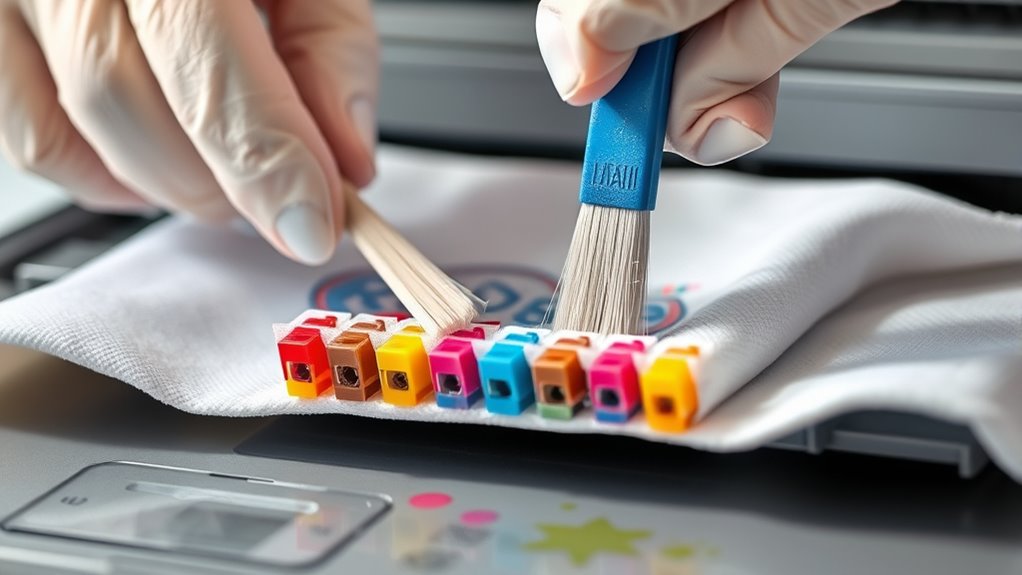

To clean your inkjet print heads at home, start by running a cleaning cycle through your printer’s software to clear minor clogs. If issues persist, carefully remove the cartridges and gently wipe the print head with a lint-free cloth dampened with distilled water or a manufacturer-approved solution. For stubborn clogs, soak the head in warm distilled water or use a syringe to inject cleaning fluid directly into clogged nozzles. Keep up regular maintenance to prevent future issues and guarantee the best print quality.
Key Takeaways
- Run the printer’s built-in cleaning cycle via software or app to clear minor clogs.
- Remove ink cartridges carefully and clean the print head with a lint-free cloth dampened with distilled water.
- Soak the print head in warm distilled water or cleaning fluid overnight for stubborn blockages.
- Use a syringe with flexible tubing to inject cleaning solution directly into clogged nozzles.
- Regularly perform maintenance and keep cartridges filled to prevent clogs and extend print head lifespan.

Have you ever noticed streaks or faded prints from your inkjet printer? If so, it’s likely time to perform some print head maintenance. Over time, ink can dry out or accumulate in the nozzles, causing clogs that lead to poor print quality. Fortunately, you can often resolve these issues at home without needing professional help. The key is to focus on effective ink clog removal methods and proper print head cleaning techniques to restore your printer’s performance.
Start by running a print head cleaning cycle through your printer’s software. Most modern printers have a built-in maintenance feature that can be accessed via the control panel or connected app. This process uses a small amount of ink to flush out minor clogs and improve ink flow. If this doesn’t do the trick, you’ll need to manually clean the print head. Before doing any cleaning, verify your printer is turned off and unplugged, and remove the ink cartridges carefully. Use a lint-free cloth or paper towel dampened with distilled water or a manufacturer-recommended cleaning solution to gently wipe the print head area. Be cautious not to damage delicate components.
For more stubborn ink clog removal, you might consider soaking the print head in a cleaning solution. Remove the print head (if your printer allows this) and submerge it in a shallow dish filled with warm distilled water or a specialized cleaning fluid. Let it sit for several hours or overnight to loosen dried ink. After soaking, gently blot the area with a lint-free cloth and reinstall the print head. Run another cleaning cycle to check if the ink flow has improved. If you prefer a more targeted approach, some people use a syringe with a flexible tube to inject cleaning fluid directly into clogged nozzles. This method can be effective for persistent clogs but requires careful handling to avoid damage. Regular maintenance helps prevent ink clogs and extends the lifespan of your print head.
Consistent print head maintenance is essential for preventing future issues. Regularly performing cleaning cycles and keeping the ink cartridges filled and properly seated help maintain ideal ink flow. Also, avoid letting ink cartridges sit empty for long periods, as dried ink can cause stubborn clogs. If you notice ongoing problems despite these efforts, it might be time to replace the print head or consult a professional technician. However, many small clogs and print quality issues can be resolved through diligent cleaning and ink clog removal at home.

Printhead Cleaning Kits Inkjet Printers, Printer Cleaning Kit for Epson Ecotank Printers, Printer Cleaner Kit for HP, Inkjet Printers Head Cleaning Solution for Canon Pixma Print Head Liquid Nozzles
Printhead Cleaning Kits for Inkjet Printers: Fosgoit Inkjet Printhead Cleaner for Epson Printer, Ink Jet Cleaning Solution for…
As an affiliate, we earn on qualifying purchases.
As an affiliate, we earn on qualifying purchases.
Frequently Asked Questions
How Often Should I Clean My Inkjet Print Head?
You should clean your inkjet print head whenever you notice print quality issues, like streaks or faded colors. Regular cleaning helps extend the print head lifespan, but avoid overdoing it to prevent damage. A good cleaning frequency tip is once every few weeks if you print regularly, or when you see print problems. Keep an eye on your printer’s performance, and clean as needed to maintain peak results.
Can Using Homemade Cleaning Solutions Damage the Print Head?
Think of DIY cleaning as walking a tightrope—one misstep can cause a fall. Homemade solutions may seem like a quick fix, but they pose chemical risks that can damage your print head. Using untested DIY cleaning methods might clog or corrode delicate parts, leading to costly repairs. Always opt for manufacturer-approved cleaning solutions to safeguard your printer and ensure it keeps printing smoothly.
What Are Signs of a Clogged Inkjet Print Head?
If your prints show uneven colors, streaks, or missing lines, you’re likely experiencing print head clogging. You might also notice ink flow issues, such as ink not ejecting properly or taking longer to print. These signs indicate your print head needs cleaning. To prevent damage, check for these symptoms regularly and perform maintenance promptly, ensuring your printer continues to produce clear, vibrant prints.
Is It Safe to Clean Print Heads With Alcohol?
Using alcohol for print head cleaning isn’t generally recommended because of alcohol safety concerns. It can damage your printer’s components or cause unwanted chemical reactions. Instead, you should use approved cleaning solutions or perform a gentle print head cleaning cycle. Always follow your printer manufacturer’s instructions to avoid voiding your warranty or causing damage. When in doubt, consult your printer’s manual or contact customer support for safe cleaning methods.
Are There Any Special Precautions for Cleaning Epson or Canon Printers?
When cleaning Epson or Canon printers, you should always follow manufacturer guidelines to avoid damage. Use only cleaning solutions that are safe and recommended by the manufacturer, avoiding harsh chemicals that could harm the print heads. Be gentle during cleaning to prevent misalignment or damage. Also, turn off the printer and unplug it before starting to guarantee safety. Following these precautions helps maintain your printer’s performance and longevity.

Printer Cleaning Kit for Epson, Printhead Cleaning Kit for HP, Inkjet Printer Head Cleaner for Canon, Printers Cleaner Printhead Cleaning Solution for Inkjet, Printers Print Head Cleaning Kits 100mL
Printhead Nozzles Cleaner 100mL for All Inkjet Printers: Absonic Inkjet Printer Cleaning Solution for Epson Inkjet Printer, Printer…
As an affiliate, we earn on qualifying purchases.
As an affiliate, we earn on qualifying purchases.
Conclusion
Remember, a stitch in time saves nine. Regularly cleaning your inkjet print heads at home keeps your printer running smoothly and saves you money on repairs. Just follow the simple steps, stay patient, and don’t rush the process. With a little care, your prints will stay crisp and vibrant. Keep up with maintenance, and you’ll enjoy trouble-free printing for years to come. After all, a well-maintained printer is a happy printer!
Printhead Cleaning Kits Inkjet Printers, Printer Cleaning Kit for Epson Ecotank Printers, Printer Cleaner Kit for HP, Inkjet Printers Head Cleaning Solution for Canon Pixma Print Head Liquid Nozzles
Printhead Cleaning Kits for Inkjet Printers: Fosgoit Inkjet Printhead Cleaner for Epson Printer, Ink Jet Cleaning Solution for…
As an affiliate, we earn on qualifying purchases.
As an affiliate, we earn on qualifying purchases.
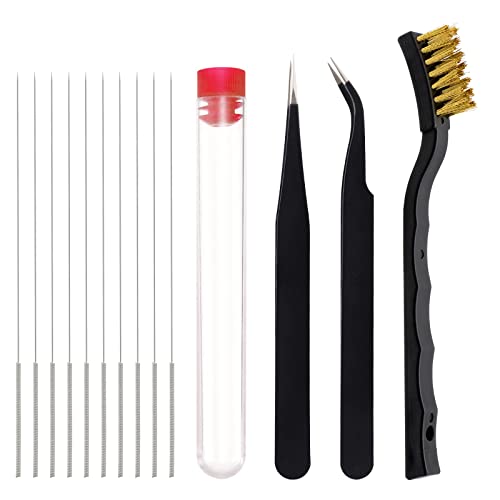
3D Printer Nozzle Cleaning Kit – 13 Pieces 3D Print Nozzle Cleaner Tools 0.4mm Cleaning Needles and Tweezers with Copper Wire Brush
Function: 3D printer nozzle cleaning kit is perfect for removing the blockage with high precision and is also…
As an affiliate, we earn on qualifying purchases.
As an affiliate, we earn on qualifying purchases.