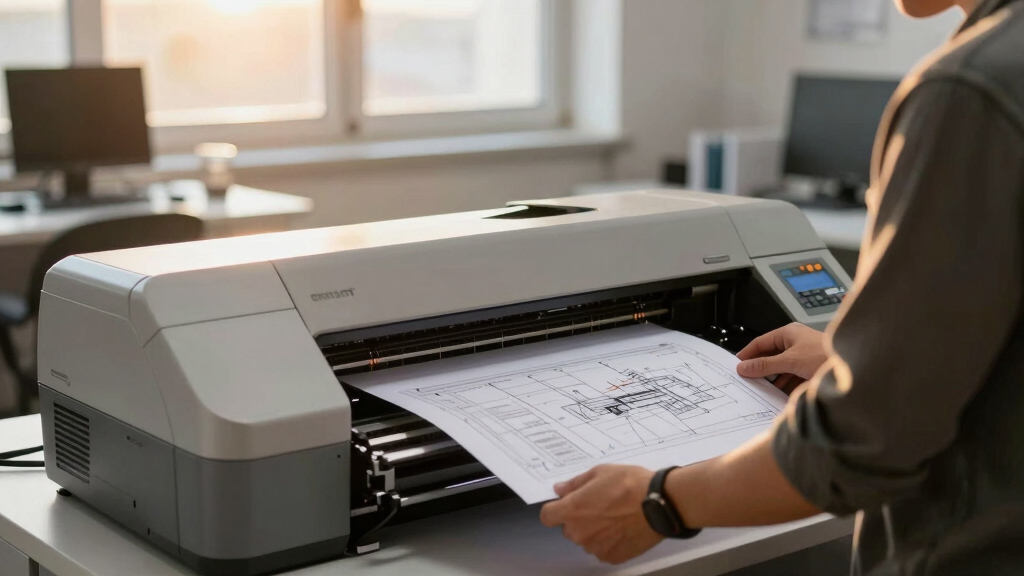

Choosing the best A1 CAD plotter printer involves balancing performance, cost, and ease of use. The HP DesignJet T850 stands out as the overall top pick thanks to its reliability and high-quality output. For those prioritizing color accuracy, the Canon imagePROGRAF TM-300 offers impressive color precision, while the HP DesignJet T650 provides a more affordable option without sacrificing essential features. Buyers face tradeoffs between speed, print quality, and price, making it vital to weigh what matters most for their projects. Keep reading for a detailed breakdown of the best options and what to look for in your ideal CAD plotter.
Key Takeaways
- The top-ranked models balance print quality, speed, and cost effectively for professional CAD work.
- Color precision varies significantly; high-end models like Canon TM-300 excel in detailed color printing.
- Size and media handling are crucial; some models offer auto sheet feeders and media bins for workflow efficiency.
- Budget options like the HP T650 deliver reliable performance but may lack advanced features found in premium models.
- Warranty and support are key considerations, especially for high-volume printing environments.
| HP DesignJet T850 Large Format 36-inch Color Plotter Printer |  | Best Overall for Professional-Grade Large Format Printing | Printer Type: Thermal Inkjet | Media Sizes: Up to 36 inches wide | Media Handling: Roll feed, sheet feed (50 sheets), media bin | VIEW LATEST PRICE | See Our Full Breakdown |
| Canon imagePROGRAF TM-300 36-inch 5-Color Inkjet Printer Plotter |  | Best for High-Quality Color and Detail in Professional Printing | Printer Type: Large format inkjet plotter | Print Width: 36 inches | Maximum Resolution: 1200 dpi | VIEW LATEST PRICE | See Our Full Breakdown |
| HP DesignJet T650 Large Format 36-inch Plotter Printer |  | Best for Speed and Cost-Efficiency in Large Format Printing | Media Size: Up to 36 inches | Media Handling: Sheet, roll feed, automatic switch | Print Speed: Up to 25 seconds per page | VIEW LATEST PRICE | See Our Full Breakdown |
| HP DesignJet T630 Large Format 36-inch Plotter Printer with Auto Sheet Feeder, Media Bin & Stand |  | Best Compact Model for Versatile Large-Format Printing | Media Sizes: Up to 36 inches, 13×19 inches sheets | Media Handling: Sheet, roll feed, auto switch | Print Speed: Up to 30 seconds per page | VIEW LATEST PRICE | See Our Full Breakdown |
| HP DesignJet T870 Large Format 24-inch Plotter Printer |  | Best for Compact, Precise Large Format Printing in Smaller Spaces | Media Sizes: Up to 24 inches, 13×19 inches sheets | Media Handling: Sheet, roll feed, auto switch | Print Speed: Up to 21 seconds per page | VIEW LATEST PRICE | See Our Full Breakdown |
| HP Designjet T1600 Postscript Inkjet Large Format Printer – 36″ Print Width – Color |  | Best Overall for High-Quality Professional Printing | Printer Type: Inkjet | Print Width: 36 inches | Color Printing: Yes | VIEW LATEST PRICE | See Our Full Breakdown |
| HP DesignJet T210 Large Format 24-Inch Plotter Printer with 2-Year HP Care Pack |  | Best for Small Offices and Technical Drawings | Media Sizes: Up to 24-inch wide media rolls | Print Speed: Up to 45 seconds per page | Connectivity: Ethernet, Wi-Fi, USB | VIEW LATEST PRICE | See Our Full Breakdown |
| HP DesignJet T210 Large Format 24-inch Plotter Printer | | Best for Fast, Small-Format Technical Printing | Media Sizes: Up to 24-inch wide media | Print Speed: Up to 45 seconds per page | Connectivity: Ethernet, Wi-Fi, USB | VIEW LATEST PRICE | See Our Full Breakdown |
| HP DesignJet T850 Large Format 36-inch Color Plotter Printer with 2-Year Warranty |  | Best for Large-Scale Color Technical and Creative Projects | Printer Type: Thermal Inkjet | Maximum Media Width: 36 inches | Media Handling: Roll, sheet, media bin | VIEW LATEST PRICE | See Our Full Breakdown |
| A1 CAD plotter printer | Connectivity | Media Sizes | Media Handling | Print Speed |
|---|---|---|---|---|
| HP DesignJet T850 Large Format | Gigabit Ethernet, Wi-Fi 802.11 b/g/n, Wi-Fi Direct, HP app | Up to 36 inches wide | Roll feed, sheet feed (50 sheets), media bin | — |
| Canon imagePROGRAF TM-300 36-i | — | — | — | — |
| HP DesignJet T650 Large Format | Gigabit Ethernet, USB 2.0, Wi-Fi | — | Sheet, roll feed, automatic switch | Up to 25 seconds per page |
| HP DesignJet T630 Large Format | Gigabit Ethernet, Wi-Fi 802.11 b/g/n, Wi-Fi Direct | Up to 36 inches, 13×19 inches sheets | Sheet, roll feed, auto switch | Up to 30 seconds per page |
| HP DesignJet T870 Large Format | Gigabit Ethernet, Wi-Fi 802.11 b/g/n | Up to 24 inches, 13×19 inches sheets | Sheet, roll feed, auto switch | Up to 21 seconds per page |
| HP Designjet T1600 Postscript | — | — | — | — |
| HP DesignJet T210 Large Format | Ethernet, Wi-Fi, USB | Up to 24-inch wide media rolls | — | Up to 45 seconds per page |
| HP DesignJet T210 Large Format | Ethernet, Wi-Fi, USB | Up to 24-inch wide media | — | Up to 45 seconds per page |
| HP DesignJet T850 Large Format | — | — | Roll, sheet, media bin | — |
More Details on Our Top Picks
HP DesignJet T850 Large Format 36-inch Color Plotter Printer
The HP DesignJet T850 stands out for its impressive combination of media versatility and wireless connectivity, making it ideal for busy architecture and engineering firms that need reliable, high-quality color plots. Compared to the HP T650, it supports larger media rolls up to 36 inches and adds an automatic document feeder, which streamlines workflow. However, its hefty weight and size demand dedicated space, and its slower black-and-white speed of 1 page per minute could be a drawback for high-volume monochrome printing. The high initial investment reflects its professional capabilities, but the extended 2-year warranty adds peace of mind for demanding environments.
Pros:- Supports media up to 36 inches wide for versatile projects
- Wireless connectivity and mobile printing for convenience
- Auto Document Feeder and media bin streamline workflow
- Energy-efficient routines reduce operational costs
Cons:- Heavy and large, requiring dedicated space
- Limited to 1 page per minute in black and white
- High upfront cost for a professional-grade device
Best for: Large architectural or engineering firms requiring versatile, high-quality color prints with automatic document handling.
Not ideal for: Small offices or hobbyists with limited space or lower volume needs, due to its size and cost.
- Printer Type:Thermal Inkjet
- Media Sizes:Up to 36 inches wide
- Media Handling:Roll feed, sheet feed (50 sheets), media bin
- Connectivity:Gigabit Ethernet, Wi-Fi 802.11 b/g/n, Wi-Fi Direct, HP app
- Supported Media:Bond, coated, heavyweight paper, banner, glossy film
- Item Weight:156.5 pounds
Our verdict“This printer suits large, professional environments demanding reliable, high-quality color output with workflow features, despite its size and price.”
Canon imagePROGRAF TM-300 36-inch 5-Color Inkjet Printer Plotter
The Canon imagePROGRAF TM-300 excels at delivering vibrant, detailed prints, making it a top choice for mapmakers, architects, and designers who need precision. Its 1200 dpi resolution surpasses many competitors like the HP T650, especially for high-resolution renders and detailed drawings. The integrated scanner and large touchscreen enhance workflow efficiency. However, setup can be complex, requiring some technical knowledge, and the higher ink costs associated with the 5-color TD pigment inks can add to operational expenses. Its compact footprint makes it suitable for smaller offices needing professional print quality without sacrificing space.
Pros:- Vivid, high-resolution 36-inch printing at 1200 dpi
- Integrated scanner and large touchscreen for efficient workflow
- Fast print speeds ideal for high-volume jobs
- Wi-Fi and network connectivity for flexible operation
Cons:- Complex setup requiring technical knowledge
- Higher ink costs for pigment inks
- Larger size than some compact alternatives
Best for: Designers and professionals who prioritize color accuracy and fine detail in large-format prints within limited space.
Not ideal for: High-volume monochrome printing or environments seeking simple, plug-and-play solutions, due to setup complexity and ink costs.
- Printer Type:Large format inkjet plotter
- Print Width:36 inches
- Maximum Resolution:1200 dpi
- Scan Resolution:9600 dpi
- Scan Speed:Up to 13 inches/sec
- Ink Set:5-color TD pigment inks
Our verdict“This model is perfect for professionals needing detailed, vibrant prints with integrated scanning, but less so for those seeking simplicity or low operational costs.”
HP DesignJet T650 Large Format 36-inch Plotter Printer
The HP DesignJet T650 offers a compelling balance of speed and cost savings, making it well-suited for architects and engineers with steady large-format printing needs. Its fast print speed—up to 25 seconds per page—outpaces many competitors like the HP T630, which is slightly slower but more compact. The T650’s easy-to-use HP Click software and mobile printing capabilities enhance productivity, while its ink efficiency—using up to 95% less ink—reduces ongoing costs. Nonetheless, its high initial price might be a barrier for smaller firms, and it’s strictly a large-format device, not designed for small print jobs or hobbyist use.
Pros:- Fast printing speeds suitable for busy workflows
- Supports large media rolls up to 36 inches
- Cost-efficient ink usage reduces operational costs
- Easy-to-use HP Click software and mobile printing
Cons:- High initial cost for small offices
- Limited to large-format printing only
- Requires network setup for remote management
Best for: Architectural firms or engineering teams seeking fast, reliable large-format printing with low maintenance costs.
Not ideal for: Small offices or hobbyists needing smaller or more versatile printers, given its size and cost.
- Media Size:Up to 36 inches
- Media Handling:Sheet, roll feed, automatic switch
- Print Speed:Up to 25 seconds per page
- Connectivity:Gigabit Ethernet, USB 2.0, Wi-Fi
- Included Ink:HP 712 Original Ink
- Warranty:2-year onsite support
Our verdict“This printer makes the most sense for busy professional environments that prioritize speed and cost savings over compact size.”
HP DesignJet T630 Large Format 36-inch Plotter Printer with Auto Sheet Feeder, Media Bin & Stand
The HP DesignJet T630 strikes a balance between size and performance, ideal for smaller offices or teams needing reliable large-format printing. Its compact, space-saving design makes it easier to fit into tight spaces compared to bulkier models like the T850. It offers fast speeds of up to 30 seconds per page and high-quality color output, with versatile media handling including automatic switching and a media bin. While setup and software configuration can be initial hurdles, the T630’s ease of use and lower maintenance ink savings are attractive benefits. It remains a limited solution for those needing larger formats or higher-volume monochrome printing.
Pros:- Compact, space-efficient design
- Fast printing speeds for high-volume jobs
- High-quality color and line accuracy
- Automatic media switching and versatile media handling
Cons:- Limited to large-format media only
- Requires setup and software configuration
- Higher initial cost compared to smaller desktop printers
Best for: Small architectural or engineering offices with limited space that require dependable, high-quality large-format prints.
Not ideal for: High-volume print environments or those needing the largest media widths, due to its 36-inch maximum and size constraints.
- Media Sizes:Up to 36 inches, 13×19 inches sheets
- Media Handling:Sheet, roll feed, auto switch
- Print Speed:Up to 30 seconds per page
- Connectivity:Gigabit Ethernet, Wi-Fi 802.11 b/g/n, Wi-Fi Direct
- Onboard Memory:1 GB
- Eco Features:Uses up to 95% less ink
Our verdict“This model suits smaller offices needing space-efficient, reliable large-format printing without sacrificing quality or speed.”
HP DesignJet T870 Large Format 24-inch Plotter Printer
The HP DesignJet T870 offers a narrower 24-inch media capacity, making it a practical choice for professionals like educators or small firms needing precise, high-quality prints without occupying too much space. Its automatic media handling and wireless connectivity streamline everyday tasks, comparable to the larger T650 but in a smaller footprint. The T870’s slower print speed—21 seconds per page—may be a limiting factor during high-demand periods, and its maximum media width restricts larger-format projects. Still, its ease of use and cost-efficient ink consumption make it a versatile choice for smaller-scale workflows.
Pros:- Compact and space-efficient design
- Automatic media handling and switching
- High-quality, precise print output
- Wireless connectivity for remote printing
Cons:- Limited to 24-inch media width
- Slower print speeds for frequent large jobs
- Less suitable for high-volume production environments
Best for: Architects, engineers, or educators working with medium-sized projects in limited space environments.
Not ideal for: High-volume, large-format printing or projects requiring media wider than 24 inches, due to size restrictions.
- Media Sizes:Up to 24 inches, 13×19 inches sheets
- Media Handling:Sheet, roll feed, auto switch
- Print Speed:Up to 21 seconds per page
- Connectivity:Gigabit Ethernet, Wi-Fi 802.11 b/g/n
- Included Support:2-year onsite and phone support
- Compatible Ink Cartridges:HP 738 Original Ink
Our verdict“This printer is ideal for small offices needing precise, reliable large-format printing in a limited footprint, despite speed limitations.”
HP Designjet T1600 Postscript Inkjet Large Format Printer – 36″ Print Width – Color
The HP Designjet T1600 stands out for its ability to produce vibrant, detailed color prints with a compact footprint, making it ideal for professional environments where space is limited. Compared to the HP T850, which offers larger media handling but at a higher cost and size, the T1600 balances quality and convenience effectively. Its high resolution of 2400 x 1200 dpi ensures precise maps, technical drawings, or renders, while its quiet operation suits office settings. However, its weight of 82 kg can make setup challenging, and with only a single tray, large jobs may require frequent reloading—an important tradeoff for those valuing space and color fidelity over volume. This model makes the most sense for design firms or offices needing high-quality output without a sprawling footprint.
Pros:- Vivid, high-resolution color printing with detailed output
- Compact and quiet, ideal for office environments
- Fast print speeds support tight deadlines
- Easy PDF printing and mobile sharing via HP Smart app
Cons:- Heavy at 82 kg, may require assistance for setup
- Limited to one tray, necessitating frequent reloading for large jobs
Best for: Creative professionals and architectural offices needing vibrant, precise large-format prints in limited space
Not ideal for: Large-scale production facilities or users requiring high-volume printing or larger media widths
- Printer Type:Inkjet
- Print Width:36 inches
- Color Printing:Yes
- Maximum Print Resolution:2400 x 1200 dpi
- Print Speed (Color Pages per Minute):3
- Item Weight:82 kg
Our verdict“Best suited for offices needing high-quality, vibrant color prints in a compact form factor.”
HP DesignJet T210 Large Format 24-Inch Plotter Printer with 2-Year HP Care Pack
The HP DesignJet T210 excels at delivering quick, reliable prints for technical drawings, maps, and posters in small to medium offices. Its compact size and support for media up to 24 inches wide make it ideal for architects, engineers, or construction professionals working within tight space constraints. Compared with the HP T1600, which handles larger formats and offers richer color, the T210 prioritizes speed and ease of use for smaller formats at a more accessible price point. Its print speed of approximately 45 seconds per page boosts productivity, though its media width limit means it can’t handle larger formats or banners. The device’s support for various media types and software integration makes it versatile, but some users may find setup complex or the media handling limited for larger jobs.
Pros:- Compact design fits small office spaces
- Fast printing speeds for efficient workflows
- Supports a variety of media sizes and types
- Easy software integration with HP Click and HP Smart app
Cons:- Limited to 24-inch media width, not suitable for larger formats
- Requires optional accessory for sheet printing
Best for: Architects and engineers needing fast, precise prints on 24-inch media in a compact office
Not ideal for: Large-format printing for banners or posters exceeding 24 inches or high-volume production
- Media Sizes:Up to 24-inch wide media rolls
- Print Speed:Up to 45 seconds per page
- Connectivity:Ethernet, Wi-Fi, USB
- Inks:HP 712, HP 713
- Energy Star:Yes
- Item Weight:Not specified
Our verdict“An excellent choice for small teams requiring quick, high-quality prints on medium-sized media.”
HP DesignJet T210 Large Format 24-inch Plotter Printer
This HP T210 model offers nearly identical core features to the previous T210 with a focus on quick, reliable prints for technical purposes. Its ability to handle media up to 24 inches wide and support for various media types makes it suitable for professional environments where speed matters. Compared with the HP T1600, it sacrifices some color fidelity for faster throughput and easier setup. Its 45 seconds per page speed and support for multiple media sizes streamline workflows for architects and engineers, though the setup process can be complex for some users. Its smaller footprint makes it appealing for offices with limited space, but it isn’t built for larger formats or high-volume production.
Pros:- Supports multiple media sizes and types
- Supports fast printing speeds for tight deadlines
- Compact and space-efficient design
- Simple software interface for quick job setup
Cons:- Limited to 24-inch media width
- Can be complex to set up, especially for new users
Best for: Design professionals needing quick, reliable prints on 24-inch media in a small workspace
Not ideal for: High-volume printing or larger format banners and posters
- Media Sizes:Up to 24-inch wide media
- Print Speed:Up to 45 seconds per page
- Connectivity:Ethernet, Wi-Fi, USB
- Supported Inks:HP 712, HP 713
- Warranty:One-year limited hardware
- Item Weight:Not specified
Our verdict“Ideal for small offices focused on fast, precise technical prints on 24-inch media.”
HP DesignJet T850 Large Format 36-inch Color Plotter Printer with 2-Year Warranty
The HP DesignJet T850 delivers professional-quality color printing on media up to 36 inches wide, making it suitable for architects, engineers, and creative teams needing detailed posters, maps, or renders. Its support for roll and sheet media, combined with automatic scheduling and high-quality pigment inks, ensures consistent results for demanding jobs. Compared with the HP T1600, which excels in high-resolution detail, the T850 emphasizes larger media handling and automation for larger projects. Its footprint is sizable, requiring ample space, and at a higher price point, it’s tailored for professional environments with consistent large-format needs. The limited media types and sizes, along with higher cost, are notable tradeoffs for users needing broad format support and durability.
Pros:- Supports media up to 36 inches wide for large projects
- High-quality color output with pigment-based inks
- Includes a 2-year extended warranty with onsite support
- Automatic media handling and scheduling
Cons:- Large footprint requires significant space
- Higher price point suitable mainly for professional use
- Limited media type flexibility
Best for: Construction firms and design studios requiring large-format, color-rich prints with extended support and automation
Not ideal for: Small offices or users with infrequent large-format printing needs due to its size and cost
- Printer Type:Thermal Inkjet
- Maximum Media Width:36 inches
- Media Handling:Roll, sheet, media bin
- Supported Media:Banner, glossy film, high-res paper
- Memory:1 GB
- Warranty:2-year onsite
Our verdict“Best for professional teams requiring consistent, large-format, color-accurate prints with automation support.”
How We Picked
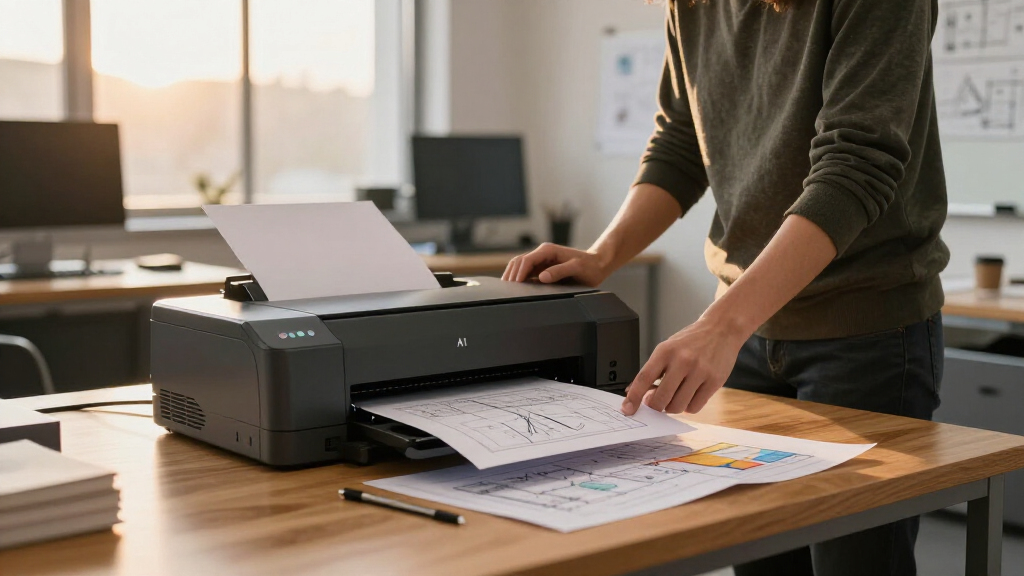
To determine the best A1 CAD plotter printers, I evaluated each model based on performance, print quality, reliability, media handling, and value for money. I also considered user-friendly features like auto sheet feeders and maintenance requirements, which impact daily workflow. The ranking reflects a combination of professional-grade output, durability, and overall cost-effectiveness, ensuring that both small studios and larger firms find suitable options. Products that offered a balanced mix of features without excessive price premiums earned higher spots, while those with critical limitations fell lower in the list.| A1 CAD plotter printer | Media Sizes | Media Handling | Connectivity | Print Speed |
|---|---|---|---|---|
| HP DesignJet T850 Large Format | Up to 36 inches wide | Roll feed, sheet feed (50 sheets), media bin | Gigabit Ethernet, Wi-Fi 802.11 b/g/n, Wi-Fi Direct, HP app | — |
| Canon imagePROGRAF TM-300 36-i | — | — | — | — |
| HP DesignJet T650 Large Format | — | Sheet, roll feed, automatic switch | Gigabit Ethernet, USB 2.0, Wi-Fi | Up to 25 seconds per page |
| HP DesignJet T630 Large Format | Up to 36 inches, 13×19 inches sheets | Sheet, roll feed, auto switch | Gigabit Ethernet, Wi-Fi 802.11 b/g/n, Wi-Fi Direct | Up to 30 seconds per page |
| HP DesignJet T870 Large Format | Up to 24 inches, 13×19 inches sheets | Sheet, roll feed, auto switch | Gigabit Ethernet, Wi-Fi 802.11 b/g/n | Up to 21 seconds per page |
| HP Designjet T1600 Postscript | — | — | — | — |
| HP DesignJet T210 Large Format | Up to 24-inch wide media rolls | — | Ethernet, Wi-Fi, USB | Up to 45 seconds per page |
| HP DesignJet T210 Large Format | Up to 24-inch wide media | — | Ethernet, Wi-Fi, USB | Up to 45 seconds per page |
| HP DesignJet T850 Large Format | — | Roll, sheet, media bin | — | — |
Factors to Consider When Choosing Best A1 CAD Plotter Printer
When selecting the best A1 CAD plotter printer, it’s important to look beyond just features and consider how the device will fit into your workflow. Factors such as print quality, media versatility, and ease of maintenance directly impact productivity and output quality. Understanding your specific needs—whether high-volume production or detailed color plotting—can help narrow your options. Additionally, considering long-term costs like ink or toner replacement and warranty coverage can prevent surprises down the line. Here are key criteria to keep in mind:Print Quality and Resolution
High resolution and precise color reproduction are essential for detailed CAD drawings and presentations. Look for printers with at least 1200 dpi for crisp lines and accurate color matching, especially if your work involves detailed graphics or color-coded plans. Cheaper models may cut corners here, leading to less sharp output or color discrepancies. Consider whether your projects require monochrome precision or full-color printing, as this affects your choice of model and ink system.
Media Handling and Size
Efficient media management can dramatically improve workflow. Auto sheet feeders and media bins are valuable for busy environments, reducing manual intervention. Confirm the maximum media width—A1 size (36 inches) is standard, but some printers handle larger formats or thicker materials. Compatibility with different media types, like glossy or matte, ensures versatility for various project requirements. Be wary of models that struggle with media loading or require frequent maintenance.
Speed and Productivity
Print speed matters if you regularly produce large batches of drawings. Higher speed models reduce wait times and increase throughput, but they often come at a higher cost. Balance your volume needs with your budget; a slower printer might suffice for occasional use but can become a bottleneck in high-volume settings. Features like dual roll support and automatic print stacking can streamline operations and save time.
Ease of Use and Maintenance
Intuitive interfaces, easy paper loading, and straightforward maintenance routines save time and reduce frustration. Look for printers with clear status indicators and support for remote management if you operate in a networked environment. Regular maintenance tasks like head cleaning and ink replacement should be simple, especially for those without dedicated IT support. A model with good support and readily available consumables minimizes downtime.
Cost of Ownership and Warranty
Beyond initial purchase price, consider ongoing costs like ink, toner, and replacement parts. High-yield ink cartridges can lower per-page costs but might come with a higher upfront price. Warranty coverage and service plans are critical for minimizing disruptions, particularly in professional settings. Investing in a slightly more expensive model with comprehensive support can prove more economical over time, especially for high-volume users.
Frequently Asked Questions
How do I choose between color and monochrome CAD plotters?
If your work relies heavily on detailed color coding, rendering, or presentation-quality prints, a color-capable plotter like the Canon imagePROGRAF TM-300 is worth the investment. Monochrome models tend to be more affordable and faster for line drawings and technical schematics, which are common in engineering and architecture. Consider your typical project needs and whether color adds value to your workflow before choosing.
What is the most important feature for high-volume CAD printing?
For high-volume printing, speed and media handling are paramount. Look for models with fast print rates, automatic sheet feeders, and media rolls that support continuous printing. Durability and easy maintenance also matter, as frequent usage increases wear and tear. Balancing these features with a reliable ink system helps keep your workflow smooth and costs predictable.
Are larger printers always better for CAD work?
Not necessarily. While larger A1 printers can handle bigger media and higher volumes, they also tend to be more expensive and take up more space. Smaller models like the HP DesignJet T870, which still support A1 printing, may suit smaller offices or less frequent use, offering a good balance of performance and footprint. Consider your space constraints and volume needs before opting for the largest format.
How often should I replace ink or toner in an A1 CAD plotter?
The frequency depends on your print volume and the type of ink system used. High-yield cartridges can last for hundreds of prints, reducing downtime and running costs. For frequent printing, plan for regular replacements to prevent delays. Some models offer monitoring tools that alert you when supplies are low, which helps maintain continuous workflow.
Is a warranty worth paying extra for?
Yes, especially if you operate in a professional or high-volume environment. A comprehensive warranty or service plan can cover repairs and maintenance, minimizing downtime and unexpected expenses. For new users or those investing in higher-end models, a good warranty offers peace of mind and protects your investment over the long term.
Conclusion
For most professionals seeking an all-around reliable choice, the HP DesignJet T850 offers excellent balance between quality, ease of use, and cost. If color accuracy is paramount, the Canon imagePROGRAF TM-300 makes a compelling case. Budget-conscious buyers or smaller offices will find the HP DesignJet T650 a capable and affordable option. For those needing high-volume production, models like the HP DesignJet T870 or T1600 provide speed and media versatility. Ultimately, your decision should align with your typical project scope, workflow demands, and budget constraints.