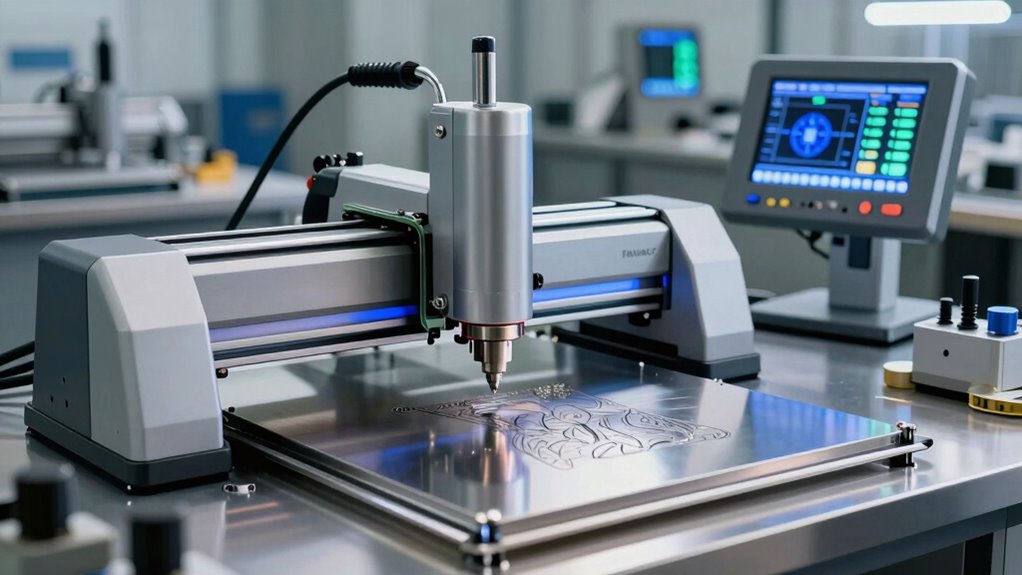

Shopping for an engraving machine for metal means choosing between three very different technologies: fiber-style infrared lasers, electric dot peen markers, and handheld engraving tools. The xTool F2 stands out as the best overall pick because its dual IR and diode lasers, built-in camera, and ultra-fast speed handle color marking and 3D embossing on metal with the least hassle. If your work is mostly nameplates and dog tags, the 400W electric dot peen machines deliver deep, permanent marks at a fraction of a laser’s cost, while the NEIKO 10576A and Dremel 290-02 cover light, occasional marking for under the price of a dinner out. The core tradeoff in this category is precision and automation versus depth and budget — diode-only engravers like the K15 Pro and BlazeX M3 struggle with bare metal, while true infrared units cost more. Keep reading for the full breakdown of which machine fits your metal type, workload, and workspace.

Get business pricing on monitors, keyboards and dev gear
- Business-only prices and quantity discounts
- Tax-exempt purchasing
- Multiple users, one account, clear invoices
Key Takeaways
- Only machines with a true infrared laser source — the xTool F2 and AlgoLaser Pixi — engrave bare metal reliably; diode-only machines like the K15 Pro and BlazeX M3 are limited to coated or anodized metal surfaces.
- Dot peen machines (both 400W electric markers) punch above their price for deep, permanent marks on steel nameplates and dog tags, but they cannot produce fine graphics, photos, or gradients the way lasers can.
- The pneumatic dual-head jewelry engraver is the only pick purpose-built for curved surfaces like rings and bracelets — a task that trips up every flatbed laser and most electric pens.
- Handheld engraving pens (NEIKO, Dremel) are limited by your own steadiness; results are rustic rather than precise, making them backups or starter tools rather than primary machines.
- Enclosure and safety features vary wildly: the BlazeX M3 ships with an enclosure and honeycomb bed, while open-frame diode lasers require you to buy eye protection and ventilation separately.
| Pneumatic Jewelry Engraver Machine, Dual Head, 400-8000 RPM |  | Best for Jewelry Bench Work | Type: Pneumatic impact engraver | Speed Range: 400-8000 RPM adjustable | Handpiece: Dual-head design | VIEW ON AMAZON | See Our Full Breakdown |
| 400W Electric Metal Marking Machine Steel Plate Engraving Machine for Metal Nameplate Tag Marking 110V |  | Best for Industrial Nameplate Marking | Power: 400W | Voltage: 110V | Marking Method: Electric dot marking (no air compressor) | VIEW ON AMAZON | See Our Full Breakdown |
| AlgoLaser Pixi 1064nm Infrared Metal Laser Engraver with 3.5″ Touchscreen |  | Best Compact Laser for Retail Personalization | Laser Type: 1064nm infrared | Laser Spot: 0.04 x 0.05 mm | Display: 3.5-inch touchscreen (AlgoOS) | VIEW ON AMAZON | See Our Full Breakdown |
| xTool F2 5W IR & 15W Diode Dual Laser Engraver, Built-in 50MP Camera, 6000mm/s Ultra Fast |  | Best Premium Pick | Laser Configuration: 5W infrared + 15W diode dual laser | Laser Class: Class 4 | Max Speed: 6000 mm/s | VIEW ON AMAZON | See Our Full Breakdown |
| Metal Engraving Machine, 400W 110V Electric Metal Marking Machine with USB, Dot Peen Engraver Device |  | Best Value for Tag Marking | Power: 400W pure copper motor | Voltage: 110V | Marking Method: Electric dot peen (electromagnetic needle) | VIEW ON AMAZON | See Our Full Breakdown |
| NEIKO 10576A Handheld Electric Engraver Tool |  | Best Budget Handheld Engraver | Power: 120V electric | Tip: Replaceable tungsten carbide | Stroke Control: 5 adjustable depth modes | VIEW ON AMAZON | See Our Full Breakdown |
| Dremel 290-02 Engraver Rotary Tool |  | Best Handheld for Reliability | Model: 290-02 | Power: 120V | Speed: 7,200 strokes per minute | VIEW ON AMAZON | See Our Full Breakdown |
| K15 Pro Laser Engraver 10W |  | Best for Small Business Growth | Laser Power: 10W diode (verified 10.36–10.58W) | Precision: 0.01 mm | Max Speed: 15,000 mm/min | VIEW ON AMAZON | See Our Full Breakdown |
| BlazeX M3 10W Laser Engraver Machine |  | Best Complete Starter Kit | Laser Power: 10W | Precision: 0.01 mm | Included Accessories: Enclosure, honeycomb bed, tool kit, 13 engraving materials | VIEW ON AMAZON | See Our Full Breakdown |
| ELIDOR Z6 6W Laser Engraver and Cutter Machine |  | Best Compact and Portable | Laser Power: 6W (6000mW) | Laser Spot: 0.04 × 0.14 mm | Engraving Accuracy: 0.01 mm | VIEW ON AMAZON | See Our Full Breakdown |
| engraving machine for metal | Software |
|---|---|
| Pneumatic Jewelry Engraver Mac | — |
| 400W Electric Metal Marking Ma | Windows operating system with editing functions |
| AlgoLaser Pixi 1064nm Infrared | — |
| xTool F2 5W IR & 15W Diode Dua | — |
| Metal Engraving Machine | X9, Windows XP to Win10 |
| NEIKO 10576A Handheld Electric | — |
| Dremel 290-02 Engraver Rotary | — |
| K15 Pro Laser Engraver 10W | CutLabX, LightBurn, LaserGRBL |
| BlazeX M3 10W Laser Engraver M | LightBurn, LaserGRBL, CutLabX (Windows, macOS, iOS, Android) |
| ELIDOR Z6 6W Laser Engraver an | LaserGRBL, LightBurn (Windows, macOS, Linux) |
More Details on Our Top Picks
Pneumatic Jewelry Engraver Machine, Dual Head, 400-8000 RPM
For anyone whose metal engraving is really jewelry engraving, this pneumatic machine occupies a different category than the laser options like the AlgoLaser Pixi. Instead of burning a mark into the surface, the adjustable 400-8000 RPM impact action physically carves the metal, which matters if you want shading, texture, and hand-engraved character on rings, pendants, and blanks rather than flat, uniform type. The dual-head handpiece setup is the real draw here — you can keep two tools configured and switch between fine lettering and deeper carving without re-clamping. Compared with the dot peen markers in this roundup, it offers far more artistic control, but it comes with a steeper learning curve: pneumatic engraving rewards practice, and results early on will look rough. It also needs practice pieces, not customer work, for the first weeks.
Pros:- Adjustable 400-8000 RPM speed range allows matching impact force to fine lettering or deep carving
- Dual-head handpiece design cuts down tool-change time on repetitive studio work
- Compact 5.5 lb bench footprint suits small shops and home studios
- Works across gold, silver, brass, copper, and aluminum
Cons:- Requires substantial practice to achieve professional carved results — not a plug-and-play machine
- Limited to small, handheld-scale work; unsuitable for large steel plates or signs
Best for: Jewelers and repair bench operators who need carved, textured detail on gold, silver, brass, and copper pieces
Not ideal for: Buyers who want fast, consistent nameplate or tag marking — a dot peen machine like the 400W USB marker will produce uniform text with far less skill
- Type:Pneumatic impact engraver
- Speed Range:400-8000 RPM adjustable
- Handpiece:Dual-head design
- Body Weight:5.5 lb
- Compatible Metals:Gold, silver, brass, copper, aluminum
- Workpiece Scale:Rings, pendants, blanks, small metal pieces
Our verdict“This is the pick for bench jewelers who want genuine carved artistry rather than surface marking, provided they’re willing to invest the practice hours.”
400W Electric Metal Marking Machine Steel Plate Engraving Machine for Metal Nameplate Tag Marking 110V
This is the workhorse of the lineup, aimed squarely at nameplate and tag production rather than craft projects. Unlike the NEIKO 10576A handheld engraver, which relies on a steady hand, this machine clamps the workpiece and marks rectangular, sector, and round signs with software-driven precision — depth, speed, and marking range are all adjustable through a Windows-based editing system that handles characters, numbers, letters, and graphics. That repeatability is the whole point: if you’re producing serial-numbered tags or asset plates, you need identical results across dozens of pieces, which no hand tool delivers. The tradeoff is rigidity in a different sense — this is a single-purpose machine. It won’t shade jewelry like the pneumatic engraver, and it can’t touch the design flexibility of the xTool F2. It’s a marker, not a creative tool, and buyers wanting artistic engraving should look elsewhere.
Pros:- Electric marking method eliminates the need for an air compressor
- Adjustable depth, speed, and marking range for consistent results across batches
- Software editing supports characters, numbers, letters, and custom graphics
- Handles rectangular, sector, and round sign formats
Cons:- Limited to flat nameplates and tags — no capability for jewelry, curved surfaces, or textured artistry
- Windows-only software with a dated interface compared with modern laser ecosystems
Best for: Small shops and maintenance departments producing serialized nameplates, asset tags, and ID plates on aluminum, stainless, iron, or copper
Not ideal for: Crafters and gift makers — it’s built for text and simple graphics on flat signs, not decorative or curved-surface work
- Power:400W
- Voltage:110V
- Marking Method:Electric dot marking (no air compressor)
- Sign Shapes:Rectangular, sector, round
- Adjustable Parameters:Marking range, depth, speed
- Software:Windows operating system with editing functions
- Compatible Materials:Aluminum, stainless steel, iron, copper, hard plastic signs
Our verdict“Choose this if your output is industrial tags and plates and you need repeatable, compressor-free marking — skip it for anything creative.”
AlgoLaser Pixi 1064nm Infrared Metal Laser Engraver with 3.5″ Touchscreen
The Pixi takes a different approach to metal engraving than everything else here: a 1064nm infrared laser with a 0.04 x 0.05 mm spot that marks metal directly — no coating, no diode workaround. What makes it distinctive is the standalone 3.5-inch touchscreen running AlgoOS, meaning a shop owner can type a name and date, pick from 300+ built-in designs, preview, and engrave without ever opening a laptop. Compared with the xTool F2, the Pixi is lighter at roughly 3 kg and more counter-friendly, but it gives up the F2’s dual-laser cutting power and camera-driven batch workflow. The tradeoff is focus: this machine does one thing — personalized metal tags and keepsakes — and does it cleanly, but it won’t cut thick materials or handle the 300+ material range the F2 claims. Serious design work still requires connecting to LightBurn or LaserGRBL on a computer.
Pros:- 1064nm infrared laser engraves suitable metals directly with a fine 0.04 x 0.05 mm spot
- Standalone touchscreen workflow handles names, dates, and designs without a PC
- Roughly 3 kg and 265 x 214 x 196 mm — genuinely portable between counter and market table
- 300+ built-in designs with preset parameters reduce setup friction
Cons:- No cutting capability — strictly surface marking on suitable metals
- Compact work area limits larger nameplates and batch jobs
- Advanced designs require external software (LightBurn, LaserGRBL) on a computer
Best for: Gift shop owners and market vendors adding on-the-spot metal personalization to tags, nameplates, and keepsakes without a dedicated workbench
Not ideal for: Makers who want cutting capability or batch production — the single IR laser and small format limit throughput and material range
- Laser Type:1064nm infrared
- Laser Spot:0.04 x 0.05 mm
- Display:3.5-inch touchscreen (AlgoOS)
- Dimensions:Approximately 265 x 214 x 196 mm
- Weight:Approximately 3 kg
- Built-in Designs:300+ with preset parameters
- External Software:LightBurn, LaserGRBL compatible
Our verdict“The Pixi makes the most sense for retailers selling personalized metal keepsakes at the point of sale, not for makers needing cutting or volume.”
xTool F2 5W IR & 15W Diode Dual Laser Engraver, Built-in 50MP Camera, 6000mm/s Ultra Fast
If budget isn’t the constraint and versatility is, the F2 is the most capable machine in this roundup. Its dual-laser architecture — a 5W infrared module for dark, vivid metal color marking and a 15W diode for cutting and 3D embossing — lets one device cover work that would otherwise need two separate purchases. Where the AlgoLaser Pixi only marks, the F2 cuts through thick materials; where the BlazeX M3 or K15 Pro rely on coatings or limited metal performance, the IR module marks metal directly. The 6000mm/s speed and 50MP camera translate directly into business outcomes: a card engraving in about 3 seconds and 0.1 mm alignment accuracy on small pieces mean less material waste during batch jobs, especially with the Slide Extension. The fully enclosed, leak-proof design also makes it one of the few lasers here you can safely run in a retail space. The costs are real, though: it’s a Class 4 laser demanding respect for safety, the accessory ecosystem adds up fast, and the 4.6 kg build is heavier than the Pixi.
Pros:- Dual 5W IR + 15W diode lasers cover direct metal marking, 3D embossing, and thick-material cutting
- 50MP camera delivers up to 0.1 mm alignment accuracy, minimizing wasted blanks
- 6000mm/s speed enables card engravings in roughly 3 seconds for true batch processing
- Fully enclosed design with fume management supports safe indoor and on-site operation
Cons:- Class 4 laser requires strict safety handling compared with Class 1 options like the K15 Pro
- Slide Extension, RA3, and purifier accessories are extra purchases for full batch capability
- Heavier at 4.6 kg and bulkier than compact counter machines like the Pixi
Best for: Small personalization businesses and serious makers who need metal marking, cutting, and batch-ready speed in one machine
Not ideal for: Hobbyists on a budget or occasional users — the premium price and Class 4 laser precautions outweigh its capabilities for light use
- Laser Configuration:5W infrared + 15W diode dual laser
- Laser Class:Class 4
- Max Speed:6000 mm/s
- Camera:Built-in 50MP
- Alignment Accuracy:Up to 0.1 mm on small pieces
- Motion Accuracy:0.00199 inch
- Weight:4.6 kg
- Assembly:Arrives fully assembled
- Material Compatibility:300+ materials
Our verdict“For a personalization business that needs marking, cutting, and throughput in one enclosed desktop machine, the F2 justifies its premium — casual hobbyists won’t use half of it.”
Metal Engraving Machine, 400W 110V Electric Metal Marking Machine with USB, Dot Peen Engraver Device
This dot peen marker lands in a smart middle ground: it delivers the same core capability as the other 400W electric nameplate marker in this roundup — compressor-free electromagnetic needle marking on dog tags, steel signs, and nameplates — but packages it with 32-bit DSP control at a 2-inch-per-second marking speed and an X9 software interface that supports Windows XP through Win10. Compared with handheld tools like the Dremel 290-02, the gantry-mounted design means your results don’t depend on a steady hand; compared with the AlgoLaser Pixi, dot peen marking produces a physically indented character that holds up outdoors on steel tags where a surface laser mark might fade. The aluminum alloy gantry resists vibration, which shows in the consistency of repeated marks. Be clear about what it isn’t: like the other dot peen machine, it produces text and simple graphics, not artistry, and the Windows-only, older-generation software will frustrate anyone used to modern laser ecosystems.
Pros:- 2 inches per second marking speed with 32-bit DSP control keeps tag production moving
- No air compressor required — electromagnetic needle operates standalone
- Robust aluminum alloy gantry resists vibration and deformation for consistent marks
- Low-noise 400W pure copper motor suits shared workshop spaces
Cons:- X9 software only supports Windows (XP to Win10) with a dated interface
- Limited to flat tags, signs, and nameplates — no curved-surface or decorative capability
Best for: DIY enthusiasts and small operations making dog tags, steel signs, and nameplates who want repeatable indented marking at a lower cost
Not ideal for: Anyone engraving jewelry or decorative pieces — dot peen marking is functional text, not fine art
- Power:400W pure copper motor
- Voltage:110V
- Marking Method:Electric dot peen (electromagnetic needle)
- Marking Speed:2 inches per second
- Control:Full 32-bit DSP technology
- Software:X9, Windows XP to Win10
- Construction:Aluminum alloy gantry structure
- Connection:USB
Our verdict“A sensible value pick for functional metal tag and sign marking, as long as your expectations are durable text rather than decorative engraving.”
NEIKO 10576A Handheld Electric Engraver Tool
For buyers who just need to label tools or mark dog tags without buying a machine, the NEIKO 10576A covers the basics at minimal cost. The replaceable tungsten carbide tip stays sharp across multiple projects, and the five-position stroke adjustment lets you dial back depth on thin metals so you don’t punch through a tag. Compared with the Dremel 290-02, the NEIKO feels less refined and its motor vibrates harder, but it includes two stencils for numbers and shapes, which helps anyone with shaky freehand lettering. Where the AlgoLaser Pixi or ELIDOR Z6 deliver machine-grade precision, this pen is strictly manual — expect wobbly lines unless you guide it with a jig or template.
Pros:- Replaceable tungsten carbide tip holds an edge through many projects
- Five adjustable stroke depths protect thin or fragile metal
- Includes two stencils for neat lettering and numbering
- Lightweight body with soft grip reduces hand fatigue
Cons:- Hand-guided results are inconsistent without practice or jigs
- Not powerful enough for deep marks on hardened steel
Best for: Homeowners and hobbyists who want a cheap pen-style tool for occasional labeling of tools, tags, and jewelry
Not ideal for: Anyone engraving logos or repeat production work — hand control can’t match a machine’s consistency
- Power:120V electric
- Tip:Replaceable tungsten carbide
- Stroke Control:5 adjustable depth modes
- Materials:Metal, wood, glass, plastic
- Included Accessories:2 stencils (numbers and shapes)
- Design:Handheld pen-style engraver
Our verdict“A sensible low-cost entry point for simple metal marking by hand, as long as you accept artisan-level inconsistency.”
Dremel 290-02 Engraver Rotary Tool
The Dremel 290-02 is the handheld engraver I’d point to when brand support matters as much as the tool itself. Its 7,200 strokes-per-minute motor and five-position depth dial match the NEIKO 10576A feature-for-feature on paper, but the Dremel’s smoother action produces cleaner lines, and the two-year warranty with US-based service gives it a clear edge for long-term ownership. This option makes the most sense for personalizing valuables — watches, knives, glassware — where a steady, predictable stroke matters. The tradeoff: like the NEIKO, it’s a hand tool, so it can’t compete with the xTool F2 or BlazeX M3 for repeatability, and the diamond point needed for harder steels is sold separately.
Pros:- Works across metal, glass, wood, ceramic, leather, and stone
- Five-position dial covers both fine lines and deeper grooves
- Comfortable soft-grip pen body for longer sessions
- Backed by a two-year warranty and US customer support
Cons:- Diamond point for hard-surface engraving is a separate purchase
- Lacks the power for deep engraving on very hard metals
Best for: Crafters and gift-makers who want a dependable pen engraver for personalizing metal, glass, and ceramic items
Not ideal for: Buyers marking hardened tool steel or doing batch work — power and precision run out quickly
- Model:290-02
- Power:120V
- Speed:7,200 strokes per minute
- Stroke Control:5-position adjustable dial
- Included Accessories:9924 carbide point, letter/number stencil
- Optional Tip:9929 diamond point (sold separately)
- Warranty:2 years
Our verdict“The handheld pick for buyers who value brand support and consistency over rock-bottom price.”
K15 Pro Laser Engraver 10W
The K15 Pro earns its spot as the upgrade path pick. Its verified 10.4W+ diode output and dual-fan cooling are built for long batch runs — tumbler orders, coasters, holiday gifts — where cheaper modules overheat and wander. Compared with the ELIDOR Z6, the K15 Pro’s faster 15,000 mm/min speed, one-touch focus, and smart file memory make repeat production far less tedious. On metal, honesty is required: the diode handles coated metal only, so bare stainless requires the optional 1W IR head. That modular design is the differentiator versus the BlazeX M3 — you grow into metal work rather than replacing the machine. The A4 bed is compact, which suits a home studio but not anyone cutting large signage.
Pros:- Verified 10.4W+ output with dual-fan cooling for long batch jobs
- Optional 1W IR head adds stainless and aluminum engraving later
- Free software with AI design tools plus LightBurn and LaserGRBL support
- Offline TF-card operation and one-touch focus speed up repeat work
Cons:- A4 workbed limits larger projects
- Bare metal engraving requires a separate accessory purchase
Best for: Small craft businesses and Etsy sellers planning to expand from wood and acrylic into engraved metal drinkware
Not ideal for: Buyers who need bare-metal engraving on day one without buying the optional IR attachment
- Laser Power:10W diode (verified 10.36–10.58W)
- Precision:0.01 mm
- Max Speed:15,000 mm/min
- Work Area:11.8 × 7.9 in (A4), expandable with risers
- Metal Capability:Coated metal; bare metal via optional 1W IR head
- Software:CutLabX, LightBurn, LaserGRBL
- Module Life:Rated up to 15,000 hours
Our verdict“The smartest buy for sellers who want one machine that scales from hobby cutting to metal-marked merchandise.”
BlazeX M3 10W Laser Engraver Machine
The BlazeX M3 stands out for what’s in the box: a protective enclosure, honeycomb bed, tools, and 13 practice materials mean a true first-day experience with no extra shopping. That packaging is its main advantage over the K15 Pro, which ships as a more bare-bones kit, and over the open-frame ELIDOR Z6, which offers no enclosure at all. The Class 1 safety rating with filtered radiation and lid-open auto shutoff makes it the pick for homes with kids or shared studios. Its 10W module matches the K15 Pro’s power class for coated metal, wood, and glass, though it lacks the K15’s faster top speed and memory-repeat features for batch production. If your priority is safe, guided learning rather than throughput, this is the stronger package.
Pros:- All-in-one bundle with enclosure, honeycomb bed, and 13 materials
- Class 1 safety with filtered radiation and tilt/lid auto-stop
- 0.01 mm precision handles detailed metal and glass patterns
- Compatible with LightBurn, LaserGRBL, and CutLabX across all major platforms
Cons:- Enclosed design adds bulk compared with open-frame rivals
- Slower workflow than the K15 Pro for repeated batch jobs
Best for: First-time laser users and families who want a fully equipped, safely enclosed machine with everything included
Not ideal for: Production-focused sellers who need maximum speed and repeat-job automation — the K15 Pro is better built for that
- Laser Power:10W
- Precision:0.01 mm
- Included Accessories:Enclosure, honeycomb bed, tool kit, 13 engraving materials
- Materials:300+, including coated metal, wood, glass, leather
- Software:LightBurn, LaserGRBL, CutLabX (Windows, macOS, iOS, Android)
- Weight:8 lbs
Our verdict“The safest, most complete on-ramp for beginners who want to engrave coated metal and more from day one.”
ELIDOR Z6 6W Laser Engraver and Cutter Machine
At under five pounds, the ELIDOR Z6 is the machine you can carry to a craft fair or stash on a shelf. Its 0.04 × 0.14 mm spot and 0.01 mm accuracy deliver fine detail that rivals machines twice its size, and full LightBurn compatibility on Windows, macOS, and Linux means no proprietary software lock-in. The tradeoffs are real, though: the 6W module is noticeably weaker than the BlazeX M3 or K15 Pro at 10W, so thick cutting is off the table and metal work is limited to shallow marks. The 300 × 300 mm bed is smaller than the BlazeX’s effective workspace. Compared with the AlgoLaser Pixi‘s dedicated 1064nm infrared setup, the Z6 is a generalist — but a light, cheap, precise one.
Pros:- Featherweight 4.89 lb build travels easily to fairs and events
- 0.01 mm accuracy with a fine 0.04 × 0.14 mm laser spot
- Open software support across LaserGRBL and LightBurn with no platform lock-in
- Handles wood, leather, acrylic, ceramic, glass, and metal
Cons:- 6W laser is underpowered for cutting thick stock
- 300 × 300 mm bed caps project size
Best for: Mobile crafters and small-workspace hobbyists who need fine detail on small metal, wood, and acrylic pieces
Not ideal for: Buyers who want to cut thick materials or engrave metal deeply — the 6W output won’t get there
- Laser Power:6W (6000mW)
- Laser Spot:0.04 × 0.14 mm
- Engraving Accuracy:0.01 mm
- Max Engraving Speed:10,000 mm/min
- Working Area:300 × 300 mm (11.8″ × 11.8″)
- Software:LaserGRBL, LightBurn (Windows, macOS, Linux)
- Supported Formats:NC, DXF, BMP, JPG, PNG
- Weight:4.89 lbs (2.13 kg)
Our verdict“The go-to compact pick when portability and fine detail matter more than raw cutting power.”

How We Picked
I evaluated each machine against what actually determines satisfaction with metal engraving: mark quality on real metal surfaces, the type of laser or tooling used, work area and depth capability, software and usability, and safety features. Infrared and fiber-class lasers scored highest because they mark bare steel, titanium, and stainless without coatings. Diode-only machines were judged strictly against coated-metal performance, since expecting bare-metal results from a 10W diode leads to disappointment. Dot peen and pneumatic machines were graded on mark depth, consistency, and suitability for production tag work rather than artistic detail.
The ranking also reflects workload fit. Machines that automate alignment, offer cameras, or support batch work placed higher for professionals and small businesses, while budget picks earned their positions by delivering honest, limited capability at accessible prices. I penalized products that overpromise — a Class 1 diode laser marketed for metal that only handles coated surfaces loses ground to a cheaper tool that admits what it is.
| engraving machine for metal | Software |
|---|---|
| Pneumatic Jewelry Engraver Mac | — |
| 400W Electric Metal Marking Ma | Windows operating system with editing functions |
| AlgoLaser Pixi 1064nm Infrared | — |
| xTool F2 5W IR & 15W Diode Dua | — |
| Metal Engraving Machine | X9, Windows XP to Win10 |
| NEIKO 10576A Handheld Electric | — |
| Dremel 290-02 Engraver Rotary | — |
| K15 Pro Laser Engraver 10W | CutLabX, LightBurn, LaserGRBL |
| BlazeX M3 10W Laser Engraver M | LightBurn, LaserGRBL, CutLabX (Windows, macOS, iOS, Android) |
| ELIDOR Z6 6W Laser Engraver an | LaserGRBL, LightBurn (Windows, macOS, Linux) |
Factors to Consider When Choosing Engraving Machine For Metal
Before committing to any of these machines, it helps to understand the technology gaps and hidden costs that shape real-world results. These are the factors that separate a satisfying purchase from an expensive paperweight.Laser Type Is the Single Biggest Decision
Not all lasers marked “for metal” behave the same way on metal. Infrared (1064nm) lasers like those in the xTool F2 and AlgoLaser Pixi are absorbed by bare steel, stainless, titanium, and copper, producing permanent dark marks without any preparation. Diode lasers in the 10W class only mark metal that has been coated, anodized, painted, or treated with marking spray — a recurring consumable cost and an extra prep step many buyers don’t anticipate. A common mistake is buying a diode machine based on a listing photo showing engraved steel, only to discover that result required spray and multiple passes. If bare-metal marking is your core need, budget for infrared from the start; it’s cheaper than replacing a machine that can’t do the job.
Dot Peen vs. Laser: Depth vs. Detail
Electric dot peen markers carve a series of small impact dots into the surface, producing marks you can feel with a fingernail — ideal for serialized tags, VIN-style marking, and anything that must survive abrasion or outdoor weather. Lasers produce finer, cleaner results but the marks are surface-level on most settings. If your work involves traceability, part marking, or industrial tags, dot peen wins on durability and cost per mark. If it involves logos, photos, gradients, or jewelry-level detail, dot peen will disappoint with its dotted texture. Buyers who need both often end up with one of each, which is why I included strong options in both categories rather than pretending one technology covers everything.
Work Area and Part Size Limits
Check the maximum engraving area and Z-axis clearance against your actual parts, not your imagined ones. A near-A4 bed sounds generous until you try to fit a vise, rotary attachment, or a chunky dog-tag jig inside it. Flatbed lasers also struggle with curved objects — rings, mugs, cylinders — unless you buy a roller accessory, and thin clearance may block thicker workpieces entirely. Dot peen machines are often limited to flat plates clamped to their table, while handheld pens have no bed limits at all but trade that freedom for precision. Measure your three largest typical pieces before comparing spec sheets.
Software and Learning Curve
The machine is only half the system; the software determines how much of the hardware’s capability you actually reach. Laser engravers vary from polished apps with camera previews and material presets to generic GRBL controllers requiring manual G-code tinkering. Beginners consistently underestimate this — a powerful laser with frustrating software gets used far less than a modest machine that just works. Touchscreen models like the AlgoLaser Pixi reduce the friction further by allowing operation without a computer at all. If you’re not willing to learn a design program like Lightburn or its equivalent, prioritize machines with strong preset libraries and camera-based alignment.
Safety, Fumes, and Workspace Requirements
Metal engraving generates particulate fumes and, with lasers, intense invisible light. Open-frame diode and IR lasers require certified safety glasses for everyone in the room and ideally a ventilation fan or enclosure — the BlazeX M3 is the only pick here that ships with its own enclosure. Dot peen machines are loud, hammering thousands of impacts per minute, which matters in shared or apartment workspaces. Handheld pens produce fine metal dust you shouldn’t inhale. Factor in these extras and constraints before purchase: a laser that needs an enclosure, extraction, and glasses can cost meaningfully more than its sticker suggests once the workspace is safe.
Matching the Machine to Your Volume
One-off hobby marking and small-batch production demand different machines. Production users should prioritize automation features — the xTool F2’s 50MP camera for batch alignment, or the dual-head pneumatic engraver’s simultaneous two-tool operation — because setup time dominates at volume. Hobbyists doing a few pieces a week get more value from simpler, cheaper tools whose slower speed doesn’t matter. A costly mistake I see repeatedly is beginners buying production-grade capability they outgrow emotionally but never use financially. Be honest about whether this is a business tool or a weekend tool; the answer changes the right pick by hundreds of dollars.
Frequently Asked Questions
Can a 10W diode laser actually engrave bare metal?
Not reliably, no. A 10W optical diode laser can mark anodized, painted, or coated metal and can mark bare metal only with the help of a marking spray that burns into the surface. The spray is a consumable, adds a prep and cleanup step, and produces less consistent results than infrared. Machines like the K15 Pro and BlazeX M3 fall into this category, which is why I positioned them for coated-metal and mixed-material crafting rather than pure metal work. If bare steel or stainless marking is your primary goal, an infrared machine like the xTool F2 or AlgoLaser Pixi is the honest answer, even at a higher price.
Is a dot peen machine better than a laser for dog tags and nameplates?
For pure durability and cost efficiency, yes — dot peen markers like the 400W electric engravers strike a series of dots into the metal, creating a deep mark that survives scratching, solvents, and weather. That’s why industrial tags and serialized parts use this method. However, dot peen text and graphics have a dotted texture that looks utilitarian rather than refined, and fine logos or photographs are off the table. If your tags are functional — part numbers, serials, pet ID — dot peen wins on value. If they’re decorative or branded, a laser produces results clients perceive as higher quality.
Which machine should I buy for engraving rings and jewelry?
The pneumatic dual-head jewelry engraver is the clear choice here, because it’s designed for curved, small-diameter surfaces like ring bands and bracelet interiors. Flatbed lasers need an expensive rotary attachment to handle cylinders, and even then, focusing on a tiny curved ring is finicky. Handheld pens can reach inside rings but rely entirely on your hand stability for legibility. If jewelry is your main business rather than an occasional job, the pneumatic machine’s high RPM range and purpose-built tooling justify the setup complexity compared with adapting a general-purpose engraver.
Do I need an enclosure and ventilation for a metal laser engraver?
You need eye protection without exception, and ventilation is strongly recommended for metal marking specifically. Infrared and diode marking of metal produces fine particulate fume that shouldn’t be breathed regularly, and both laser types emit light that can damage eyes from reflected beams. An enclosure like the one bundled with the BlazeX M3 solves both problems at once by containing light and letting you duct fumes outside. If your chosen machine is open-frame, budget separately for certified glasses rated to the laser wavelength and a small extraction fan — treat these as required accessories, not optional upgrades.
Are cheap handheld engraving pens good enough to start with?
They’re good enough to learn on, and the NEIKO 10576A and Dremel 290-02 are honest tools for labeling tools, marking valuables, and personal projects. What they can’t do is produce consistent, repeatable, professional-looking results — line quality depends entirely on your hand, and long text usually comes out slightly wobbly. If you’re testing whether engraving is a hobby you’ll stick with, spending pen money first is smart. But if you already have paying customers or gift-level quality standards, a pen will frustrate you within weeks, and you’ll end up buying a laser or dot peen machine anyway.
Conclusion
The right pick depends entirely on what you’re marking and why. For best overall capability on metal — bare or coated, decorative or small-batch production — the xTool F2 earns the top spot with its dual-laser setup, camera alignment, and speed. For best value, the 400W electric dot peen machines deliver deep, permanent marks on steel tags and nameplates for a fraction of a laser’s price, and they’re the smarter buy for anyone marking serialized or industrial parts. The AlgoLaser Pixi is the best premium compact option for dedicated bare-metal laser work, while the BlazeX M3 takes the beginner crown with its enclosure, honeycomb bed, and friendly operation — just remember it’s a coated-metal machine.
For specific needs: the pneumatic dual-head jewelry engraver is unmatched for rings and curved pieces, and the NEIKO or Dremel engraving pens remain the cheapest way to start marking metal at all. Match the machine to your real workload, not the aspirational one, and you’ll land on the right engraver the first time.
Fall Picks
fall essentials
As an affiliate, we earn on qualifying purchases.