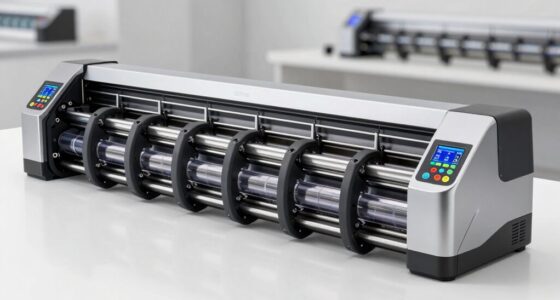
Choosing the right cad plotter printer for architecture work involves balancing print quality, speed, media handling, and cost. The HP DesignJet T870 stands out as the best overall due to its reliable performance and ease of use, while the Canon imagePROGRAF iPF770 offers exceptional large-format quality for detailed drawings. Another notable option, the Canon imagePROGRAF TM-340, provides versatile color capabilities suited for presentation boards. Many buyers grapple with deciding whether to prioritize speed, media versatility, or initial investment. Keep reading for a detailed breakdown of these models and what makes each one unique.
Key Takeaways
- The top-ranked models balance print quality, speed, and media flexibility, essential for professional architectural workflows.
- Choosing between inkjet and laser/LED options depends on whether color fidelity or cost-effectiveness is more critical for your projects.
- Larger formats (36-inch) are favored for detailed drawings and presentations, but may come with higher price tags and maintenance costs.
- Wireless and multifunction features add convenience but can introduce complexity or higher initial costs.
- Durability and warranty coverage vary; premium models often include longer warranties and better support, valuable for busy offices.
| HP DesignJet T870 Large Format 24-inch Plotter Printer |  | Best Overall for Professional Architects Needing Reliable Large Format Prints | Media Sizes: Up to 24-inch wide media rolls, up to 13×19-inch sheets | Media Handling: Sheet feed, roll feed, automatic switch, media bin, horizontal cutter | Connectivity: Gigabit Ethernet, Wi-Fi 802.11 b/g/n | VIEW ON AMAZON | See Our Full Breakdown |
| Canon imagePROGRAF iPF770 36-inch Large Format Inkjet Printer |  | Best Value for Entry-Level Large Format Printing with Vivid Colors | Printer Type: Inkjet | Maximum Print Width: 914.40 mm (36 inches) | Print Speed: Two D-Size prints per minute | VIEW ON AMAZON | See Our Full Breakdown |
| Canon imagePROGRAF TM-340 36-Inch Large Format 5-Color Poster & Plotter Printer |  | Best for Small Spaces and Entry-Level Versatility | Media Width: 36 inches | Ink Type: 5-color pigment ink | Connectivity: Wired and Wireless (USB, Ethernet) | VIEW ON AMAZON | See Our Full Breakdown |
| HP DesignJet T830 Large Format Multifunction Wireless Plotter Printer |  | Best Compact Multifunction for Small Architecture Teams | Media Sizes: 8.3 to 24-in wide sheets; 11 to 24-in rolls | Media Handling: Sheet feed; roll feed; input tray | Connectivity: Wi-Fi, Gigabit Ethernet | VIEW ON AMAZON | See Our Full Breakdown |
| Canon imagePROGRAF TM-300 36-inch 5-Color Inkjet Printer Plotter |  | Best for High-Quality Reproduction and Workflow Integration | Print Width: 36 inches | Maximum Resolution: 1200 dpi | Scan Width: 36 inches | VIEW ON AMAZON | See Our Full Breakdown |
| HP DesignJet T210 Large Format 24-inch Plotter Printer |  | Best Compact for Small Offices | Media Sizes: Up to 24-inch wide media rolls and 13×19-inch sheets | Media Handling: Sheet feed, roll feed, automatic horizontal cutter | Connectivity: Gigabit Ethernet, Hi-Speed USB 2.0, Wi-Fi 802.11 b/g/n, Wi-Fi Direct | VIEW ON AMAZON | See Our Full Breakdown |
| HP DesignJet T650 Large Format 36-inch Plotter Printer |  | Best for Large-Scale, High-Speed Printing | Media Sizes: Up to 36-inch wide media rolls, 13×19-inch sheets | Media Handling: Sheet feed, roll feed, automatic switch, media bin, horizontal cutter | Connectivity: Gigabit Ethernet, Hi-Speed USB 2.0, Wi-Fi 802.11 | VIEW ON AMAZON | See Our Full Breakdown |
| HP DesignJet T850 Large Format 36-inch Color Plotter Printer with 2-Year Warranty |  | Best for Color Precision and Professional Quality | Printer Type: Thermal Inkjet | Media Sizes: Up to 36 inches wide | Media Handling: Roll feed, sheet input tray, media bin | VIEW ON AMAZON | See Our Full Breakdown |
| HP DesignJet T210 Large Format 24-Inch Plotter Printer with 2-Year HP Care Pack | | Best Compact with Remote Management | Media Size: Up to 24-inch wide media rolls and 13×19-inch sheets | Media Handling: Sheet feed, roll feed, automatic horizontal cutter | Print Speed: 45 seconds per A1/D page | VIEW ON AMAZON | See Our Full Breakdown |
| HP DesignJet T630 Large Format 36-inch Plotter Printer with Auto Sheet Feeder, Media Bin & Stand |  | Best for Versatile, Small Footprint Large Format | Media Sizes: Up to 36 inches wide media rolls and sheets | Media Handling: Sheet feed, roll feed, automatic switch, media bin | Connectivity: Gigabit Ethernet, Wi-Fi 802.11 b/g/n, Wi-Fi Direct, Hi-Speed USB 2.0 | VIEW ON AMAZON | See Our Full Breakdown |
| cad plotter printer for architect | Media Handling | Connectivity | Media Sizes | Print Speed |
|---|---|---|---|---|
| HP DesignJet T870 Large Format | Sheet feed, roll feed, automatic switch, media bin, horizontal cutter | Gigabit Ethernet, Wi-Fi 802.11 b/g/n | Up to 24-inch wide media rolls, up to 13×19-inch sheets | Up to 21 seconds per A1/D page, 120 A1/D prints per hour |
| Canon imagePROGRAF iPF770 36-i | — | — | — | Two D-Size prints per minute |
| Canon imagePROGRAF TM-340 36-I | — | Wired and Wireless (USB, Ethernet) | — | — |
| HP DesignJet T830 Large Format | Sheet feed; roll feed; input tray | Wi-Fi, Gigabit Ethernet | 8.3 to 24-in wide sheets; 11 to 24-in rolls | — |
| Canon imagePROGRAF TM-300 36-i | — | — | — | — |
| HP DesignJet T210 Large Format | Sheet feed, roll feed, automatic horizontal cutter | Gigabit Ethernet, Hi-Speed USB 2.0, Wi-Fi 802.11 b/g/n, Wi-Fi Direct | Up to 24-inch wide media rolls and 13×19-inch sheets | 45 seconds per A1/D page, 59 A1/D prints per hour |
| HP DesignJet T650 Large Format | Sheet feed, roll feed, automatic switch, media bin, horizontal cutter | Gigabit Ethernet, Hi-Speed USB 2.0, Wi-Fi 802.11 | Up to 36-inch wide media rolls, 13×19-inch sheets | — |
| HP DesignJet T850 Large Format | Roll feed, sheet input tray, media bin | — | Up to 36 inches wide | — |
| HP DesignJet T210 Large Format | Sheet feed, roll feed, automatic horizontal cutter | Gigabit Ethernet, Wi-Fi Direct, Wi-Fi 802.11 b/g/n, Hi-Speed USB 2.0 | — | 45 seconds per A1/D page |
| HP DesignJet T630 Large Format | Sheet feed, roll feed, automatic switch, media bin | Gigabit Ethernet, Wi-Fi 802.11 b/g/n, Wi-Fi Direct, Hi-Speed USB 2.0 | Up to 36 inches wide media rolls and sheets | Up to 30 seconds per page on A1/D |
More Details on Our Top Picks
HP DesignJet T870 Large Format 24-inch Plotter Printer
The HP DesignJet T870 stands out for delivering high-quality wide-format prints in a compact, easy-to-use package, making it ideal for professional architects who value consistent results. Compared with the Canon TM-340, it offers faster automatic media switching and better integration with office workflows, although it is limited to 24-inch media widths, which may be a constraint for those needing larger formats. Its wireless connectivity and cost-efficient ink usage make it suitable for busy studios, but the initial investment is higher than entry-level models. The automatic media handling reduces manual effort, streamlining project completion. However, its narrower media width limits versatility for larger drawings or posters, and setup may require some familiarity with large-format printers.
Pros:- High-quality large format printing suitable for professional use
- Automatic media switching and handling reduce manual effort
- Wireless and Ethernet connectivity for versatile printing options
Cons:- Limited to 24-inch media width, restricting larger print jobs
- Higher initial cost may be a barrier for casual or small-scale users
Best for: Architects and engineers who need reliable, high-quality printing within a 24-inch format for daily technical drawings and presentations.
Not ideal for: Professionals requiring larger formats (beyond 24 inches) or those on a strict budget, as the upfront cost and size limitations could be restrictive.
- Media Sizes:Up to 24-inch wide media rolls, up to 13×19-inch sheets
- Media Handling:Sheet feed, roll feed, automatic switch, media bin, horizontal cutter
- Connectivity:Gigabit Ethernet, Wi-Fi 802.11 b/g/n
- Print Speed:Up to 21 seconds per A1/D page, 120 A1/D prints per hour
- Memory:1GB
- Included Ink Cartridges:HP 738 Original Ink (Black, Cyan, Magenta, Yellow), HP 739 Printhead
Our verdict“This printer is best suited for architects needing reliable, high-quality prints up to 24 inches with minimal manual intervention.”
Canon imagePROGRAF iPF770 36-inch Large Format Inkjet Printer
The Canon imagePROGRAF iPF770 offers an affordable entry point into large format printing, making it appealing for small studios or startups that need 36-inch posters and signage. Compared to the HP T870, it provides a wider media capacity at 36 inches but may lack some advanced features like automatic media switching. Its fast print speed of two D-size prints per minute is suitable for quick turnaround projects, and the user-friendly software simplifies operation for less experienced users. However, it is primarily designed for entry-level applications, which means it might not satisfy demanding professionals needing robust automation or advanced media handling. Its higher initial cost can be justified by its versatility and color vibrancy, but lack of detailed connectivity info could be an issue for some users.
Pros:- Fast printing speeds for posters and signage
- Vivid, impactful color output with latest magenta ink
- User-friendly software solutions simplify operation
Cons:- Designed mainly for entry-level use, lacking advanced automation
- Limited details on connectivity options
Best for: Small architectural firms or design students needing reliable, budget-friendly large format prints with vivid color output.
Not ideal for: Power users or professionals requiring advanced automation, extensive connectivity, or larger media formats beyond 36 inches.
- Printer Type:Inkjet
- Maximum Print Width:914.40 mm (36 inches)
- Print Speed:Two D-Size prints per minute
- Warranty:1 Year on-site
- Included Software:Direct Print & Share, Poster Artist Lite, etc.
- Included Ink:Latest magenta ink
Our verdict“This model makes the most sense for smaller teams or beginners seeking affordable, high-quality large format printing up to 36 inches.”
Canon imagePROGRAF TM-340 36-Inch Large Format 5-Color Poster & Plotter Printer
The Canon TM-340 excels in small offices or educational environments where space is limited but quality still matters. Its automatic media detection and easy front-loading design make setup and operations straightforward, especially for users new to large format printing. Compared with the HP T870, it offers similar media width but emphasizes simplicity and compactness, at the expense of some advanced automation. The 4.3-inch touchscreen and included workflow software add to its appeal for quick learning curves. Its main tradeoff is that it’s primarily suited for entry-level tasks, so professionals needing advanced media handling or higher automation might find it lacking. Its size and lower feature set make it perfect for tight spaces but less so for high-volume production.
Pros:- Vivid color output with automatic calibration
- Compact, full-front access design for small spaces
- User-friendly touchscreen with setup guides
Cons:- Limited to 36-inch media width, not suitable for larger formats
- Lacks advanced automation features for heavy workloads
Best for: Small architectural offices or educational users requiring reliable, space-efficient printing and scanning for CAD and posters.
Not ideal for: Large firms or heavy-volume users needing extensive automation and larger media capacity for bigger projects.
- Media Width:36 inches
- Ink Type:5-color pigment ink
- Connectivity:Wired and Wireless (USB, Ethernet)
- Display:4.3-inch touchscreen
- Certifications:ENERGY STAR, EPEAT Gold
- Included Software:PosterArtist, Layout Plus
Our verdict“This printer suits small spaces and entry-level users prioritizing ease of use and reliable color output for CAD and signage.”
HP DesignJet T830 Large Format Multifunction Wireless Plotter Printer
The HP DesignJet T830 combines printing, scanning, and copying into a compact form factor, tailored for small architecture or construction teams that need multifunction capability without sacrificing space. Its ability to handle media up to 24 inches and support for wireless mobile printing makes it highly adaptable. Compared with the larger HP T870, the T830 trades some print speed and media capacity for a smaller footprint, ideal for tight offices. Its multifunction feature streamlines project workflows, but this comes with some limitations: it’s primarily designed for technical documents and may lack advanced automation or touchscreen controls. The reliance on third-party cartridges with non-HP chips can cause compatibility issues, which is worth considering.
Pros:- Space-efficient and versatile for small offices
- Supports mobile printing and easy sharing
- Fast print speeds for technical documents
Cons:- Cartridges with non-HP chips may cause compatibility issues
- Limited to technical and architectural document printing
Best for: Small architecture or construction firms needing a space-saving, all-in-one device for technical documents and quick project sharing.
Not ideal for: Large-volume or high-speed printing needs, or users requiring detailed touchscreen controls and extensive media options.
- Media Sizes:8.3 to 24-in wide sheets; 11 to 24-in rolls
- Media Handling:Sheet feed; roll feed; input tray
- Connectivity:Wi-Fi, Gigabit Ethernet
- Print Speeds:Up to 26 sec/page on A1/D
- Warranty:One-year limited warranty
- Cartridges:HP 728 series
Our verdict“This multifunction printer fits small teams seeking a space-saving device that handles printing, scanning, and copying efficiently.”
Canon imagePROGRAF TM-300 36-inch 5-Color Inkjet Printer Plotter
The Canon TM-300 offers high-resolution printing and scanning, making it suitable for detailed maps, drawings, and posters in busy offices that require high-volume output. Its 1200 dpi resolution and fast 144 D-sized prints per hour outperform many competitors like the HP T870 in precision and speed, especially when high detail is essential. The integrated scanner with 9600 dpi resolution and extensive software options streamline workflows for map reproduction or detailed CAD drawings. However, its setup complexity and large footprint may be challenging for smaller spaces or less experienced users. The ink capacity, while adequate for high-volume jobs, could necessitate frequent refilling for intensive use.
Pros:- High-quality 36-inch printing and scanning with 1200 dpi resolution
- Fast print speeds for high-volume jobs
- Integrated high-resolution scanner for detailed reproduction
Cons:- Complex setup requiring technical knowledge
- Large footprint may not suit small offices
Best for: Professionals needing high-resolution, high-volume printing and scanning for detailed CAD, mapping, or poster work in a larger office environment.
Not ideal for: Small teams or less technically inclined users seeking a straightforward, plug-and-play device with limited setup complexity.
- Print Width:36 inches
- Maximum Resolution:1200 dpi
- Scan Width:36 inches
- Scan Speed:13 inches/sec monochrome, 6 inches/sec color
- Ink Set:5-color TD pigment ink
- Included Computer:15.6-inch All-In-One touchscreen
Our verdict“This printer is ideal for high-volume, detail-oriented workflows demanding high resolution and integrated scanning capabilities in larger spaces.”
HP DesignJet T210 Large Format 24-inch Plotter Printer
The HP DesignJet T210 stands out as the most space-efficient option, perfect for architects working in small offices or with limited budgets. Its compact size makes it easy to fit into tight spaces, while still delivering high-speed printing—up to 59 A1 prints per hour—surpassing larger models like the HP T650. However, its limited media width of 24 inches restricts larger-format projects, and some may find the setup process more involved without technical experience. Compared to the HP T850, it sacrifices some versatility for portability and lower cost, making it less suitable for heavy media handling or high-volume printing. The software is straightforward, and ink savings reduce ongoing costs, but the need for optional accessories for sheet printing can add complexity.
Pros:- Compact size fits well in small office spaces
- High-speed printing enhances productivity
- Easy-to-use software for quick poster creation
- Cost-efficient with low ink consumption
Cons:- Limited to 24-inch media width, restricting large-format projects
- Requires optional accessory for sheet printing
- Setup can be complex for less technical users
Best for: Small architecture firms or individual practitioners needing reliable, space-saving large-format printing.
Not ideal for: Teams requiring frequent printing of larger formats over 24 inches or high-volume production environments.
- Media Sizes:Up to 24-inch wide media rolls and 13×19-inch sheets
- Media Handling:Sheet feed, roll feed, automatic horizontal cutter
- Connectivity:Gigabit Ethernet, Hi-Speed USB 2.0, Wi-Fi 802.11 b/g/n, Wi-Fi Direct
- Print Speed:45 seconds per A1/D page, 59 A1/D prints per hour
- Memory:500MB
- Supported Inks:HP 712 Original Ink cartridges (Black, Cyan, Magenta, Yellow), HP 713 Printhead
Our verdict“This printer is ideal for small offices needing fast, reliable printing within a limited space, but it’s less suited for larger media needs.”
HP DesignJet T650 Large Format 36-inch Plotter Printer
The HP DesignJet T650 is tailored for professionals who need to produce large-format prints quickly and accurately, supporting media up to 36 inches wide. Its faster printing speed—up to 26 seconds per page—compared to smaller models like the T210 makes it well-suited for busy architectural firms managing multiple large projects. The inclusion of 1 GB RAM and support for media rolls enhances workflow efficiency, and its cost-efficient ink system reduces routine maintenance. Still, the higher initial investment and setup complexity may deter smaller firms or those new to large-format printing. Unlike the HP T850, it lacks advanced color management features, which could be a drawback for color-critical renderings. This model makes the most sense for firms with frequent large-format output and a need for quick turnaround times.
Pros:- Supports media up to 36 inches wide for large projects
- Fast print speeds improve workflow efficiency
- Cost-efficient ink system reduces ongoing costs
- High-quality output suitable for technical drawings
Cons:- Higher initial cost compared to smaller models
- Setup and calibration can be complex for new users
- Limited high-end color management features
Best for: Architectural practices requiring frequent, fast large-format printing up to 36 inches wide.
Not ideal for: Small offices or users with infrequent large-format needs and limited budgets.
- Media Sizes:Up to 36-inch wide media rolls, 13×19-inch sheets
- Media Handling:Sheet feed, roll feed, automatic switch, media bin, horizontal cutter
- Connectivity:Gigabit Ethernet, Hi-Speed USB 2.0, Wi-Fi 802.11
- Print Speeds:Up to 25 seconds per page on A1/D
- Memory:1 GB RAM
- Included Ink:HP 712 Original Ink cartridges (Black, Cyan, Magenta, Yellow), HP 713 Printhead
Our verdict“This model is best suited for busy offices that need fast, large-format printing without compromising quality, but it involves a higher investment upfront.”
HP DesignJet T850 Large Format 36-inch Color Plotter Printer with 2-Year Warranty
The HP DesignJet T850 excels at producing detailed, color-rich technical drawings, maps, and renderings, making it ideal for architects who prioritize color accuracy. Its support for high-quality pigment inks and media handling for both rolls and sheets ensures sharp, vibrant output, comparable to the higher-end Canon imagePROGRAF series. The 2-year warranty and automatic cutter streamline workflow and offer peace of mind, especially for firms needing consistent color fidelity. However, its large footprint demands ample space, and the price point might be prohibitive for smaller practices or casual users. While it’s excellent for detailed visual work, it may be overkill for purely black-and-white technical drawings, where the DesignJet T210 might suffice. This model is best suited for firms that need precise, high-quality color output regularly.
Pros:- Produces vibrant, high-fidelity color outputs
- Supports large media rolls up to 36 inches wide
- Includes a 2-year warranty plus automatic cutter for efficiency
- Reliable media handling for various paper types
Cons:- Large physical size demands significant space
- High price may be prohibitive for small practices
- Primarily designed for professional, color-critical work
Best for: Architects and engineers requiring detailed, color-accurate large-format prints frequently.
Not ideal for: Small practices with limited space or those mainly printing monochrome technical drawings.
- Printer Type:Thermal Inkjet
- Media Sizes:Up to 36 inches wide
- Media Handling:Roll feed, sheet input tray, media bin
- Maximum Media Roll Diameter:100mm
- Memory:1 GB
- Supported Output Types:Color
Our verdict“Best suited for practices where color precision and high-quality visuals are a priority, despite its size and cost.”
HP DesignJet T210 Large Format 24-Inch Plotter Printer with 2-Year HP Care Pack
The HP DesignJet T210 with the 2-year HP Care Pack enhances the original’s appeal for architects needing reliable, easy-to-manage large-format printing in tight spaces. Its compact design is ideal for small offices or on-site work, with fast speeds comparable to other T210 models, supporting up to 59 A1 prints per hour. The integration with HP Smart app allows remote management, making it accessible for teams that need to monitor jobs from multiple locations. Its media handling remains limited to 24 inches, which might restrict some project sizes, and the absence of detailed color calibration features could impact high-precision color work. Compared with the larger T650 or T850, this option offers a more manageable footprint for smaller teams prioritizing convenience and remote control.
Pros:- Compact size fits small office or on-site environments
- Fast printing speeds support high productivity
- Remote management via HP Smart app simplifies workflow
- Includes a 2-year warranty for peace of mind
Cons:- Limited to media up to 24 inches wide
- Requires optional accessory for sheet printing
- Lacks advanced color calibration features
Best for: Small architectural teams or solo practitioners needing reliable, space-saving printing with remote management.
Not ideal for: Offices regularly producing large, wide-format projects over 24 inches or requiring advanced color accuracy.
- Media Size:Up to 24-inch wide media rolls and 13×19-inch sheets
- Media Handling:Sheet feed, roll feed, automatic horizontal cutter
- Print Speed:45 seconds per A1/D page
- Memory:500MB
- Connectivity:Gigabit Ethernet, Wi-Fi Direct, Wi-Fi 802.11 b/g/n, Hi-Speed USB 2.0
- Ink Cartridges:HP 712 Original Ink cartridges
Our verdict“This model is well-suited for small teams who value ease of use and remote management, but it’s limited in size and media versatility.”
HP DesignJet T630 Large Format 36-inch Plotter Printer with Auto Sheet Feeder, Media Bin & Stand
The HP DesignJet T630 offers a compact solution for architects who need versatile media handling and reliable performance in a small footprint. Its ability to support media up to 36 inches wide, combined with features like automatic sheet feeder, media bin, and wireless connectivity, makes it a flexible choice for various project types. Compared to the HP T210, it handles larger formats and offers more automation, but this comes at a higher initial cost and slightly larger size. Its high-speed printing—up to 30 seconds per page—improves productivity without sacrificing space efficiency. While setup and calibration are necessary for optimal performance, this model suits practices seeking a balance between size, speed, and media versatility, especially those with fluctuating project demands.
Pros:- Supports media up to 36 inches wide
- Versatile media handling including sheet and roll
- Wireless connectivity simplifies setup
- Automatic sheet feeder and media bin streamline workflow
Cons:- Initial setup and calibration can be time-consuming
- Higher price point compared to smaller, less versatile models
- Requires space for the stand and accessories
Best for: Architects needing a space-efficient large-format printer capable of handling diverse media and sizes.
Not ideal for: Practices with minimal space or those exclusively printing monochrome technical drawings, where a smaller or monochrome-only model would suffice.
- Media Sizes:Up to 36 inches wide media rolls and sheets
- Media Handling:Sheet feed, roll feed, automatic switch, media bin
- Connectivity:Gigabit Ethernet, Wi-Fi 802.11 b/g/n, Wi-Fi Direct, Hi-Speed USB 2.0
- Print Speed:Up to 30 seconds per page on A1/D
- Onboard Memory:1 GB
- Included Accessories:Auto sheet feeder, media bin, stand, printhead, introductory ink cartridges
Our verdict“This printer offers a smart combination of size, speed, and media versatility for practices that need flexible large-format printing in limited space.”
How We Picked
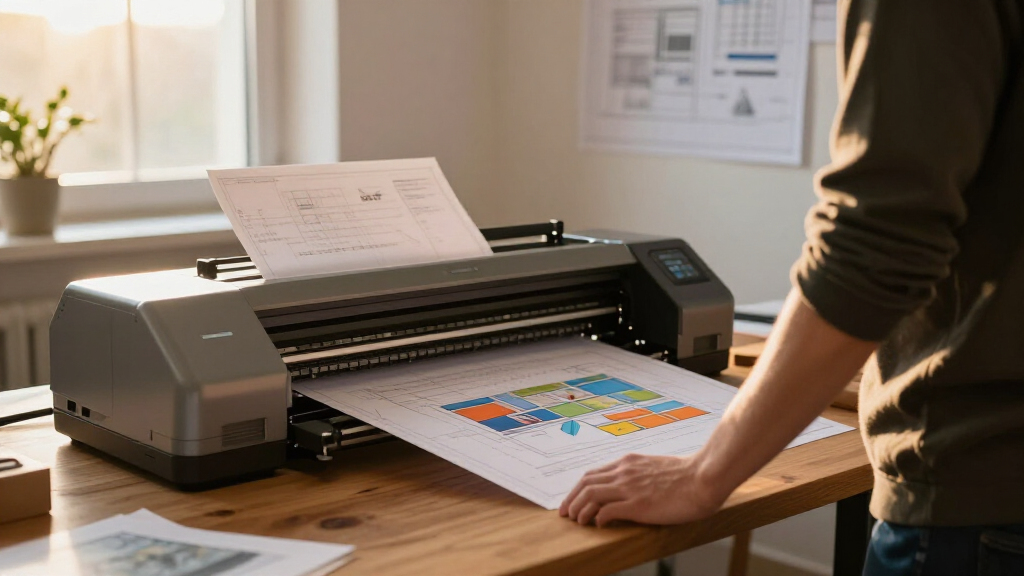
These products were evaluated based on performance, build quality, ease of use, media handling capabilities, and value for money. I prioritized models that are popular among professional architects and those that offer reliable, high-quality output for large-format CAD drawings. The rankings reflect a balance between upfront cost, ongoing maintenance, and feature set, ensuring that both small firms and larger practices find suitable options. Special attention was given to models with flexible media options, speed, and support for various technical drawing requirements to provide an accurate comparison tailored to architectural needs.| cad plotter printer for architect | Media Handling |
|---|---|
| HP DesignJet T870 Large Format | Sheet feed, roll feed, automatic switch, media bin, horizontal cutter |
| Canon imagePROGRAF iPF770 36-i | — |
| Canon imagePROGRAF TM-340 36-I | — |
| HP DesignJet T830 Large Format | Sheet feed; roll feed; input tray |
| Canon imagePROGRAF TM-300 36-i | — |
| HP DesignJet T210 Large Format | Sheet feed, roll feed, automatic horizontal cutter |
| HP DesignJet T650 Large Format | Sheet feed, roll feed, automatic switch, media bin, horizontal cutter |
| HP DesignJet T850 Large Format | Roll feed, sheet input tray, media bin |
| HP DesignJet T210 Large Format | Sheet feed, roll feed, automatic horizontal cutter |
| HP DesignJet T630 Large Format | Sheet feed, roll feed, automatic switch, media bin |
Factors to Consider When Choosing Cad Plotter Printer For Architects
Selecting the right cad plotter printer involves understanding several key factors that can impact your workflow, print quality, and overall costs. It’s not just about choosing the most expensive model but finding one that matches your project scope, workspace, and budget. Focusing on specific features and potential tradeoffs can help you make a smarter investment that enhances your architectural practice.Print Quality and Resolution
For architects, precise and crisp line work is non-negotiable. Higher resolution printers, typically 1200 dpi or more, produce cleaner lines and finer details, crucial for detailed CAD drawings. Cheaper models may suffice for rough drafts but can compromise on detail and clarity for final presentations. Always consider the balance between print quality and speed to avoid delays in project deadlines.
Media Handling and Size Compatibility
Large-format printers that support 36-inch or wider media are standard for architectural drawings. Check if the printer can handle various media types such as plain paper, bond, or specialty surfaces. Automatic media feeders save time, especially when printing large batches, but they may add to the initial cost. Consider your typical project size and media needs to select a printer that accommodates your workflow without frequent media jams or adjustments.
Speed and Productivity
Speed matters when deadlines are tight. Some models print at over 1 minute per page, which can significantly impact workflow during busy periods. Multifunction units with scanning and copying capabilities can streamline project revisions but often come with higher costs. Balance your need for speed with your budget—faster printers tend to be more expensive but can reduce bottlenecks in project delivery.
Cost of Consumables and Maintenance
While initial purchase price is important, consider ongoing costs like ink, toner, and media. Inkjet printers, common in large-format CAD printing, require regular ink replacements, which can add up over time. Some models include high-capacity cartridges that lower per-page costs but increase upfront expenses. Maintenance features, such as automatic cleaning and support services, can reduce downtime and long-term expenses.
Connectivity and Ease of Use
Wireless connectivity and cloud integration can simplify workflows, especially for collaborative teams. Multi-user environments benefit from printers with easy-to-navigate interfaces and compatibility with common architectural software. Beware of models with complex setup procedures or limited support for mobile and network printing, which can hamper efficiency in busy office settings.
Frequently Asked Questions
What size plotter should I choose for detailed architectural drawings?
Most architects opt for a 36-inch wide-format printer, which offers ample space for detailed drawings, plans, and presentation boards. This size strikes a good balance between capability and cost, accommodating most standard project requirements. If your work involves very large or multiple sheets simultaneously, a wider format may be necessary, but it will typically come with a higher price tag and larger footprint.
Is it better to choose an inkjet or laser plotter for architecture?
Inkjet plotters are generally preferred for architectural work because they excel in producing vibrant colors and fine lines, essential for presentation boards and detailed CAD drawings. Laser or LED printers are usually more cost-effective for black-and-white line drawings and quick printing, but they often lack the color fidelity and media versatility that inkjet models offer. Your choice depends on whether color accuracy or cost is your priority.
How important is media handling in selecting a CAD plotter?
Media handling is a critical factor because it influences workflow efficiency and print quality. A good model should support various media types and sizes, with features like automatic sheet feeders and roll support. Poor media handling can lead to jams, misalignments, or inconsistent output, which is especially problematic when working with large batches of drawings or specialty paper for presentations.
What maintenance should I expect from a high-end CAD plotter?
High-end models often include features like automatic cleaning and diagnostic tools to reduce downtime. Regular maintenance involves replacing ink or toner, cleaning print heads, and ensuring media paths are clear. Choosing a model with good support and warranty coverage can save time and money in the long run, especially for busy practices that rely on consistent, high-quality output.
Can I use a multifunction printer for CAD drawings?
Yes, many multifunction printers include scanning, copying, and printing capabilities, which can streamline your workflow. However, multifunction units often have a smaller footprint and may be slower or less specialized than dedicated plotters. For frequent large-format CAD printing, a dedicated plotter typically offers better speed, media handling, and print quality, but multifunction models can be a practical choice for smaller practices or those with limited space.
Conclusion
For those seeking the best overall performance, the HP DesignJet T870 offers a reliable, user-friendly experience suitable for most architectural offices. Budget-conscious buyers will appreciate the HP DesignJet T210 for its affordability and simplicity, while larger firms needing high-volume output might prioritize the Canon imagePROGRAF TM-340 with its versatile color options. Beginners or small practices should look for models with straightforward operation and support, whereas premium users demanding top-tier quality and support should consider the higher-end, feature-rich options like the HP DesignJet T850. Matching your specific project needs and budget will lead to the best long-term investment.