
TL;DR

Get business pricing on monitors, keyboards and dev gear
- Business-only prices and quantity discounts
- Tax-exempt purchasing
- Multiple users, one account, clear invoices
BetterWispr has been presented in a Show HN launch as a free, open-source dictation app for macOS 14 and later. It uses selectable speech models, including local options, and says recordings and history can stay on the Mac; model support and performance depend on a user’s hardware, language and configuration.
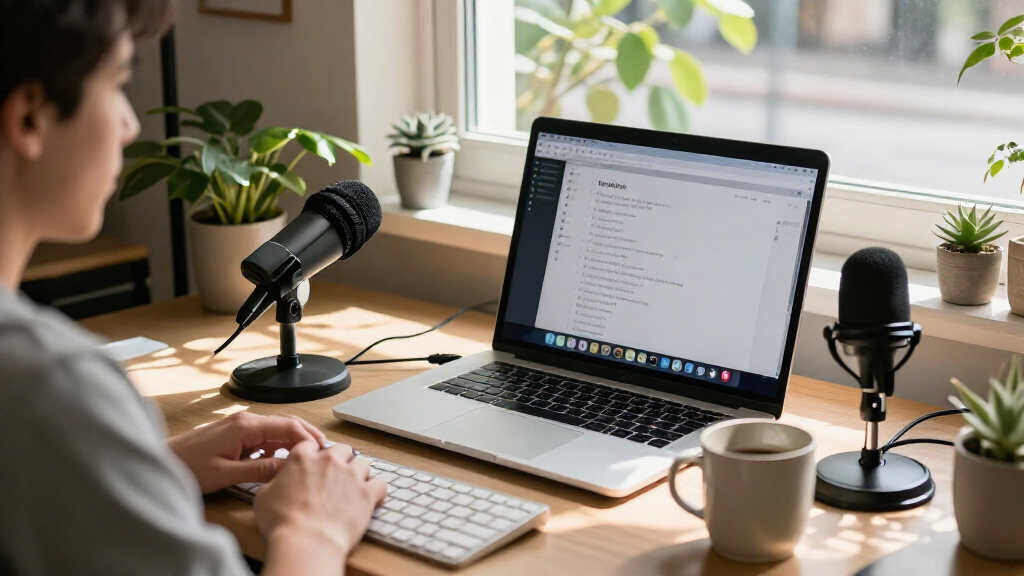
BetterWispr has been presented as a free, open-source dictation app for Mac, letting users speak into a shortcut and insert cleaned-up text into the app they are using. The developer says speech can be transcribed on the Mac without an account or cloud transcription fallback, making the app relevant to people seeking a desktop dictation workflow with local processing.
The app requires macOS 14 or later, with Apple Silicon recommended for local model inference. Its default interaction is to hold Option + Space while speaking and release the keys to transcribe. Users can change the shortcut or set it to toggle recording. Transcription starts after recording stops rather than appearing word by word as the user speaks.
BetterWispr lists nine built-in speech models from Apple speech, Parakeet and Whisper. Its site says Parakeet options cover English, Japanese and 25 European languages, while Whisper offers broader multilingual recognition. Users can also configure services including Sarvam AI, Smallest AI and OpenAI-compatible APIs; using an external provider means the chosen service may receive dictation. The available language support depends on the selected model and installed assets.
Text cleanup is configurable. The default Light setting removes English filler words, repetitions and false starts; None preserves the spoken wording, while Medium also edits for clarity using a selected notes model. The app offers per-app writing styles, voice commands in English, and a history that can retain raw and corrected text on the Mac or be turned off. Its developer lists the project under the Apache 2.0 license and says releases are distributed through GitHub Releases and checked against an EdDSA signature.
Local Processing and User Control
Dictation tools can involve sending voice recordings to a remote transcription service. BetterWispr’s stated local-processing design gives Mac users an alternative: the developer says speech stays on the device when a built-in local model is selected, and that there is no cloud transcription fallback. This may matter to people handling sensitive notes or who want dictation to work offline after setup.
The project’s open-source license allows people to inspect, modify or build the software, although that alone does not independently verify every privacy or security claim. The range of model choices also puts configuration in users’ hands, with a trade-off: local models avoid sending speech to a selected cloud provider, while external API options can extend model choices but may transmit data outside the Mac.
Practical usefulness will depend on factors the product page does not settle for every user, including recognition accuracy, latency, language needs and performance on a particular Mac. The app’s cleanup and style options may also change dictated wording, so users who need an exact transcript can select None or review the output.
As an affiliate, we earn on qualifying purchases.
How BetterWispr Dictation Works
BetterWispr’s described workflow is to place the cursor in a text field, hold the configured shortcut while speaking, then release it. The app transcribes after the recording ends and attempts to insert the resulting text into the active application. Its site says that if automatic insertion is blocked, the transcript can be copied from the dashboard instead. Microphone access is needed to record speech, and accessibility permission is used for insertion into other apps; Apple speech may also require speech-recognition permission.
The app also describes a meeting notetaker that records the user’s microphone as “Me” and audio from other apps as “Them,” alongside personal notes. It says Apple Intelligence or Ollama can produce summaries, decisions and action items locally. These are product descriptions, not independent tests of transcription quality, privacy behavior or compatibility across apps and Mac configurations.
Some features have narrower language support than the model list: the developer says cleanup, styles and voice commands work in English. Offline use requires installing a compatible local model and any necessary assets first. Apple on-device speech availability also depends on supported languages and operating-system assets.
“Speech stays on your Mac.”
— BetterWispr website
As an affiliate, we earn on qualifying purchases.
Performance and Privacy Details
The supplied product information does not include independent testing of recognition accuracy, transcription speed, battery use or performance across Mac models. It also does not provide a dated release announcement or user adoption figures. BetterWispr’s promotional page depicts a typing comparison but explicitly labels the illustration as not a benchmark, so it does not establish measured time savings.
The developer says local-model speech stays on the Mac, but users can choose external APIs for some processing. The source does not specify the data-handling terms of each external provider; those depend on the selected service. It is also not clear from the supplied material how every app handles secure text fields or whether all language and model combinations perform equally well. The site cautions that some apps may block automatic insertion.
open source voice transcription Mac
As an affiliate, we earn on qualifying purchases.
As an affiliate, we earn on qualifying purchases.
Testing the App on Mac
Readers considering BetterWispr can check the project’s GitHub repository, review its Apache 2.0-licensed source code and install a compatible model before testing dictation. The developer’s instructions call for macOS 14 or later and recommend Apple Silicon. Users can compare the available cleanup settings, confirm which models support their language, and check app permissions in macOS settings.
The next useful evidence would be hands-on testing across different Macs, languages and target apps, alongside clearer reporting on model-specific accuracy and performance. The source material does not announce a future release or independent evaluation, so any changes to features, model support or distribution remain unconfirmed.
As an affiliate, we earn on qualifying purchases.
Key Questions
Is BetterWispr free?
Yes. The developer describes it as free and open source under Apache 2.0, with no dictation subscription, account or API key required for the built-in options. Model files use storage on the Mac.
Which Macs can run BetterWispr?
The listed requirement is macOS 14 or later; Apple Silicon is recommended for local model inference. Actual model availability and performance depend on the Mac, language and selected model.
Does dictation work offline?
The developer says local transcription can work offline after a compatible model and required assets are installed. Downloading models requires an internet connection, and the app says it has no cloud transcription fallback for local processing.
Does BetterWispr send recordings to a server?
The developer says speech processed with built-in local models stays on the Mac. However, BetterWispr also allows users to connect external APIs; choosing one may send dictation to that provider, whose data practices are not detailed in the supplied material.
Does it show text while I am speaking?
No. According to the product page, transcription begins after recording stops. Hold the shortcut while speaking and release it to have text transcribed and inserted into the active app.
Source: hn
Fall Picks
fall essentials
As an affiliate, we earn on qualifying purchases.