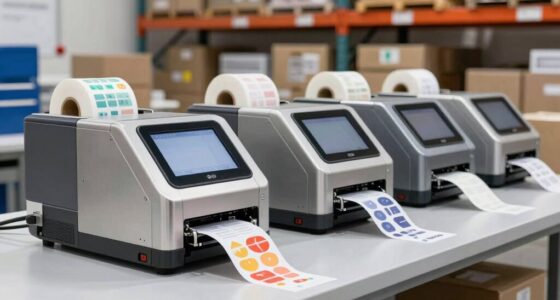
A document finishing system can fold pages, assemble booklets, or bind finished documents, so the right choice depends on the job you need to complete. My best overall pick is the Formax FD 324 Document Folder for buyers focused on automated folding; the Kiboom Electric Booklet Maker stands out for booklet production, while the Peleman Unibind 60 Pro suits a thermal-binding workflow. These machines do not replace one another: their main tradeoffs are the type of finish, production demands, and space or setup a workflow can support. I compare all six options by task fit, usability, and versatility below. Keep reading for the full breakdown and a guide to choosing a system that matches your documents.

Get business pricing on monitors, keyboards and dev gear
- Business-only prices and quantity discounts
- Tax-exempt purchasing
- Multiple users, one account, clear invoices
Key Takeaways
- Finishing method matters more than the broad category name: the Formax FD 324 and FD 300 are folding-focused, while the Kiboom makes booklets and the Unibind and GBC systems bind documents.
- The FD 324 is the strongest all-around choice for folding work in this lineup; the FD 300 offers a desktop alternative for buyers who want a more compact folder.
- The Kiboom Electric Booklet Maker fills a different production need by turning pages into booklets rather than simply folding sheets or binding a stack.
- Thermal and VeloBind systems suit different finished-document expectations: the Unibind 60 Pro uses thermal binding, while the GBC VeloBind System Two uses a distinct binding format.
- Buy for the task you repeat most often. A dedicated folder, booklet maker, or binder can fit a focused workflow better than choosing a machine based only on the phrase “document finishing system.”
| Formax FD 324 Document Folder |  | Best for High-Volume Folding | Model: FD 324 | Folding speed: Up to 8,600 sheets per hour | Hopper capacity: Up to 500 sheets (20 lb / 75 gsm) | VIEW ON AMAZON | See Our Full Breakdown |
| Martin Yale 1217A Automatic Paper Folder |  | Best for Flexible Office Folding | Model: 1217A | Feed capacity: 250 sheets | Folding speed: Up to 10,300 sheets per hour | VIEW ON AMAZON | See Our Full Breakdown |
| Kiboom Electric Booklet Maker |  | Best for Small-Run Booklets | Power supply: 220V, 50Hz, 70W | Maximum paper size: 317 × 440 mm (A3+) | Supported paper sizes: A3, A4, Letter | VIEW ON AMAZON | See Our Full Breakdown |
| Peleman Unibind 60 Pro Thermal Binding Machine |  | Best for a Clean, Book-Like Finish | Binding type: Thermal | Binding time: About 90 seconds | Warm-up required: No | VIEW ON AMAZON | See Our Full Breakdown |
| GBC VeloBind System Two Binding Machine |  | Best for Professional VeloBind Production | Model number: 04MODEL270 | Manufacturer part number: 9707030 | Maximum binding length: 14 in | VIEW ON AMAZON | See Our Full Breakdown |
| Formax FD 300 Desktop Document Folder – Black |  | Best for Fast, Compact Folding | Model: FD 300 | Manufacturer: Formax | Maximum folding speed: 7,400 sheets per hour | VIEW ON AMAZON | See Our Full Breakdown |
| document finishing system | Dimensions | Model | Weight |
|---|---|---|---|
| Formax FD 324 Document Folder | — | FD 324 | — |
| Martin Yale 1217A Automatic Pa | 42 × 17.5 × 17 in | 1217A | 59 lb |
| Kiboom Electric Booklet Maker | 500 × 395 × 220 mm | — | — |
| Peleman Unibind 60 Pro Thermal | — | — | — |
| GBC VeloBind System Two Bindin | 17.75 × 23.5 × 10.75 in | — | 65.1 lb |
| Formax FD 300 Desktop Document | 19.25 × 19.25 × 15 in | FD 300 | 39.9 lb |
More Details on Our Top Picks
Formax FD 324 Document Folder
The Formax FD 324 is the strongest fit here for teams that need to fold large batches with repeatable settings. Its rated speed of up to 8,600 sheets per hour, 500-sheet hopper, and AutoBatch pauses help turn recurring mailroom jobs into manageable batches. The drop-in feed avoids fanning sheets before loading, while removable fold plates and quick-release stops simplify changes between Letter, Zig-Zag, Half, and Double Parallel folds. Compared with the Martin Yale 1217A, it has a smaller listed hopper and lower top speed, but its batch function and fold-plate setup are useful for controlled production runs. This is a folder, not a binding machine, so it will not produce finished booklets or bound reports. At 75 pounds, it also suits a dedicated workstation better than a shared desk.
Pros:- Processes up to 8,600 sheets per hour for large recurring folding jobs
- 500-sheet hopper and drop-in feed reduce loading interruptions and sheet preparation
- AutoBatch pauses between specified batch sizes for organized processing
- Removable fold plates and quick-release stops support changes among four standard folds
Cons:- At 75 pounds, it is difficult to move between work areas
- Requires 120 VAC, 60 Hz power, limiting placement to a compatible outlet
- Folding-only functionality does not finish documents as bound booklets
Best for: Mailrooms and office teams that fold recurring, high-volume batches and can leave a heavy machine at a fixed workstation
Not ideal for: Small offices that need a portable unit, or buyers who need stapled booklets or bound documents rather than folded sheets
- Model:FD 324
- Folding speed:Up to 8,600 sheets per hour
- Hopper capacity:Up to 500 sheets (20 lb / 75 gsm)
- Paper size:4 × 5 in minimum; 12 × 18 in maximum
- Paper weight:Up to 30 lb (112 gsm)
- Standard folds:Letter, Zig-Zag, Half, Double Parallel
- Feed system:Three-tire drop-in feed
- Dimensions and weight:33 × 18.5 × 22 in; 75 lb
Our verdict“Choose the FD 324 when batch control and sustained folding matter more than portability or booklet binding.”
Martin Yale 1217A Automatic Paper Folder
The Martin Yale 1217A is the more adaptable office folder for teams that switch among fold styles and occasionally process stapled pages. It offers seven fold types, two adjustable fold tables, and a manual bypass for documents up to five sheets, giving it a broader range of everyday jobs than the Formax FD 324’s four listed standard folds. Its rated speed reaches 10,300 sheets per hour, and the conveyor belt stacks finished sheets in order. The tradeoff is its 250-sheet feed capacity, half the FD 324’s listed hopper capacity, so larger jobs may need more frequent reloading. A reversible motor can help clear misfeeds, but the 59-pound body is still better suited to a fixed mailroom station than a mobile setup. The bypass is useful, though it does not replace a booklet maker for thicker documents.
Pros:- Seven fold types and adjustable tables accommodate varied office and mailing formats
- Rated speed of up to 10,300 sheets per hour supports fast production
- Manual bypass accepts stapled or unstapled documents up to five sheets
- Reversible motor helps clear paper jams and misfeeds
Cons:- 250-sheet feed capacity means more reloading than the Formax FD 324’s 500-sheet hopper
- Manual bypass is limited to documents up to five sheets
- At 59 pounds, it is not convenient to move frequently
Best for: Office and mailroom teams that need several fold styles and occasional processing of short stapled documents
Not ideal for: Buyers processing long, uninterrupted runs or stapled sets thicker than five sheets
- Model:1217A
- Feed capacity:250 sheets
- Folding speed:Up to 10,300 sheets per hour
- Fold types:7
- Paper size range:4 × 4 in to 12 × 18 in
- Manual bypass:Stapled or unstapled documents up to 5 sheets
- Dimensions:42 × 17.5 × 17 in
- Weight:59 lb
Our verdict“Pick the 1217A for varied folding jobs and short stapled sets, but favor the FD 324 for larger hopper capacity and batch controls.”
Kiboom Electric Booklet Maker
The Kiboom Electric Booklet Maker addresses a different finishing need from the Formax FD 324 and Martin Yale 1217A: it is designed to align, fold, and bind short paper stacks into booklets. Its five-point pressing mechanism and adjustable positioning ruler are intended to keep pages aligned, making it suited to manuals, brochures, and small office publications. It supports A3, A4, and Letter paper, with separate limits of about 20 sheets for binding and 16 for folding. That capacity makes it a small-run tool rather than a production folder; the FD 324 is better for high-volume sheet folding, while the 21 kg frame gives the Kiboom a compact desktop footprint but not an especially light one. Buyers should also check the 220V, 50Hz power requirement before choosing it.
Pros:- Booklet-focused pressing and alignment features support neater short-run finished documents
- Adjustable ruler accommodates A3, A4, and Letter paper
- Separate binding and folding capacities clarify the limits for different jobs
- Compact desktop layout suits offices and small print shops better than large production folders
Cons:- Binding capacity is approximately 20 sheets of 80 g paper, limiting booklet thickness
- Folding capacity is lower at approximately 16 sheets per pass
- The 21 kg unit is heavy to move, and its 220V, 50Hz requirement may restrict placement
Best for: Small print shops and offices producing short runs of manuals, brochures, or internal booklets from A3, A4, or Letter sheets
Not ideal for: High-volume folding departments, buyers needing large booklet capacity, or workspaces without compatible 220V, 50Hz power
- Power supply:220V, 50Hz, 70W
- Maximum paper size:317 × 440 mm (A3+)
- Supported paper sizes:A3, A4, Letter
- Maximum binding capacity:Approximately 20 sheets of 80 g paper
- Maximum folding capacity:Approximately 16 sheets of 80 g paper
- Applicable staples:24/6
- Dimensions:500 × 395 × 220 mm
- Machine weight:21 kg
Our verdict“Choose the Kiboom when booklet assembly matters more than the high-speed sheet folding offered by the Formax FD 324.”
Peleman Unibind 60 Pro Thermal Binding Machine
The Peleman Unibind 60 Pro is the most presentation-oriented choice in this group: it creates a square, book-like spine without punched holes, coils, or glue sticks. A roughly 90-second binding cycle and no preheating requirement make it convenient for occasional reports, portfolios, and photo books, especially where a polished cover matters more than high throughput. Unlike the Kiboom Electric Booklet Maker, it does not fold or staple pages into a booklet; it binds documents using compatible Peleman thermal covers. That cover-specific system narrows material choice and adds a cooling-rack step after binding. Product data does not state a sheet capacity or binding length, so buyers with thick documents or precise size requirements should verify compatibility before purchase. Its appeal is a tidy finish with a simple workflow, not broad production flexibility.
Pros:- Binds without preheating or punching, simplifying occasional document finishing
- Steel-reinforced thermal resin spine creates a clean, square appearance
- No exposed holes or wires for a more book-like presentation
- Compact design fits desks and shared office workspaces
Cons:- Requires compatible Peleman thermal covers, limiting cover choice
- Each binding cycle takes about 90 seconds and requires transfer to a cooling rack
- Listed product data does not specify binding capacity or maximum document size
Best for: Studios and offices that prepare occasional polished reports, portfolios, presentations, or photo books using compatible thermal covers
Not ideal for: Teams that need booklet folding, open-ended cover compatibility, or a documented capacity for thick and oversized documents
- Binding type:Thermal
- Binding time:About 90 seconds
- Warm-up required:No
- Compatible covers:Peleman thermal covers
- Spine:Steel-reinforced thermal resin
- Unit count:1
Our verdict“Choose the Unibind 60 Pro for a clean thermal-bound presentation, not for booklet production or high-volume folding.”
GBC VeloBind System Two Binding Machine
The GBC VeloBind System Two suits offices that need a powered binding workflow for professional documents up to 14 inches long. Its push-button operation, automatic reverse, and large debris drawer are aimed at keeping repeated binding jobs moving while containing paper chips and pin debris. Compared with the Peleman Unibind 60 Pro, this is a more equipment-intensive system: the Peleman binds with compatible thermal covers and avoids punching, while the GBC offers electric operation and jam-reversal support. The available specifications do not state sheet capacity or describe the binding-strip format, so I would confirm those details against the intended document workload before selecting it. Its 65.1-pound weight, sizable footprint, and 115 VAC power requirement make it a dedicated-station machine, not a portable finishing option.
Pros:- Electric push-button operation supports a repeatable binding workflow
- Automatic reverse helps address paper jams
- Extra-large drawer collects paper chips and pin debris
- Maximum binding length of 14 inches accommodates longer documents
Cons:- At 65.1 pounds, it is difficult to relocate
- Large 17.75 × 23.5 × 10.75 in footprint may crowd small workspaces
- Requires 115 VAC, 60 Hz, 4 A power, and listed data does not provide binding capacity
Best for: Professional offices with a fixed finishing station that bind documents up to 14 inches long and value powered operation and debris collection
Not ideal for: Small or shared workspaces, mobile teams, or buyers who need a stated sheet capacity before matching a machine to document thickness
- Model number:04MODEL270
- Manufacturer part number:9707030
- Maximum binding length:14 in
- Power requirements:115 VAC, 60 Hz, 4 A
- Dimensions:17.75 × 23.5 × 10.75 in
- Weight:65.1 lb
- Operation:Electric push-button
- Jam support:Automatic reverse
Our verdict“Choose the VeloBind System Two for a fixed professional binding station, but favor the Peleman if a compact, no-punch thermal workflow is the priority.”
Formax FD 300 Desktop Document Folder – Black
For offices that need folded mail or handouts rather than bound booklets, the Formax FD 300 is the most focused finishing tool in this lineup. It folds up to 7,400 sheets per hour and accepts four standard fold styles, so routine single-sheet jobs can move quickly without manual folding. Its 200-sheet drop-in hopper, LCD controls, AutoBatch function, and adjustable output stacker make it easier to manage repeat batches than a basic manual setup. Compared with the Formax FD 324, this model’s appeal is its compact desktop format; it is not the choice for processing multiple sheets together. It also cannot replace the Kiboom booklet maker or the Peleman and GBC binding systems when the finished document needs pages secured as a booklet or report. At nearly 40 pounds, it is compact by footprint, not by weight.
Pros:- Folds up to 7,400 sheets per hour for high-throughput single-sheet jobs.
- Four fold types cover common letter and insert formats.
- LCD controls, a resettable counter, and AutoBatch support repeatable batch work.
- Adjustable output conveyor and stacker wheels help keep folded batches orderly.
Cons:- Processes single sheets only, so multi-page sets need another finishing step.
- At 39.9 pounds, it is heavy to move despite its desktop footprint.
- The 200-sheet hopper requires reloading during longer runs.
Best for: Small offices and mailrooms that regularly fold single-sheet letters, notices, or inserts in repeat batches.
Not ideal for: Teams that need to fold multi-sheet sets or produce bound booklets and reports; this machine folds single sheets only.
- Model:FD 300
- Manufacturer:Formax
- Maximum folding speed:7,400 sheets per hour
- Paper size range:4 × 5 in to 8.5 × 14 in
- Maximum paper weight:30 lb (112 gsm)
- Hopper capacity:200 sheets of 20 lb bond paper
- Fold types:C, Z, V, Double Parallel
- Dimensions:19.25 × 19.25 × 15 in
- Weight:39.9 lb
Our verdict“Choose the FD 300 for fast, repeatable single-sheet folding; pick a booklet maker or binding system when the finished document needs pages joined together.”

How We Picked
I compared the six machines by the finishing task they perform, how directly they fit recurring office or production work, and the likely demands they place on setup, operator attention, and workspace. I treated folding, booklet making, thermal binding, and VeloBind binding as separate workflows rather than scoring one finish as universally better. That distinction matters: a machine that is effective for folds cannot replace a binding system when the finished document needs a spine.
The ranking gives priority to workflow usefulness and breadth within each machine’s intended job, then weighs ease of fitting the equipment into a real work area and the tradeoffs of choosing a dedicated format. The Formax FD 324 leads for buyers whose recurring need is folding; the FD 300 follows as a desktop-focused alternative. The remaining picks rank by how clearly they serve booklet or binding needs, not by pretending their outputs are interchangeable. I considered product names and stated purpose, and avoid assigning unsupported claims about speed, capacity, or compatibility.
Factors to Consider When Choosing Document Finishing System
Before choosing a machine, define the finished document you need and how often that job occurs. A folder, booklet maker, and binder solve different stages of document preparation, and selecting the wrong type can leave a workflow incomplete even if the machine itself is capable. These factors can help you compare options beyond their labels.
Start With the Finished Format
Decide whether your end product is a folded sheet, a multi-page booklet, or a bound stack. Those outputs require different equipment, so a folder cannot stand in for a binder simply because both handle paper. A common mistake is shopping by the broad term “finishing system” before identifying the final format. If you need more than one kind of output, map each step and decide whether one machine can actually perform all of them. A dedicated device may be the sensible choice when one finish dominates your workload, while multiple devices make sense only when each has a regular role.
Match the Machine to Your Repeat Volume
Think about the number of documents you process on a typical workday and the size of occasional batches. A machine that handles an occasional task comfortably may become a bottleneck when that task turns into a daily queue. At the same time, choosing equipment for rare peak demand can add complexity and occupy space without improving ordinary work. Ask who will operate it, how often jobs change, and whether work arrives in predictable batches. Compare these real patterns with the manufacturer’s stated operating specifications before deciding; do not infer capacity from a product name.
Account for the Whole Workflow
Finishing is rarely the only step: documents may need printing, collating, folding, assembly, and storage. Check where each machine fits and whether the next step can begin without extra handling or reordering pages. For example, booklet production involves a different sequence from making a stack of bound documents, while folding may be one stage before another finishing task. A common purchasing error is evaluating the machine in isolation and overlooking the time spent preparing materials or moving work between stations. Sketch the workflow from printed pages to finished copies before committing.
Check Materials and Format Limits
Paper size, stock, page count, and binding supplies can determine whether a machine fits your work. Confirm the specifications for the materials you use most, including any limits on sheet dimensions or thickness, rather than assuming a device will accept every office paper. Binding systems may also rely on a particular consumable format, which affects replenishment and consistency. Ask whether the machine accommodates your usual document sizes and whether the required supplies are easy for your team to source. This check can prevent a mismatch that becomes apparent only after a machine arrives.
Plan for Setup, Space, and Operators
Measure the workspace needed not just for the machine, but also for paper staging, finished output, and operator access. A desktop design may suit a smaller office, yet a compact footprint does not automatically mean the machine fits every job or workload. Consider who will set up jobs and whether more than one person needs to use the equipment. A system with a learning curve can still work well when one trained operator handles it consistently, but it may slow a shared office where tasks pass among staff. Check the setup instructions and service requirements before purchase.
Spend on the Bottleneck, Not the Broadest Feature List
Pay more only when a particular feature or workflow improvement addresses a recurring problem. If folding is the main source of delay, a dedicated folder may provide more practical value than a binding machine with capabilities you rarely need. If your documents must leave the office as booklets or bound reports, the correct finish matters more than adding capacity to an unrelated stage. Separate daily needs from occasional requests, then compare the cost of buying equipment with the time and handling involved in outsourcing less frequent jobs. This approach helps prevent paying for an impressive-sounding system that does not improve your actual process.
Frequently Asked Questions
Can one of these machines fold, make booklets, and bind documents?
These six products serve different finishing tasks rather than acting as one all-purpose machine. The Formax models are document folders, the Kiboom is a booklet maker, and the Peleman and GBC products are binding systems. If your workflow needs several finishes, plan for separate equipment or compare a different product that explicitly supports those tasks. Check each model’s specifications for the materials and formats you use before treating it as a substitute for another category.
Which option should I choose if I mainly need to fold documents?
Start with the two Formax folders, since folding is their stated purpose. The FD 324 is my best overall pick for a folding-centered workflow, while the FD 300 Desktop Document Folder is the alternative to investigate when a desktop form factor better suits your workspace. Compare their published paper handling, fold options, and operating requirements against your regular jobs. Do not choose between them on the word “desktop” alone; confirm that the model fits your batch size and paper formats.
Should I choose a booklet maker or a binding machine for multi-page documents?
Choose based on how you want the pages to be presented. A booklet maker is intended to assemble pages as a booklet, while a binding machine joins a stack into a bound document. The Kiboom Electric Booklet Maker is the relevant pick here for booklet production; the Unibind 60 Pro and GBC VeloBind System Two address binding through different formats. Check the final appearance, page order, and supply requirements your recipients expect before selecting a machine.
What should I verify before buying a binding system?
Confirm the binding format, supported document thickness, paper sizes, and supplies the system requires. The Peleman Unibind 60 Pro is a thermal-binding option, whereas the GBC VeloBind System Two uses a different binding approach, so the finished look and workflow are not interchangeable. Consider whether your team needs to edit or replace pages later, and how frequently you will need binding materials. Verify these details in the product specifications and supply information rather than assuming all binding systems accept the same documents or consumables.
Is a desktop document folder suitable for a shared office?
It can be a fit when the office has recurring folding work and a suitable surface, but the desktop format alone does not establish whether it can handle the workload. Check the manufacturer’s stated capacity, supported paper, and setup process against the number of users and documents you expect. Shared use can add time if each operator must configure jobs differently, so consider who will manage the machine and keep its instructions accessible. If folding is infrequent, compare the space and upkeep with the time saved on actual jobs.
Conclusion
For a folding-centered workflow, I recommend the Formax FD 324 as the best overall choice in this group. The Formax FD 300 is my best value-style option for buyers seeking a desktop folder, while the Peleman Unibind 60 Pro is the premium-leaning pick for a thermal-binding workflow. Beginners should start by identifying the finish they need: the FD 300 is a straightforward category match for basic folding needs, while booklet and binding jobs call for their own dedicated machines. Choose the Kiboom Electric Booklet Maker for booklet production and the GBC VeloBind System Two when its specific binding format suits your documents. The best system is the one that completes your most frequent finishing task without adding equipment your workflow will rarely use.
Black Friday Picks

Sonos One (Gen 2) Two-Room Set Voice-Controlled Smart Speaker with Alexa (2-Pack, Black)
As an affiliate, we earn on qualifying purchases.