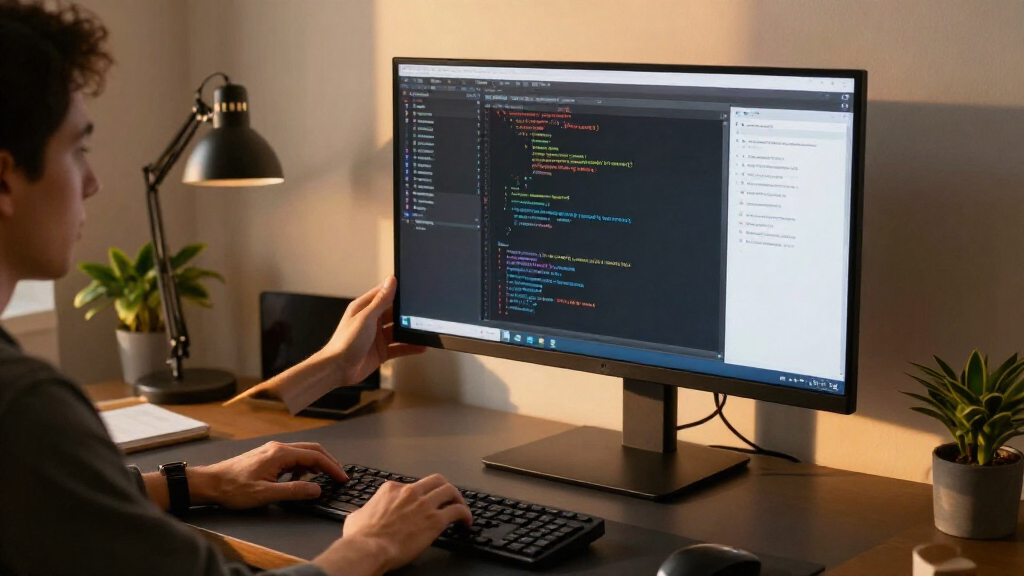
Software developer monitors should make code easy to read, leave room for tools, and fit the way you work. I rank the Dell UltraSharp U4025QW as the best overall for its expansive 5K2K ultrawide workspace, while the BenQ RD280U stands out for its taller 3:2 screen and coding-focused features. The Dell 34 Plus S3425DW is a more conventional curved ultrawide choice for keeping multiple windows side by side. The main tradeoffs are screen space versus desk footprint, sharper text versus lower cost, and coding-focused features versus general-use versatility. Read on for the full breakdown and advice on matching a monitor to your setup.

Get business pricing on monitors, keyboards and dev gear
- Business-only prices and quantity discounts
- Tax-exempt purchasing
- Multiple users, one account, clear invoices
Key Takeaways
- The Dell UltraSharp U4025QW leads for broad workflows: its 40-inch 5K2K ultrawide layout offers the most room here for an editor, terminal, documentation, and other tools, but it needs a large desk.
- The BenQ RD280U is the coding-first alternative: its 3:2 screen gives more vertical room than the ultrawide picks, while coding modes and 90W USB-C target laptop-based development setups.
- Two RD280U listings serve different buying situations: the standard model is the straightforward pick, while the Renewed listing may suit shoppers open to refurbished stock; check condition and seller terms before choosing.
- The Dell 34 Plus S3425DW balances workspace and general use: its WQHD curved panel and 120Hz refresh rate suit side-by-side windows, though its resolution is less dense than the 4K and 5K2K options.
- The smaller Dell and Sceptre models trade workspace for simplicity: the 24- and 27-inch choices can suit compact desks or secondary screens, but FHD models offer less room and detail for dense code.


| software developer monitor | Screen size | Resolution | Refresh rate | Connectivity |
|---|---|---|---|---|
| Dell 34 Plus USB-C Curved Moni | 34 inches | 3440 × 1440 | 120Hz | — |
| BenQ RD280U 28.2” 4K 3840×2560 | 28.2 inches | 3840 × 2560 | — | HDMI, USB-C |
| Dell 32 Plus 4K Monitor | 31.5 inches | 3840 × 2160 (4K UHD) | Up to 120Hz | DisplayPort, HDMI |
| BenQ RD280U 28.2-inch 4K 3:2 P | 28.2 inches | 3840 × 2560 | 60Hz | HDMI, USB-C |
| Sceptre 22-Inch FHD 1080p Gami | 22 inches | 1920 × 1080 (FHD) | Up to 144Hz | HDMI, DisplayPort |
| Dell UltraSharp U4025QW 40" Cl | 39.7 inches | 5120 × 2160 listed; product data also states 5120 × 2880 | 120Hz | USB-C; eight USB ports; one HDMI port |
| Dell 24 Plus S2425HSM 23.8-inc | 23.8 inches | 1920 × 1080 (FHD) | 144Hz | Two HDMI ports |
| Dell SE2426H 23.8-inch FHD Mon | 23.8 inches | 1920 × 1080 (FHD) | 144Hz | Two HDMI ports |
| Dell 27 Plus QHD Monitor | 27 inches | 2560 × 1440 (QHD) | 144Hz | HDMI and DisplayPort |
More Details on Our Top Picks
Dell 34 Plus USB-C Curved Monitor S3425DW, 34-inch WQHD, 120Hz
The Dell S3425DW earns its place as the most flexible everyday coding pick here: its 34-inch, 3440 × 1440 ultrawide gives you room to keep an editor beside documentation or a terminal without splitting work across two panels. USB-C with up to 65W power delivery can simplify a compatible laptop setup, while 120Hz scrolling feels smoother than on the BenQ RD280U, which is capped at 60Hz. Its VA panel, 3000:1 contrast ratio, and broad color coverage also suit mixed coding and media work. The tradeoff is that the Dell’s widescreen shape offers less vertical space than the BenQ’s 3:2 screen, so long files may need more scrolling. USB-C power is limited to 65W, and its 20.7-pound weight makes frequent desk moves less convenient.
Pros:- 34-inch 3440 × 1440 ultrawide workspace supports side-by-side applications.
- 120Hz refresh rate and AMD FreeSync Premium provide smoother motion than 60Hz alternatives.
- USB-C connectivity delivers up to 65W of laptop power.
- 99% sRGB and 95% DCI-P3 coverage support varied coding and media tasks.
Cons:- The 21:9 panel provides less vertical room for long code files than the BenQ RD280U’s 3:2 screen.
- 65W USB-C power may not meet the needs of some higher-power laptops.
- At 20.7 pounds, it is less convenient to reposition than smaller monitors.
Best for: Developers who want side-by-side editor, browser, and terminal windows on one screen, especially laptop users whose computer can charge over 65W USB-C.
Not ideal for: Developers who prioritize a tall coding canvas over horizontal workspace, or who need USB-C to supply more than 65W to a high-power laptop.
- Screen size:34 inches
- Resolution:3440 × 1440
- Aspect ratio:21:9
- Panel type:VA
- Refresh rate:120Hz
- Contrast ratio:3000:1
- USB-C power delivery:Up to 65W
- Color coverage:99% sRGB, 95% DCI-P3
Our verdict“Choose the S3425DW if you want one spacious, smooth-running screen for multitasking and your laptop can work within its 65W USB-C power limit.”
BenQ RD280U 28.2” 4K 3840×2560 3:2 Programming Monitor, Eye-Care, Nano Matte Panel, Coding Modes, MoonHalo Backlight, 90W USB-C, KVM, VESA Mount, Developer Monitor (Renewed)
The BenQ RD280U (Renewed) is the specialist pick for developers who value a coding-focused workspace over high refresh rates. Its 3840 × 2560 resolution and 3:2 format provide more vertical room for source files than the ultrawide Dell S3425DW, while coding modes, a Nano Matte panel, and MoonHalo backlighting target screen readability and desk comfort. The listing also describes 90W USB-C and KVM, useful for a laptop-based setup that switches between computers; verify that the renewed unit includes the expected functionality and accessories. Unlike the 120Hz Dell models, this BenQ is listed at 60Hz, so it is less suited to fast-motion use. Its renewed status also makes condition and seller-backed support worth checking before purchase.
Pros:- 3840 × 2560 resolution and 3:2 format offer a tall workspace for code.
- Coding modes and Nano Matte finish are tailored to text-heavy work and glare control.
- Listing describes MoonHalo backlighting and eye-care features for extended desk sessions.
- 90W USB-C and KVM are listed for laptop charging and multi-computer setups.
Cons:- The listed 60Hz refresh rate is lower than the 120Hz Dell S3425DW and S3225QS.
- Renewed condition means buyers should verify unit condition and included items.
- The provided listing information does not clearly establish the renewed unit’s warranty or all port details.
Best for: Laptop-based developers who want a tall coding canvas, coding-specific display modes, and a KVM-equipped workspace, and are comfortable buying a renewed monitor.
Not ideal for: Buyers who want a new monitor, a high-refresh display, or clearly documented condition and warranty details before ordering.
- Screen size:28.2 inches
- Resolution:3840 × 2560
- Aspect ratio:3:2
- Screen finish:Nano Matte
- Contrast ratio:1200:1
- Connectivity:HDMI, USB-C
- USB-C power delivery:90W, as stated in the product title
- Listed features:Coding modes, MoonHalo backlight, KVM
Our verdict“Pick this renewed BenQ if vertical coding space and developer-focused features matter more to you than a high refresh rate or new-product status.”
Dell 32 Plus 4K Monitor (S3225QS), 31.5-inch VA, 120Hz, FreeSync Premium
The Dell S3225QS is the stronger choice for developers who want crisp 4K text and a conventional 16:9 layout rather than the extra-wide canvas of the S3425DW. At 31.5 inches and 3840 × 2160, it gives code and interface elements substantial detail while still fitting a familiar desk footprint. Its listed 120Hz refresh rate, FreeSync Premium, matte finish, and ComfortView Plus make it a capable screen for both work and casual gaming. Compared with the coding-specific BenQ RD280U, however, it lacks a 3:2 panel and dedicated coding modes. The product information also conflicts on both contrast ratio and response time, so I would not rely on either disputed figure when comparing performance. It has HDMI and DisplayPort, but no USB-C laptop charging is listed.
Pros:- 31.5-inch 4K resolution provides detailed workspace for code and interface design.
- Up to 120Hz refresh rate and FreeSync Premium offer smoother motion than the 60Hz BenQ RD280U.
- Matte anti-glare finish and ComfortView Plus are aimed at more comfortable desk use.
- Height and tilt adjustment allow more positioning flexibility.
Cons:- No USB-C connection or laptop power delivery is listed.
- The supplied information conflicts on contrast ratio and response time.
- A 16:9 layout offers less horizontal room than the Dell S3425DW ultrawide.
Best for: Developers who want a large 4K 16:9 screen for detailed code, general desktop work, and occasional gaming, with height and tilt adjustment.
Not ideal for: Laptop-first developers who need a single USB-C cable for display and charging, or buyers who want developer-specific coding modes and a taller 3:2 panel.
- Screen size:31.5 inches
- Resolution:3840 × 2160 (4K UHD)
- Aspect ratio:16:9
- Panel type:VA
- Refresh rate:Up to 120Hz
- Color coverage:99% sRGB, 95% DCI-P3
- Connectivity:DisplayPort, HDMI
- Adjustments:Height and tilt
Our verdict“Choose the S3225QS if you want a large, detailed 4K monitor with a high refresh rate and do not need USB-C charging or coding-specific features.”
BenQ RD280U 28.2-inch 4K 3:2 Programming Monitor
For developers who scroll through long files all day, the BenQ RD280U makes a different case from the Dell S3225QS: its 3:2, 3840 × 2560 panel puts more code on screen vertically instead of prioritizing a wide cinematic layout. Coding modes, a matte Nano panel, and MoonHalo backlighting make it the most explicitly programming-oriented option in this group. USB-C and KVM support also suit a desk shared between a laptop and another computer. The tradeoff is pace: at 60Hz with a 5ms response time, it is less fluid for gaming or fast-moving content than either 120Hz Dell. Its 1200:1 contrast ratio is also below the S3425DW’s listed 3000:1. This is a focused work monitor, not the best all-purpose choice for every desk.
Pros:- 3:2 aspect ratio and 3840 × 2560 resolution provide a tall coding canvas.
- Coding modes and matte finish are tailored to text-heavy development work.
- USB-C and KVM support flexible laptop and multi-computer setups.
- MoonHalo, Brightness Intelligence Gen2, and eye-care features are included.
Cons:- 60Hz refresh rate is slower than the 120Hz Dell S3225QS and S3425DW.
- 5ms response time is less suited to fast-motion gaming.
- 1200:1 contrast ratio is lower than the Dell S3425DW’s listed 3000:1.
Best for: Developers who want more vertical code space, text-focused display features, and a KVM for switching between computers.
Not ideal for: Developers who prioritize high-refresh gaming, a broad horizontal workspace, or stronger listed contrast than the 1200:1 panel provides.
- Screen size:28.2 inches
- Resolution:3840 × 2560
- Aspect ratio:3:2
- Refresh rate:60Hz
- Response time:5ms
- Contrast ratio:1200:1
- Connectivity:HDMI, USB-C
- Warranty:3-year manufacturer warranty
Our verdict“Choose the RD280U if a tall, coding-oriented workspace matters more than high refresh rates or a wide screen.”
Sceptre 22-Inch FHD 1080p Gaming Monitor, 144Hz, HDMI and DisplayPort, Built-In Speakers, Black
The Sceptre 22-inch FHD is the compact choice for a secondary coding screen, a small desk, or a developer who values refresh rate more than resolution. Its 144Hz refresh rate exceeds the Dell S3225QS’s listed 120Hz, while the small footprint and minimal bezels make a dual-monitor arrangement easier to fit. HDMI and DisplayPort offer straightforward connections, and built-in speakers and Blue-Light Shift cover basic desk needs. The limits are clear: 1920 × 1080 on a 22-inch screen offers far less workspace and detail than either 4K BenQ RD280U, and the 170-degree viewing angle is narrower than the 178-degree figures listed for the larger options. I’d choose it for a compact or secondary setup, not as the main screen for complex coding projects.
Pros:- Compact 22-inch size and minimal bezels suit small desks and dual-monitor layouts.
- Up to 144Hz refresh rate is higher than the Dell S3225QS’s listed 120Hz.
- HDMI and DisplayPort provide common connection options.
- Built-in speakers and Blue-Light Shift add basic convenience and eye-care functionality.
Cons:- 1920 × 1080 resolution provides much less workspace and detail than the 4K BenQ RD280U.
- The 22-inch screen can feel cramped as a primary development display.
- 170-degree viewing angle is narrower than the 178-degree figures listed for the Dell and BenQ options.
Best for: Developers with a small desk who need an affordable-feeling, compact secondary display for terminals, logs, or a separate reference window.
Not ideal for: Developers who want a primary screen for dense code, large projects, or detailed design work and need more than 1080p resolution.
- Screen size:22 inches
- Resolution:1920 × 1080 (FHD)
- Aspect ratio:16:9
- Refresh rate:Up to 144Hz
- Response time:1ms
- Connectivity:HDMI, DisplayPort
- Viewing angle:170 degrees
- Weight:7 pounds
Our verdict“Choose the Sceptre as a compact secondary coding screen, but pick a larger, higher-resolution monitor for your main development workspace.”
Dell UltraSharp U4025QW 40″ Class 5K2K WUHD Curved Screen LED Monitor – 21:9
The Dell UltraSharp U4025QW is the lineup’s workspace-first choice: its 39.7-inch curved screen and 5120 × 2160 resolution give developers room to keep an editor, documentation, and a terminal visible together. Its 21:9 format is more suited to that side-by-side workflow than the 27-inch Dell 27 Plus QHD, while the 120Hz refresh rate keeps scrolling and window movement fluid. USB-C and eight USB ports also make it a stronger hub for a desk with several peripherals. The tradeoff is its large 41.9-pound footprint, which calls for a substantial desk, and the listed native-resolution information is inconsistent: the product data also mentions 5120 × 2880. This is a productivity pick, not the compact or budget-minded choice.
Pros:- 39.7-inch curved 21:9 screen gives multiple coding windows room side by side.
- 5120 × 2160 listed resolution provides substantially more workspace than FHD models.
- 120Hz refresh rate supports smoother scrolling and desktop motion.
- USB-C and eight USB ports can simplify connections for peripherals.
Cons:- Large size and 41.9-pound weight demand considerable desk and mounting capacity.
- The product data lists conflicting native-resolution figures, so buyers should verify the exact specification.
- Its ultrawide layout is less compact and less straightforward for standard 16:9 workflows than the Dell 27 Plus QHD.
Best for: Developers who routinely keep an IDE, terminal, browser, and reference material open at once and have room for a large monitor.
Not ideal for: Developers with shallow desks, limited monitor-arm capacity, or a preference for a conventional 16:9 screen.
- Screen size:39.7 inches
- Resolution:5120 × 2160 listed; product data also states 5120 × 2880
- Aspect ratio:21:9
- Refresh rate:120Hz
- Response time:5ms
- Contrast ratio:2,000:1
- Connectivity:USB-C; eight USB ports; one HDMI port
- Weight:41.9 pounds
Our verdict“Choose the U4025QW if you want one expansive screen for multitasking and can accommodate its size and weight.”
Dell 24 Plus S2425HSM 23.8-inch FHD 144Hz Monitor with Speakers, HDMI, and Adjustable Stand, Ash White
The Dell 24 Plus S2425HSM suits developers who need a small, adaptable screen rather than a high-resolution canvas. Its 23.8-inch FHD panel takes up less visual and desk space than the Dell 27 Plus QHD, and the height, tilt, pivot, and swivel adjustments make it easier to set a comfortable position or rotate the display for long code files. The 144Hz refresh rate and FreeSync are more relevant to smooth motion than coding itself, but they can help if the same desk serves work and play. Dual speakers reduce accessory clutter. The main compromise is pixel density: FHD gives code less room and detail than QHD, while the listed connections are two HDMI ports only. I’d pick this over the SE2426H when adjustability matters more than a simple setup.
Pros:- Four-way stand adjustment supports a more tailored desk setup than the tilt-only SE2426H.
- 144Hz refresh rate and AMD FreeSync support smooth motion.
- Dual 3W speakers provide basic audio without separate desktop speakers.
- TÜV 4-star-certified eye comfort features are included.
Cons:- FHD resolution offers less coding workspace and text detail than the Dell 27 Plus QHD.
- Connectivity is listed as two HDMI ports, with no USB-C or DisplayPort specified.
- At 23.8 inches, it is less suited to keeping several code and reference windows comfortably visible.
Best for: Developers with a compact desk who want a fully adjustable 24-inch display for coding, general work, and occasional gaming.
Not ideal for: Programmers who need a large workspace for several panes or sharper text than a 1920 × 1080 display provides.
- Screen size:23.8 inches
- Resolution:1920 × 1080 (FHD)
- Refresh rate:144Hz
- Response time:1ms MPRT
- Contrast ratio:1500:1
- Connectivity:Two HDMI ports
- Stand adjustments:Height, tilt, pivot, and swivel
- Speakers:2 × 3W
Our verdict“Choose the S2425HSM for a compact coding station where flexible positioning matters more than QHD resolution.”
Dell SE2426H 23.8-inch FHD Monitor
The Dell SE2426H is a straightforward option for developers who want a basic, compact monitor with smooth motion, without paying for a more adjustable stand or built-in speaker setup. Its 23.8-inch IPS panel and 144Hz refresh rate make everyday scrolling feel fluid, while wide viewing angles help keep the image consistent when viewed off-center. Compared with the Dell 24 Plus S2425HSM, it is lighter and has a similar FHD format, but gives up height, swivel, and pivot adjustments. That difference matters during long coding sessions: the tilt-only stand may leave some users needing a monitor riser or separate mount. The 72% NTSC color gamut and two HDMI connections also make it a less flexible choice than the QHD Dell 27 Plus for developers who want more desktop space or broader connectivity.
Pros:- IPS panel provides 178-degree viewing angles.
- 144Hz refresh rate and 1ms MPRT support smooth motion.
- At 7.4 pounds, it is lighter than the Dell 24 Plus S2425HSM.
- TÜV Rheinland 3-star certification is listed for blue-light reduction.
Cons:- Stand offers tilt adjustment only, unlike the four-way stand on the Dell 24 Plus S2425HSM.
- Two HDMI ports are the only listed connections; no USB hub or DisplayPort is specified.
- FHD resolution and 72% NTSC color gamut are limiting for developers who want more workspace or color range.
Best for: Developers seeking a lightweight, no-frills FHD monitor for a secondary workstation or a simple home coding setup.
Not ideal for: Developers who need ergonomic stand adjustments, a USB hub, DisplayPort, or more screen space for multiple code panes.
- Screen size:23.8 inches
- Resolution:1920 × 1080 (FHD)
- Panel type:IPS
- Refresh rate:144Hz
- Response time:1ms MPRT
- Brightness:300 nits
- Connectivity:Two HDMI ports
- Weight:7.4 pounds
Our verdict“Pick the SE2426H for a lightweight, basic FHD setup, but choose the S2425HSM if you need a more adaptable stand.”
Dell 27 Plus QHD Monitor, 27-inch, 144Hz, Ash White
For developers who find FHD cramped, the Dell 27 Plus QHD offers the most balanced step up among these smaller Dell models. Its 27-inch IPS display pairs 2560 × 1440 resolution with a four-way adjustable stand, giving code and documentation more room than either 23.8-inch FHD option without requiring the expansive desk space of the UltraSharp U4025QW. The 144Hz refresh rate, FreeSync, matte finish, and dual speakers add flexibility for mixed work and entertainment. It also supports HDMI and DisplayPort, a more useful pairing for varied desktop setups than the HDMI-only connections listed for the S2425HSM and SE2426H. The tradeoff is that it remains a standard 16:9 screen, so it cannot match the U4025QW’s broad side-by-side workspace; brightness and color gamut figures are also supplied without measurement units or standards.
Pros:- QHD resolution gives code and documentation more detail and workspace than the FHD Dell models.
- IPS panel and 178-degree viewing angle support consistent viewing across the screen.
- Stand adjusts for height, tilt, pivot, and swivel.
- HDMI and DisplayPort provide more connection choice than the HDMI-only 24-inch models.
Cons:- A 16:9 screen provides less side-by-side workspace than the ultrawide UltraSharp U4025QW.
- Brightness and color gamut are listed without units or measurement standards.
- Connectivity is limited to HDMI and DisplayPort, with no USB hub specified.
Best for: Developers who want sharper text and more room for code than FHD provides, plus an adjustable stand and conventional 27-inch format.
Not ideal for: Developers who need an ultrawide workspace, USB-C docking, or clearly specified brightness and color measurements.
- Screen size:27 inches
- Resolution:2560 × 1440 (QHD)
- Panel type:IPS LCD
- Refresh rate:144Hz
- Response time:1ms MPRT
- Contrast ratio:1,500:1
- Connectivity:HDMI and DisplayPort
- Stand adjustments:Height, tilt, pivot, and swivel
Our verdict“Choose the Dell 27 Plus QHD if you want a practical resolution upgrade for coding without moving to a large ultrawide.”
How We Picked
I compared these monitors through the needs of software development: readable text, enough usable screen area for an editor and supporting windows, practical connections, and a size that fits a real desk. Resolution and aspect ratio matter because they affect how much code appears at once; USB-C power delivery and KVM features matter most when switching between a laptop and another computer. Refresh rate and speakers were treated as secondary benefits rather than substitutes for clear text and workspace.
The ranking favors monitors that give developers a meaningful productivity advantage without forcing every buyer into a large or specialized setup. The Dell UltraSharp U4025QW ranks first for its unusually broad 5K2K workspace; the BenQ RD280U follows for its developer-oriented format and features. The Dell 34 Plus S3425DW offers a less specialized ultrawide alternative, while the remaining Dell and Sceptre models rank lower for coding because their smaller screens or FHD resolution limit space for text-heavy work. The two RD280U listings are differentiated by renewed versus standard condition rather than assumed performance differences.
| software developer monitor | Connectivity |
|---|---|
| Dell 34 Plus USB-C Curved Moni | — |
| BenQ RD280U 28.2” 4K 3840×2560 | HDMI, USB-C |
| Dell 32 Plus 4K Monitor | DisplayPort, HDMI |
| BenQ RD280U 28.2-inch 4K 3:2 P | HDMI, USB-C |
| Sceptre 22-Inch FHD 1080p Gami | HDMI, DisplayPort |
| Dell UltraSharp U4025QW 40" Cl | USB-C; eight USB ports; one HDMI port |
| Dell 24 Plus S2425HSM 23.8-inc | Two HDMI ports |
| Dell SE2426H 23.8-inch FHD Mon | Two HDMI ports |
| Dell 27 Plus QHD Monitor | HDMI and DisplayPort |
Factors to Consider When Choosing Software Developer Monitors
Choosing a developer monitor is less about chasing the largest number on a spec sheet and more about matching screen layout to the work you do each day. I would start with your desk, computer connections, and typical window arrangement, then decide which features merit a larger or more specialized display.
Choose Screen Shape Around Your Window Layout
A wide screen helps when you regularly keep an editor, browser, and terminal visible at once, but width alone does not solve every workspace problem. Tall 3:2 displays can show more lines of code and documentation without frequent scrolling, while ultrawides give more horizontal room for split panes and long lines. Before choosing, map your usual windows onto the screen area you expect to use. A very wide monitor can still leave you wanting vertical space, especially for logs or long files. Avoid paying for an unusual aspect ratio if your workflow mostly uses one maximized application.
Match Resolution to Screen Size and Text Density
Resolution affects how much content fits on screen and how finely text can appear, but it works together with physical size and operating-system scaling. A large FHD display may show less detailed text than a smaller, higher-resolution panel, even if both are easy to read from a comfortable distance. Check how your computer handles scaling before prioritizing maximum resolution, since tiny interface elements can erase the benefit for some users. Developers who inspect several files at once often gain more from added resolution than people who work in a single focused window. Do not assume that a gaming-oriented refresh rate compensates for limited workspace or text detail.
Check USB-C, Power Delivery, and KVM Needs
USB-C can reduce desk clutter by carrying video and power through one cable, but the monitor must provide enough power for your laptop and support the connections you need. A built-in KVM can simplify switching a keyboard and mouse between work and personal computers; without one, you may need a separate switch or repeated cable changes. Make a list of your devices and check for compatible video inputs, charging requirements, and any ports needed for peripherals. These features matter less if you use a desktop tower that stays connected. Paying extra for a hub is sensible only when it replaces equipment or cable friction you actually have.
Plan for Desk Depth, Viewing Distance, and Ergonomics
A large curved monitor can replace a multi-screen arrangement, but it also occupies substantial desk width and may need more viewing distance. Measure the available space, including room for the stand and a comfortable distance from your eyes, before choosing an ultrawide. Smaller displays are easier to fit and can work well as secondary screens, though their reduced area may encourage more window switching. Height adjustment and a compatible VESA mount can help position the panel without changing your posture to match the stand. A monitor that fits your desk and viewing position is more useful than a larger one that dominates it.
Treat Eye-Care Features as Support, Not a Cure
Matte coatings, low-blue-light settings, and coding modes may make a long work session more comfortable, but they cannot correct poor room lighting or an unsuitable viewing position. A matte panel can reduce distracting reflections, while color or contrast presets may change how text and backgrounds look. Try to compare these features with your own preferences rather than assuming a mode will suit every editor theme. Keep ambient light balanced and adjust brightness to the room instead of running the display at its maximum. If text feels tiring, check scaling and viewing distance before deciding that a particular panel feature is the only fix.
Decide Whether a Renewed Listing Fits Your Risk Tolerance
A renewed version of a monitor can differ from a standard listing in condition, included accessories, and the seller’s return or warranty terms. Those details matter for a display because panel blemishes, uneven lighting, or missing cables can affect daily work. Read the listing carefully and confirm what inspection, support, and return options apply before buying. A renewed model makes more sense when its condition and support are clearly stated and you are comfortable with that arrangement. If you want the simplest purchase path, the standard RD280U listing avoids making condition a separate decision.
Frequently Asked Questions
Is an ultrawide or a 3:2 monitor better for coding?
Neither format is universally better; the choice depends on whether you need more width or more height. An ultrawide is useful for placing an editor beside a terminal or browser, while 3:2 provides more vertical lines for code and documentation. If you often compare two wide files, prioritize horizontal room. If you scroll through long files or reference pages, extra height may be more useful. Sketch your usual window arrangement before deciding, since the same resolution can feel very different across aspect ratios.
Is a 4K monitor worth it for software development?
4K can make a difference when you want detailed text or several windows visible, especially on a larger display. The benefit depends on scaling, screen size, viewing distance, and how well your computer drives the panel. Some users prefer scaled text that stays comfortable to read, which can reduce the amount of extra workspace gained. A higher-resolution monitor is less compelling if your current screen already shows the code and tools you need without constant switching. Compare usable text size and workspace, not resolution alone.
Do I need USB-C charging or a KVM for a developer monitor?
You need neither feature if your computer stays connected and your existing dock already handles power and peripherals. USB-C charging is convenient for a laptop setup because one cable can carry display signal and power, provided the monitor supplies enough wattage for your machine. A KVM is useful when you regularly share a keyboard and mouse between two computers. If you switch devices only occasionally, manual input changes or a separate hub may be adequate. Check your actual devices and cable setup before paying for features that may go unused.
Can a 24-inch FHD monitor work as my main coding display?
It can work for a compact setup, a secondary screen, or focused tasks, but the smaller FHD models in this roundup provide less room for code and supporting windows than the larger, higher-resolution options. Whether that is a problem depends on your editor layout and how often you switch applications. You can reduce clutter by using virtual desktops or a second display, though that adds its own setup needs. If you routinely inspect multiple files or documentation side by side, a larger or higher-resolution screen is likely a more comfortable fit. A 24-inch FHD model is most compelling when desk space or simplicity matters more than screen area.
Should I choose the standard or renewed BenQ RD280U listing?
The two listings describe the same RD280U model, so the main distinction presented here is condition rather than a different monitor design. The standard listing is the more straightforward choice if you prefer not to evaluate renewed-product terms. The renewed option may suit you if the listing clearly explains its condition, included accessories, warranty, and return policy. Inspect those terms rather than assuming renewed stock has the same support as a new unit. If any of that information is unclear, the standard listing keeps the decision simpler.
Conclusion
For most developers seeking one main display, I recommend the Dell UltraSharp U4025QW for its expansive 5K2K workspace, provided your desk can accommodate it. Choose the BenQ RD280U as the best coding-focused option if vertical space, coding features, and laptop connectivity matter more than ultrawide width; its standard listing is the simpler pick, while the renewed version suits buyers comfortable checking condition and support terms. The Dell 34 Plus S3425DW is my best middle ground for side-by-side windows without moving to the 40-inch class. For beginners or compact desks, the Dell 27 Plus QHD offers a more practical starting point than the FHD 24-inch models, while the Dell SE2426H or Sceptre 22-inch makes more sense when basic screen needs and limited space lead the decision. Pick the screen format that matches your daily windows, then confirm it fits your desk and computer connections.
Black Friday Picks

Amazon Kindle Paperwhite (12th Generation, 2024), 16 GB, 7-inch Display, Black
As an affiliate, we earn on qualifying purchases.