For most buyers, I would start with the Bambu Lab P2S Combo: it pairs an enclosed printer with the AMS 2 Pro, filament drying, AI failure detection, and the fastest listed print speed in this group. The P1S Combo is the more straightforward enclosed multicolor pick, while the A1 is a compelling choice if you want automatic calibration without moving up to an enclosed machine. Those strengths serve different priorities, though. You are choosing between a smaller, accessible setup, an enclosed printer with an included multicolor system, or a more specialized professional machine with a higher material ceiling.

Get business pricing on monitors, keyboards and dev gear
- Business-only prices and quantity discounts
- Tax-exempt purchasing
- Multiple users, one account, clear invoices
I ranked these five Bambu Lab printers by how clearly each one serves a distinct buyer, then weighed included accessories, material support, workspace demands, and day-to-day convenience. The A1 mini is the easiest fit for a tight desk and small projects, but its compact format limits what you can make. At the other end, the X1E Combo is designed for demanding work and controlled environments, yet its weight and professional focus make it more printer than many home users need. My picks below explain where each machine earns its place—and where another model makes more sense.
Complete the kit


Key Takeaways
- P2S Combo is my best overall pick: its included AMS 2 Pro, filament drying, AI monitoring, and 600 mm/s maximum speed make it the broadest ready-to-use package here.
- P1S Combo is the enclosed multicolor alternative: it includes an AMS and supports a wide set of filaments, but lacks the P2S Combo’s listed drying and AI-monitoring features.
- A1 is my best value-style choice for general home printing: calibration and flow compensation are built in, while multicolor printing requires a separately purchased AMS lite.
- A1 mini with LED Lamp Kit is the most space-conscious pick: its compact footprint and beginner-oriented setup suit small models and decorative light projects, not larger parts.
- X1E Combo is for specialized professional work: its 320°C nozzle, active chamber heating, filtration, and secure networking stand apart, but its 58-pound body calls for a dedicated space.
| Bambu Lab P2S 3D Printer Combo with AMS 2 Pro |  | Best Overall | Printer type: FDM 3D printer | Maximum print speed: 600 mm/s | Included accessory: AMS 2 Pro | VIEW LATEST PRICE | See Our Full Breakdown |
| Bambu Lab P1S Combo 3D Printer with AMS |  | Best Enclosed Multicolor Value | Printer model: P1S Combo | Included system: AMS | Maximum printing speed: 500 mm/s | VIEW LATEST PRICE | See Our Full Breakdown |
| Bambu Lab A1 FDM 3D Printer |  | Best for Everyday Home Printing | Printing technology: FDM | Acceleration: 10,000 mm/s² | Noise level: ≤48 dB | VIEW LATEST PRICE | See Our Full Breakdown |
| Bambu Lab A1 mini 3D Printer with LED Lamp Kit |  | Best Compact Beginner Bundle | Product type: 3D printer with LED lamp kit | Dimensions: 15.21 × 16.77 × 17.94 inches | Weight: 12.1 pounds | VIEW LATEST PRICE | See Our Full Breakdown |
| Bambu Lab X1E Combo Enclosed CoreXY 3D Printer with AMS |  | Best for Professional and Engineering Work | Printer type: Enclosed CoreXY 3D printer | Included system: AMS | Maximum nozzle temperature: 320°C | VIEW LATEST PRICE | See Our Full Breakdown |
| Bambu Lab 3D printer | Dimensions | Weight |
|---|---|---|
| Bambu Lab P2S 3D Printer Combo | 18 × 22 × 18 inches | 46.3 pounds |
| Bambu Lab P1S Combo 3D Printer | — | — |
| Bambu Lab A1 FDM 3D Printer | 21.76 × 20.83 × 12.87 inches | 22 pounds |
| Bambu Lab A1 mini 3D Printer w | 15.21 × 16.77 × 17.94 inches | 12.1 pounds |
| Bambu Lab X1E Combo Enclosed C | Approximately 19 × 23 × 19 inches | 58 pounds |
More Details on Our Top Picks
Bambu Lab P2S 3D Printer Combo with AMS 2 Pro
The P2S Combo is my best overall pick because it makes the broadest case as a complete enclosed system. The included AMS 2 Pro handles multicolor and multi-material printing and can dry filament up to 65°C, so the bundle addresses both color changes and moisture-sensitive material preparation. Its stated maximum speed of 600 mm/s is the highest among the listed models, while automatic calibration, active flow rate compensation, quick-swap nozzles, and AI failure detection add practical convenience around that speed.
Compared with the P1S Combo, the P2S is the more feature-rich package: the P1S includes an AMS and has a fully enclosed body, but the listed specifications do not include AMS filament drying or AI failure detection. The X1E remains the stronger fit when a buyer needs a 320°C nozzle, active chamber heating, or secure network connectivity. For a buyer who wants one enclosed Bambu printer for varied projects rather than a specialized production system, the P2S offers the clearest balance.
There are limits. Its chamber reaches a maximum of 50°C, which is a defined ceiling rather than a promise of compatibility with every engineering filament. The AMS 2 Pro is included in this Combo, but shoppers comparing against non-Combo configurations should check the exact bundle: multicolor printing depends on the AMS. At 46.3 pounds and 18 × 22 × 18 inches, it also needs a stable, fairly substantial home for a desktop machine. I would choose it over the A1 when enclosure and included multicolor support matter more than a smaller, simpler setup.
Pros:- Includes AMS 2 Pro for multicolor and multi-material printing, with filament drying up to 65°C.
- Listed print speed reaches 600 mm/s, with active flow rate compensation.
- AI failure detection, automatic calibration, and quick-swap nozzles support a more convenient workflow.
- Enclosure, adaptive airflow, a 50°C chamber, and carbon filter support a range of filament needs.
Cons:- The 50°C maximum chamber temperature may not meet the needs of buyers seeking more demanding material conditions.
- Its 46.3-pound weight and 18 × 22 × 18-inch dimensions require a stable, dedicated surface.
- The included AMS makes the Combo versatile, but multicolor capability depends on having that system connected.
Best for: Buyers who want an enclosed, multicolor-ready Bambu Lab system with filament drying, monitoring features, and broad everyday flexibility.
Not ideal for: People with very limited workspace, buyers printing only basic single-color models, or users whose material needs call for the X1E’s stated 320°C nozzle and active chamber heating.
- Printer type:FDM 3D printer
- Maximum print speed:600 mm/s
- Included accessory:AMS 2 Pro
- AMS filament drying:Up to 65°C
- Maximum chamber temperature:50°C
- Features:AI failure detection, quick-swap nozzles, automatic calibration, Active Flowrate Compensation, carbon filter
- Dimensions:18 × 22 × 18 inches
- Weight:46.3 pounds
Our verdict“I recommend the P2S Combo to most buyers who want one enclosed Bambu Lab printer with multicolor capability, drying, and useful monitoring features in the box.”
Bambu Lab P1S Combo 3D Printer with AMS
The P1S Combo is the pick I would make for an enclosed multicolor setup when the P2S’s added workflow features are not the deciding factor. Its included AMS supports up to 16 colors, and the fully enclosed design pairs with automatic bed leveling and a setup time described as about 15 minutes. With a stated maximum speed of 500 mm/s and acceleration of 20,000 mm/s², it is built for fast production without requiring a separate enclosure purchase.
Its material list is a particular strength in this group: the supplied specifications list PLA, PETG, TPU, PVA, PET, ABS, and ASA as supported, with PA and PC listed as capable materials. That makes the P1S more appealing than the open-frame A1 for buyers who expect to print a wider range of materials. Compared with the P2S Combo, however, the P1S does not list the AMS 2 Pro’s filament drying, AI failure detection, or 600 mm/s top speed. I see it as a focused enclosed multicolor choice rather than the most feature-rich package.
The tradeoff is that its impressive color capacity depends on the AMS, which is included here but is not a built-in printer function independent of the accessory. The product information also says carbon- and glass-fiber-reinforced polymers are not recommended, so I would not buy it on the assumption that an enclosure alone makes every reinforced filament suitable. At 47.5 pounds and roughly 15.31 × 18.03 × 15.31 inches, it still needs a stable surface. Choose it over the P2S if the listed material range and enclosed AMS setup matter more than drying and newer monitoring features.
Pros:- Fully enclosed design with an AMS included for multicolor and multi-material printing.
- AMS configuration supports up to 16 colors.
- Automatic bed leveling and setup described as about 15 minutes reduce initial setup friction.
- Stated filament support includes PLA, PETG, TPU, PVA, PET, ABS, and ASA.
Cons:- Carbon- and glass-fiber-reinforced polymers are not recommended.
- The listed package does not include the P2S Combo’s AMS 2 Pro drying feature.
- Multicolor printing relies on the connected AMS system.
Best for: Buyers who want an enclosed printer with an AMS included and a clearly stated range of everyday and more demanding filament options.
Not ideal for: Users who want filament drying in the box, AI failure detection, or the P2S Combo’s higher listed maximum speed; also skip it if reinforced fiber filaments are central to your plans.
- Printer model:P1S Combo
- Included system:AMS
- Maximum printing speed:500 mm/s
- Acceleration:20,000 mm/s²
- Multi-color capacity:Up to 16 colors with AMS
- Design:Fully enclosed
- Supported filaments:PLA, PETG, TPU, PVA, PET, ABS, ASA; PA and PC listed as capable
- Dimensions and weight:15.31 × 18.03 × 15.31 inches; 47.5 pounds
Our verdict“I would pick the P1S Combo over the A1 when enclosure and an included multicolor system matter, and over the P2S when its stated filament list is the priority.”
Bambu Lab A1 FDM 3D Printer
The A1 earns its spot by making the core printing workflow approachable without requiring buyers to begin with an enclosed machine. Automatic calibration covers Z-offset and bed leveling, while active flow rate compensation is intended to keep extrusion consistent. A touchscreen, quick-swap nozzle, and active motor noise cancellation make the package easier to manage at home. Its 10,000 mm/s² acceleration gives it a defined performance profile, though the supplied specifications do not list a maximum print speed for direct comparison with the P1S or P2S.
Compared with the A1 mini, the A1 is the better fit for someone who wants a general-purpose home printer rather than a compact setup bundled around an LED lamp project. Compared with the P1S Combo, it is the less complete choice for multicolor work and materials that benefit from an enclosure: multicolor requires an AMS lite sold separately, and the A1 is not described as enclosed. That keeps the initial machine simpler, but buyers should not mistake the printer alone for a multicolor package.
The main tradeoff is exactly that optional system. If color changes are central to your plans, the P1S or P2S Combo includes an AMS and gives you an enclosed printer as well. The A1 makes more sense for straightforward prints, routine home projects, and people who value automatic calibration and accessible maintenance over enclosure or included multicolor capability. Its listed dimensions are 21.76 × 20.83 × 12.87 inches and its weight is 22 pounds, so it is not as light as the A1 mini, but it remains a substantially less heavy machine than the enclosed Combos.
Pros:- Automatic calibration includes Z-offset and bed leveling.
- Active flow rate compensation supports consistent extrusion.
- Quick-swap nozzle makes maintenance more straightforward.
- Active motor noise cancellation supports quieter operation.
Cons:- AMS lite is required for multicolor printing and is sold separately.
- The product information does not describe an enclosure for material-sensitive work.
- It is larger and heavier than the compact A1 mini.
Best for: Home users who want automatic calibration, quieter operation, and an easy-to-maintain printer for general single-color projects.
Not ideal for: Buyers who need an enclosed printer, want multicolor printing included, or expect to use materials better suited to the P1S or P2S enclosed designs.
- Printing technology:FDM
- Acceleration:10,000 mm/s²
- Noise level:≤48 dB
- Dimensions:21.76 × 20.83 × 12.87 inches
- Weight:22 pounds
- Model number:PF002-A
- Multicolor printing:Requires AMS lite, sold separately
- Key features:Automatic calibration, active flow rate compensation, touchscreen, quick-swap nozzle
Our verdict“I recommend the A1 for buyers who want an accessible general-purpose Bambu printer and do not need an enclosure or multicolor hardware in the base setup.”
Bambu Lab A1 mini 3D Printer with LED Lamp Kit
The A1 mini with LED Lamp Kit is the most space-conscious and project-specific option in this roundup. Automatic calibration and simple setup suit new users, while access to MakerWorld models and the Bambu Handy app can help a beginner move from choosing a model to starting a print. The included LED lamp kit gives the bundle a clear creative focus: it supports decorative lighting projects rather than simply adding another general-purpose accessory.
Compared with the standard A1, the mini prioritizes a smaller machine and a defined starter project over broader general use. It weighs 12.1 pounds, substantially less than the A1’s 22 pounds, and is listed at 15.21 × 16.77 × 17.94 inches. Both models list automatic calibration, active flow compensation, and a noise level of no more than 48 dB. The A1 is the better direction if your projects need more room; the A1 mini makes more sense when desk space and beginner-friendly guidance carry more weight.
The limitation is physical scale: compact dimensions can restrict the size of the objects you can print, and the LED lamp projects depend on compatible models. This kit is not the best substitute for the P1S Combo if you want included multicolor capability or an enclosure. I would choose it for small prints, decorative light projects, and a home workspace where a full-size machine feels excessive. If your interests are likely to grow toward larger parts or enclosed-material work, the A1 or a P-series Combo gives you a more suitable starting point.
Pros:- Compact, 12.1-pound printer is easier to place and move than the larger models here.
- Automatic calibration and simple setup support a beginner-friendly start.
- LED lamp kit adds a specific route into functional decorative projects.
- MakerWorld models and the Bambu Handy app provide accessible project resources.
Cons:- Compact printer size may limit the scale of projects.
- LED lamp projects require compatible models.
- It lacks the enclosed design and included AMS of the P1S and P2S Combos.
Best for: Beginners and hobbyists with limited desk space who want a compact printer and a guided route into decorative LED lamp projects.
Not ideal for: People planning large prints, buyers seeking an enclosed machine, or anyone who wants an included AMS for multicolor printing.
- Product type:3D printer with LED lamp kit
- Dimensions:15.21 × 16.77 × 17.94 inches
- Weight:12.1 pounds
- Model number:PF002-M-EU
- Noise level:≤48 dB
- Calibration:Automatic
- Flow rate compensation:Active
- Project support:MakerWorld models and Bambu Handy app
Our verdict“I would choose the A1 mini kit for small, creative prints in a compact workspace, but move to the A1 or a P-series Combo for broader project needs.”
Bambu Lab X1E Combo Enclosed CoreXY 3D Printer with AMS
The X1E Combo is the specialist in this group, not the default recommendation for a home hobbyist. Its enclosed CoreXY design is paired with a maximum nozzle temperature of 320°C, active chamber heating, air filtration, and AI print failure detection. It also lists secure network connectivity, a differentiator for buyers whose workspaces have specific network requirements. The included AMS makes this a multicolor-capable setup, while the high-temperature and chamber features target work beyond the routine PLA and PETG projects that suit the A1.
Compared with the P2S Combo, the X1E is the more appropriate choice when a buyer values its stated professional features—particularly 320°C nozzle capability, active chamber heating, and secure networking—over the P2S’s 600 mm/s maximum listed speed and AMS 2 Pro filament drying. The P1S Combo also offers an enclosed platform and broad filament list, but it does not list the X1E’s active chamber heating or 320°C nozzle. That makes the X1E’s role distinct: its higher material ceiling and work-oriented controls justify its place only when those capabilities match the job.
That focus brings real costs in workspace and complexity. At 58 pounds and approximately 19 × 23 × 19 inches, it is the heaviest machine here and needs a sturdy, dedicated location. The supplied details do not provide a maximum print speed or a full filament compatibility list, so I would verify the materials and workflow required for a specific application rather than infer them from nozzle temperature alone. For ordinary household models, the A1 or P2S is a more proportionate choice. I would reserve the X1E for buyers who can explain why its heating, filtration, temperature, or network features are needed.
Pros:- 320°C maximum nozzle temperature supports work with demanding materials.
- Active chamber heating and air filtration are integrated into the enclosed system.
- AI print failure detection provides real-time monitoring.
- Secure network connectivity suits workspaces with controlled network needs.
Cons:- At 58 pounds, it is the heaviest printer in this roundup.
- Its approximately 19 × 23 × 19-inch body calls for a dedicated workspace.
- The supplied specifications do not state a maximum print speed or a complete material compatibility list.
Best for: Professional users and engineering-focused buyers who need an enclosed CoreXY printer with active chamber heating, air filtration, secure networking, and a 320°C nozzle.
Not ideal for: Casual home users, people without a sturdy dedicated workspace, or buyers who mainly print common hobby materials and do not need its professional features.
- Printer type:Enclosed CoreXY 3D printer
- Included system:AMS
- Maximum nozzle temperature:320°C
- Features:AI print failure detection, active chamber heating, air filtration, secure network connectivity
- Dimensions:Approximately 19 × 23 × 19 inches
- Weight:58 pounds
- Color:Gray
Our verdict“I recommend the X1E Combo only when its active heating, 320°C nozzle, filtration, or secure networking solves a specific professional need.”
How We Picked
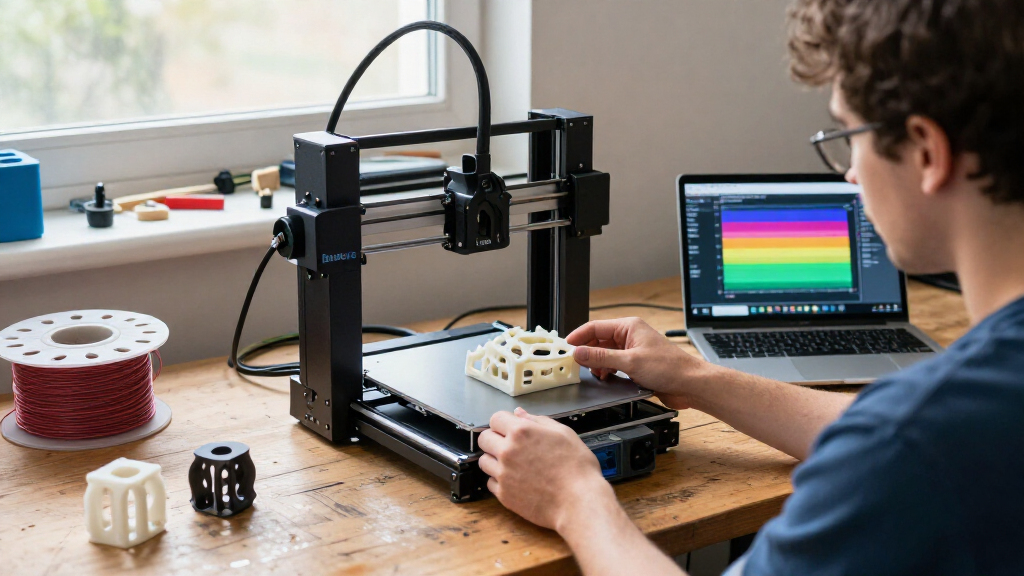
I compared these models as Bambu Lab 3D printers for distinct types of buyers, not as five interchangeable machines. I gave the most weight to the usefulness of the complete configuration: whether a multicolor system is included, whether the printer is enclosed, what material capabilities are stated, and how much setup and workspace the machine calls for. A printer’s headline speed mattered, but it did not outrank a feature that changes what a buyer can reliably print or how much equipment they must add.
I also separated ready-to-use capability from optional expansion. The P1S Combo and P2S Combo include their respective AMS systems, whereas the A1 needs an AMS lite, sold separately, for multicolor work. The A1 mini kit adds an LED lamp kit, but that is a creative-project bundle rather than a substitute for a multicolor material system. That distinction affects the total setup a buyer is choosing, even without comparing prices.
Finally, I ranked the options by fit, flexibility, and tradeoffs. The P2S Combo takes the top place for its combination of enclosure, included AMS 2 Pro, drying, and monitoring. The P1S Combo follows as a capable enclosed multicolor system with broad stated filament support. The A1 earns a place for everyday accessibility, the A1 mini for compact beginner projects, and the X1E for specialized professional needs. I did not treat the X1E’s higher material ceiling as a universal advantage: for a home user printing ordinary parts, its bulk and specialized features may be unnecessary.
Product specifications and feature descriptions in this guide are based on the supplied product information. Where a limitation is stated—such as fiber-reinforced polymers not being recommended for the P1S Combo—I keep that qualification visible rather than implying broader compatibility.
Factors to Consider When Choosing Best Bambu Lab 3D Printers
I would choose a Bambu Lab printer by starting with the work you expect to do, then matching that work to enclosure, multicolor hardware, and available space. The product names alone do not tell the whole story: an included AMS changes what a Combo is ready to do, while an optional system can change the setup you need to build.Decide whether you need an enclosure
An enclosure is one of the clearest dividers in this lineup. The P1S Combo, P2S Combo, and X1E Combo are enclosed choices; the A1 and A1 mini are the more open, home-oriented options described in the supplied information. For general prints where accessibility and a less specialized setup matter, the A1 may be enough. If your planned materials and workflow benefit from an enclosed printer, compare the P-series models first, then look at the X1E if active chamber heating is a specific requirement.
I would not treat “enclosed” as a guarantee that every filament is suitable. The P1S information names specific supported and capable materials and explicitly says carbon- and glass-fiber-reinforced polymers are not recommended. The P2S lists a maximum chamber temperature of 50°C, while the X1E lists active chamber heating and a 320°C maximum nozzle temperature. Check the printer’s stated material guidance against the exact filament you intend to use.
Compare included multicolor systems carefully
If you want multicolor printing from the start, the P1S Combo and P2S Combo include an AMS system, and the X1E Combo also includes an AMS. The P1S listing gives a capacity of up to 16 colors with AMS, while the P2S bundle includes the newer AMS 2 Pro with drying up to 65°C. Those are not identical bundles: the P2S adds a stated drying feature, while the P1S provides a stated color capacity and a clear list of supported filaments.
The A1 can print multicolor only with an AMS lite sold separately, so include that extra hardware in your planning. The A1 mini with LED Lamp Kit is a creative bundle, not an AMS bundle. If multicolor is a central requirement rather than a possible future experiment, an included-system Combo is the more direct route.
Match the machine to your projects and workspace
The A1 mini is the smallest and lightest listed printer, at 12.1 pounds, which helps when desk area or portability matters. Its compact size is also a limit: small project capacity can make it a poor fit for larger objects. The A1 weighs 22 pounds, while the enclosed P1S and P2S Combos weigh 47.5 and 46.3 pounds. The X1E reaches 58 pounds, so it is best treated as a stationary machine with a planned location.
Measure more than the printer’s outer dimensions. Leave room for access, routine maintenance, filament handling, and any connected AMS system. A compact printer can be an easier household fit, but it is not automatically the best choice if your usual parts exceed its practical scale. I would choose the machine around your typical project, not an occasional oversized print.
Treat speed as one part of the decision
The P2S lists a maximum print speed of 600 mm/s, while the P1S lists up to 500 mm/s and 20,000 mm/s² acceleration. The A1 lists acceleration of 10,000 mm/s², but its supplied details do not state a maximum print speed. The X1E’s supplied information emphasizes professional capability and precision without giving a speed figure. These specifications help distinguish models, but they do not by themselves predict the finished result for every model and filament.
For everyday buyers, the more useful question may be whether the printer offers the material handling and setup you need. The P2S’s flow rate compensation and AI failure detection, for example, add workflow features beyond its speed figure. The A1’s automatic calibration and quick-swap nozzle may matter more to someone who values straightforward operation than a higher headline speed.
Choose the feature set you will actually use
Each model’s standout feature points to a different buyer. The A1 mini’s LED Lamp Kit is a useful creative entry point if decorative light projects appeal to you; it is not a reason to choose the mini for general large-format work. The A1’s calibration, flow compensation, and noise cancellation make it a practical home pick. The P1S adds an included AMS and enclosure, the P2S adds AMS 2 Pro drying and AI failure detection, and the X1E adds active chamber heating and secure networking.
I would avoid paying attention to features in isolation. Ask whether a feature changes the prints you can make, reduces work you currently find inconvenient, or addresses a real condition in your workspace. If not, the simpler model may be the better match. Buyers who do not need an enclosure or multicolor capability have a sound reason to choose an A1-series printer over a more specialized Combo.
Frequently Asked Questions
Which Bambu Lab printer is the best choice for most buyers?
I would choose the P2S Combo for most buyers who want one versatile enclosed setup. It includes the AMS 2 Pro for multicolor and multi-material printing, adds filament drying up to 65°C, and lists a 600 mm/s maximum print speed alongside AI failure detection and automatic calibration. If you do not need an enclosure or multicolor system, the A1 is a simpler home option; if you need active chamber heating and a 320°C nozzle, the X1E is the more specialized pick.
What is the difference between the A1 and A1 mini?
The A1 is the better general-purpose choice for buyers who want a larger machine for everyday projects, while the A1 mini is more compact and comes in this listing with an LED lamp kit. Both listings describe automatic calibration and active flow compensation, and both state a noise level of no more than 48 dB. The mini’s smaller size can restrict project scale, while the A1 requires more space; neither product listing includes an AMS for multicolor printing.
Do the A1 and A1 mini print in multiple colors?
The A1 listing says multicolor printing requires the AMS lite, sold separately. The A1 mini listing provided here describes an LED Lamp Kit, not an AMS, so buyers should not assume the kit adds multicolor capability. If you want an AMS included with the printer package, compare the P1S Combo, P2S Combo, or X1E Combo and verify the exact contents of the configuration you are buying.
Should I choose the P1S Combo or P2S Combo?
I would pick the P1S Combo if its stated filament range and enclosed AMS setup suit your projects; its listing names PLA, PETG, TPU, PVA, PET, ABS, and ASA as supported, with PA and PC listed as capable. Choose the P2S Combo if AMS 2 Pro filament drying, AI failure detection, quick-swap nozzles, and its higher listed maximum speed are more useful to you. The P1S information specifically says carbon- and glass-fiber-reinforced polymers are not recommended, so check material guidance before choosing either printer for specialized filaments.
Who should buy the X1E Combo?
The X1E Combo is best suited to professional or engineering-focused buyers who have a clear use for its 320°C maximum nozzle temperature, active chamber heating, air filtration, AI failure detection, or secure network connectivity. It is a substantial machine at 58 pounds and approximately 19 × 23 × 19 inches, so it needs a stable dedicated location. For ordinary home projects, I would choose the A1 or P2S instead unless the X1E’s specialized capabilities solve a specific material or workspace requirement.
Conclusion
My recommendation depends on what you plan to make. For the broadest enclosed setup with multicolor printing, filament drying, and monitoring features, choose the P2S Combo. If an enclosed AMS printer with a stated range of everyday and advanced filaments better matches your needs, the P1S Combo is the more focused alternative. For straightforward home printing with automatic calibration and easier maintenance, I would choose the A1; for small projects and a compact beginner bundle centered on decorative lighting, choose the A1 mini.
Reserve the X1E Combo for work that benefits from its 320°C nozzle, active chamber heating, filtration, or secure networking. Its weight and workspace demands are hard to justify for routine hobby prints. The best Bambu Lab printer is not necessarily the most specialized one: it is the model whose included equipment, material handling, and footprint fit the work you will actually do.