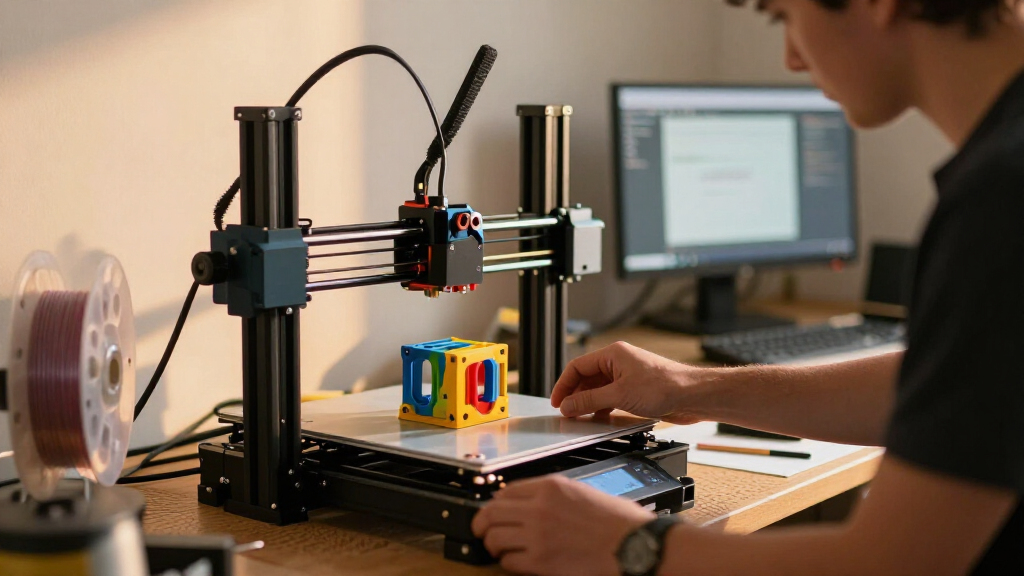

For most buyers, I’d start with the Bambu Lab P1S Combo: its enclosed design and included AMS make it a versatile pick for everyday printing and multicolor projects. The Creality K2 Plus Combo stands out for buyers who want a larger machine and multicolor system, while the Bambu Lab A1 offers a simpler route into FDM printing. The main tradeoffs across these 15 printers are build volume, enclosure, material handling, and the extra setup and waste that can come with multicolor printing. A faster or more feature-rich printer is not automatically a better fit if your projects are small or mostly single-color. Read on for the full breakdown and a guide to choosing by workload, space, and experience.

Get business pricing on monitors, keyboards and dev gear
- Business-only prices and quantity discounts
- Tax-exempt purchasing
- Multiple users, one account, clear invoices
Complete the kit


Key Takeaways
The P1S Combo is the most balanced starting point in this lineup: it pairs an enclosure with an automated material system, while the standalone P1S keeps the same enclosed-printer appeal without the included AMS.
Multicolor capability is not one uniform feature. The K2 Plus Combo, K2 Combo, Snapmaker U1, Creator 5 Pro, and AD5X models use different approaches, so buyers should weigh material changes, toolhead design, and workflow—not just color count.
Enclosed models suit a wider range of materials and environments than open-frame choices such as the A1 and standard Adventurer 5M, but an enclosure adds size and can make access and ventilation planning more relevant.
The Adventurer 5M family offers distinct levels of convenience. The standard 5M favors straightforward high-speed printing, while the 5M Pro adds an enclosure; compare those needs before paying for features you may not use.
Several entries overlap heavily in purpose. The two AD5X listings and three Adventurer 5M variants call for close attention to exact configuration and included accessories, since a model name alone may not tell you which bundle best matches your needs.
| Bambu Lab P1S Combo 3D Printer with AMS |  | Best Overall | Maximum printing speed: 500 mm/s | Maximum acceleration: 20,000 mm/s² | Color printing: Up to 16 colors with AMS | VIEW LATEST PRICE | See Our Full Breakdown |
| Creality K2 Plus Combo Multi-Color 3D Printer |  | Best for Large Prints and Batch Work | Build volume: 350 × 350 × 350 mm | Maximum print speed: 600 mm/s | Maximum acceleration: 30,000 mm/s² | VIEW LATEST PRICE | See Our Full Breakdown |
| Snapmaker U1 3D Printer with Four Toolheads |  | Best for Low-Waste Multimaterial Printing | Toolheads: 4 | Tool change time: About 5 seconds | Maximum print speed: 500 mm/s | VIEW LATEST PRICE | See Our Full Breakdown |
| FLASHFORGE Creator 5 Pro 4-Toolhead 3D Printer |  | Best for Enclosed Engineering-Material Printing | Toolheads: 4 independent toolheads | Tool changer: 7 seconds | Maximum chamber temperature: 65°C | VIEW LATEST PRICE | See Our Full Breakdown |
| FLASHFORGE Adventurer 5M High-Speed 3D Printer |  | Best for Beginners on an Open Frame | Print speed: Up to 600 mm/s | Acceleration: Up to 20,000 mm/s² | Build volume: 220 × 220 × 220 mm | VIEW LATEST PRICE | See Our Full Breakdown |
| FLASHFORGE Adventurer 5M Pro 3D Printer |  | Best Enclosed High-Speed Printer | Printer type: CoreXY 3D printer | Build volume: 220 × 220 × 220 mm | Maximum print speed: 600 mm/s | VIEW LATEST PRICE | See Our Full Breakdown |
| FLASHFORGE Adventurer 5M 3D Printer |  | Best Value CoreXY Speed Pick | Printer structure: All-metal CoreXY | Build volume: 220 × 220 × 220 mm | Maximum travel speed: 600 mm/s | VIEW LATEST PRICE | See Our Full Breakdown |
| Creality K2 Combo 3D Printer with CFS Multicolor System |  | Best for Multicolor Printing | Build volume: 260 × 260 × 260 mm | Maximum printing speed: 600 mm/s | Multicolor system: CFS; up to 16 colors with four CFS units | VIEW LATEST PRICE | See Our Full Breakdown |
| Bambu Lab A1 FDM 3D Printer |  | Best for Beginners | Printing technology: FDM | Maximum acceleration: 10,000 mm/s² | Calibration: Automatic | VIEW LATEST PRICE | See Our Full Breakdown |
| Bambu Lab P2S Combo 3D Printer with AMS 2 Pro |  | Best Premium Multi-Material Combo | Printer type: FDM 3D printer | Maximum print speed: 600 mm/s | Included system: AMS 2 Pro | VIEW LATEST PRICE | See Our Full Breakdown |
| FLASHFORGE AD5X Multi-Material 3D Printer with 4-Color Printing |  | Best Value for Four-Color Printing | Print colors: Up to 4 | Maximum print speed: 600 mm/s | Maximum acceleration: 20,000 mm/s² | VIEW LATEST PRICE | See Our Full Breakdown |
| Flashforge AD5X Multi-Color CoreXY 3D Printer |  | Best for App-Based Monitoring | Build volume: 220 × 220 × 220 mm | Maximum print speed: 600 mm/s | Acceleration: 20,000 mm/s² | VIEW LATEST PRICE | See Our Full Breakdown |
| Anycubic Kobra X Multicolor 3D Printer |  | Best for Larger Multicolor Builds | Printer type: FDM 3D printer | Built-in colors: 4 | Maximum colors: Up to 19 with four ACE 2 Pro units | VIEW LATEST PRICE | See Our Full Breakdown |
| ELEGOO Centauri 2 Combo 3D Printer |  | Best for Automated Color Changes | Color capability: 4-color CANVAS | Maximum speed: 500 mm/s | Acceleration: 20,000 mm/s² | VIEW LATEST PRICE | See Our Full Breakdown |
| Bambu Lab P1S Enclosed FDM 3D Printer |  | Best Enclosed Printer for Materials | Printer type: FDM | Design: Enclosed CoreXY | Maximum speed: 500 mm/s | VIEW LATEST PRICE | See Our Full Breakdown |
| 3D printer | Build volume |
|---|---|
| Bambu Lab P1S Combo 3D Printer | — |
| Creality K2 Plus Combo Multi-C | 350 × 350 × 350 mm |
| Snapmaker U1 3D Printer with F | 270 × 270 × 270 mm |
| FLASHFORGE Creator 5 Pro 4-Too | — |
| FLASHFORGE Adventurer 5M High- | 220 × 220 × 220 mm |
| FLASHFORGE Adventurer 5M Pro 3 | 220 × 220 × 220 mm |
| FLASHFORGE Adventurer 5M 3D Pr | 220 × 220 × 220 mm |
| Creality K2 Combo 3D Printer w | 260 × 260 × 260 mm |
| Bambu Lab A1 FDM 3D Printer | — |
| Bambu Lab P2S Combo 3D Printer | — |
| FLASHFORGE AD5X Multi-Material | — |
| Flashforge AD5X Multi-Color Co | 220 × 220 × 220 mm |
| Anycubic Kobra X Multicolor 3D | 260 × 260 × 260 mm |
| ELEGOO Centauri 2 Combo 3D Pri | — |
| Bambu Lab P1S Enclosed FDM 3D | — |
More Details on Our Top Picks
Bambu Lab P1S Combo 3D Printer with AMS
I’d rank the Bambu Lab P1S Combo as the most balanced choice here for buyers who want an enclosed printer and accessible multicolor printing without stepping up to a much larger machine. Its automatic bed leveling and roughly 15-minute setup reduce early setup work, while the enclosure is a better fit for materials such as ABS and ASA than the open-frame Adventurer 5M. The AMS supports up to 16 colors or materials, though that capability depends on using the system; it is not a standalone multicolor feature. The P1S reaches 500 mm/s, below the Creality K2 Plus Combo’s stated 600 mm/s, and its build volume is not specified here. I’d also skip reinforced carbon- or glass-fiber filaments, which are not recommended for this model.
Pros:- AMS supports printing with up to 16 colors or materials
- Fully enclosed design supports a broader range of filaments than an open-frame printer
- Automatic bed leveling and about 15-minute setup lower setup effort
- High-speed printing reaches 500 mm/s
Cons:- AMS is required for multicolor printing
- Carbon- and glass-fiber-reinforced filaments are not recommended
- Its stated 500 mm/s speed is lower than the Creality K2 Plus Combo’s 600 mm/s
Best for: Makers who want an enclosed, fast printer with automatic leveling and the option to add multicolor or multimaterial printing through the AMS.
Not ideal for: Buyers focused on reinforced carbon- or glass-fiber filaments, or those who need a specified large build volume or multicolor printing without an AMS.
- Maximum printing speed:500 mm/s
- Maximum acceleration:20,000 mm/s²
- Color printing:Up to 16 colors with AMS
- Design:Fully enclosed
- Bed leveling:Automatic
- Setup time:About 15 minutes
- Ideal filaments:PLA, PETG, TPU, PVA, PET, ABS, ASA
- Not recommended:Carbon- or glass-fiber-reinforced polymer
Our verdict“Choose the P1S Combo if you want an enclosed, versatile printer with an available multicolor system and do not need reinforced filaments or the K2 Plus’s larger stated speed and build-volume advantages.”
Creality K2 Plus Combo Multi-Color 3D Printer
The Creality K2 Plus Combo is the clear scale pick in this group: its 350 × 350 × 350 mm build volume gives larger models and multi-part batches more room than the Snapmaker U1’s 270 mm cubed workspace. It also pairs a stated 600 mm/s maximum speed with a heated chamber reaching 60°C and a nozzle rated to 350°C, making it the more ambitious option for large-format work and demanding materials. Two AI cameras and 18 sensors add monitoring and calibration support, but they do not remove the need to plan prints carefully. Up to 16-color printing requires four CFS units, so the headline color capacity depends on extra system components. Compared with the P1S Combo, this is a larger, more feature-heavy choice rather than the simpler, quicker-to-set-up fit.
Pros:- Large 350 × 350 × 350 mm build volume accommodates bigger parts and batch layouts
- Up to 600 mm/s speed and 30,000 mm/s² acceleration support fast production workflows
- 60°C chamber and 350°C nozzle temperatures broaden material capability
- Two AI cameras and 18 sensors provide monitoring and calibration features
Cons:- Up to 16-color printing requires four CFS units
- Its large-format feature set may be unnecessary for buyers making smaller models
- The supplied product information does not identify specific compatible filament types
Best for: Makers, studios, and small production teams printing oversized parts or batches who can make use of a large build area and advanced chamber and nozzle temperatures.
Not ideal for: Buyers with limited workspace, small-part needs, or a preference for straightforward multicolor printing without assembling a setup around four CFS units.
- Build volume:350 × 350 × 350 mm
- Maximum print speed:600 mm/s
- Maximum acceleration:30,000 mm/s²
- Maximum flow rate:40 mm³/s
- Maximum chamber temperature:60°C
- Maximum nozzle temperature:350°C
- Multi-color printing:Up to 16 colors with four CFS units
- Monitoring:Two AI cameras and 18 smart sensors
- Bed motion system:Dual Z-axis with four linear rods
Our verdict“Pick the K2 Plus Combo when a large build space and high-temperature capability matter more than a compact footprint or a simpler multicolor setup.”
Snapmaker U1 3D Printer with Four Toolheads
The Snapmaker U1 takes a different route to multicolor work than the Bambu Lab P1S Combo: it uses four independent toolheads that switch in about five seconds, rather than relying on the P1S’s AMS. That approach suits prints mixing materials or colors, and rapid changes can cut the time and filament spent on swaps. Its 270 × 270 × 270 mm build volume is more generous than the Adventurer 5M’s 220 mm cubed workspace, while the stated 500 mm/s speed keeps it in the fast-printing class. Automatic calibration, filament management, and AI monitoring make the feature set appealing to buyers seeking guided operation. The tradeoff is a missing enclosure in the supplied details, which makes the enclosed P1S and Creator 5 Pro more compelling for users prioritizing chamber control or advanced materials.
Pros:- Four independent toolheads support multicolor and multimaterial prints
- About five-second tool changes can reduce swapping time and filament waste
- 270 × 270 × 270 mm build volume exceeds the Adventurer 5M’s stated workspace
- Automatic calibration, filament management, and AI monitoring support easier operation
Cons:- The product information does not mention an enclosure
- No print-resolution or nozzle details are provided
- Its 500 mm/s maximum speed is below the stated 600 mm/s of the K2 Plus Combo and Creator 5 Pro
Best for: Makers who regularly print multicolor or multimaterial parts and want four dedicated toolheads, fast changes, and a mid-sized build area.
Not ideal for: Buyers who need a confirmed enclosed chamber for temperature-sensitive materials, or who want detailed nozzle and print-resolution specifications before choosing.
- Toolheads:4
- Tool change time:About 5 seconds
- Maximum print speed:500 mm/s
- Build volume:270 × 270 × 270 mm
- Motion system:CoreXY
- X-axis rails:Carbon fiber
- Display:3.5-inch touchscreen
- Supported materials:PLA, PVA, TPU, PETG, PCTG, ABS, ASA, PA, PC, and more
- Warranty:1 year
Our verdict“Choose the U1 if frequent multimaterial printing and quick tool changes matter more than having a confirmed enclosure or fully specified print hardware.”
FLASHFORGE Creator 5 Pro 4-Toolhead 3D Printer
For buyers who need a heated, filtered workspace alongside multiple materials, the FLASHFORGE Creator 5 Pro offers a distinctive mix: its 65°C heated chamber, four independent toolheads, and dual HEPA 13 and activated-carbon filtration target a different job from the open-frame Adventurer 5M. A seven-second tool change is slightly slower than the Snapmaker U1’s stated five seconds, but the Creator 5 Pro adds an enclosure and chamber features that better suit the listed ABS, PC, and PA materials. Its maximum speed reaches 600 mm/s, matching the K2 Plus Combo’s stated ceiling, though the supplied information gives no build volume. At 39 pounds, it is also a less convenient choice to relocate. I’d favor this model when chamber conditions and filtration matter more than knowing the printer’s usable workspace in advance.
Pros:- 65°C heated chamber supports work with listed engineering materials such as ABS, PC, and PA
- Four independent toolheads enable multicolor and multimaterial printing
- Dual HEPA 13 and activated-carbon filtration adds a dedicated air-filtration system
- CoreXY design reaches up to 600 mm/s and includes automated calibration
Cons:- Product information does not specify the build volume
- At 39 pounds, it is less convenient to move than a lighter desktop printer
- Its seven-second tool change is slower than the Snapmaker U1’s stated five seconds
Best for: Makers printing ABS, PC, or PA who want an enclosed printer with a heated chamber, filtration, and four-toolhead material handling.
Not ideal for: Buyers who need a documented build volume, plan to move the printer often, or want the fastest specified tool changes.
- Toolheads:4 independent toolheads
- Tool changer:7 seconds
- Maximum chamber temperature:65°C
- Maximum printing speed:600 mm/s
- Motion structure:CoreXY
- Supported materials:ABS, PC, PA
- Filtration:Dual HEPA 13 and activated carbon
- Dimensions:16 × 14 × 18 inches
- Weight:39 pounds
Our verdict“Choose the Creator 5 Pro if chamber heat and filtration for engineering-material printing outweigh portability and the lack of a published build volume.”
FLASHFORGE Adventurer 5M High-Speed 3D Printer
The FLASHFORGE Adventurer 5M is the straightforward choice here for someone who wants fast single-material printing without the added complexity of multicolor systems. Its one-click automatic bed leveling, removable dual-sided PEI plate, filament run-out sensor, and power-loss recovery help address common setup and print-interruption problems. It reaches up to 600 mm/s, but speed alone does not make it a better fit than the enclosed P1S Combo or the four-toolhead Snapmaker U1: the Adventurer 5M has a smaller 220 mm cubed build volume and no enclosure. That open-frame design also makes it a weaker match for users seeking a controlled chamber for advanced materials. Its quick-detachable nozzle and support for PLA, PETG, TPU, PLA-CF, and PETG-CF give it useful flexibility for everyday projects.
Pros:- One-click automatic bed leveling reduces manual setup work
- Vibration compensation supports high-speed printing up to 600 mm/s
- Filament run-out sensing and power-loss recovery help protect longer jobs
- Removable dual-sided PEI plate and quick-detachable nozzle simplify routine handling
Cons:- Open-frame design is intended for well-ventilated environments
- 220 × 220 × 220 mm build volume is smaller than the Snapmaker U1’s
- No multicolor or multi-toolhead system is listed
Best for: Newer makers and hobbyists printing common filament types who want automatic leveling, a removable build plate, and recovery features in a compact workspace.
Not ideal for: Buyers who need an enclosed printer for chamber-dependent materials, a larger build area, or integrated multicolor printing.
- Print speed:Up to 600 mm/s
- Acceleration:Up to 20,000 mm/s²
- Build volume:220 × 220 × 220 mm
- Nozzle:Quick-detachable, up to 280°C
- Nozzle flow:32 mm³/s
- Nozzle heating:50 W; reaches 200°C in 35 seconds
- Build plate:Removable, dual-sided PEI-coated steel
- Supported filaments:PLA, PETG, TPU, PLA-CF, PETG-CF
- Weight:23.8 pounds
Our verdict“Pick the Adventurer 5M for fast, accessible single-material printing, but choose the P1S Combo or Creator 5 Pro if you need an enclosure or multicolor capability.”
FLASHFORGE Adventurer 5M Pro 3D Printer
I’d pick the Adventurer 5M Pro for buyers who want CoreXY speed with an enclosure and broader material options than the open Adventurer 5M. Its 600 mm/s maximum speed, vibration compensation, and automatic bed leveling are aimed at cutting wait and setup time, while the enclosed design, dual filtration, and support for ABS and ASA make it a better fit for materials that benefit from more controlled printing. A built-in camera and mobile controls also help monitor jobs without staying beside the machine.
The tradeoff is its footprint: at 16 × 14 × 18 inches, it takes more room than an open-frame setup, and its 220 mm cube build area is smaller than the Creality K2 Combo’s. I’d choose the K2 Combo for multicolor work and more build space; this Flashforge makes more sense when enclosure and material flexibility matter more.
Pros:- Enclosure and dual filtration suit materials such as ABS and ASA
- Automatic bed leveling and vibration compensation reduce setup and tuning effort
- Quick-swap nozzle system supports several nozzle sizes
- Built-in camera and mobile controls allow remote monitoring
Cons:- The enclosed frame takes more space than an open printer
- The 220 × 220 × 220 mm build volume is smaller than the Creality K2 Combo’s
- No multicolor system is listed
Best for: Makers who want a compact enclosed CoreXY printer for fast PLA, PETG, ABS, or ASA projects, plus remote job monitoring.
Not ideal for: Buyers prioritizing multicolor printing or a larger build area, since the K2 Combo offers both a larger volume and an included CFS system.
- Printer type:CoreXY 3D printer
- Build volume:220 × 220 × 220 mm
- Maximum print speed:600 mm/s
- Acceleration:20,000 mm/s²
- Nozzle temperature:280°C
- Heated bed temperature:110°C
- Nozzle sizes:0.25, 0.4, 0.6, and 0.8 mm
- Noise level:Under 50 dB
Our verdict“Choose the Adventurer 5M Pro if you want fast enclosed printing and material flexibility, but pick the K2 Combo for multicolor output or a larger build area.”
FLASHFORGE Adventurer 5M 3D Printer
The Adventurer 5M is the straightforward choice for buyers who want fast CoreXY printing without paying for an enclosure and filtration setup. It shares the 600 mm/s maximum travel speed and 20,000 mm/s² acceleration figures of the 5M Pro, while automatic bed leveling and a dual-sided PEI platform take some routine setup out of the process. The quick-change nozzle and app-based monitoring add convenience, though only a 0.4 mm nozzle is included.
Compared with the enclosed 5M Pro, this model gives up the enclosure and its stated dual filtration, so I’d favor the Pro for regular ABS or ASA work. The open Adventurer 5M is a better match for mostly PLA and PETG users who value a simpler machine footprint. Its high-speed capability can still call for tuning, so I wouldn’t choose it expecting every material and model to print perfectly at maximum speed without adjustment.
Pros:- Fast CoreXY motion with vibration compensation
- Automatic bed leveling simplifies initial setup
- Dual-sided PEI platform and quick-change nozzle support day-to-day convenience
- App offers remote monitoring and adjustments
Cons:- Open-frame design is less suited to materials that benefit from an enclosure
- High-speed printing may need tuning for consistent results
- Only a 0.4 mm nozzle is included; other sizes are optional
Best for: Makers focused on rapid PLA or PETG printing who want CoreXY motion, automatic leveling, and app monitoring in an open-frame machine.
Not ideal for: People who regularly print ABS or ASA and want an enclosed, filtered setup; the Adventurer 5M Pro is better suited to that use.
- Printer structure:All-metal CoreXY
- Build volume:220 × 220 × 220 mm
- Maximum travel speed:600 mm/s
- Acceleration:20,000 mm/s²
- Maximum extruder temperature:280°C
- Nozzle flow rate:32 mm³/s
- Included nozzle:0.4 mm
- Compatible nozzle sizes:0.25–0.8 mm
Our verdict“Pick the Adventurer 5M for fast, mostly PLA or PETG printing without an enclosure, and choose the 5M Pro if you need added material control.”
Creality K2 Combo 3D Printer with CFS Multicolor System
The Creality K2 Combo has the clearest role here: it pairs a larger 260 mm-cubed build volume with an included CFS unit for multicolor printing. That makes it more useful than the Adventurer 5M models for projects where color changes are part of the design, and the printer can reach up to 16 colors when connected to four CFS units. The included setup supports up to four colors, so buyers shouldn’t mistake its expansion potential for a four-unit bundle.
It arrives pre-assembled and adds an AI monitoring camera, target-area auto leveling, and silent step-servo motors. Against the Bambu Lab A1, the K2 Combo offers a larger stated build volume and a multicolor system in the box, but its 65.9-pound weight makes it far less convenient to move. I’d skip it if multicolor is not part of the plan and a lighter, simpler printer is the priority.
Pros:- Included CFS enables multicolor printing with up to four colors
- 260 × 260 × 260 mm build volume is larger than the Adventurer 5M models
- AI camera monitors prints for failures
- Pre-assembled design reduces setup work after unpacking
Cons:- More than four colors require additional CFS units
- At 65.9 pounds, it is difficult to relocate
- The larger frame needs more space than the compact Adventurer models
Best for: Makers producing multicolor models or larger parts who want an included filament system and room to expand color capacity.
Not ideal for: Buyers with limited space or those seeking a lightweight, easy-to-move printer; this unit weighs 65.9 pounds and needs a substantial setup area.
- Build volume:260 × 260 × 260 mm
- Maximum printing speed:600 mm/s
- Multicolor system:CFS; up to 16 colors with four CFS units
- Included CFS units:1
- Supported materials:PLA, PETG, ABS, PLA-CF, PET
- Motors:3 step-servo motors
- Features:AI camera, target-area auto leveling, silent mode
- Weight:65.9 pounds
Our verdict“Choose the K2 Combo if multicolor printing and a larger build area justify its size, but skip it for a compact single-color setup.”
Bambu Lab A1 FDM 3D Printer
The Bambu Lab A1 is the beginner-focused pick because automatic calibration and active flow rate compensation reduce the amount of manual setup and adjustment a new printer owner may face. Its quick-swap nozzle also makes routine nozzle changes less of a project, while active motor noise cancellation is a useful distinction for home workspaces. The stated acceleration reaches 10,000 mm/s², lower than the 20,000 mm/s² figures listed for the Adventurer 5M models, so I’d favor the Flashforge machines when maximum motion speed is the leading priority.
For color printing, the A1 supports the separately required AMS lite; it is not included in the product details provided here. That makes the K2 Combo the more direct choice for buyers who want a multicolor system in the box. I’d choose the A1 for a simpler entry into FDM printing, not for buyers seeking an enclosed machine or a ready-to-go multicolor bundle.
Pros:- Automatic calibration reduces manual setup
- Active flow rate compensation supports consistent extrusion
- Quick-swap nozzle makes maintenance more accessible
- Active motor noise cancellation helps limit operating noise
Cons:- AMS lite is required for multicolor printing and is sold separately
- Listed maximum acceleration is lower than on the Adventurer 5M models
- An enclosure is not listed
Best for: First-time FDM users who want automatic calibration, easier nozzle changes, and quieter operation for a home workspace.
Not ideal for: Buyers who want multicolor printing included or need an enclosed printer; AMS lite is separate and no enclosure is listed.
- Printing technology:FDM
- Maximum acceleration:10,000 mm/s²
- Calibration:Automatic
- Multicolor printing:Supported with AMS lite, sold separately
- Nozzle:1-Clip quick-swap
- Flow control:Active flow rate compensation
- Noise reduction:Active motor noise cancellation
- Interface:Touchscreen
Our verdict“Pick the A1 as an approachable single-color FDM printer, or choose the K2 Combo if you want multicolor hardware included from the start.”
Bambu Lab P2S Combo 3D Printer with AMS 2 Pro
The Bambu Lab P2S Combo is the most feature-packed choice in this group for buyers who want multicolor and multi-material capability together. Its included AMS 2 Pro separates it from the A1, which needs the AMS lite purchased separately, while automatic calibration and AI failure detection target two common sources of wasted time: setup errors and unnoticed print problems. The system’s filament drying up to 65°C adds a practical advantage for users storing moisture-sensitive filament.
Its maximum print speed of 600 mm/s puts it alongside the Adventurer 5M models on the stated speed figure, but the Flashforge Pro is the clearer pick for an enclosed setup with a specified build volume and broad material support. The P2S listing gives no build volume, so I’d verify that detail before buying for large parts. This Combo makes the most sense when integrated material handling matters more than keeping the setup simple.
Pros:- Included AMS 2 Pro supports multi-color and multi-material printing
- Filament drying reaches up to 65°C
- AI failure detection can flag print problems
- Automatic calibration and quick-swap nozzles reduce routine setup and maintenance
Cons:- Multicolor capability requires the Combo version
- No build volume is provided in the supplied specifications
- Its feature set may be unnecessary for buyers focused on basic single-color prints
Best for: Experienced hobbyists and small workshops that want bundled multicolor and multi-material printing, filament drying, and automated failure monitoring.
Not ideal for: Buyers who only need basic single-color printing or need a confirmed build volume before choosing a printer for large parts.
- Printer type:FDM 3D printer
- Maximum print speed:600 mm/s
- Included system:AMS 2 Pro
- Filament drying temperature:Up to 65°C
- Chamber temperature:Up to 50°C
- Failure monitoring:AI failure detection
- Calibration:Automatic
- Additional features:Quick-swap nozzles, carbon filter
Our verdict“Choose the P2S Combo if bundled material handling and filament drying are priorities, but confirm its build volume before planning larger prints.”
FLASHFORGE AD5X Multi-Material 3D Printer with 4-Color Printing
The FLASHFORGE AD5X combines four-color printing with a CoreXY motion system, automatic bed leveling, and support for flexible and composite-style filaments. That mix makes it a versatile choice for makers who want more than single-color PLA without moving to a larger, higher-capacity machine such as the Anycubic Kobra X. Its advertised 600 mm/s speed and vibration compensation are aimed at faster production while maintaining layer alignment, though real print times depend on material and settings. The tradeoff is the footprint: the printer itself measures 14.8 × 16.26 × 14.29 inches, and the four-spool setup also needs room. Buyers should treat maximum speed as a ceiling, not a guarantee, and plan for the added space and complexity of multi-material printing.
Pros:- Supports up to four colors and multiple materials, including TPU and PETG
- CoreXY system advertises speeds up to 600 mm/s
- Automatic bed leveling reduces manual setup
- Vibration compensation is designed to help maintain layer alignment
Cons:- Maximum speed depends on material and print settings
- Four filament spools add to the space required around the printer
- Multi-material printing adds setup and filament-management complexity
Best for: Makers who want four-color projects and broad filament compatibility in a compact CoreXY-style printer, and have room for multiple spools.
Not ideal for: Buyers who mainly print simple single-color parts, have limited workspace, or expect every filament to run at the advertised maximum speed.
- Print colors:Up to 4
- Maximum print speed:600 mm/s
- Maximum acceleration:20,000 mm/s²
- Filament system:Intelligent Filament System (IFS)
- Compatible materials:PLA, TPU, PETG, SILK, PLA-CF, PETG-CF
- Motion system:CoreXY
- Calibration:Automatic bed leveling
- Dimensions:14.8 × 16.26 × 14.29 inches
Our verdict“Choose the AD5X if four-color printing and material flexibility matter more than a minimal footprint or straightforward single-filament operation.”
Flashforge AD5X Multi-Color CoreXY 3D Printer
This Flashforge AD5X earns a distinct place for pairing four-color printing with practical workflow tools: print recovery after power loss and remote monitoring through the Flash Maker app. Those features can help people managing longer jobs keep track of progress and resume after an interruption. Its 220 × 220 × 220 mm build volume is smaller than the Anycubic Kobra X’s 260 mm cube, so it suits everyday models better than larger parts. Like the other AD5X listing, it advertises speeds up to 600 mm/s, but the additional nozzle sizes beyond 0.4 mm are optional upgrades. That limits out-of-box nozzle flexibility, even as the 300°C direct-drive extruder and automatic filament feeding broaden its material and workflow options.
Pros:- Four-color printing in a CoreXY printer
- Power-loss recovery can resume interrupted jobs
- Flash Maker app supports remote monitoring
- 300°C direct-drive extruder and automatic filament feeding
Cons:- Build volume is smaller than the Anycubic Kobra X
- 0.25 mm, 0.6 mm, and 0.8 mm nozzles are optional upgrades
- Advertised maximum speed may require suitable materials and settings
Best for: Makers who want four-color printing with app-based progress checks and power-loss recovery for longer prints.
Not ideal for: Buyers who need a larger build area or want several nozzle diameters included without buying optional upgrades.
- Build volume:220 × 220 × 220 mm
- Maximum print speed:600 mm/s
- Acceleration:20,000 mm/s²
- Maximum extruder temperature:300°C
- Color support:Up to 4 colors
- Nozzle sizes:0.25 mm, 0.4 mm, 0.6 mm, 0.8 mm; 0.25 mm, 0.6 mm, and 0.8 mm are optional upgrades
- Structure:CoreXY
- Product dimensions:16 × 14 × 18 inches
Our verdict“Pick this AD5X if remote monitoring and print recovery are priorities, but choose the Kobra X for a larger build volume.”
Anycubic Kobra X Multicolor 3D Printer
The Anycubic Kobra X stands apart from both AD5X models with a 260 × 260 × 260 mm build volume and a route from four-color printing to as many as 19 colors with four ACE 2 Pro units. That extra capacity suits larger models and ambitious color changes better than the Flashforge AD5X’s 220 mm cube. It also supports PLA, PETG, TPU, PVA, and ASA, with a hardened-steel nozzle rated to 300°C, while 49-point automatic calibration handles bed leveling. The main caveat is that the expanded color setup requires additional hardware, and filament is not included. Its advertised 600 mm/s speed is shared by the AD5X options, so the clearest reason to choose this model is its larger workspace and expansion path—not a speed advantage.
Pros:- Larger 260 × 260 × 260 mm build volume than the Flashforge AD5X models
- Four colors built in, with expansion support for up to 19
- 49-point automatic bed calibration
- Supports rigid and flexible filaments, including TPU and ASA
Cons:- Filament is sold separately
- Printing with up to 19 colors requires four ACE 2 Pro units
- The 23 × 13 × 22-inch body needs a sizeable workspace
Best for: Multicolor makers who print larger objects or want the option to expand beyond four colors with additional ACE 2 Pro units.
Not ideal for: First-time buyers seeking a ready-to-print filament bundle or anyone who does not need the larger build volume and color expansion.
- Printer type:FDM 3D printer
- Built-in colors:4
- Maximum colors:Up to 19 with four ACE 2 Pro units
- Build volume:260 × 260 × 260 mm
- Maximum print speed:600 mm/s
- Nozzle material and temperature:Hardened steel; up to 300°C
- Bed leveling:LeviQ 3.0, 49-point automatic calibration
- Supported filaments:PLA, PETG, TPU, PVA, ASA
- Connectivity:Dual-band 2.4/5 GHz Wi-Fi and LAN
Our verdict“Choose the Kobra X over the AD5X if larger builds or a future path to expanded color capacity are more important than a simpler setup.”
ELEGOO Centauri 2 Combo 3D Printer
The ELEGOO Centauri 2 Combo is aimed at buyers who want multicolor printing to involve less manual filament handling. Its CANVAS system uses independent motors and RFID filament recognition, with auto refill supporting color changes; full auto calibration and 22 sensors add more automation around the print process. Compared with the Flashforge AD5X, it advertises a lower maximum speed of 500 mm/s, but puts more emphasis on guided operation and monitoring rather than matching the AD5X’s 600 mm/s figure. The 350°C nozzle rating is also higher than the AD5X’s 300°C specification. This is a substantial 33-pound machine, though, and a feature-rich interface may still take time to learn. It suits beginners willing to learn a capable system, not buyers expecting a featherweight, zero-setup appliance.
Pros:- CANVAS four-color system includes RFID filament recognition and auto refill
- Full auto calibration and 22 sensors support a more automated workflow
- Rigid aluminum frame pairs with a CoreXY motion system
- 350°C nozzle temperature rating
Cons:- At 33 pounds, it is less convenient to move than the AD5X models
- Advertised maximum speed is lower than the 600 mm/s AD5X options
- The feature set may still require a learning period for beginners
Best for: Newer makers who want four-color printing with automated filament recognition, calibration, and sensor-assisted monitoring.
Not ideal for: Buyers who need a lightweight printer, prioritize the highest advertised speed, or want a very simple machine with few features to learn.
- Color capability:4-color CANVAS
- Maximum speed:500 mm/s
- Acceleration:20,000 mm/s²
- Nozzle temperature:350°C
- Automation:Full auto calibration and 22 intelligent sensors
- Frame:Rigid aluminum frame
- Screen:5-inch touchscreen
- Dimensions:19.69 × 18.9 × 23.23 inches
- Weight:33 pounds
Our verdict“Choose the Centauri 2 Combo if automated color handling and setup support matter more to you than portability or maximum advertised speed.”
Bambu Lab P1S Enclosed FDM 3D Printer
The Bambu Lab P1S takes a different route from the open multicolor machines in this group: its enclosed CoreXY design and broad filament support make it the more relevant pick for buyers who want to work with materials such as ABS and ASA. It supports PLA, PETG, TPU, PVA, PET, ABS, and ASA, with PA and PC listed as capable filaments. By comparison, the ELEGOO Centauri 2 Combo emphasizes built-in four-color operation and automated color handling, while the P1S needs a separate Bambu Lab AMS for multicolor printing. That modular approach can support up to 16 colors or materials, but adds another component to the setup. The P1S also weighs 38.9 pounds, and carbon- or glass-fiber-reinforced polymers are not recommended, so its material range is broad but not unlimited.
Pros:- Enclosed CoreXY design
- Supports ABS and ASA as well as common materials such as PLA and PETG
- Automatic bed leveling and setup listed at about 15 minutes
- Can print up to 16 colors or materials with a Bambu Lab AMS
Cons:- Bambu Lab AMS is required for multicolor printing
- Carbon- and glass-fiber-reinforced filaments are not recommended
- 38.9-pound weight makes moving the printer less convenient
Best for: Makers who want an enclosed printer for a range of standard and more demanding filaments, with optional multicolor expansion through the AMS.
Not ideal for: Buyers who want multicolor printing included in the base setup, need a light printer, or plan to print carbon- or glass-fiber-reinforced polymers.
- Printer type:FDM
- Design:Enclosed CoreXY
- Maximum speed:500 mm/s
- Maximum acceleration:20,000 mm/s²
- Multicolor printing:Up to 16 colors or materials with Bambu Lab AMS
- Bed leveling:Automatic
- Supported filaments:PLA, PETG, TPU, PVA, PET, ABS, ASA
- Capable filaments:PA, PC
- Dimensions and weight:15.31 × 18.03 × 15.31 inches; 38.9 pounds
Our verdict“Pick the P1S if an enclosed build and broader filament options matter more than included multicolor hardware or reinforced-filament support.”

How We Picked
I ranked these printers around the decisions that matter after the headline specs: how well each design fits common home and hobby workloads, the practical value of its enclosure or material system, likely ease of setup, and how much flexibility it offers beyond basic single-color PLA printing. I treated build volume, toolhead or filament-change approach, maintenance demands, and workspace requirements as tradeoffs rather than automatic advantages. A larger or more elaborate system only earns a stronger place when its added capability makes sense for a wider set of buyers.
The ranking favors balanced machines with clear use cases, then places specialized or overlapping models where their specific strengths matter most. That puts the P1S Combo first as a broadly useful enclosed multicolor option, while larger-format and multi-toolhead machines suit buyers with more specific needs. I also distinguish similar product families instead of assuming that a Pro label or bundle is right for everyone. Where model names overlap, I recommend checking the exact configuration and included equipment before choosing.
Factors to Consider When Choosing Best 3D Printers
Before choosing among these printers, I’d match the machine to the work you expect to do most often. The biggest differences are not just speed or color count; they affect workspace, material choices, upkeep, and how much time you spend managing prints.
Choose the build area around real projects
A larger build volume helps with full-size props, enclosures, and batches of parts, but it does not improve every print. Bigger machines occupy more room and can make it tempting to print oversized parts that would be easier to split and assemble. I’d measure the objects you actually plan to make, including the space needed for brims, supports, and a clear path to remove finished prints. If most projects are small accessories or desk models, prioritize consistency and ease of use over the largest stated dimensions. Buyers who regularly need one-piece large prints should accept a bigger footprint only after checking the printer’s external dimensions and the clearance around it.
Decide whether multicolor is worth the workflow
Multicolor printing can reduce painting and make labels, signs, and display pieces more expressive, but it adds planning steps and may create purge waste when colors change. Systems that switch filament and machines that use multiple toolheads handle material changes differently, so a shared color-count claim does not mean an identical workflow. I’d ask how often a project truly needs several colors, rather than treating multicolor as a default requirement. For occasional decorative prints, a single-color printer plus paint may be simpler; for repeated color-coded parts, automation can save finishing time. Also check whether the materials you want can be combined reliably and whether the software makes color assignment manageable.
Match the enclosure to materials and room setup
An enclosure can help stabilize the printing environment and reduce exposure to drafts, which is useful for some materials and larger jobs. It also makes a printer bulkier and changes how you access the build area, so a compact open-frame model may fit a crowded desk better. Buyers should not assume that an enclosure alone makes every material suitable: nozzle capability, bed temperature, ventilation, and manufacturer guidance still matter. Think about where the printer will run, who shares that room, and whether you can provide suitable airflow for the materials you plan to use. If your work is mostly PLA, paying for an enclosure may deliver less practical benefit than investing in filament storage or spare build surfaces.
Budget for the whole printing setup, not just the machine
The printer is only one part of a dependable workflow. Filament, a dry storage solution, spare nozzles or build surfaces, basic hand tools, and room for finished parts can all affect the real cost and convenience of ownership. Multicolor systems may require extra spools and create more material waste, while a larger printer can use more filament simply because it makes larger parts possible. I’d also check what is included in each bundle: an AMS or CFS system, accessories, and replacement parts may differ between configurations. Avoid choosing a bundle based on its name alone; compare the included hardware with the setup you would otherwise need to buy.
Balance speed claims against the prints you make
High advertised speeds describe a capability, not a promise that every model will finish quickly at full quality. Fine details, tall parts, supports, and demanding materials can all call for slower settings. A printer that is easy to prepare and recover after a failed job may save more time over a month than one with a higher peak speed. I’d look for a workflow that fits your tolerance for tuning: beginners often benefit more from straightforward setup and clear software than from chasing maximum output. If production volume matters, think about reliability, repeatability, and how quickly you can restart a job—not just the speed figure.
Check the maintenance and support demands
More mechanisms can add useful flexibility, but they also create more parts to clean, inspect, and maintain. Toolheads, filament paths, automatic material systems, and enclosed components each bring their own troubleshooting questions. Before buying, review the manufacturer’s maintenance guidance and confirm that consumables and replacement parts are accessible where you live. A simple open-frame printer may be easier to understand and service, while a more automated model can reduce routine handling but make a fault less obvious to a new owner. Choose the level of complexity you are willing to learn, especially if the printer needs to stay available for regular work.
Frequently Asked Questions
Should I choose a multicolor printer if I’m new to 3D printing?
Not automatically. A multicolor system adds useful capability, but it also introduces extra setup, filament management, and potential waste during color changes. If you are still learning how to prepare a model and get reliable single-color prints, a simpler machine such as the Bambu Lab A1 may be a more direct starting point. Choose multicolor early if your planned projects depend on it, such as labels or decorative parts that would otherwise need painting. Otherwise, you can learn the basic workflow first and add color capability when you know how often you will use it.
Is an enclosed 3D printer worth choosing for home use?
An enclosure is useful when you want a more controlled printing space or expect to work with materials that benefit from reduced drafts. It can also help keep the printer’s moving parts and print area less exposed, though it does not replace material-specific ventilation or temperature guidance. For a PLA-focused hobby setup, an open-frame printer may be easier to place and access. Compare the P1S models and the enclosed Adventurer 5M Pro with open options based on your materials and room layout, not on enclosure alone. If space is tight, measure the full machine footprint before deciding.
Do I need a large build volume if I mainly print hobby parts?
Most hobby parts do not require a large printer, and many oversized models can be divided into sections and assembled later. A bigger build area is valuable when your designs must print in one piece or when you plan to run batches of smaller components. It also takes up more room and may encourage projects that consume more filament than necessary. I’d list the largest items you expect to print, then compare those dimensions with the usable build area rather than choosing by size alone. If the list is mostly miniatures, organizers, and replacement parts, a more compact machine may be the better fit.
How should I choose between the FLASHFORGE Adventurer 5M models?
Start with whether you want an enclosure, then check the exact bundle and included features for each listing. The standard Adventurer 5M is positioned for buyers who want a straightforward high-speed printer, while the 5M Pro adds an enclosed design for users who value that environment. The lineup also includes another 5M listing, so confirm its configuration rather than assuming the name identifies a different capability. Compare workspace needs, materials, and included accessories before choosing. If you print mostly PLA and want easier access, the standard model may be enough; if your use case favors an enclosure, the Pro deserves a closer look.
When does a multi-toolhead printer make more sense than a filament-switching system?
A multi-toolhead design can suit projects that frequently combine different materials or colors and benefit from keeping separate tools ready. A filament-switching system can be appealing when you want color changes through a more familiar single-nozzle workflow, though changes can add purge material and time. The right choice depends on the kinds of parts you make, how often you change colors, and how much machine complexity you are comfortable maintaining. Compare the Snapmaker U1 and Creator 5 Pro with filament-system bundles such as the P1S Combo or Creality K2 options by looking at the full workflow, not just the number of colors. For occasional color accents, simpler single-color printing and post-processing may be easier.
Conclusion
For the broadest mix of home and hobby projects, I’d choose the Bambu Lab P1S Combo as the best overall pick: its enclosure and included AMS give it a flexible starting point without requiring a specialized use case. The Bambu Lab A1 is my beginner-friendly choice for buyers who want a less elaborate entry into printing, while the FLASHFORGE Adventurer 5M is a value-minded option for straightforward high-speed printing. For a premium, larger-format multicolor setup, I’d look at the Creality K2 Plus Combo; buyers focused on multiple toolheads should compare the Snapmaker U1 and FLASHFORGE Creator 5 Pro. If you prefer a more contained setup, consider the P1S or Adventurer 5M Pro; if you mainly print simple single-color parts, skip the added multicolor hardware and choose around footprint, materials, and ease of upkeep.
Fall Picks
fall essentials
As an affiliate, we earn on qualifying purchases.