For most software developers, I’d start with the Keychron V5 Max: its 96% layout keeps a number pad and navigation keys without taking up as much desk space as a full-size board. The Keychron K10 HE is a stronger fit if you want a full-size layout and Hall Effect features, while the Logitech MX Mechanical suits shared workspaces where quieter typing matters. The main tradeoffs are compactness versus dedicated keys, wired simplicity versus wireless flexibility, and customization versus a ready-to-use setup. I’ve ranked these 14 software developer mechanical keyboards by how well their layouts and features support long coding sessions, not by gaming specs alone. Read on for the full comparison and a guide to matching a keyboard to your workflow.

Get business pricing on monitors, keyboards and dev gear
- Business-only prices and quantity discounts
- Tax-exempt purchasing
- Multiple users, one account, clear invoices
Key Takeaways
- The Keychron V5 Max is the most balanced coding pick: its 96% layout retains a number pad and dedicated navigation keys while saving space over a full-size keyboard.
- Layout matters more than gaming features for many developers: full-size and 96% boards keep number pads, while 75% and smaller models reclaim desk and mouse space.
- Hall Effect models are specialized choices, not automatic upgrades: the K10 HE, WIN68 HE, and WIN60 HE appeal most to buyers who will use adjustable actuation or want magnetic-switch features.
- Wireless convenience comes with setup tradeoffs: multi-device flexibility can help desk sharing, but wired models avoid battery upkeep and wireless configuration.
- Quiet typing, programmability, and ergonomic layout are separate priorities: the MX Mechanical favors a quieter office, while the Luma40’s ortholinear layout calls for a more deliberate adjustment period.
| Keychron K10 HE Full-Size Wireless Hall Effect Keyboard |  | Best for Full-Size Hall Effect Control | Layout: Full-size QWERTY, 104 keys | Switches: Gateron Double-Rail Nebula Hall Effect magnetic, linear | Actuation range: 0.2–3.8 mm | VIEW LATEST PRICE | See Our Full Breakdown |
| EPOMAKER x Aula F75 Max 75% Wireless Mechanical Keyboard with TFT Screen and Knob, Matte Black |  | Best for Desk Controls and Customization | Layout: 75% QWERTY, 80 keys | Switches: Pre-lubed Reaper linear | Hot-swap support: 3-pin and 5-pin switches | VIEW LATEST PRICE | See Our Full Breakdown |
| AULA F75 75% Wireless Mechanical Keyboard, White and Brown |  | Best Value 75% Wireless Pick | Layout: 75% QWERTY, 81 keys | Connectivity: Bluetooth 5.0, 2.4 GHz wireless, USB-C | Switch type: Linear | VIEW LATEST PRICE | See Our Full Breakdown |
| AULA F75 Pro 75% Wireless Mechanical Keyboard |  | Best for QWERTZ Typing and Softer Acoustics | Layout: 75%, 81 keys, QWERTZ | Switches: Pre-lubricated linear LEOBOG Reaper | Hot-swap support: 3-pin and 5-pin switches | VIEW LATEST PRICE | See Our Full Breakdown |
| AULA WIN68 HE 60% Mechanical Gaming Keyboard with Hall Effect Magnetic Switches |  | Best Compact Wired Hall Effect Pick | Layout: 60% QWERTY, 68 keys | Switches: Linear Hall Effect magnetic | Actuation range: 0.02–3.44 mm | VIEW LATEST PRICE | See Our Full Breakdown |
| EPOMAKER Luma40 Low-Profile Ortholinear Mechanical Keyboard |  | Best for Programmable Minimalists | Layout: 40% ortholinear | Frame: CNC-machined aluminum | Switches: Hot-swappable 5-pin Kailh low-profile switches | VIEW LATEST PRICE | See Our Full Breakdown |
| Logitech G316 X 98 Mechanical Gaming Keyboard (Linear) – Black |  | Best for Fast, Desk-Efficient Full-Size Typing | Layout: 98% (96 keys) | Switch type: Linear | Hot-swappable: Yes | VIEW LATEST PRICE | See Our Full Breakdown |
| HyperX Alloy Origins Core Tenkeyless Mechanical Gaming Keyboard, HyperX Red Linear Switches, RGB Backlighting, Black |  | Best Compact Wired Workhorse | Layout: Tenkeyless QWERTY | Number of keys: 87 | Switch type: Linear HyperX Red | VIEW LATEST PRICE | See Our Full Breakdown |
| Meidosa AK96 96-Key Wired Mechanical Keyboard with Smart Display and Knob |  | Best for Clicky Typists on a Compact Full-Size Layout | Layout: 96-key QWERTY | Switch type: Clicky Blue | Connectivity: USB-C wired | VIEW LATEST PRICE | See Our Full Breakdown |
| ProtoArc K310 Pro Wireless Mechanical Keyboard |  | Best Wireless Full-Size Option | Layout: Full-size QWERTY | Number of keys: 108 | Switch type: Linear red | VIEW LATEST PRICE | See Our Full Breakdown |
| Keychron V5 Max 96% Wireless Mechanical Keyboard with Number Pad |  | Best Overall for Flexible Developer Setups | Layout: 96% QWERTY | Keys: 97 | Switches: Linear Gateron Jupiter Red; hot-swappable | VIEW LATEST PRICE | See Our Full Breakdown |
| AULA WIN60 HE 60% Wired Gaming Keyboard | 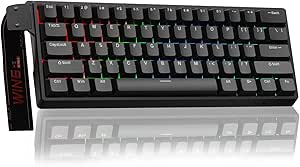 | Best Compact Pick for Gaming-Heavy Developers | Layout: 60% QWERTY | Keys: 61 | Switches: Linear Hall Effect magnetic, Graywood V3 | VIEW LATEST PRICE | See Our Full Breakdown |
| Redragon K668 108-Key Hot-Swap Wired RGB Gaming Keyboard |  | Best Value for a Full-Size Customizable Layout | Layout: QWERTY, full-size | Keys: 108 | Dedicated hotkeys: 4 | VIEW LATEST PRICE | See Our Full Breakdown |
| Logitech MX Mechanical Wireless Illuminated Keyboard, Tactile Quiet, Graphite |  | Best for Quiet, Multi-Device Office Work | Layout: Full-size QWERTY, 104 keys | Switches: Low-profile Tactile Quiet | Connectivity: Bluetooth Low Energy or included Logi Bolt receiver | VIEW LATEST PRICE | See Our Full Breakdown |
| software developer mechanical keyboard | Layout | Connectivity | Backlighting | Switches |
|---|---|---|---|---|
| Keychron K10 HE Full-Size Wire | Full-size QWERTY, 104 keys | Bluetooth 5.2, 2.4 GHz wireless, USB-C wired | RGB | Gateron Double-Rail Nebula Hall Effect magnetic, linear |
| EPOMAKER x Aula F75 Max 75% Wi | 75% QWERTY, 80 keys | Bluetooth 5.0, 2.4 GHz wireless, USB-C | RGB, 16.8 million colors | Pre-lubed Reaper linear |
| AULA F75 75% Wireless Mechanic | 75% QWERTY, 81 keys | Bluetooth 5.0, 2.4 GHz wireless, USB-C | RGB, 16.8 million colors | — |
| AULA F75 Pro 75% Wireless Mech | 75%, 81 keys, QWERTZ | Bluetooth 5.0, 2.4 GHz wireless, USB-C | RGB, 16.8 million colors | Pre-lubricated linear LEOBOG Reaper |
| AULA WIN68 HE 60% Mechanical G | 60% QWERTY, 68 keys | Wired USB-C | RGB, 16.8 million colors | Linear Hall Effect magnetic |
| EPOMAKER Luma40 Low-Profile Or | 40% ortholinear | 2.4 GHz wireless, Bluetooth, and wired | Per-key customizable RGB | Hot-swappable 5-pin Kailh low-profile switches |
| Logitech G316 X 98 Mechanical | 98% (96 keys) | USB-A and USB-C | LIGHTSYNC RGB, per-key and 30 zones | — |
| HyperX Alloy Origins Core Tenk | Tenkeyless QWERTY | USB | Customizable RGB | — |
| Meidosa AK96 96-Key Wired Mech | 96-key QWERTY | USB-C wired | RGB with 17 modes | — |
| ProtoArc K310 Pro Wireless Mec | Full-size QWERTY | Bluetooth and 2.4 GHz USB receiver | Single-color, 10 effects | — |
| Keychron V5 Max 96% Wireless M | 96% QWERTY | 2.4 GHz, Bluetooth 5.1, USB-C | — | Linear Gateron Jupiter Red; hot-swappable |
| AULA WIN60 HE 60% Wired Gaming | 60% QWERTY | USB-C wired | — | Linear Hall Effect magnetic, Graywood V3 |
| Redragon K668 108-Key Hot-Swap | QWERTY, full-size | Wired USB-C | RGB with 19 preset modes | Linear red; hot-swap compatible with 3-pin and 5-pin switches |
| Logitech MX Mechanical Wireles | Full-size QWERTY, 104 keys | Bluetooth Low Energy or included Logi Bolt receiver | — | Low-profile Tactile Quiet |
More Details on Our Top Picks
Keychron K10 HE Full-Size Wireless Hall Effect Keyboard
The Keychron K10 HE is the clearest choice here for developers who want a complete 104-key layout without giving up adjustable Hall Effect switches. Its 0.2–3.8 mm actuation range lets you tune how far keys travel before registering, while Bluetooth, 2.4 GHz, and USB-C make it adaptable to a multi-device desk. Compared with the compact AULA F75 Pro, it keeps the number pad and full key arrangement, which can help with numeric work but takes up more desk space. The magnetic switches are a different customization path from the conventional hot-swappable mechanical switches in the F75 models. Tradeoffs include a larger footprint and a setup process that may require clearing browser cookies and cache. I’d pick it for full-size workflows, not for a compact desk.
Pros:- Full-size 104-key layout includes a number pad
- Adjustable Hall Effect actuation supports personalized key response
- Bluetooth, 2.4 GHz, and USB-C suit multiple desk setups
- Works with macOS, Windows, and Linux
Cons:- Full-size footprint takes more desk space than the 75% AULA options
- Launcher setup may require clearing browser cookies and cache
Best for: Developers who use a number pad, want adjustable Hall Effect actuation, and switch between computers or operating systems.
Not ideal for: Developers with limited desk space or those who prefer a compact layout and straightforward software setup.
- Layout:Full-size QWERTY, 104 keys
- Switches:Gateron Double-Rail Nebula Hall Effect magnetic, linear
- Actuation range:0.2–3.8 mm
- Connectivity:Bluetooth 5.2, 2.4 GHz wireless, USB-C wired
- Keycaps:OSA-profile double-shot PBT
- Backlighting:RGB
- Operating systems:macOS, Windows, Linux
- Power:Battery powered
Our verdict“Choose the K10 HE if you need a full-size developer keyboard with adjustable magnetic switches and broad connection options.”
EPOMAKER x Aula F75 Max 75% Wireless Mechanical Keyboard with TFT Screen and Knob, Matte Black
The EPOMAKER x Aula F75 Max stands apart from the simpler 75% boards by putting a customizable TFT screen and volume knob within reach. That can make frequent media or status adjustments convenient without adding a separate control device, while the 80-key layout preserves a compact footprint. Its Bluetooth, 2.4 GHz, and USB-C connections offer more flexibility than the wired-only AULA WIN68 HE, though the WIN68 HE is the more specialized choice for Hall Effect actuation and rapid-trigger tuning. The F75 Max instead uses pre-lubed linear switches and supports 3-pin and 5-pin replacements, making it a practical platform for conventional switch changes. The plastic enclosure is a clear compromise beside its feature-rich control setup, and its 75% layout leaves out some full-size keys. I’d choose it for desk convenience, not for a premium case feel.
Pros:- TFT screen and volume knob provide convenient desk controls
- Bluetooth, 2.4 GHz, and USB-C support flexible setups
- Hot-swappable sockets support 3-pin and 5-pin switches
- Gasket mount and sound-dampening materials shape a softer typing experience
Cons:- Plastic enclosure lacks the heft of a more substantial case
- 80-key layout omits keys available on a full-size keyboard
- Conventional linear switches do not offer Hall Effect actuation adjustment
Best for: Developers who want a compact wireless keyboard with a screen, dedicated volume control, and room to change standard mechanical switches.
Not ideal for: Buyers who need a number pad, prefer a metal enclosure, or specifically want Hall Effect switch adjustments.
- Layout:75% QWERTY, 80 keys
- Switches:Pre-lubed Reaper linear
- Hot-swap support:3-pin and 5-pin switches
- Connectivity:Bluetooth 5.0, 2.4 GHz wireless, USB-C
- Display and controls:Customizable TFT screen and volume knob
- Backlighting:RGB, 16.8 million colors
- Polling rate:1000 Hz over USB and 2.4 GHz
- Enclosure:Plastic
Our verdict“Pick the F75 Max if you want a compact, multi-connection developer board with built-in display and media controls.”
AULA F75 75% Wireless Mechanical Keyboard, White and Brown
The AULA F75 is a straightforward compact wireless option for developers who want arrow keys, a knob, and switch-swapping flexibility without the F75 Max’s screen. Its 81-key 75% layout leaves more room for a mouse than the full-size Keychron K10 HE, while still keeping frequently used navigation keys close at hand. Three connection modes and support for up to five devices suit a desk shared between computers, tablets, or phones. Hot-swap support accommodates both 3-pin and 5-pin switches, giving it a broader conventional-switch customization route than the Keychron’s magnetic-switch system. The plastic enclosure is less substantial than the feature set might suggest, and macro programming and some lighting controls require a driver. Compared with the F75 Max, this is the more pared-back choice: it gives up the display but keeps the core compact workflow.
Pros:- Three connection modes and support for up to five devices
- Compact layout retains arrow keys
- Hot-swappable sockets accept 3-pin and 5-pin switches
- Multifunction knob and RGB lighting provide adjustable controls
Cons:- Plastic enclosure feels less substantial than a sturdier case design
- Driver is needed for macro programming and some lighting features
Best for: Developers who want a compact wireless keyboard for several devices, with arrow keys and the option to change mechanical switches.
Not ideal for: People who want a metal case, onboard display, or driver-free access to macros and advanced lighting controls.
- Layout:75% QWERTY, 81 keys
- Connectivity:Bluetooth 5.0, 2.4 GHz wireless, USB-C
- Switch type:Linear
- Hot-swap support:3-pin and 5-pin switches
- Battery:4000 mAh rechargeable
- Backlighting:RGB, 16.8 million colors
- Additional controls:Programmable keys and multifunction knob
- Enclosure:Plastic
Our verdict“Choose the F75 if you want a practical, multi-device 75% board and can do without the F75 Max’s built-in screen.”
AULA F75 Pro 75% Wireless Mechanical Keyboard
The AULA F75 Pro suits developers who specifically want a QWERTZ layout and a compact board with a softer, damped typing character. Its layered sound-dampening construction and side-printed PBT keycaps distinguish it from the white-and-brown AULA F75, which offers a similar 75% footprint and multi-device connectivity but does not list the same construction details. Both have a knob, RGB, and hot-swap support; the Pro adds pre-lubricated LEOBOG Reaper linear switches and a water-repellent design. Three connection modes also make it more flexible than the wired AULA WIN68 HE, though that smaller board provides Hall Effect actuation controls the F75 Pro lacks. The main fit issue is its QWERTZ layout, which may conflict with familiar key positions or software expectations. Water-repellent does not mean waterproof, so spills still call for care.
Pros:- Bluetooth, 2.4 GHz, and USB-C connections support varied setups
- Compact 81-key layout retains arrow keys
- Hot-swap support works with 3-pin and 5-pin switches
- Layered sound-dampening construction and side-printed PBT keycaps
Cons:- QWERTZ layout may not suit developers accustomed to QWERTY
- Water-repellent design is not full waterproofing
- Does not provide Hall Effect actuation adjustment like the WIN68 HE
Best for: Developers who use QWERTZ, want a compact wireless layout with arrow keys, and value damped construction and PBT keycaps.
Not ideal for: QWERTY users who rely on familiar key positions, or anyone seeking a waterproof keyboard or adjustable Hall Effect switches.
- Layout:75%, 81 keys, QWERTZ
- Switches:Pre-lubricated linear LEOBOG Reaper
- Hot-swap support:3-pin and 5-pin switches
- Connectivity:Bluetooth 5.0, 2.4 GHz wireless, USB-C
- Battery:4000 mAh rechargeable
- Keycaps:Side-printed PBT
- Backlighting:RGB, 16.8 million colors
- Additional features:Multifunction knob, programmable keys, N-key rollover, Windows key lock
- Water resistance:Water repellent
Our verdict“Pick the F75 Pro if QWERTZ is your preferred layout and you want a damped, wireless 75% board rather than magnetic-switch tuning.”
AULA WIN68 HE 60% Mechanical Gaming Keyboard with Hall Effect Magnetic Switches
The AULA WIN68 HE is the specialist option for developers who want adjustable magnetic switches in a small, wired keyboard. Its 68-key layout keeps arrow keys despite its 60% designation, while 0.02–3.44 mm adjustable actuation lets users tune when keypresses register. The 8,000 Hz polling rate and stated 0.3 ms response time target fast input, but those gaming-oriented figures matter less for ordinary coding than the compact footprint and actuation control. Compared with the wireless, full-size Keychron K10 HE, this board saves space but gives up Bluetooth, 2.4 GHz, and the number pad; compared with the AULA F75 models, it swaps conventional hot-swappable mechanical switches for Hall Effect customization. Its wired-only connection and Windows-only web driver limit flexibility. I’d favor it for a focused single-PC desk, not a multi-device setup.
Pros:- Adjustable Hall Effect actuation offers fine control over key registration
- 68-key layout retains arrow keys in a compact footprint
- Detachable USB-C cable supports a tidier wired setup
- Programmable keys and customizable RGB lighting
Cons:- Wired USB-C is the only connection option
- Web driver supports Windows only
- Compact layout omits the number pad and many dedicated keys
Best for: Developers who want a compact keyboard with arrow keys, adjustable Hall Effect actuation, and a dedicated Windows PC setup.
Not ideal for: People who need wireless connections, use macOS or Linux for configuration, or want a number pad and full navigation cluster.
- Layout:60% QWERTY, 68 keys
- Switches:Linear Hall Effect magnetic
- Actuation range:0.02–3.44 mm
- Connectivity:Wired USB-C
- Polling rate:8,000 Hz
- Response time:0.3 ms
- Backlighting:RGB, 16.8 million colors
- Compatibility:Windows, PC, laptop, gaming console
- Additional features:Hot-swappable, programmable keys, detachable cable
Our verdict“Choose the WIN68 HE if compact size and Hall Effect tuning matter more than wireless connectivity or a full developer key layout.”
EPOMAKER Luma40 Low-Profile Ortholinear Mechanical Keyboard
The Luma40 is the most radical layout in this group: its 40% ortholinear grid reduces board width and finger travel, but asks you to rely on layers for many familiar keys. For developers who want to build custom shortcuts around QMK/VIA, that trade can make coding workflows feel highly personalized. Its wireless options and support for up to five paired devices also make it more flexible away from a desk than the wired HyperX Alloy Origins Core. The low-profile hot-swap sockets let you change compatible switches without replacing the board, though compatibility is limited to 5-pin Kailh low-profile models. A CNC aluminum frame and cushioned tray mount add a more substantial feel than the layout’s tiny footprint suggests. I’d skip it if you need a conventional keyboard for frequent number entry or don’t want to learn custom layers.
Pros:- 40% ortholinear layout keeps the board compact and reduces finger travel
- QMK/VIA supports remapping, macros, and custom layers
- Hot-swap sockets allow changes to compatible Kailh low-profile switches
- Wired, Bluetooth, and 2.4 GHz connectivity support varied setups
Cons:- Small layout makes common keys dependent on custom layers
- Hot-swap compatibility is limited to 5-pin Kailh low-profile switches
- The unconventional grid may slow users accustomed to standard staggered layouts
Best for: Developers who enjoy remapping keys, use layered shortcuts, and want a highly compact board for a multi-device setup.
Not ideal for: Programmers who frequently enter numbers, depend on a conventional key arrangement, or want broad switch compatibility.
- Layout:40% ortholinear
- Frame:CNC-machined aluminum
- Switches:Hot-swappable 5-pin Kailh low-profile switches
- Hot-swap sockets:47
- Firmware:QMK/VIA
- Connectivity:2.4 GHz wireless, Bluetooth, and wired
- Paired devices:Up to 5
- Backlighting:Per-key customizable RGB
Our verdict“Choose the Luma40 if you want a programmable, ultra-compact developer board and are willing to adapt to layers and an ortholinear layout.”
Logitech G316 X 98 Mechanical Gaming Keyboard (Linear) – Black
The Logitech G316 X 98 is aimed at developers who want a numpad without giving up as much mouse space as a conventional full-size board. Its 98% layout keeps full-size functionality in a shorter footprint, while the 8 kHz report rate and linear switches prioritize responsive input. For ordinary coding, the high polling rate is less of a draw than the compact number pad and dedicated dial, which can make media or brightness adjustments easier without leaving the keyboard. Compared with the wireless ProtoArc K310 Pro, the G316 X 98 is a wired choice with a display and hot-swappable switches, but it offers less placement freedom. Double-shot PBT keycaps are suited to sustained daily use; the main limitation is that the listed switch option is linear, so tactile typists should look elsewhere.
Pros:- 98% layout retains full-size functionality while saving desk width
- Hot-swappable linear switches allow customization
- Double-shot PBT keycaps are designed to resist wear and shine
- Dedicated control dial and dot-matrix display provide onboard controls
Cons:- Wired-only connectivity restricts placement
- Linear switch option may not suit typists who prefer a tactile bump
- The 8 kHz report rate offers limited practical benefit for routine coding
Best for: Developers who use a numpad for data entry but want a smaller footprint, plus hot-swap flexibility and quick wired input.
Not ideal for: Tactile-switch typists or people who need wireless placement flexibility and a cable-free desk.
- Layout:98% (96 keys)
- Switch type:Linear
- Hot-swappable:Yes
- Keycaps:Double-shot PBT
- Report rate:8 kHz
- Connectivity:USB-A and USB-C
- Display and controls:Dot-matrix LED display and control dial
- Backlighting:LIGHTSYNC RGB, per-key and 30 zones
Our verdict“Pick the G316 X 98 if you want a numpad in a compact wired layout and prefer linear switches with replaceable sockets.”
HyperX Alloy Origins Core Tenkeyless Mechanical Gaming Keyboard, HyperX Red Linear Switches, RGB Backlighting, Black
The Alloy Origins Core strips away the numpad to give developers more room for mouse movement and a smaller desk footprint, while keeping a familiar 87-key tenkeyless layout. Its aircraft-grade aluminum body and detachable USB-C cable make it a straightforward fit for a permanent workstation or a board that needs to travel between desks. The HyperX Red linear switches favor smooth presses over a tactile cue, so they suit users who like an uninterrupted keystroke but may not satisfy typists seeking pronounced feedback. Compared with the Logitech G316 X 98, this board frees more space by dropping the number pad, but lacks its compact full-size arrangement and hot-swap feature. RGB lighting, macros, and three tilt settings add useful adjustment, though its wired USB connection is less flexible than the wireless ProtoArc K310 Pro.
Pros:- Tenkeyless layout creates more room for mouse movement
- Aircraft-grade aluminum body provides a rigid frame
- Detachable USB-C cable and three tilt settings support flexible desk setup
- Per-key RGB lighting and macros can be customized
Cons:- No numeric keypad
- USB-only connectivity limits placement flexibility
- Linear switches may not suit typists who want tactile feedback
Best for: Developers who want a sturdy, familiar tenkeyless layout, more mouse room, and a detachable cable for desk portability.
Not ideal for: Numpad-dependent programmers or anyone who needs wireless connectivity or switch hot-swapping.
- Layout:Tenkeyless QWERTY
- Number of keys:87
- Switch type:Linear HyperX Red
- Body material:Aircraft-grade aluminum
- Connectivity:USB
- Cable:Detachable USB Type-C
- Backlighting:Customizable RGB
- Switch lifespan:80 million keystrokes
Our verdict“Choose the Alloy Origins Core for a durable, compact wired board if you can work without a numpad.”
Meidosa AK96 96-Key Wired Mechanical Keyboard with Smart Display and Knob
The AK96 suits developers who want a numpad and arrow keys without moving to a full-width board. Its 96-key layout keeps those functions close together, while the clicky blue switches offer clear audible and tactile feedback. That character is a sharper contrast to the smooth linear switches on the HyperX Alloy Origins Core and ProtoArc K310 Pro; it can help users who want confirmation with each press, but the sound may be disruptive in a shared office or during calls. The smart display, knob, and dedicated media keys add convenient controls, though their value depends on whether you’ll use them regularly. Unlike the ProtoArc, the AK96 is wired-only, and it lacks water resistance. I’d choose it for a compact, feature-rich desk setup, not a quiet or frequently moved workspace.
Pros:- 96-key layout retains a numpad and arrow keys in a compact arrangement
- Clicky blue switches provide distinct tactile and audible feedback
- Smart display, knob, and dedicated media keys offer onboard controls
- Full key rollover supports simultaneous key presses
Cons:- Clicky switches can be disruptive in shared offices and calls
- USB-C wired connection offers no wireless placement flexibility
- Not water resistant
Best for: Developers who want a numpad in a compact layout and prefer pronounced clicky feedback in a private workspace.
Not ideal for: People in shared or quiet workspaces, or anyone who needs wireless use or water resistance.
- Layout:96-key QWERTY
- Switch type:Clicky Blue
- Connectivity:USB-C wired
- Compatible systems:PC and Mac
- Backlighting:RGB with 17 modes
- Key rollover:Full
- Dimensions:16.9 × 5.7 × 1.7 in
- Water resistance:None
Our verdict“Choose the AK96 if you want a compact numpad layout and enjoy clicky feedback, provided keyboard noise and wired use suit your workspace.”
ProtoArc K310 Pro Wireless Mechanical Keyboard
The K310 Pro is the practical pick for developers who want a full-size layout and the freedom to switch between work devices without a cable tether. Bluetooth and a 2.4 GHz receiver support up to three devices, while quiet linear red switches make it a more office-friendly alternative to the clicky Meidosa AK96. Its aluminum top case and plate add structure, and programmable macros can support repeatable shortcuts. There is a catch: macro customization requires a 2.4 GHz USB connection, and the board is not detected through a multi-port hub, which may complicate certain desk setups. The single-color backlighting is less expressive than the RGB options on the HyperX Alloy Origins Core, and this full-size model occupies more width than the Logitech G316 X 98. It favors wireless convenience over compactness.
Pros:- Bluetooth and 2.4 GHz support connections to up to three devices
- Quiet linear red switches are better suited to shared workspaces than clicky switches
- Full-size 108-key layout retains a dedicated number pad
- USB-C rechargeable battery and adjustable backlighting support cordless use
Cons:- Macro customization requires a 2.4 GHz USB connection
- Not detected through a multi-port hub
- Full-size footprint is wider than the Logitech G316 X 98, and lighting is single-color
Best for: Developers who move between a computer and mobile devices and want a quiet, full-size wireless keyboard.
Not ideal for: Users who need reliable macro setup through a hub, a smaller keyboard footprint, or elaborate RGB lighting.
- Layout:Full-size QWERTY
- Number of keys:108
- Switch type:Linear red
- Connectivity:Bluetooth and 2.4 GHz USB receiver
- Device capacity:Up to 3 devices
- Compatible operating systems:Windows, macOS, Android, iOS, and iPadOS
- Backlighting:Single-color, 10 effects
- Battery:USB-C rechargeable; up to 150 days standby
Our verdict“Pick the K310 Pro if wireless multi-device use and quieter full-size typing matter more than a compact footprint or straightforward hub-based macro setup.”
Keychron V5 Max 96% Wireless Mechanical Keyboard with Number Pad
I’d put the Keychron V5 Max first for developers who need a number pad without giving up much desk space. Its 96% layout keeps the numpad while bringing the keys closer together than a full-size board such as the Logitech MX Mechanical, which can suit desks where mouse reach matters. The three connection options make it practical for switching between a work computer and other devices, while QMK programming and hot-swap support give it room to adapt to individual workflows.
The tradeoff is its linear Gateron Jupiter Red switches: their smooth press suits users who prefer light, uninterrupted keystrokes, but they lack the tactile cue some programmers want for long typing sessions. Its plastic enclosure also feels less premium than the MX Mechanical’s metal construction. I’d choose the V5 Max for layout flexibility and customization, not for a quiet, tactile typing feel.
Pros:- 96% layout retains a number pad in less space than a full-size keyboard
- 2.4 GHz, Bluetooth 5.1, and USB-C connections support varied desk setups
- QMK programming and hot-swap sockets allow substantial key and switch customization
- PBT keycaps are designed to resist oil and fading
Cons:- Linear switches may not provide the typing feedback some developers prefer
- Plastic enclosure has a less premium material feel than the Logitech MX Mechanical
- The compressed 96% layout places some keys closer together than on a full-size board
Best for: Developers who use a numpad, switch between multiple computers, and want to remap keys or change switches without soldering.
Not ideal for: Programmers who want tactile or quiet switches out of the box, or who prefer a more premium metal enclosure.
- Layout:96% QWERTY
- Keys:97
- Switches:Linear Gateron Jupiter Red; hot-swappable
- Connectivity:2.4 GHz, Bluetooth 5.1, USB-C
- Polling rate:1000 Hz over 2.4 GHz and wired connections
- Programming:QMK Launcher
- Keycaps:Double-shot PBT, OSA profile
- Operating systems:macOS, Windows, Linux
- Enclosure:Plastic
Our verdict“Choose the V5 Max if you want a customizable wireless keyboard with a numpad and can live with linear switches and a plastic case.”
AULA WIN60 HE 60% Wired Gaming Keyboard
The AULA WIN60 HE is the most specialized choice here: its 60% layout cuts the keyboard down to 61 keys, freeing desk space for a mouse or notebook but removing dedicated arrow and function-key rows. Developers who regularly use those keys may need to rely on layers, a bigger adjustment than with the Keychron V5 Max, which keeps a numpad and more familiar key access. Where the AULA makes its case is in its adjustable Hall Effect actuation and rapid-trigger support, features aimed at responsive gaming as much as everyday coding.
Its web-based driver adds remapping, macros, and lighting control, but this is still a wired, Windows-listed keyboard, not a versatile multi-device work board. I’d rank it for developers who game competitively and want a compact board, rather than for someone prioritizing broad OS support or a traditional programming layout.
Pros:- Compact 60% layout leaves more desk room for a mouse or other equipment
- Adjustable Hall Effect actuation and 0.02 mm rapid-trigger step support responsive input
- Hot-swappable magnetic switches allow switch changes without soldering
- Web-based driver offers remapping, macros, and RGB customization
Cons:- 61-key layout omits dedicated arrow and function-key rows
- USB-C wired connection only, with no wireless option
- Windows is the only listed operating system
Best for: Windows-based developers who also play competitive games and want a small wired board with adjustable actuation and rapid trigger.
Not ideal for: Developers who need dedicated arrow or function keys, wireless connections, or specified support beyond Windows.
- Layout:60% QWERTY
- Keys:61
- Switches:Linear Hall Effect magnetic, Graywood V3
- Rapid-trigger step:0.02 mm
- Polling rate:Up to 8000 Hz
- Connectivity:USB-C wired
- Keycaps:PBT
- Operating system:Windows
Our verdict“Pick the WIN60 HE if compact gaming performance matters more than wireless use, broad OS compatibility, or dedicated navigation keys.”
Redragon K668 108-Key Hot-Swap Wired RGB Gaming Keyboard
For developers who want a conventional full-size arrangement and room to customize, the Redragon K668 keeps the learning curve low: its 108 keys include a numpad and four dedicated shortcuts for tasks such as muting or locking the screen. Unlike the compact AULA WIN60 HE, it preserves dedicated navigation keys and leaves the number pad available for data entry. Its hot-swap sockets accept 3-pin and 5-pin switches, giving it more switch-changing flexibility than a fixed-switch board.
The main compromise is straightforward: this is a wired-only keyboard, so it won’t suit a desk where cable-free setup or switching between devices matters. The listed red switches are linear, which may not offer the tactile feedback some programmers seek. I’d choose it for a familiar, customizable layout with useful shortcuts, rather than for wireless convenience or a compact footprint.
Pros:- Full-size 108-key layout retains the numpad and dedicated navigation keys
- Four shortcut keys provide direct access to mute, calculator, screen lock, and desktop
- Hot-swap sockets support 3-pin and 5-pin switches
- Includes two keycap sets, adjustable feet, and customizable RGB lighting
Cons:- Wired USB-C connection limits flexibility compared with wireless options such as the Keychron V5 Max
- Linear red switches may not suit typists who prefer tactile feedback
- The full-size layout takes more desk space than compact boards
Best for: Developers who want a full-size keyboard with a numpad, dedicated shortcuts, and the option to swap MX-style switches.
Not ideal for: People who need wireless connectivity, a small keyboard footprint, or tactile switches included from the start.
- Layout:QWERTY, full-size
- Keys:108
- Dedicated hotkeys:4
- Switches:Linear red; hot-swap compatible with 3-pin and 5-pin switches
- Connectivity:Wired USB-C
- Backlighting:RGB with 19 preset modes
- Keycap sets:2
- Compatibility:PC and laptop; Windows and Mac
- Weight:880 g
Our verdict“Choose the K668 if you want a familiar full-size developer layout and switch customization, and don’t need wireless use.”
Logitech MX Mechanical Wireless Illuminated Keyboard, Tactile Quiet, Graphite
The Logitech MX Mechanical is the strongest fit for developers who share a keyboard across computers or work in a quieter office. Its Tactile Quiet low-profile switches provide a feedback point without the taller profile of conventional boards such as the Keychron V5 Max. Pairing with up to three devices makes it easy to move between a work machine and a personal computer, while smart backlighting responds to lighting conditions and hand proximity.
This convenience comes with fewer customization options: the supplied specs don’t list hot-swap switches or QMK-style programming, features that make the V5 Max more adaptable. The full-size frame also occupies more desk width, and Logitech’s customization software is limited to Windows and macOS even though the keyboard itself supports more systems. I’d favor it for quiet, polished multi-device work, not for switch experimentation or extensive key remapping.
Pros:- Tactile Quiet switches provide feedback with less noise than many mechanical options
- Pairs with up to three devices over Bluetooth Low Energy or Logi Bolt
- Smart backlighting adjusts to ambient light and hand proximity
- USB-C charging and stated battery life of up to 10 months with backlighting off
Cons:- Full-size footprint takes more desk width than the 96% Keychron V5 Max
- No hot-swap support or QMK programming is listed
- Logi Options+ customization is limited to Windows and macOS
Best for: Developers who alternate among computers, prefer a quieter tactile typing feel, and want a full-size low-profile keyboard.
Not ideal for: Keyboard enthusiasts who want hot-swappable switches or extensive QMK-style customization, and users seeking a compact layout.
- Layout:Full-size QWERTY, 104 keys
- Switches:Low-profile Tactile Quiet
- Connectivity:Bluetooth Low Energy or included Logi Bolt receiver
- Multi-device pairing:Up to 3 devices
- Charging:USB-C
- Battery life:Up to 15 days; up to 10 months with backlighting off
- Operating systems:Windows, macOS, Linux, Chrome OS, iOS, iPadOS, Android
- Weight:828 g
- Materials:Aluminum and metal enclosure; Graphite version includes 45% certified post-consumer recycled plastic
Our verdict“Pick the MX Mechanical for quiet, tactile typing across several devices, but choose the V5 Max if switch swapping and deeper key programming matter more.”

How We Picked
I compared these keyboards through a software-development lens: whether the layout makes symbols, navigation, and number entry practical; whether the connection options suit a fixed or shared desk; and whether the design offers useful customization without making everyday typing harder. I also weighed build and maintenance factors such as hot-swap support where specified, wired reliability, battery dependence, and the adjustment required by compact or unusual layouts. Gaming features only counted when they had a clear typing or workflow benefit.
The order favors adaptable everyday coding setups first, then options that solve a more specific need. The Keychron V5 Max ranks highest for combining a compact footprint with a number pad and broad everyday utility. Full-size boards, quiet office-focused models, and compact Hall Effect keyboards rank according to how well their distinct strengths match a defined buyer, with tradeoffs in space, sound, feature relevance, or learning curve made explicit rather than hidden.
Factors to Consider When Choosing Software Developer Mechanical Keyboards
Choosing a developer keyboard is less about finding a single best switch and more about matching the board to your coding habits, desk, and work setting. I’d decide on layout and noise tolerance before getting pulled in by screens, lighting, or gaming-oriented features.
Choose a layout around your actual coding tasks
A number pad is useful for frequent numeric entry, spreadsheets, and some data-focused work, but it also pushes the mouse farther from the keyboard. A 96% layout keeps most full-size keys while reducing some of that width, making it a useful compromise for developers who want dedicated navigation and number entry. A 75% board trades the number pad for a smaller footprint but usually keeps a function row and arrow keys. Before buying compact, check how often you use Home, End, Page Up, and Page Down, and whether your editor shortcuts depend on a function layer. A smaller layout can free desk space, but only if its key combinations feel natural to you.
Match switch sound and feel to your workspace
Switch labels do not tell the whole story about the sound of a finished keyboard; the case, keycaps, and desk surface also shape what people nearby hear. Linear switches have a smooth keypress, while tactile switches provide a bump that some typists prefer for feedback. Neither type guarantees quiet typing, and a board marketed as quiet may still transmit sound through a hard desk. If you share an office or take calls nearby, prioritize noise behavior and consider how much you can change switches or add dampening. A louder board may be fine in a private workspace, but it can become an everyday annoyance in a shared room. When possible, choose based on the whole keyboard rather than the switch name alone.
Pay for customization only when you will use it
Hot-swap sockets can make it easier to replace switches without soldering, which helps if you expect your typing preferences to change or want to repair a failed switch. Programmable keys and layers are useful for recurring editor commands, but they add setup work and may depend on software or firmware support. A display, knob, or elaborate lighting can be appealing, yet those features do little for coding if you rarely use them. Before paying for extras, identify one workflow you would actually assign to them, such as volume control or a dedicated shortcut layer. If you want a dependable keyboard with minimal configuration, a simpler model may be the better fit. Keep layout familiarity and typing comfort ahead of feature count.
Treat Hall Effect as a specialized feature
Hall Effect keyboards detect key movement magnetically and can offer adjustable actuation or other gaming-oriented controls, depending on the model. Those capabilities may suit developers who also play games or enjoy tuning key response, but they are not required for writing code. Compact Hall Effect boards also ask you to give up dedicated keys, so check whether the smaller layout suits your daily editor and terminal use. Do not assume a feature listed for one magnetic keyboard appears on every Hall Effect model; compare the exact controls and configuration support. If your main need is comfortable typing, a conventional mechanical board may provide a more direct match. Choose the magnetic option for a feature you plan to use, not simply because it sounds more advanced.
Balance wireless flexibility against upkeep
Wireless connectivity can keep a desk tidy and make it easier to switch between a work computer and another device, if the keyboard supports the connections you need. It also brings battery charging or replacement into the routine, and wireless behavior can vary with the host device and connection mode. Wired keyboards avoid battery management and offer a simple choice for a permanent workstation. Before buying, check the specific connection types and whether your employer’s device policies allow wireless peripherals. If you regularly move between devices, confirm that switching is convenient rather than assuming every wireless board handles it the same way. For a fixed desk where reliability and low upkeep matter most, wired may be the more practical choice.
Plan for adjustment, not just desk space
Compact and ortholinear keyboards can improve desk layout, but they may change key placement, hand movement, or access to familiar shortcuts. That learning period matters when you rely on muscle memory for rapid coding, especially if you alternate between multiple computers. Some buyers adapt quickly; others prefer a conventional staggered layout and dedicated arrow keys. If you are changing layouts, try to keep a familiar keyboard available during the first part of the adjustment. Also check the keyboard’s dimensions and height against your desk and wrist position rather than judging footprint alone. A smaller board is only a gain if it remains comfortable and predictable during a full workday.
Frequently Asked Questions
Is a 96% keyboard a better choice than a 75% keyboard for programming?
It depends on whether you use the number pad and how much desk space you want to reclaim. A 96% board keeps dedicated numeric entry and more familiar navigation keys in a tighter footprint than a full-size model. A 75% board is narrower and may give your mouse more room, but numeric entry and some navigation may rely on layers or a separate keypad. I’d choose 96% for data-heavy work or frequent number entry, and 75% if mouse space and a compact desk setup matter more. Check the exact key layout, since percentage labels do not guarantee identical key placement.
Should I buy a Hall Effect keyboard if I mainly write code?
Not just for the Hall Effect label. Adjustable actuation and related magnetic-switch controls can be useful if you also game or want to tune how keys respond, but they do not automatically make coding more comfortable. The compact Hall Effect models in this lineup also require a willingness to work without a full set of dedicated keys. If you do not expect to use those controls, prioritize layout, sound, and typing feel instead. A conventional mechanical keyboard may be a simpler match for a coding-first setup.
Will a mechanical keyboard be too loud for a shared office?
It might be, but switch type alone cannot predict the noise of the complete keyboard. Case construction, keycaps, typing force, and the desk surface all affect what coworkers hear. A quiet-oriented model such as the Logitech MX Mechanical is a more office-focused starting point than a board chosen for gaming features, but it is still wise to check the exact sound characteristics. If noise is a hard constraint, ask whether the keyboard can be returned after a short trial and avoid assuming that linear switches are silent. You can also compare the keyboard’s sound with the expectations of your particular workspace.
Is wireless reliable enough for a primary development keyboard?
For many desk setups, wireless is convenient, particularly when you switch between devices or want fewer cables. The practical questions are whether the keyboard supports your preferred connection method, how it handles device switching, and how you will manage charging. A wired option such as the Redragon K668 avoids battery upkeep and keeps the connection straightforward at a permanent desk. Wireless models make more sense when mobility or a cleaner setup is worth the added maintenance. Check workplace device rules too, since some managed systems restrict wireless accessories.
Should a first-time mechanical keyboard buyer choose a compact or unusual layout?
If you have not used a mechanical keyboard before, a familiar staggered layout with dedicated arrow and navigation keys is usually easier to learn. Compact 60% boards and ortholinear layouts can work well, but they may move familiar functions to layers or change key positions. That can interrupt established shortcuts while you adapt, especially if you use several computers with different keyboards. A 75% or 96% model can be a gentler step, depending on whether you want to keep the number pad. Pick a more unusual layout when its footprint or workflow benefits clearly outweigh the adjustment time for you.
Conclusion
For the broadest coding setup, I recommend the Keychron V5 Max as best overall: its 96% layout balances desk space with dedicated keys and number entry. The Redragon K668 is my best value-style wired pick for buyers who want a straightforward full-size layout and do not need wireless convenience. For a premium office-focused choice, the Logitech MX Mechanical is the better fit when quieter typing and wireless use matter more than extensive customization. Beginners should start with a familiar layout such as the Keychron V5 Max or a full-size board rather than jumping straight to a 60% or ortholinear model. Choose the Keychron K10 HE if you want full-size keys with Hall Effect features, the Logitech G316 X 98 or another 96% option if you want a compact number pad, and the EPOMAKER Luma40 only if you are ready to adapt to an ortholinear layout. The best match is the one whose layout, sound, and upkeep fit your workday—not the one with the longest feature list.