TL;DR

Get business pricing on monitors, keyboards and dev gear
- Business-only prices and quantity discounts
- Tax-exempt purchasing
- Multiple users, one account, clear invoices
BenchUp is a free, open-source 3D modeling app aimed at woodworking, furniture makers and DIY builders. It runs in a desktop browser or as a Windows, macOS or Linux app, and supports local project files, SketchUp geometry import and OBJ export, with limits on imported features and exported materials.
BenchUp is a free, open-source 3D modeling application for woodworking and furniture design, offering a browser editor and native apps for Windows, macOS and Linux. The project describes the software as written in Rust and presents it as a SketchUp alternative for planning furniture with measurements, while noting that its SketchUp import supports geometry rather than every feature of SketchUp files.
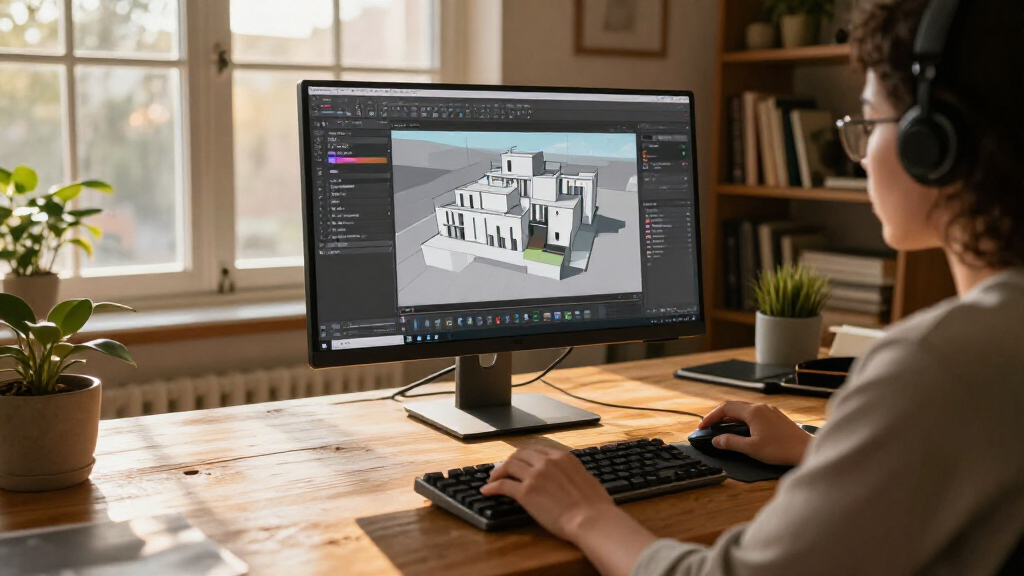
The app is designed for desktop use with a mouse and keyboard. Its listed modeling tools include lines, rectangles, circles and freehand outlines, plus Push/Pull for turning faces into forms. Users can move, scale, offset and paint geometry, enter exact lengths, snap to geometry and axes, and add dimensions. Groups, components and tags are available for organizing parts of larger projects.
BenchUp says it autosaves locally in the browser on the device being used. Projects can also be downloaded as portable .ketchup files. The browser version requires hardware acceleration and support for WebGPU or WebGL2, according to its documentation; the project also offers native desktop downloads. No account or cloud storage is required, and the source describes the app as free under the MIT license.
For moving work between tools, BenchUp lists import of SketchUp .skp geometry and export to Wavefront .obj. The project cautions that SketchUp textures, scenes and some model features are not supported. OBJ exports contain geometry without materials. It says imports run locally, but the supplied information does not give a compatibility matrix or identify a particular SketchUp version.
A Focused Tool for Workshop Planning
BenchUp targets people who want to examine a furniture design in three dimensions before cutting material. Drawing board outlines, adding thickness with Push/Pull, entering dimensions and orbiting around an assembly can help users check proportions and fit during planning. Its emphasis is on shelves, tables, cabinets, workbenches and similar projects, rather than on a general-purpose professional 3D production pipeline.
The open-source MIT license and availability across browser and desktop environments may make the app approachable to hobbyists who do not want to begin with a paid subscription or account setup. Local saving also keeps project files on the user’s device by default. That has a practical trade-off: browser autosaves are tied to the device and can be lost if browser data is cleared, so the project advises downloading files users want to keep.
Interoperability is useful but bounded. Geometry import gives users a path to bring some SketchUp models into BenchUp, and OBJ export offers a route to other 3D workflows. The documented limitations mean users should not assume that a complex SketchUp project, its textures or its scenes will transfer intact.
Products Worth Considering

Amazon Kindle Paperwhite Signature Edition (12th Generation, 2024), 32 GB, Metallic Raspberry

Sony WH-1000XM6 Wireless Noise-Canceling Headphones, Black

LG UltraGear 32GX850A-B 32-inch 4K UHD OLED Gaming Monitor
As an affiliate, we earn on qualifying purchases.
How BenchUp Describes Its Workflow
The project frames BenchUp around a short modeling workflow: draw a rectangle to create a face, use Push/Pull to give it depth, then orbit the view to inspect the result. Its guide also describes typing exact measurements, using Tape Measure and Dimensions to inspect a design, and organizing parts with groups, components and tags.
Those features position the application around measured furniture modeling. A user might lay out the pieces of a cabinet, adjust their placement and review the overall assembly before building. The source material presents these as supported uses, but does not provide independent testing, performance comparisons with SketchUp, or evidence that the software is suitable for every woodworking or design workflow.
The app is available through a browser editor as well as downloadable desktop versions. The project links to a user guide and its code on GitHub, inviting users to read the instructions, examine the source or contribute. The supplied material does not state when the project began, give a version history or identify a formal release milestone.
““A free, open-source 3D modeling app for woodworking and furniture design.””
— BenchUp project description
Compatibility and Release Details
The project information does not specify a version number, release date or development schedule. It also does not provide benchmarks, a tested browser list, hardware recommendations beyond hardware acceleration and WebGPU or WebGL2 support, or a detailed comparison with SketchUp. The phrase “built with Rust and WebGPU” appears in the topic description; the project page confirms Rust but describes browser support as WebGPU or WebGL2, without clarifying how each rendering path is used.
Import support is described as geometry-only in important respects, but the exact range of supported SketchUp files and features is not listed. The documentation also says browser autosaves can disappear if browser data is cleared. Users should download project files they need to retain rather than rely solely on local browser storage.
Where Users Can Check Progress
Users can try the browser editor, download the desktop app or consult the project’s user guide for instructions and supported workflows. The project points readers to GitHub to inspect the code and contribute. No future release, feature milestone or schedule is identified in the source material, so further development plans remain unknown.
For users evaluating BenchUp for a particular project, the practical next step is to test the relevant workflow: confirm that the browser supports WebGPU or WebGL2, check whether needed SketchUp geometry imports correctly, and save a downloaded .ketchup copy. The project’s documentation and code repository are the listed places to check for updated compatibility details.
Key Questions
What is BenchUp?
BenchUp is a free, open-source 3D modeling app aimed at woodworking, furniture design and DIY building. It offers tools for drawing shapes, adding depth, measuring and organizing model parts.
Does BenchUp run in a browser?
Yes. The browser editor requires a desktop browser with hardware acceleration and WebGPU or WebGL2 support. BenchUp also offers native apps for Windows, macOS and Linux.
Can BenchUp open SketchUp files?
The project lists import for SketchUp .skp geometry, but says textures, scenes and some model features are not supported. It does not provide a full compatibility list.
Where are BenchUp projects saved?
Browser work is autosaved locally on the current device. Users can download a portable .ketchup project; the project warns that clearing browser data can remove autosaved work.
Is BenchUp free and open source?
BenchUp says it is free and released under the MIT license. The project links to its source code on GitHub.
Source: ketchup3d.github.io