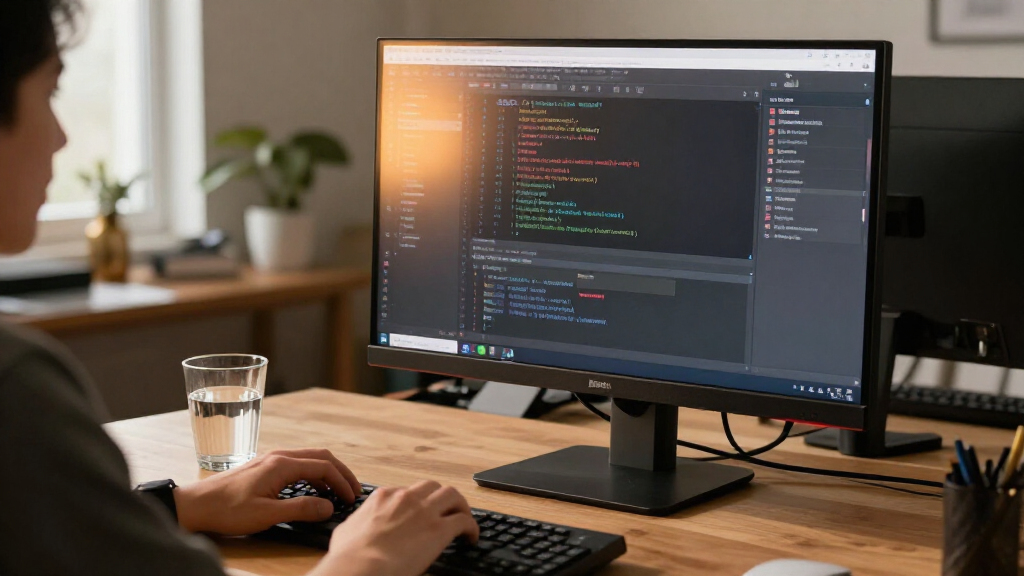
The BenQ RD320U is a 32-inch 4K monitor built around long work sessions, with a matte, low-reflection screen and coding-focused viewing features. Its biggest advantage is the combination of a roomy, sharp workspace and tools for managing glare and evening light. The main drawback is its 60 Hz refresh rate, which feels modest beside faster monitors at the same screen size. It is worth considering for programmers who prioritize text, screen space, and a calmer desk setup; buyers who want fluid gaming or high-refresh motion should look elsewhere.

Get business pricing on monitors, keyboards and dev gear
- Business-only prices and quantity discounts
- Tax-exempt purchasing
- Multiple users, one account, clear invoices

BenQ RD320U 32-Inch 4K Programming Monitor
- ✔ Brand: BenQ
- ✔ Model: RD320U
- ✔ Screen Size: 32 inches
Why This Product Stands Out
The RD320U stands out by treating the monitor as a long-session work surface rather than a general-purpose screen with a high refresh rate. At 32 inches and 3840 × 2160, it gives a programmer room to keep an editor, terminal, and supporting material visible at once. The fine resolution also helps keep text and interface details defined across that large area. For desk work, that blend of space and detail is a meaningful category strength.
Its other point of difference is a set of features aimed at managing the viewing environment: a matte screen, coding modes, night-hours protection, and MoonHalo lighting. These options may help users tailor contrast and ambient light to their workspace. They are not a substitute for good room lighting, sensible breaks, or an appropriate screen position, and their benefit depends on personal preference. Still, they give this monitor a clearer work-focused identity than a typical 4K panel.
The category tradeoff is speed. The RD320U’s 60 Hz ceiling is standard for basic productivity but falls short of 120 Hz alternatives such as the KTC H32T13. That makes the BenQ a better match for static work and reading than for motion-heavy play. Compared with smaller Full HD displays such as the ViewSonic VX2716A or Acer SB243Y G0bi, it offers substantially more workspace and pixel detail, but buyers pay—in desk space, weight, and likely budget—for a more specialized setup.
Key Features and What They Mean
4K resolution on a 32-inch screen gives users room to keep an editor, terminal, and documentation visible together, reducing the need to switch between windows or add a second display. The extra pixels keep fine text and detailed interfaces defined, which helps developers compare code with references without losing clarity across a large canvas. Programmers who work across several panes benefit most. Scaling and font size still need to suit the user’s eyesight and viewing distance; the payoff is a flexible workspace, not a requirement to use tiny text.
The matte finish diffuses reflections from windows and lamps, so bright spots are less likely to compete with text on screen. That can make it easier to concentrate in a home office or shared workspace where controlling every light source is difficult. The listed 2000:1 contrast ratio describes the separation between dark and bright areas, which can help distinguish interface elements. It does not establish color accuracy or guarantee deep blacks in a particular room. These traits matter most to people who read for hours or work near unavoidable light sources.
Coding modes and night-hours protection let users adjust the image for text-heavy tasks and evening sessions. That gives programmers a way to tailor the display to different work and lighting conditions, making it easier to settle on settings they find comfortable. People who spend long stretches reading code are the clearest beneficiaries. These settings cannot guarantee reduced eye strain, which also depends on brightness, room lighting, font size, breaks, and viewing distance.
The MoonHalo backlight provides adjustable light behind the display, including control over color temperature and brightness. In a dim room, a restrained glow can soften the contrast between a bright screen and a dark wall, helping the desk feel less visually stark during evening work. Users who work late or dislike a dark background around a bright display may value that adjustment; anyone who prefers a dark desk can switch it off. The practical benefit depends on the room and personal taste.
According to the supplied specifications, connectivity includes 90W USB-C and five USB ports. For a compatible laptop user, USB-C power delivery can charge the computer through the monitor, while the USB ports keep accessories close at hand; together, they can reduce cable clutter and simplify a desk setup. Buyers should confirm that their laptop and peripherals support the connections they need. The 60 Hz refresh rate and 4 ms response time are suited to ordinary productivity, but make the monitor less compelling for buyers who prioritize smooth motion in games or scrolling.
Performance and Real-World Use
For everyday programming, the likely payoff is a large, detailed canvas that can hold several work areas without requiring a second display. The 4K resolution supports fine text, while the 32-inch size can make side-by-side windows practical. Users should set scaling and font sizes to their own comfort; maximum pixel density is not automatically the most readable setting. The matte finish may also ease placement in a brighter room where reflections would otherwise pull attention from the screen.
Setup deserves some planning. The monitor’s listed 34.2-pound weight makes it less convenient to move than a small office display, so the desk or monitor arm needs to support the actual load and mounting requirements. Its dimensions also call for enough depth and width to position it comfortably. USB-C can simplify a laptop desk when the devices are compatible, but buyers should confirm that the connection handles their intended display and charging needs.
In daily use, the comfort controls are adjustable tools, not automatic solutions. Coding modes, night-hours protection, flicker-free technology, and MoonHalo lighting give users ways to tailor the display, but preferences differ and settings may need adjustment across workspaces. The main practical limitation remains motion: at 60 Hz, scrolling and animation will not look as fluid as on a 120 Hz screen. That is usually acceptable for code, documents, and general office work; it is a real compromise for fast games or anyone who strongly values smooth motion.
Who Should Buy This
The RD320U makes the most sense for a programmer or desk-based professional who spends long stretches reading and editing text, wants a single large 4K workspace, and has room for a heavy 32-inch monitor. It is especially appealing if a matte screen, adjustable rear lighting, and coding-focused picture settings address real annoyances in the buyer’s current setup. A laptop user with compatible USB-C charging needs may also value its desk connectivity. For this buyer, the monitor’s comfort-oriented identity and spacious canvas can justify choosing it over a faster general-purpose display.
Who Should Skip This
Skip the RD320U if gaming speed is a priority: its 60 Hz refresh rate is a meaningful limit, and the KTC H32T13’s 120 Hz specification is a stronger fit for users who want smoother motion. It is also a mismatch for buyers with a small desk, a weak monitor arm, or frequent need to move their display. If the main goal is an inexpensive screen for basic tasks, the ViewSonic VX2716A or Acer SB243Y G0bi may suit that need with less screen space and detail but a simpler, smaller Full HD format. Choose a different monitor if the BenQ’s coding and lighting features would go unused.
Value for Money
The RD320U is worth its premium price for programmers and desk-based professionals who will regularly use its 32-inch 4K workspace, matte screen, coding settings, MoonHalo lighting, or USB-C charging. Those features can make long text-heavy sessions and a compatible laptop desk more convenient, giving the price a clear purpose for that buyer. It is not good value for someone who mainly wants a large screen, because the 60 Hz limit leaves faster 120 Hz options more attractive for mixed work and gaming. Basic office users who will not use the comfort controls can also save money with a simpler Full HD display. Overall, buy the BenQ at its premium price when its work-focused features solve specific needs in your setup; otherwise, the added cost is hard to justify.
BenQ RD320U 32-Inch 4K Programming Monitor
The RD320U stands out by treating the monitor as a long-session work surface rather than a general-purpose screen with a high refresh rate. At 32 inches and 3840 × 2160 , it gives a programmer room to keep an editor, terminal, and supporting material visible at once.
Pros:
- The 32-inch 4K panel gives programmers room for code, documentation, and reference windows while keeping text detailed.
- A matte, low-reflection finish can make bright rooms and nearby light sources less distracting than a glossy surface.
- Coding modes and night-hours protection provide display options for extended work, especially for people who spend much of the day reading text.
- The adjustable MoonHalo backlight lets you tune the light behind the screen to suit a dim desk or evening workspace.
- The listed 90W USB-C and five USB ports can simplify a compatible laptop desk by supporting charging and connected accessories.
Cons:
- A 60 Hz refresh rate is a constraint for fast games and users who prefer smoother scrolling or pointer movement.
- At a listed 34.2 pounds, the monitor is heavy to reposition and calls for a sturdy desk and suitable mounting setup.
- Its coding and eye-comfort features are specialized conveniences; they do not make the screen necessary for every programmer.
- The listed 160-degree viewing angle is narrower than the broad angles commonly associated with many IPS displays, which may matter when several people view the screen together.
Best for: Programmers and other desk workers who want a large 4K workspace, reduced reflections, and adjustable lighting for long or late sessions.
Not ideal for: Gamers and motion-sensitive users who want refresh rates above 60 Hz, or buyers who need a lighter, easier-to-move display.
Bottom line: Buy the BenQ RD320U if you want a large, sharp monitor for coding and productivity, have the desk and support for its weight, and expect to use its low-reflection and lighting features.
Frequently Asked Questions
Is the BenQ RD320U suitable for gaming?
It can handle casual gaming, but its 60 Hz refresh rate is a limiting factor for fast-paced play or users who want especially smooth motion. A 120 Hz display such as the KTC H32T13 is the more fitting choice when gaming speed matters.
Does 4K make a noticeable difference on a 32-inch programming monitor?
For many desk users, 4K detail and the 32-inch workspace make text and interfaces look defined while leaving room for multiple windows. The difference depends on scaling, viewing distance, and personal eyesight, so resolution alone does not guarantee a more comfortable setup.
Will the RD320U reduce eye strain?
Its matte finish, coding modes, flicker-free technology, night-hours protection, and adjustable MoonHalo light offer ways to tune the viewing environment. They may help address glare or harsh lighting, but no display can promise to prevent eye strain; brightness, room light, posture, and breaks still matter.
Is the BenQ RD320U difficult to install?
The main practical concern is its listed 34.2-pound weight. Plan for a sturdy desk or a mount that supports the monitor’s weight and mounting specifications, and allow enough room for its 32-inch screen.
Should I choose the RD320U over a cheaper Full HD monitor?
Choose the BenQ if you will use its 4K workspace and work-focused comfort features often. If you mainly need a screen for basic tasks and do not need the extra detail or coding options, a smaller Full HD model such as the Acer SB243Y G0bi or ViewSonic VX2716A may be a more sensible fit.
Final Thoughts
Buy the BenQ RD320U if you want a large, sharp monitor for coding and productivity, have the desk and support for its weight, and expect to use its low-reflection and lighting features. Its 4K workspace and work-focused adjustments give it a distinct role in the premium productivity category. Skip it if fast gaming, a lighter display, or lower cost matters more than those benefits. In that case, a 120 Hz 32-inch monitor or a simpler Full HD screen is a more direct match. The RD320U is worth it for the right work setup, but its 60 Hz performance makes it a focused purchase rather than an all-purpose choice.