
This guide walks you through setting up the three most common categories of software testing tools — unit testing, API testing, and browser/UI testing — and running your first automated test in each. By the end, you will have a working test toolchain installed on your machine, a passing test suite, and a repeatable process for adding new tests. The guide uses free, widely adopted tools (JUnit for Java or Jest for JavaScript, Postman for API testing, and Selenium or Playwright for browser testing) so everything you set up remains usable in real projects.

Get business pricing on monitors, keyboards and dev gear
- Business-only prices and quantity discounts
- Tax-exempt purchasing
- Multiple users, one account, clear invoices

AI for Quality Assurance and Software Testing: The Practitioner’s Complete Guide to AI-Powered Testing, Tools, and Transformation
- ✔ Format: Practitioner’s guide (ebook/print)
- ✔ Focus: AI-powered testing, tools, and QA transformation
- ✔ Audience level: Beginner to intermediate, plus managers

AI-Assisted QA and Software Testing with Claude Code
- ✔ Format: Practical guide (ebook/print)
- ✔ Focus: Agentic test automation with Claude Code
- ✔ Testing workflows: Unit, integration, and end-to-end
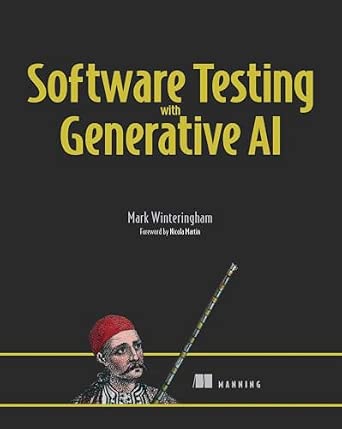
Software Testing with Generative AI
- ✔ Format: Technical book (print/ebook)
- ✔ Focus: Applying generative AI to software testing
- ✔ Audience level: Beginner to advanced practitioners
This guide is written for developers and QA beginners who have a project (or sample project) to test and basic command-line familiarity. No prior testing experience is required. Expect to spend two to four hours completing all three setups, or 30-45 minutes if you only need one category.
Difficulty: Beginner | Time: 2-4 hours
What You’ll Need
Tools & Materials:
- A computer with admin/install rights (Windows, macOS, or Linux)
- A code editor such as VS Code or IntelliJ IDEA
- A runtime or SDK for your project: Node.js 18+ (for Jest/Playwright) or JDK 17+ (for JUnit)
- Java build tooling (Maven or Gradle) if testing a Java project
- Postman (free desktop app) for API testing
- Google Chrome or Firefox installed for browser tests
- A working application or sample project to test, plus a running API endpoint if you want API tests
Knowledge:
- Basic command-line use (navigating folders, running commands)
- Ability to read and edit code in your project’s language
- Familiarity with how to start your application locally
Verify your installations before starting: run node -v and npm -v (JavaScript) or java -version and mvn -v (Java) in a terminal. If any of these commands fail, install the missing tool first — most setup failures later trace back to a missing runtime or an outdated version. Confirm your application runs locally before testing it; testing tools cannot diagnose a broken app.
AI for Quality Assurance and Software Testing: The Practitioner’s Complete Guide to AI-Powered Testing, Tools, and Transformation
Of the three titles, this is the one that treats AI in testing as an organizational challenge rather than purely a technical one. Where Software Testing with Generative AI zooms in on techniques, this guide zooms out, walking practitioners and managers through the full arc of adoption: evaluating AI-powered tools, integrating them into existing QA processes, and managing the change that follows. That framing makes it the most complete resource for teams at the start of their AI journey, especially those with mixed experience levels.The tradeoff is immediacy. Compared with the Claude Code book, which gets you running automated tests within a chapter or two, this guide demands more patience before it pays off in code. Its breadth also means some sections will feel introductory to senior engineers who already live in CI pipelines. But if your responsibility is choosing a direction for a whole QA function — tool selection, skills development, stakeholder buy-in — this pick makes the most sense. It functions as both a reference and a roadmap in a way the other two, which are narrower in ambition, do not attempt.
Pros:
- Covers strategy, tooling, and organizational transformation in one resource
- Suitable for mixed-experience teams, from junior QA staff to managers
- Treats AI adoption as a process, not a one-time purchase
- Useful as a long-term reference rather than a quick tutorial
Cons:
- Less immediately hands-on than tool-specific guides
- Broad scope means some chapters will feel basic to experienced automation engineers
- Slower path from reading to a running test suite
Best for: QA leads, engineering managers, and teams planning a department-wide AI adoption strategy
Not ideal for: Individual testers who want quick, hands-on scripts for automating an existing test suite
Bottom line: The most strategically complete pick, ideal when your goal is transforming an entire QA practice rather than automating one pipeline.
“The most strategically complete pick, ideal when your goal is transforming an entire QA practice rather than automating one pipeline.”
AI-Assisted QA and Software Testing with Claude Code
This is the most immediately practical book in the lineup. Instead of surveying the AI testing landscape, it commits to a single powerful workflow: using Anthropic’s Claude Code as an agentic assistant that writes and runs tests across the full unit, integration, and end-to-end spectrum. That full-pyramid coverage is rare — many resources stop at unit tests — and it means one book can carry a team from isolated function checks to browser-level end-to-end scenarios without a second reference.The obvious tradeoff is vendor lock-in of skills. Everything you learn is expressed through Claude Code’s way of working, and while the underlying ideas — prompt-driven test generation, agentic debugging — transfer, the concrete instructions do not. Compared with our top pick, which stays tool-agnostic and therefore ages more gracefully, this book’s value is tied to how well Anthropic maintains its current interface. There’s also an implicit cost consideration: agentic assistants consume usage budget, though that’s a factor of the tool rather than the book. This pick makes the most sense for teams already inside the Anthropic ecosystem who prioritize speed to working automation over long-term portability.
Pros:
- Covers all three testing levels: unit, integration, and end-to-end
- Highly practical — guidance converts directly into working test workflows
- Focused on automation rather than theory
- Deep dive into one well-documented agentic workflow
Cons:
- Skills are tightly coupled to a single vendor’s tooling
- Less useful as the AI tooling landscape shifts or expands
- Minimal coverage of strategy and organizational adoption
Best for: Developers and QA engineers already using or adopting Claude Code who want automated tests fast
Not ideal for: Teams standardizing on other AI tools or those who need vendor-neutral techniques
Bottom line: The fastest route from page one to a running automated test suite, provided your stack already includes Claude Code.
“The fastest route from page one to a running automated test suite, provided your stack already includes Claude Code.”
Software Testing with Generative AI
We ranked this best overall because it threads the needle the other two books miss: it is hands-on enough to act on, yet grounded in generative AI fundamentals that survive tool changes. Where the Claude Code book teaches one workflow brilliantly and the practitioner’s guide surveys a whole transformation, this title teaches transferable techniques — prompt patterns for test case generation, AI-assisted bug reproduction, synthetic test data creation — that apply whether your team uses one vendor today and another next year. For most testers, that durability is worth more than the depth any single-tool guide can offer.It isn’t flawless. Because it refuses to specialize, it won’t take you as deep into any one agentic environment as the Claude Code book does, and it offers less management-level guidance than the practitioner’s guide. Teams pursuing a formal, organization-wide rollout will still want the broader strategic companion. But for the individual contributor or small team asking how do I actually use generative AI to test better this quarter, this option stands out for striking the best balance of depth, breadth, and longevity in the group.
Pros:
- Tool-agnostic techniques that outlast vendor changes
- Balances concrete practice with underlying concepts
- Covers test generation, bug reproduction, and test data creation
- Suits individual contributors and small teams equally
Cons:
- Less depth on any single tool than dedicated guides
- Lighter on strategy and change management
- May duplicate knowledge for engineers already fluent in generative AI
Best for: Working testers and small teams who want practical, tool-agnostic generative AI techniques
Not ideal for: Leaders needing a full transformation roadmap or teams wanting single-tool mastery
Bottom line: The most broadly useful pick, combining practical generative AI techniques with the portability to stay relevant as tools evolve.
“The most broadly useful pick, combining practical generative AI techniques with the portability to stay relevant as tools evolve.”
As an Amazon Associate we earn from qualifying purchases.
Before You Start
Decide which testing layers you need now. Unit tests are always the starting point; API tests come second; UI tests are last because they are the slowest and most fragile to set up. If your time is limited, complete the unit testing section only and return to the others later — the sections are independent.
Warning: do not install testing tools globally on a shared machine or CI server as root/administrator unless you administer that machine. Keep dependencies local to your project so versions stay consistent across your team. Also avoid mixing test runners (for example, Jest and Mocha in the same project); pick one per layer.
Step-by-Step Instructions
Step 1: Choose one testing tool per layer
Open your project and identify its language and framework, then select one tool for each layer you will test:
- Unit tests: Jest for JavaScript/TypeScript, pytest for Python, or JUnit 5 for Java.
- API tests: Postman for manual and collection-based automated testing, or REST Assured if you want API tests inside a Java codebase.
- UI tests: Playwright (recommended for new projects — it installs its own browsers) or Selenium WebDriver.
Write your choices down. Committing to one tool per layer prevents the most common setup failure: mixed, conflicting test frameworks.
Tip: Playwright bundles its browsers, so it avoids the driver-version mismatches that commonly break Selenium setups. Choose Playwright unless your team already standardizes on Selenium.
Check: You have a short list naming exactly one unit testing tool, one API tool, and one UI tool.
Step 2: Install the unit testing tool into your project
For a JavaScript project, run npm install –save-dev jest. For a Python project, run pip install pytest. For a Java Maven project, add the JUnit 5 dependency (org.junit.jupiter:junit-jupiter, scope test) to your pom.xml and reload the project. Stay inside your project directory while installing so the tool lands in your project’s dependency file (package.json, requirements.txt, or pom.xml), not somewhere global.
Tip: Do not use sudo or an administrator shell for these installs. If a permission error appears, fix your package manager permissions rather than escalating.
Check: The install command completes without errors, and the tool appears in your project’s dependency file.
Step 3: Write and run your first unit test
Create a file named sum.test.js (Jest), test_sum.py (pytest), or SumTests.java (JUnit) in your project’s test folder. Write a test that checks a simple function — for example, assert that adding 2 and 3 returns 5. Then run the test: npx jest for Jest, pytest for pytest, or mvn test for Maven. Watch the output; the runner reports how many tests passed or failed.
Tip: Name test files and functions descriptively (e.g., ‘returnsSumOfTwoNumbers’). Clear names are your documentation when a test fails months later.
Check: The runner prints something like ‘1 passed, 1 total’ with zero failures.
Step 4: Set up Postman and create an API test
Install the Postman desktop app and open it. Click New > HTTP Request. Enter the URL of an endpoint your app exposes — for example, http://localhost:3000/health — and click Send. Then open the Tests (or Scripts) tab of the request and add a script assertion such as: verify the response status code equals 200. Click Send again.
Tip: Your application must be running for this step. Start it in a separate terminal first and confirm the endpoint loads in a browser.
Check: The response body appears in the lower panel, and the test result area shows ‘PASS’ with a 200 status (or your endpoint’s expected code).
Step 5: Automate API tests into a collection
In Postman, click Save to store the request inside a new collection (name it after your project, e.g., ‘MyApp API Tests’). Add two or three more requests covering a main workflow — for example, GET a list, POST a new item, GET the item again to confirm it exists. Add a status-code assertion to each request’s Tests tab. Then click Run on the collection to execute all requests in sequence.
Tip: Keep tests independent where possible. If a POST test creates data, later GET tests can reference it, but avoid chaining more than two or three requests — long chains break easily.
Check: The collection runner shows every request with a PASS status and a total run time.
Step 6: Install Playwright and scaffold UI tests
In a JavaScript project, run npm install –save-dev @playwright/test, then run npx playwright install to download the browsers. Run npx playwright init if you want a starter config, or create a playwright.config.ts file with a base URL pointing at your locally running app (for example, http://localhost:3000).
Tip: The browser download is several hundred megabytes. Run it on a stable connection and let it finish completely before writing tests.
Check: The install command finishes with no errors and npx playwright –version prints a version number.
Step 7: Write and run your first UI test
Create a file tests/homepage.spec.ts. Write a test that opens your app’s homepage, waits for a known element (a heading or button), and asserts it is visible — for example, expect the page title or an h1 to contain expected text. Then run npx playwright test. Playwright launches a browser, executes the test, and prints results.
Tip: Always wait for elements rather than using fixed sleep delays. Playwright’s auto-waiting handles most timing issues if you locate elements by stable attributes like role or test IDs.
Check: The output reads ‘1 passed’. If it fails, run npx playwright test –headed to watch the browser and see what went wrong.
Step 8: Record results and commit the setup
Add your test files and configuration to version control. Create or update a .gitignore so build artifacts, node_modules, downloaded browsers, and test result folders are excluded, but keep the test source and config files tracked. Commit with a message like ‘Add unit, API, and UI test setup’. Document in your project README the exact commands to run each suite.
Tip: Add an npm script such as ‘test’ pointing to Jest and ‘test:ui’ pointing to Playwright so teammates run tests with one command.
Check: A teammate (or you, on a fresh clone) can pull the repo, run the documented commands, and see all tests pass.
Common Mistakes to Avoid
- Installing testing tools globally instead of per-project — Always run install commands from inside your project directory and check that the tool lands in package.json, requirements.txt, or pom.xml before writing tests.
- Writing UI tests before unit tests — Build the pyramid bottom-up: unit tests first, API tests second, UI tests last. UI tests are slow and brittle, so reserve them for critical user journeys.
- Using fixed sleep delays in UI tests — Rely on Playwright’s built-in waiting and locate elements by stable selectors (roles, labels, test IDs) instead of pausing for a set number of seconds.
- Testing an app that is not running or misconfigured — Before API or UI tests, open the app in a browser yourself and confirm the target endpoint or page loads. This isolates tool problems from app problems.
Troubleshooting
Problem: Command not found when running the test runner (jest, pytest, playwright)
Solution: Run the tool through the project-local launcher: npx jest / npx playwright test, or use python -m pytest. Confirm the tool is listed in your project’s dependency file and reinstall if missing.
Problem: API test returns connection refused or 404
Solution: Start your application locally and verify the exact URL, port, and path in a browser or with curl. Check for a missing /api prefix or a different default port between environments.
Problem: Playwright browser fails to launch
Solution: Re-run npx playwright install to complete browser downloads. On Linux, run npx playwright install-deps to add required system libraries. Check that no corporate proxy is blocking the download.
Problem: Unit tests pass locally but fail for a teammate or on another machine
Solution: Compare runtime versions (node/java/python) between machines, confirm the dependency file is committed, and check that no absolute local paths or environment variables are hardcoded in the tests.
What Success Looks Like
Your setup is complete when all of the following are true: (1) npx jest (or pytest / mvn test) reports at least one passing unit test with zero failures; (2) your Postman collection runs end to end with every request showing PASS; (3) npx playwright test reports your UI test as passed; (4) test files, config, and run instructions are committed to version control; and (5) a fresh clone of the repository can run the documented commands and reproduce the passing results.
Next Steps
Expand coverage gradually rather than all at once. Add unit tests for every new function or bug fix — reproducing a bug in a test before fixing it is one of the highest-value habits in testing. Grow your Postman collection alongside each new endpoint, and add UI tests only for critical flows such as login and checkout. Once your suites take more than a few minutes to run manually, set up continuous integration (GitHub Actions, GitLab CI, or Jenkins) so tests run automatically on every commit. Finally, revisit flaky tests weekly: a test that fails intermittently erodes trust in the whole suite, so fix or delete it promptly.
Frequently Asked Questions
Do I need all three categories of testing tools?
No. Start with unit tests — they give the most coverage for the least effort. Add API and UI testing tools when your project has an API or a user interface that changes often. Each section of this guide works independently.
Selenium or Playwright — which should I choose?
For new projects, Playwright is generally easier: it installs its own browsers, auto-waits for elements, and needs less configuration. Selenium remains the right choice if your team already uses it, you must test older browsers, or your stack integrates with existing Selenium-based infrastructure.
How long should my test suite take to run?
Unit tests should finish in seconds so developers run them constantly. API tests in minutes. UI tests are the slowest — keep the full UI suite under roughly 10-15 minutes locally, and run the whole set in CI if it grows beyond that.
Can I run these tools without writing code?
Partly. Postman handles API testing with minimal scripting, and recorders in Playwright can generate UI test skeletons. But maintaining any test suite long-term requires reading and editing code, so budget time to learn the basics of your chosen tool’s assertion syntax.
What does a failing test actually tell me?
A failing test means the tested behavior no longer matches what the test expects. That is either a real regression in your code or an outdated test after an intentional change. Read the failure message first — it names the expected and actual values — then decide whether to fix the code or update the test.
Fall Picks
fall essentials
As an affiliate, we earn on qualifying purchases.