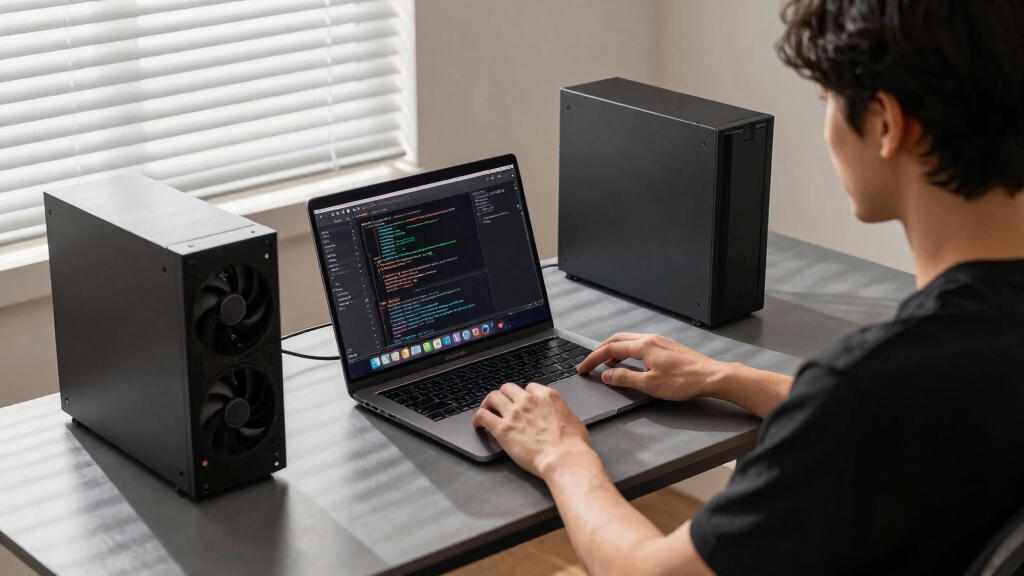

📊 Full opportunity report: Mac vs GPU Tower for Local LLMs: The Heat-and-Noise Tradeoff on ThorstenMeyerAI.com — validation score, market gap, and execution plan.

Get business pricing on monitors, keyboards and dev gear
- Business-only prices and quantity discounts
- Tax-exempt purchasing
- Multiple users, one account, clear invoices
TL;DR
This article compares Mac Studio with GPU towers for running local large language models, focusing on heat, noise, performance, and upgradeability. Confirmed: Mac offers near-silence and lower power; GPU towers deliver higher throughput for models fitting in VRAM.
Apple Silicon-based Mac Studio can run large language models (LLMs) up to 70 billion parameters on-device, with near-silent operation and low power consumption, contrasting sharply with GPU towers that generate significant heat and noise but offer higher throughput for models fitting in VRAM.
The core distinction lies in architecture: GPU towers prioritize memory bandwidth, with RTX 5090 delivering around 1,792 GB/s, enabling faster inference on models that fit within 24–32GB VRAM. In contrast, Macs leverage a unified memory architecture, offering up to 512GB of shared memory, allowing them to load larger models—like 70B parameters—that cannot fit into a single GPU’s VRAM.
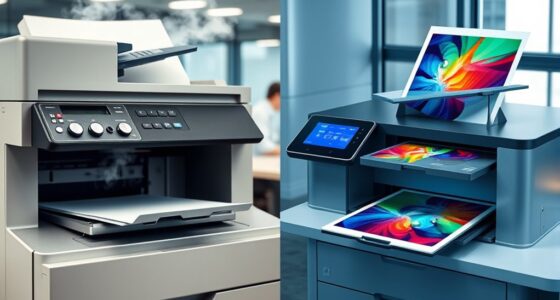
Heat and noise are significant factors: GPU towers consume 575W to over 800W, producing substantial heat requiring complex cooling solutions and noise management. Conversely, Macs operate with minimal heat and noise by design, making them ideal for quiet, always-on use, but with slower inference speeds on models that fit in their memory capacity.
Performance tradeoffs depend on workload: towers excel in high-throughput, latency-sensitive tasks for models within VRAM limits, while Macs excel in running larger models without thermal management concerns but at reduced speed. Upgradeability favors GPU towers, which can add or swap GPUs, whereas Macs are fixed at purchase.
Mac vs GPU tower
for local LLMs.
What if you sidestep the heat entirely with a different kind of machine? A tower is a high-bandwidth furnace you spend five levers quieting. Apple Silicon is near-silent by design — but asks for different tradeoffs. Match your priority in Part 2.
Put the loud, hot machine where its noise doesn’t matter, and the quiet one where you do. SSH into the tower when you need raw power; let the Mac handle everything else, silently.
Why Heat and Noise Matter in Local AI Hardware
Understanding these tradeoffs is vital for users choosing hardware for local AI deployment. For continuous, low-noise operation in a home or office setting, Macs offer a compelling solution despite slower inference speeds. For maximum throughput on models that fit in VRAM, GPU towers remain the superior choice. The decision impacts power consumption, operational noise, and hardware flexibility, shaping how individuals and organizations approach local AI infrastructure.
Apple Mac Studio for AI development
As an affiliate, we earn on qualifying purchases.
As an affiliate, we earn on qualifying purchases.
Architectural and Market Factors Driving the Choice
Traditionally, GPU towers have dominated local AI for their raw performance and ecosystem support, especially for training and fine-tuning. Recent advances in Apple Silicon have challenged this by offering large unified memory pools, enabling the running of larger models at the cost of inference speed. The ongoing evolution of AI hardware reflects a broader trend toward balancing performance with operational practicality, including noise and heat management.
While GPU hardware continues to push higher bandwidths and multi-GPU scaling, Apple’s approach emphasizes simplicity, power efficiency, and silent operation. The market for local AI hardware is thus bifurcating into high-performance towers and low-noise, low-power Macs, each suited to different user needs.
"Our M-series chips are designed for silent, efficient operation, making them ideal for continuous, low-noise AI workloads."
— Apple spokesperson
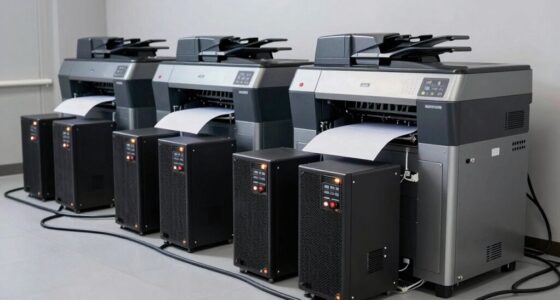
GPU tower for large language models
As an affiliate, we earn on qualifying purchases.
As an affiliate, we earn on qualifying purchases.
Unresolved Questions About Performance and Scalability
It remains unclear how future GPU architectures will evolve in terms of power efficiency and noise, and whether Apple Silicon will improve inference speeds for larger models. Additionally, the ecosystem support and software compatibility for Mac-based AI workloads are still developing, especially for fine-tuning and training tasks beyond inference.
As an affiliate, we earn on qualifying purchases.
Expected Developments in Hardware and Software Support
Upcoming GPU releases may narrow the performance gap and improve noise management, while Apple is likely to enhance its MLX ecosystem and support for larger models. Users should monitor hardware updates and software improvements over the next 12–18 months to assess which platform better suits their evolving needs.
As an affiliate, we earn on qualifying purchases.
Key Questions
Can a Mac run all types of large language models?
Macs can run many large models up to around 70 billion parameters if they fit in shared memory, but models larger than this typically require GPU towers or cloud resources.
Is the heat and noise difference significant enough to influence buying decisions?
Yes. For users prioritizing a quiet, low-maintenance setup, Macs offer near-silence and low power use. For maximum throughput on smaller models, GPU towers are more suitable despite their heat and noise.
Will Apple Silicon improve inference speeds for larger models?
Future hardware updates may enhance performance, but current limitations mean larger models often run slower than on GPU towers designed for high bandwidth.
How does upgradeability compare between Macs and GPU towers?
GPU towers typically support adding or swapping GPUs, while Macs are fixed at purchase, making upgrades more difficult and costly.
Which hardware is better for training versus inference?
GPU towers are generally better suited for training and fine-tuning, while Macs excel at inference for large models that fit in shared memory, especially when silence and low power are priorities.
Source: ThorstenMeyerAI.com
Fall Picks
fall essentials
As an affiliate, we earn on qualifying purchases.