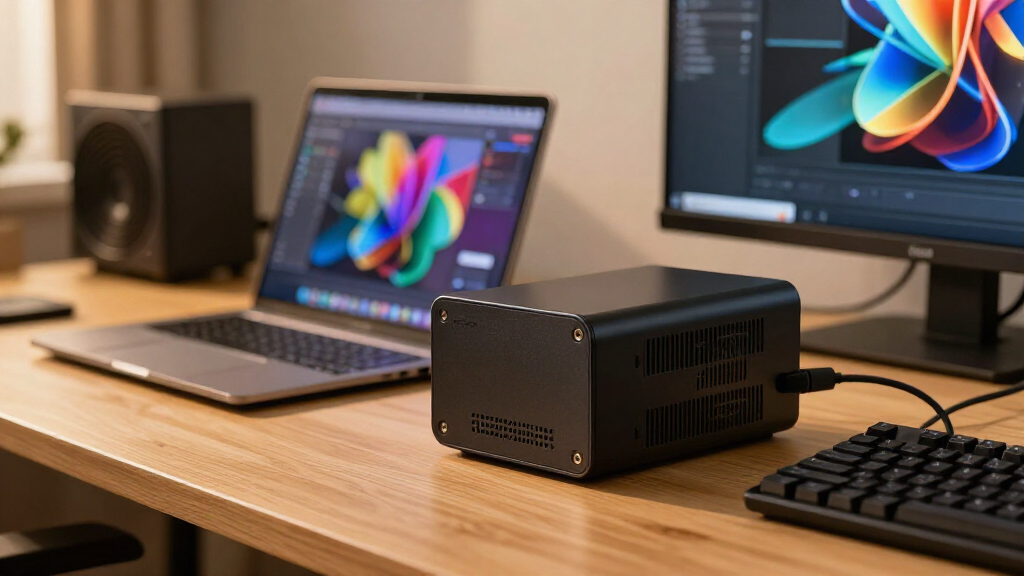
🔍 Read the full analysis: 10 Best External GPUs For AI In 2027: From Gaming To Creative Projects on ThorstenMeyerAI.com

Get business pricing on monitors, keyboards and dev gear
- Business-only prices and quantity discounts
- Tax-exempt purchasing
- Multiple users, one account, clear invoices
TL;DR
This is a buying guide, not a report of a new 2027 product launch or independently tested ranking. The supplied source names several eGPU options and explains tradeoffs, but it does not provide enough product specifications or evidence to verify ten distinct picks or AI performance claims.
A buying guide supplied for this article, the original external GPU analysis, names the Razer Core X V2, ASUS ROG XG Mobile and MINISFORUM DEG1 among its leading external GPU options, but it does not provide enough product detail to substantiate a complete list of 10 distinct recommendations. Its central advice is to match the enclosure and connection type to the host computer before buying, especially when using an external GPU for AI, gaming or creative work, as also discussed in this external GPU laptop upgrade guide.
The guide favors the Razer Core X V2 for broad compatibility through Thunderbolt 4, while noting that buyers must supply a separate graphics card. It describes the ASUS ROG XG Mobile as an integrated, proprietary option for compatible devices, and the MINISFORUM DEG1 as an OCuLink dock aimed at builders who want a higher-bandwidth connection without paying for a full enclosure. These rankings and descriptions are claims in the supplied guide; no independent test results, prices or dated product listings accompany them.
Other products named in the source include NIMO RX 7600M XT, OwlTree and RGEEK docks. The NIMO is described as a complete AMD-based box, while OwlTree and RGEEK are presented as DIY docks requiring separate components. The source does not identify exact models for the latter two, or give enough information to count them as distinct, comparable products. It also does not provide a fully specified set of ten picks, despite the requested title.
The guide’s key distinction is between enclosures and integrated systems, a comparison also covered in this overview of external GPUs. An enclosure lets a buyer choose and potentially replace a desktop GPU, but adds component, power and setup costs. An integrated unit is simpler to deploy but may limit upgrades. The practical value of either depends on the host computer, the intended workload and the total cost—not just the graphics processor named in a product label.
The 10 picks
- 1
 GIGABYTE AORUS RTX 5090 AI Box External GPUView on Amazon →
- 2
 ASUS ROG XG Mobile (2025) External Graphics Card with NVIDIA GeForce RTX 5090View on Amazon →
- 3
 NIMO External Graphics Card Enclosure with AMD Radeon RX 7600M XTView on Amazon →
- 4
 NIMO External GPU Docking Station with AMD Radeon RX 7600M XT 8GB GDDR6View on Amazon →
- 5
 Razer Core X V2 External Graphics Enclosure (eGPU)View on Amazon →
- 6
 MINISFORUM DEG1 OCuLink eGPU DockView on Amazon →
- 7
 RGEEK PCIe 5.0 OCuLink eGPU Dock for External Graphics CardsView on Amazon →
- 8
 OCuLink PCIe 4.0 x4 eGPU Dock with 19.7-Inch CableView on Amazon →
- 9
 OwlTree PCIe 4.0 x4 eGPU Dock with OCuLink CableView on Amazon →
- 10
 OwlTree PCIe 3.0 x16 eGPU Dock with Thunderbolt 4 CableView on Amazon →
Connection Choice Shapes GPU Value
For readers considering an external GPU, the link between the computer and the graphics card can limit the benefit of spending more on a powerful GPU. The supplied guide says Thunderbolt 4 has a 40Gbps connection rate and contrasts it with OCuLink’s direct PCIe connection. Those figures describe interface bandwidth as presented by the source; they do not by themselves establish real-world performance for a particular laptop, application or AI workload.
This matters for AI and creative projects because a setup’s usefulness depends on more than peak graphics performance. Compatibility, memory, software support, power delivery and sustained workload behavior also affect results. The source offers no AI benchmarks or workload tests, so it cannot support a conclusion that any named product is best for model training, inference, rendering or editing.
Products Worth Considering

DJI Mic 2 Wireless Microphone System (2 Transmitters, 1 Receiver, Charging Case)

Jackery HomePower 2000 Plus v2 Portable Power Station, 2048Wh

Samsung Galaxy Tab A11+ 11-Inch Wi-Fi Tablet, 128GB, 6GB RAM, Silver
As an affiliate, we earn on qualifying purchases.
Thunderbolt, OCuLink and Setup Costs
The source frames Thunderbolt as the more broadly available connection and OCuLink as a higher-bandwidth option found on a narrower range of computers. It says OCuLink docks can provide up to 63GB/s and describes the connection as PCIe 4.0 x4. These figures are reproduced as source claims; the material does not explain the measurement method, reconcile the units with its separate gigabit figures, or link to a technical specification.
It also warns buyers to check power delivery and charging. A Thunderbolt setup may charge a laptop only if the computer, enclosure and cable support suitable power delivery. OCuLink arrangements generally require separate power and may leave the laptop on its own charger. The guide presents the Razer as a desk-focused enclosure and the ASUS and NIMO products as more compact integrated choices, but supplies no dimensions or weights for comparison.
“Choosing the right external GPU depends heavily on your laptop’s connectivity and your performance ceiling.”
— The supplied ThorstenMeyerAI.com guide
Ten Picks and Benchmarks Not Verified
The supplied material does not support a verified top-10 ranking: it names five product lines or brands, and does not give complete model identifiers for the OwlTree and RGEEK options. It also provides no publication date, current availability, price list, warranty terms or links to manufacturer specifications. The guide’s 15–20% bottleneck estimate for high-end cards is not accompanied by a test setup, workload or citation, so it should not be treated as a universal result.
AI suitability is also unresolved. There are no reported tests for model size, framework compatibility, GPU memory, inference speed or training performance. The source does not establish whether every named enclosure works with every listed graphics card or host device. Those details should be checked against current manufacturer documentation before purchase.
Verify Models Before Buying
Readers should confirm the exact enclosure model, host-port compatibility, supported GPU dimensions, power supply requirements and laptop charging support with the relevant manufacturers. Buyers considering OCuLink should verify that their specific computer has a compatible port; buyers considering Thunderbolt should check the computer’s port capabilities rather than relying on the connector shape alone.
A fully supported 10-product comparison would need current prices, precise model names and repeatable tests across defined gaming, creative and AI workloads. Until those details are available, the products named here are best treated as options to investigate, not a validated 2027 ranking.
Key Questions
Does the supplied guide establish ten best external GPUs?
No. It names several products and brands, but the supplied material does not identify ten distinct, fully specified products or provide evidence for a complete ranking.
Which product does the guide call its best overall pick?
The guide calls the Razer Core X V2 its best overall choice for most users, citing Thunderbolt 4 compatibility. That is the source’s ranking, not an independently verified conclusion.
Is OCuLink faster than Thunderbolt 4 for every workload?
The guide presents OCuLink as a higher-bandwidth connection, but it provides no controlled tests showing performance across different computers, GPUs or applications. Actual results depend on the full setup and workload.
Are any of these products verified as best for AI?
No AI benchmarks are included in the supplied material. It does not compare model workloads, GPU memory, software support or inference and training results.
What should buyers check before purchasing an eGPU?
Confirm the host computer’s supported connection, GPU compatibility and power requirements. Also check charging support, total cost, portability and whether the product is an enclosure that needs a separate graphics card.
Source: ThorstenMeyerAI.com