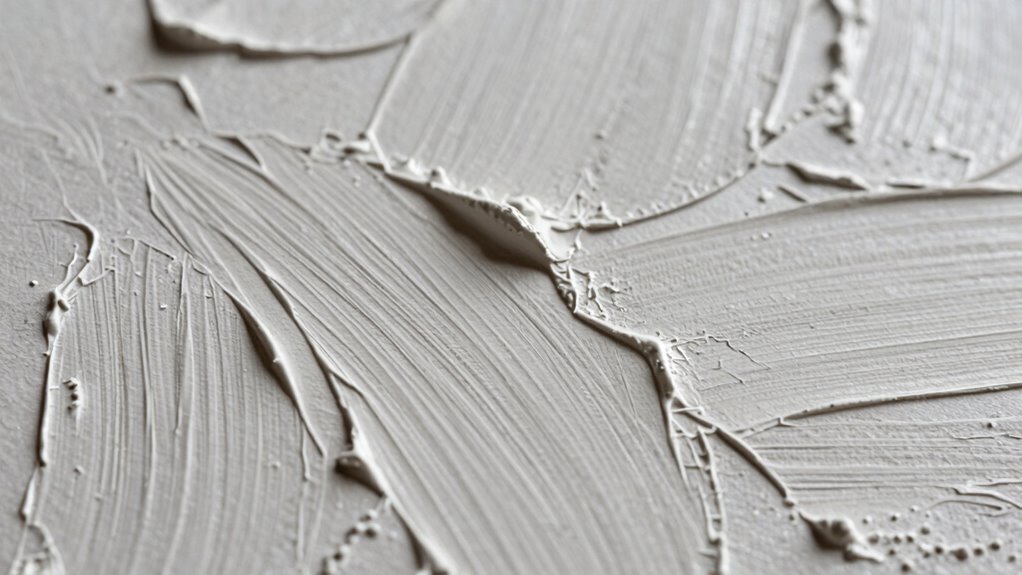

To scan textured artwork without losing surface character, set your scanner to a high resolution of 600 dpi or more to capture fine details like ridges and bumps. Use proper lighting at an angle to create shadows that emphasize textures, and make sure your artwork is clean before scanning. Calibrate colors accurately to preserve surface depth and shading. Taking your time to test and adjust settings will help you capture the artwork’s tactile qualities perfectly—stay with us to learn more tips.

Get business pricing on monitors, keyboards and dev gear
- Business-only prices and quantity discounts
- Tax-exempt purchasing
- Multiple users, one account, clear invoices
Key Takeaways
- Use a high-resolution scanner (600 dpi or higher) to capture fine surface details and textures accurately.
- Calibrate colors properly to ensure realistic representation of surface textures and shading.
- Position external lighting at an angle to create shadows that enhance surface depth and texture visibility.
- Prepare artwork by cleaning and removing dust for clearer surface detail capture.
- Conduct test scans to optimize settings, balancing resolution, color fidelity, and surface detail preservation.
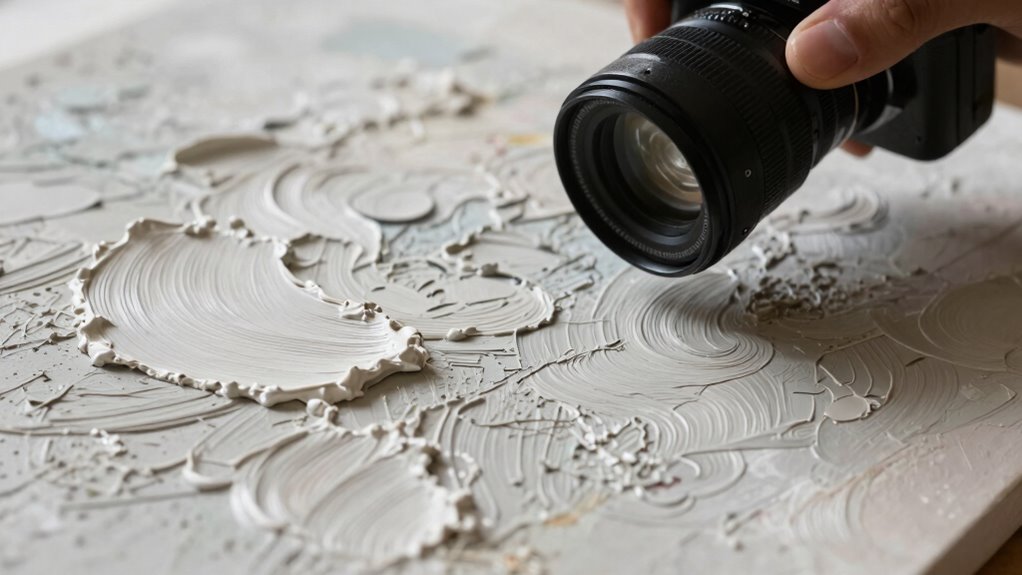
Scanning textured artwork can be challenging because capturing the depth and detail of the surface requires more than just a standard scan. When working with textured pieces, you want to preserve the surface character—those subtle ridges, bumps, or brushstrokes that give the artwork its unique feel. To do this effectively, you need to pay close attention to your scanner’s resolution settings. Higher scanner resolutions, such as 600 dpi or more, are vital because they capture finer details that lower resolutions often miss. The increased resolution helps you preserve the surface’s tactile qualities, making your digital version as true to the original as possible.
High-resolution scanning captures surface textures and details, preserving the artwork’s tactile character authentically.
Alongside resolution, digital color calibration plays an essential role. Proper calibration ensures that the colors in your scan match what you see in real life, but it also influences how surface textures are rendered. When your colors are calibrated correctly, subtle variations in hue, shading, and surface reflectivity are more accurately represented. This accuracy helps your digital image maintain the depth and richness of the original artwork, especially when dealing with textured surfaces where light and shadow interplay heavily influence perception.
You should also consider the type of scanner you’re using. Flatbed scanners with adjustable resolution and good light sources are often ideal for textured artwork. Make sure your artwork is clean and free of dust or debris, as imperfections can be exaggerated in high-resolution scans. Use the scanner’s preview feature to adjust the settings before committing to a final scan, allowing you to optimize for detail and color accuracy.
Lighting plays an important role too. When scanning textured artwork, the way light interacts with the surface can enhance or diminish surface details. Some scanners come with built-in lighting that can be adjusted, but if yours doesn’t, you might want to experiment with external lighting sources. Position the light so it hits the artwork at an angle; this creates shadows that accentuate surface textures, making them more pronounced in the digital image.
Finally, take your time during the scanning process. Don’t rush to get a quick image; instead, tweak the resolution and calibration until you’re satisfied with the surface detail. You might need to do a few test scans to find the perfect balance between resolution, color fidelity, and surface detail. Being aware of the surface character of your artwork and adjusting your setup accordingly ensures that your digital copies accurately reflect the original’s tactile qualities. By paying close attention to these factors, you’ll guarantee your digital copy captures the true essence of the textured artwork without losing its surface character.
high resolution flatbed scanner for artwork
As an affiliate, we earn on qualifying purchases.
As an affiliate, we earn on qualifying purchases.
Frequently Asked Questions
What Equipment Is Best for Scanning Textured Artwork?
You should choose a high-resolution flatbed scanner with adjustable settings for texture enhancement. Look for equipment that offers excellent detail capture and the ability to adjust contrast and brightness. Compare models based on resolution, color accuracy, and surface handling to prevent loss of surface character. A dedicated art scanner or a professional-grade flatbed with transparency options can help preserve fine details, ensuring your textured artwork’s surface nuances remain vivid and true to the original.
How Do I Preserve Color Accuracy During Scanning?
Did you know that proper color calibration can improve scan accuracy by up to 90%? To preserve color accuracy during scanning, you should use color calibration tools before scanning. Create a custom color profile for your scanner, ensuring it captures true colors. Regularly recalibrate, especially when working with different artworks or lighting conditions, to maintain consistent, accurate colors in your digital files.
Can I Scan Artwork With Mixed Textures Effectively?
Yes, you can scan artwork with mixed textures effectively by adjusting your scanner’s settings for texture enhancement, ensuring surface detail is captured without losing the depth of varied textures. Use a high resolution and enable features like multi-sampling or adaptive focus if available. Lighting plays an essential role; diffuse lighting helps highlight surface detail without glare. Carefully preview and tweak settings to balance capturing fine textures and overall color accuracy.
What Resolution Should I Use for Detailed Surface Capture?
For detailed surface capture, you should use a high resolution, around 600 to 1200 DPI. This helps guarantee surface preservation and captures every textured detail. Don’t forget, digital enhancement can refine the fine features, but avoid over-sharpening that might distort the texture. With the right resolution, you’ll preserve the artwork’s surface character, ensuring that every bump, groove, and grain stays vivid and true to the original.
How Do I Prevent Reflections or Glare in Scans?
To prevent reflections or glare in scans, you should optimize your lighting setup and scanning environment. Use diffuse lighting, like softboxes or indirect light sources, to minimize harsh reflections. Position lights at angles that avoid direct reflection into the scanner. Additionally, scan in a controlled environment with neutral, matte surfaces around your artwork. This setup helps diffuse light evenly, ensuring your textured surface details stay clear without glare interference.
As an affiliate, we earn on qualifying purchases.
Conclusion
So, armed with these tips, your scans will capture every tiny bump and intricate detail of your textured artwork—so perfectly, it’ll look like you just revealed the secret to eternal artistic immortality! No more losing surface character or settling for flat, lifeless reproductions. Your artwork’s true essence will leap off the screen or paper, leaving viewers breathless and convinced they’re gazing at a masterpiece that’s practically alive. Get ready to blow minds with your incredible, surface-rich scans!
external lighting for scanning textured art
As an affiliate, we earn on qualifying purchases.
As an affiliate, we earn on qualifying purchases.
scanner with adjustable resolution
As an affiliate, we earn on qualifying purchases.
As an affiliate, we earn on qualifying purchases.
Evergreen bestsellers Picks
bestsellers
As an affiliate, we earn on qualifying purchases.