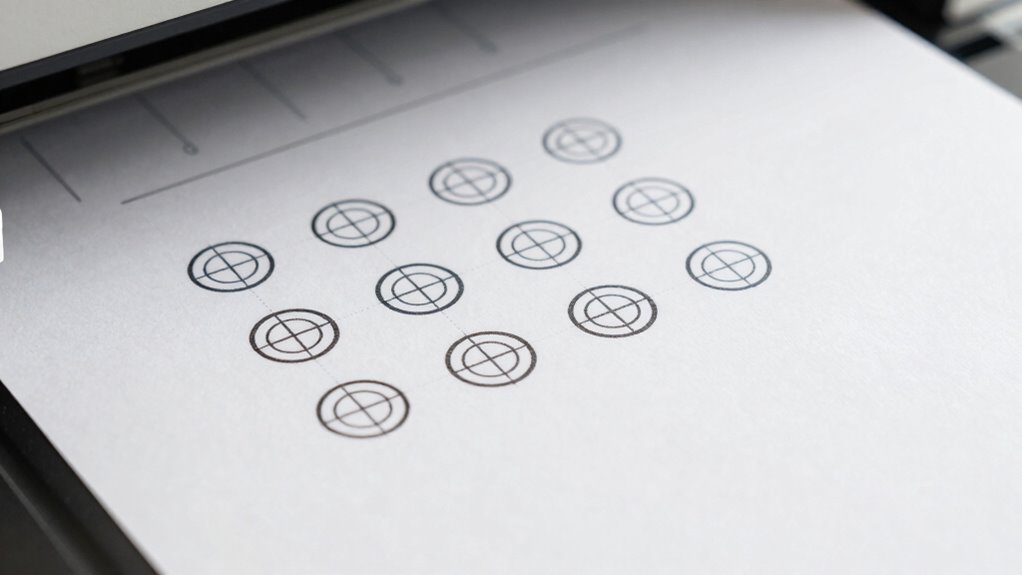

Registration marks are crucial for ensuring your print-and-cut projects come out perfectly aligned. By choosing high-contrast, appropriately sized marks and placing them consistently around your design, you help your cutter accurately read and follow these guides. Proper calibration of your hardware and software, along with troubleshooting common issues, improves precision. If you follow these essential tips, you’ll maximize accuracy and achieve flawless results every time—keep going for detailed steps to master registration!

Get business pricing on monitors, keyboards and dev gear
- Business-only prices and quantity discounts
- Tax-exempt purchasing
- Multiple users, one account, clear invoices
Key Takeaways
- Select high-contrast, appropriately sized registration marks compatible with your cutting machine and material type.
- Position registration marks consistently around your design with equal spacing to ensure accurate alignment.
- Use calibration routines and test prints to verify registration mark visibility and cutting accuracy before final projects.
- Ensure registration marks are included correctly in exported files and placed precisely relative to artwork.
- Regularly calibrate hardware and monitor registration marks for shifts due to material or printer changes.
registration marks for print and cut machine
As an affiliate, we earn on qualifying purchases.
As an affiliate, we earn on qualifying purchases.
What Are Registration Marks and Why Are They Critical for Print-and-Cut Projects

Registration marks are small, precisely placed symbols added to your design to guarantee accurate alignment during the print-and-cut process. They serve as reference points for your cutting machine to precisely locate where to cut after printing. To ensure the registration marks are effective, pay attention to color contrast; using a high-contrast color against your material makes the marks stand out clearly. Material selection also plays a crucial role—some materials absorb ink differently or may cause distortion, affecting mark visibility. Proper contrast and suitable materials help your machine recognize the registration marks quickly and accurately. Understanding print registration is essential for achieving precise cuts and avoiding misaligned results. Without clear marks, your cuts could be misaligned, ruining your project. So, always choose your colors and materials carefully to ensure perfect registration and flawless results. Additionally, ensuring consistent material quality can significantly improve cut accuracy and streamline your workflow.
high contrast registration marks for vinyl cutting
As an affiliate, we earn on qualifying purchases.
As an affiliate, we earn on qualifying purchases.
How to Choose the Best Registration Marks and Sizes for Your Material

Choosing the right registration marks and sizes is essential for guaranteeing accurate cuts on your material. Consider your material type, as thicker or textured surfaces may need larger marks for visibility. Color profiles also matter; high-contrast registration marks improve detection regardless of material or lighting conditions. Use the following table to match registration mark sizes to material types:
| Material Type | Recommended Mark Size | Color Profile |
|---|---|---|
| Thin paper | Small (0.5″) | Bright, high contrast |
| Vinyl | Medium (0.75″) | Matte or semi-gloss |
| Heavy cardstock | Large (1″) | Bright, high contrast |
| Fabric | Medium (0.75″) | Bright, high contrast |
| Transparent film | Small (0.5″) | Bright, high contrast |
Matching mark sizes to material types guarantees reliable registration, no matter your choice of color profile. Additionally, selecting appropriate registration mark sizes and colors can help accommodate variations in your equipment and environment, ensuring consistent performance. It is also important to consider the detection capability of your equipment, which can be influenced by the size and contrast of the registration marks. Furthermore, understanding the paint or ink compatibility with your marks can prevent smudging or fading during the cutting process, further enhancing accuracy. Properly aligning registration marks with material surface properties can also improve detection reliability.
As an affiliate, we earn on qualifying purchases.
Setting Up Registration Marks in Your Design Software : Step-by-Step
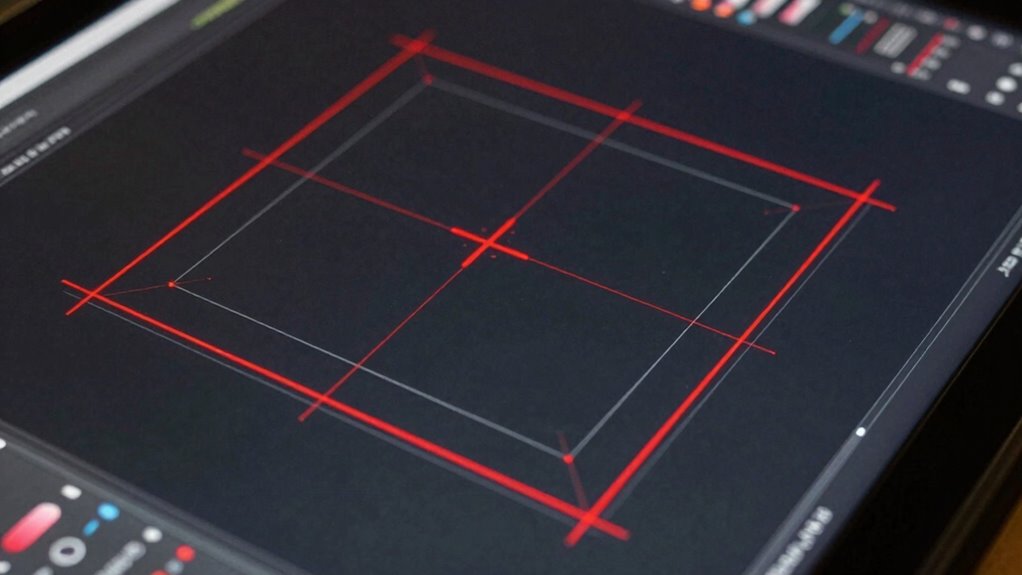
Setting up registration marks correctly in your design software guarantees that your cuts align perfectly every time. First, choose the appropriate registration mark type and size based on your material selection. Verify your color matching is accurate; use a distinct color for marks that won’t interfere with your artwork. Next, position the marks consistently around your design, maintaining equal distances for precise placement. Confirm your document’s bleed area and margins are correct to avoid cut-off issues. Also, double-check your software’s settings to include registration marks in the exported file. Remember, proper setup minimizes errors and saves time during printing and cutting. Understanding the importance of accurate registration ensures your project’s success from start to finish. Additionally, familiarizing yourself with template compatibility can help prevent misalignments caused by software inconsistencies.
cutting machine registration mark setup
As an affiliate, we earn on qualifying purchases.
As an affiliate, we earn on qualifying purchases.
Aligning Registration Marks With Your Artwork for Perfect Cuts

To get perfect cuts, you need to align your registration marks precisely with your artwork. Focus on placing the marks accurately and keeping your artwork consistently positioned on your workspace. Using alignment guides can make this process easier and guarantee your cuts are as clean as possible.
Accurate Mark Placement
Ensuring your registration marks are precisely aligned with your artwork is essential for achieving clean, accurate cuts. Proper mark placement minimizes errors and guarantees your design cuts exactly as intended. To do this effectively:
- Verify your printer’s color management settings to prevent shifts that affect registration.
- Use compatible inks to avoid smudging or misalignment during printing.
- Double-check the positioning of registration marks relative to your artwork before printing.
- Maintain consistent artwork margins to prevent shifting during the print-and-cut process.
Consistent Artwork Positioning
Accurate registration mark placement relies heavily on consistent artwork positioning throughout the printing process. To achieve this, verify your artwork is aligned precisely on the material, maintaining the same position from print to cut. Proper material selection plays a key role; choose stable, flat substrates that won’t shift or warp. Consistent color matching across prints helps prevent misalignment caused by visual discrepancies, especially when using color-based registration systems. Use a dedicated registration template or software that locks your artwork in a fixed position relative to the marks. Always verify your print setup before printing large batches. By keeping your artwork consistently positioned and choosing the right material, you minimize errors and ensure each cut aligns perfectly with your registration marks.
Using Alignment Guides
Aligning your registration marks with your artwork is essential for achieving clean, precise cuts. Using alignment guides helps you position your artwork accurately relative to the registration marks, reducing errors. Proper alignment guarantees consistent results, especially when managing color and material selection. To get the best outcome, keep these tips in mind:
- Check color management settings to prevent color shifts that could affect registration.
- Select materials compatible with your printer and cutter to ensure accurate cutting.
- Use alignment guides to fine-tune the placement of artwork and registration marks.
- Always preview the alignment before executing the cut to catch potential misalignments early.
Troubleshooting Registration Mark Problems and Fixing Common Issues
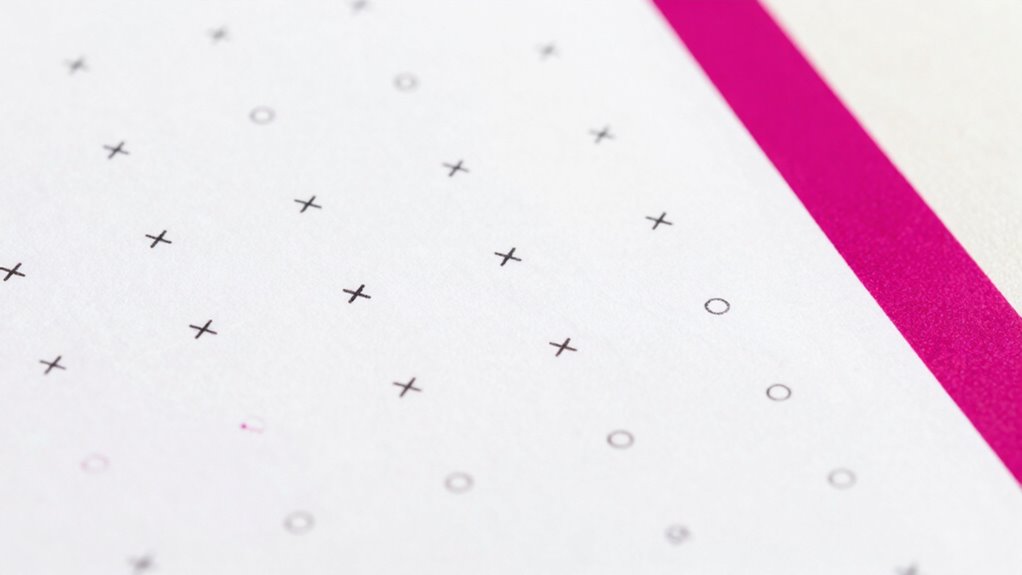
Registration mark problems can disrupt your print-and-cut process, causing misaligned cuts and wasted materials. To fix this, start by checking your material selection; some materials reflect or absorb ink differently, affecting registration. Adjust your color correction settings to enhance mark visibility without oversaturating. Common issues include faint or distorted marks, which may require reprinting with better contrast or a different material. Verify your printer settings match the media used. Use consistent color profiles for accurate results. Additionally, ensuring proper ventilation can help prevent ink smudging or bleeding, leading to clearer registration marks. Proper calibration of your cutter is also essential to ensure cuts align perfectly with the registration marks.
| Issue | Solution |
|---|---|
| Faint registration marks | Increase contrast or change material for better ink absorption |
| Misaligned cuts | Calibrate your cutter and verify registration marks are clear |
| Distorted marks | Check printer settings and reprint using color correction |
| Material inconsistencies | Use uniform material batches to maintain accuracy |
| Ink bleeding or smudging | Select suitable material and adjust ink density |
Testing Registration Accuracy Before Full Production

How can you guarantee your print-and-cut process is spot-on before committing to a full run? Start by testing registration accuracy with a small print sample. Focus on color matching to ensure colors stay consistent across prints, avoiding surprises later. Check material selection, choosing the same type you’ll use in production, as different materials can affect registration. Use a test cut to verify alignment and make adjustments if needed. Consistently review registration marks, especially if switching materials or printers.
Ensure registration accuracy with test prints, consistent materials, and regular mark checks before a full print-and-cut run.
- Use identical materials for testing and production
- Print at the same resolution and settings
- Verify registration marks are clear and correctly positioned
- Conduct multiple test runs to confirm accuracy
Calibrating Hardware and Software to Improve Registration Precision
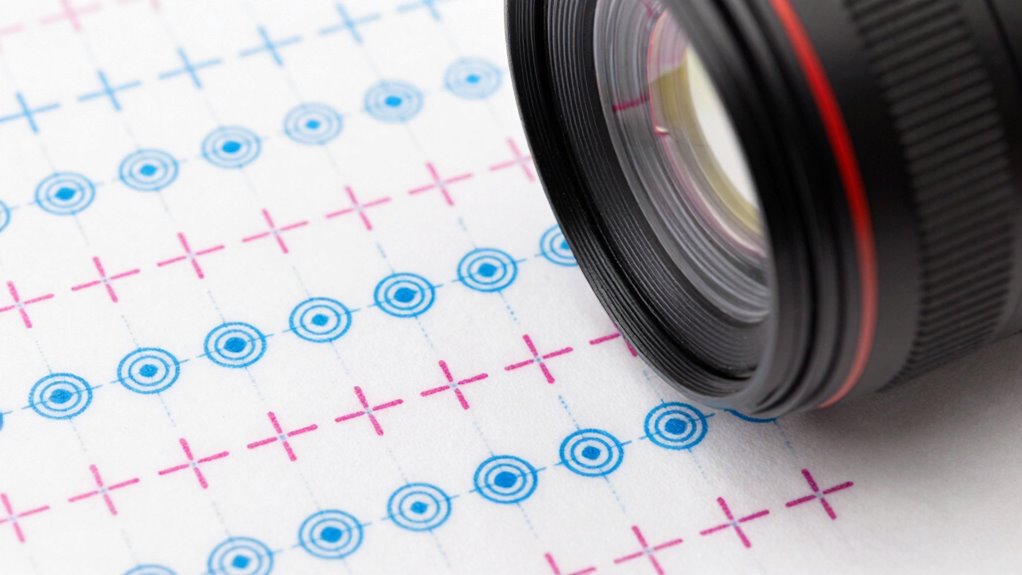
To improve registration precision, you need to focus on proper hardware alignment techniques, ensuring your equipment is correctly calibrated. Using effective software calibration methods helps fine-tune your cutting accuracy and reduces misalignment issues. Combining these approaches streamlines your process and results in more consistent, professional output. Additionally, understanding the importance of essential DIY tools and safety tips can help you safely perform maintenance and adjustments to your equipment. Regular maintenance routines, including checking hardware calibration, can prevent common alignment problems and extend your equipment’s lifespan. Incorporating routine calibration checks into your maintenance routine ensures sustained accuracy over time. Monitoring piercing care and hygiene practices can also help maintain equipment cleanliness and performance, reducing the risk of malfunctions. Maintaining a clean work environment further supports consistent registration and prolongs your machinery’s effectiveness.
Hardware Alignment Techniques
Achieving precise print-and-cut results begins with proper hardware alignment, guaranteeing that your printer and cutter work in sync. Start by checking sensor calibration; accurate sensors are vital for consistent registration. Pay attention to material handling, making sure materials are fed smoothly without shifting. Regularly inspect and calibrate the cutter’s alignment to match the printer’s output. Use alignment marks to verify positioning and make small adjustments as needed. Properly calibrated sensors help detect registration marks reliably, reducing errors. Consistent material handling minimizes skew and misregistration during printing and cutting. Always keep hardware components clean and free of debris to maintain accuracy. Additionally, incorporating visual registration marks into your design can significantly improve alignment precision. Remember, precise hardware setup minimizes the need for extensive software adjustments later. Proper alignment is your foundation for flawless print-and-cut projects. sensor calibration is essential to ensure registration accuracy and achieve optimal results. Maintaining the hardware setup regularly can prevent many common registration issues. Ensuring all components are correctly configured can also mitigate alignment drift over time. Regular checks of measurement tools can help maintain the high level of accuracy required for quality print-and-cut outcomes.
Software Calibration Methods
Have you ever wondered if your print-and-cut results could be more precise without changing your hardware? Software calibration methods can help optimize your digital workflows and improve registration accuracy. Start by ensuring your design software and cutting machine are properly aligned through calibration routines, which often involve printing test marks and adjusting settings accordingly. Proper color management also plays a role, as consistent color output reduces discrepancies that might affect registration. Using calibration tools within your software, you can fine-tune the alignment between printed marks and cut lines, minimizing errors. Regular calibration maintains high precision, especially when working with different media or colors. Incorporating seasonal lighting conditions and understanding their impact can further enhance your calibration process. By implementing these software calibration methods, you enhance your workflow’s reliability and achieve tighter registration without costly hardware upgrades.
Adjusting Registration Marks for Multi-Color and Intricate Designs

When working with multi-color and intricate designs, precise adjustment of registration marks becomes indispensable to guarantee perfect alignment. You need to carefully check how each color matches, ensuring seamless transitions and avoiding misregistration. Proper material selection also plays a vital role, as different surfaces can affect how accurately your print and cut processes work. To improve accuracy, consider these points:
- Verify registration marks are clearly visible against all colors
- Adjust mark size and position for complex shapes
- Use color matching techniques to prevent color shift
- Test on your chosen material to account for its unique properties
- Regularly calibrate your equipment to maintain consistent registration accuracy (print calibration techniques).
Final Tips to Achieve Perfect Print-and-Cut Registration Every Time
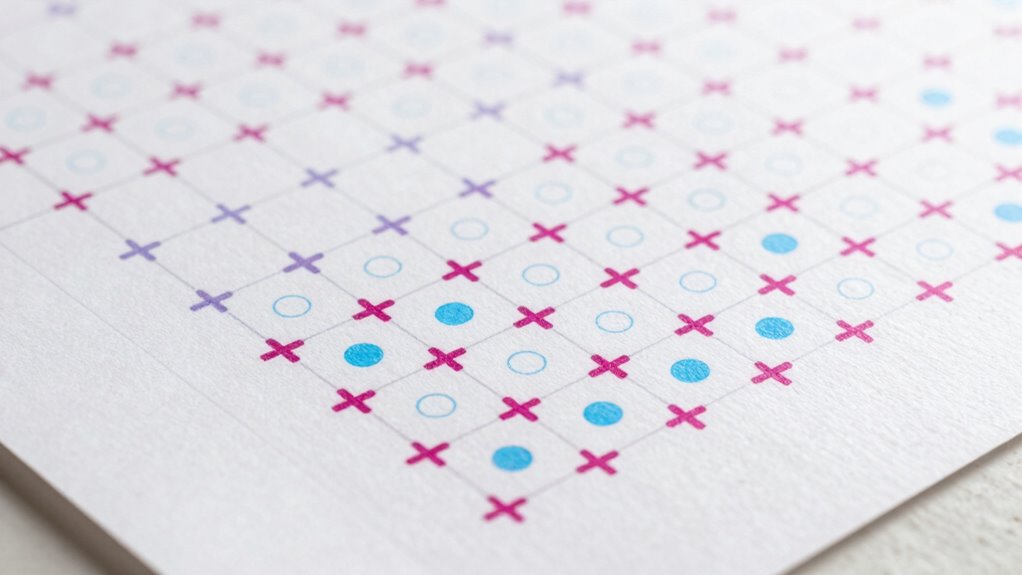
To consistently get perfect print-and-cut results, paying attention to key setup details can make all the difference. Start with proper color management to ensure your colors print accurately and consistently, reducing the need for adjustments during cutting. Match your print materials with your cutter’s specifications to avoid misalignments caused by material incompatibility. Always calibrate your printer and cutter regularly to maintain registration accuracy. Use high-quality registration marks and ensure they are correctly positioned and scaled in your design. Before starting a full project, run test prints and cuts to confirm registration precision. These steps help eliminate variables that could compromise your results, ensuring every print-and-cut operation is precise, professional, and repeatable. Incorporating regional flavor considerations into your setup can also enhance the accuracy of your registration in themed projects.
Frequently Asked Questions
Can Registration Marks Be Reused Across Different Projects?
Yes, you can reuse registration marks across different projects, but it’s best for maintaining project consistency. When you reuse marks, make sure they’re accurately aligned and scaled for each new design. Consistent registration marks help your print‑and‑cut process run smoothly, reducing errors. However, always double-check the marks before printing to avoid misalignment. Proper mark reuse saves time and ensures your projects stay uniform and professional-looking.
What Are the Best Materials for Accurate Registration?
Ever wonder what materials guarantee precise registration? You should use stable, smooth adhesive substrates like high-quality vinyl or paper for accuracy, as they prevent shifting. Reflective surfaces can work if they’re non-glare and flat, but they might cause issues with detection. Are your registration marks on surfaces that stay still and don’t stretch? Using the right combination of adhesive substrates and flat, non-reflective surfaces guarantees better registration and cleaner cuts.
How Do Environmental Factors Affect Registration Accuracy?
Environmental factors like temperature, humidity, and lighting can impact registration accuracy by causing substrate variability and affecting color management. When humidity fluctuates, materials may expand or contract, leading to misalignment. Poor lighting can make registration marks harder to see, resulting in errors. To mitigate this, maintain a controlled environment, use consistent substrates, and ensure proper color management. This approach helps achieve precise registration during print-and-cut processes.
Are There Specific Software Plugins for Better Registration?
Imagine you’re working on a complex print-and-cut project, and a plugin like Esko’s ArtPro+ can enhance registration accuracy. These software plugins are designed for specific programs, so check software compatibility before installing. By integrating such plugins, you streamline registration, reduce errors, and improve precision. Just make certain you follow proper plugin installation steps, and you’ll see a noticeable difference in achieving perfect cuts every time.
What Are the Cost Implications of High-Precision Registration Systems?
High-precision registration systems can markedly impact your budget, with costs ranging from several thousand dollars for advanced equipment to more affordable options for basic setups. You should conduct a cost analysis to understand the financial impact, considering equipment investment, maintenance, and potential savings from reduced waste. While upfront costs may be high, improved accuracy can boost efficiency and quality, ultimately providing long-term value for your print-and-cut operations.
Conclusion
Mastering registration marks is essential for flawless print-and-cut projects. By carefully choosing, setting up, and troubleshooting your marks, you’ll avoid mishaps like misaligned cuts—think of it as your modern “Renaissance” skill in digital design. Always test first and calibrate your equipment; it’s worth the effort to achieve perfect results every time. Remember, even Da Vinci would agree that precision and patience are your best allies in this craft.
Fall Picks
fall essentials
As an affiliate, we earn on qualifying purchases.