

TL;DR

Get business pricing on monitors, keyboards and dev gear
- Business-only prices and quantity discounts
- Tax-exempt purchasing
- Multiple users, one account, clear invoices
A single video can produce a full publishing kit—embeds, playlists, thumbnails, metadata, and social assets—without needing the cloud. This approach offers control, privacy, and speed, ideal for creators who value local workflows and offline readiness.
Imagine finishing a video and instantly having everything you need to publish across multiple platforms—without ever uploading to the cloud. No waiting for cloud servers, no dependence on internet speed, just a fast, local workflow. This isn’t sci-fi; it’s increasingly possible with tools that turn a single video into a complete publishing kit, all on your own machine.
Why does this matter? Because controlling your content means privacy, faster turnaround, and fewer headaches. Whether you’re a solo creator or part of a small team, understanding how to produce and manage your assets offline can change your entire publishing process.
Key Takeaways
- A single video can generate a complete publishing package—embed, social clips, blogs, and playlists—locally, without needing the cloud.
- Offline workflows give you full control over your data, enhance privacy, and eliminate reliance on internet speed or connectivity.
- Tools like ChannelHelm process multiple assets simultaneously, reducing time from hours to minutes.
- Local publishing kits are perfect for creators working in sensitive environments or with limited internet access.
- While cloud systems excel in collaboration and analytics, local workflows prioritize speed, security, and independence.
As an affiliate, we earn on qualifying purchases.
How One Video Turns Into a Full Publishing Kit — Step by Step
When you drop a video into a local tool like ChannelHelm, it kicks off a smart process. First, it transcribes the audio with speaker labels, so you know exactly who said what, when. This detailed transcription isn’t just about accessibility; it provides a foundation for generating accurate captions, summaries, and searchable content—crucial for engagement and SEO.
Then, it analyzes the visuals—scene cuts, on-screen text, key frames—to understand what’s happening on screen. This step helps in automatically selecting representative thumbnails, creating scene-based chapters, and tailoring content snippets for different platforms. The deeper understanding of your video content allows for more precise and contextually relevant asset generation, which can significantly enhance viewer engagement and discoverability.
Next, the system fuses these layers into a timeline of meaningful moments. From there, it drafts everything—titles, descriptions, hashtags, thumbnails—tailored for each platform. You review, tweak, and approve. All locally, all fast, all under your control.
This process takes a few minutes, but the results are powerful: a web embed, playlists, social snippets, blog drafts, and more—ready to publish without relying on the internet after setup. The depth of analysis means your assets are not just generated quickly but are also more aligned with your content’s intent and audience preferences, maximizing impact with minimal effort.
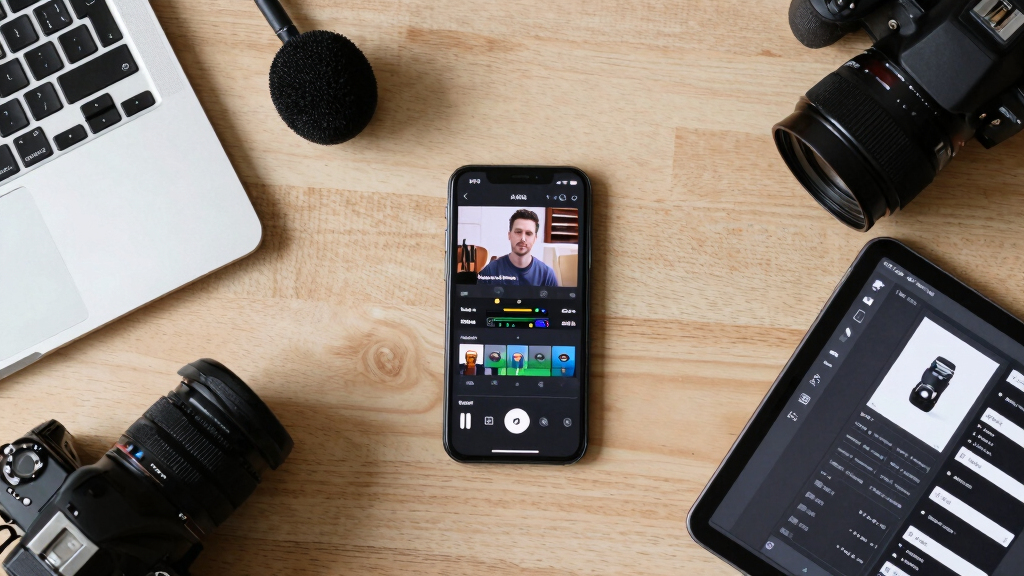
local video content management software
As an affiliate, we earn on qualifying purchases.
As an affiliate, we earn on qualifying purchases.
What Does ‘Without the Cloud’ Really Mean for Your Publishing Workflow?
Going ‘without the cloud’ means your tools process everything on your own hardware—no servers, no remote storage, no third-party hosting. Think of it as having a mini publishing factory right on your desk. You keep full control, reduce security risks, and avoid delays caused by internet outages. This approach fundamentally shifts the implications of content management: instead of relying on external services that might introduce latency or compromise privacy, you own the entire pipeline. Learn more about local publishing solutions.
For example, a media team working in a remote area can produce a complete set of assets—videos, thumbnails, social posts—without worrying about internet speed or access. When their work is done, they can upload or publish manually or via a local server, maintaining privacy and speeding up the entire process. This independence allows for rapid iteration and immediate publishing, especially critical in scenarios where timely content is essential, such as breaking news or sensitive material.
While cloud systems excel in collaboration and scalability, local workflows shine when privacy, speed, and independence are top priorities. The tradeoff is that local setups require more initial setup and some technical know-how, but they reward users with greater control and security, especially in environments where trusting third-party providers isn’t an option or where data sensitivity is paramount. Energy solutions for secure local workflows.

video transcription and captioning software
As an affiliate, we earn on qualifying purchases.
As an affiliate, we earn on qualifying purchases.
Compare Cloud vs. Local Publishing: Which Is Better for You?
| Feature | Cloud Publishing | Local Publishing (Offline) |
|---|---|---|
| Setup speed | Fast, requires internet connection | Initial setup, then fast processing locally |
| Control over data | Shared with third-party providers | Full control, data stays on your machine |
| Collaboration | Easy with cloud tools, real-time updates | Requires manual sharing or local network |
| Speed & reliability | Depends on internet speed, subject to outages | Consistent, unaffected by connectivity |
| Security & privacy | Dependent on provider’s security measures | Complete control, no external access |
video thumbnail creation software
As an affiliate, we earn on qualifying purchases.
As an affiliate, we earn on qualifying purchases.
What Outputs Can You Expect From a Local Publishing Kit?
When you process a video locally, you get a full package: a ready-to-publish embed, social snippets, playlists, thumbnails, captions, and detailed metadata. This isn’t just about automation; it’s about creating assets that are deeply tailored to your content and audience needs. For example, from one 10-minute interview, you could generate:
- A web player with custom branding that reflects your style and branding guidelines
- Multiple social cuts optimized for Instagram, TikTok, and Twitter—each designed to maximize engagement based on platform-specific formats and audience behaviors
- A blog draft summarizing key points—enhanced with keywords and SEO considerations to improve visibility
- A newsletter snippet that highlights the most compelling moments, encouraging further engagement
- Pre-styled playlists for your website that enhance user experience and encourage longer viewing sessions
All these outputs are crafted automatically, based on the intelligent analysis of your video, and stored securely on your device. This depth of output customization means your content can be more strategic and impactful, without additional manual effort or cloud reliance.

Speed, Security, and Control: Why Local Beats Cloud for Creators
Local workflows can process and produce assets in minutes—no lag waiting for uploads or server responses. This rapid turnaround is crucial for timely content deployment, especially in fast-moving situations like news, live events, or crisis communications. Additionally, your raw footage and finished assets stay on your machine, which drastically reduces the risk of data breaches or leaks. This is especially important for VR gear safety and security.r proprietary content, where external storage could be an attack vector or compliance risk.
For instance, a journalist working in a sensitive region can produce and review all content without exposing their raw footage to external servers. They retain full control over their data, ensuring it’s only accessible to trusted personnel. This level of security is vital for maintaining confidentiality and avoiding potential espionage or data theft.
While cloud systems often promise scalable collaboration and analytics, local solutions excel in environments where security, speed, and independence are non-negotiable. The tradeoff is that local setups may require more initial configuration, but for many creators, the benefits of speed and security outweigh the convenience of cloud-based scalability.
Frequently Asked Questions
Can a local publishing kit produce content for multiple platforms?
Absolutely. A well-structured local workflow can generate assets optimized for websites, social media, email, and more—everything from embedded players to social clips—without needing to upload to the cloud first.
How secure is a local publishing workflow compared to cloud-based systems?
Local workflows keep all raw footage and assets on your own hardware, drastically reducing exposure to external breaches. You control access and storage, making it ideal for sensitive or private content.
Is offline processing slower or more limited than cloud options?
Not necessarily. Modern tools process assets quickly on powerful local machines. The main tradeoff is the lack of instant collaboration features, but for speed and control, local often wins.
What are the main tradeoffs of going offline?
You lose some scalability, collaboration ease, and remote access features that cloud services offer. However, you gain speed, security, and independence, especially valuable in sensitive or connectivity-challenged environments.
Can I still publish directly from my local system?
Yes. You can export your assets and upload manually or set up your own server for automated publishing—no need for ongoing cloud reliance if you prefer full control.
Conclusion
Choosing a local, offline publishing workflow isn’t just about avoiding the cloud—it’s about reclaiming control, speed, and privacy. With the right tools, one video can become a complete, ready-to-publish kit in minutes, all on your own terms.
Remember, in the age of digital dependency, a robust local workflow offers peace of mind—and a competitive edge. Ready to build your own offline publishing factory? Start exploring tools like ChannelHelm today.

Fall Picks
fall essentials
As an affiliate, we earn on qualifying purchases.