
ICC profiling tools help you achieve consistent and accurate color output by measuring and calibrating your devices. They use specialized hardware to create custom profiles that match your monitor and printer to color standards. This guarantees your prints look the same every time, reducing errors and reprints. Regular calibration keeps colors true over time, even with environmental changes. Keep exploring to discover how these tools can streamline your workflow and boost your confidence in color accuracy.

Get business pricing on monitors, keyboards and dev gear
- Business-only prices and quantity discounts
- Tax-exempt purchasing
- Multiple users, one account, clear invoices
Key Takeaways
- Measure and analyze color data from devices to create accurate ICC profiles tailored to specific printing setups.
- Correct color deviations, ensuring consistent and predictable print results across different media and environments.
- Enable precise translation of digital colors into physical prints, maintaining color fidelity throughout workflows.
- Regularly update profiles and calibrate printers to maintain long-term color accuracy and consistency.
- Simplify color management, reducing errors, reprints, and waste while enhancing overall print quality.
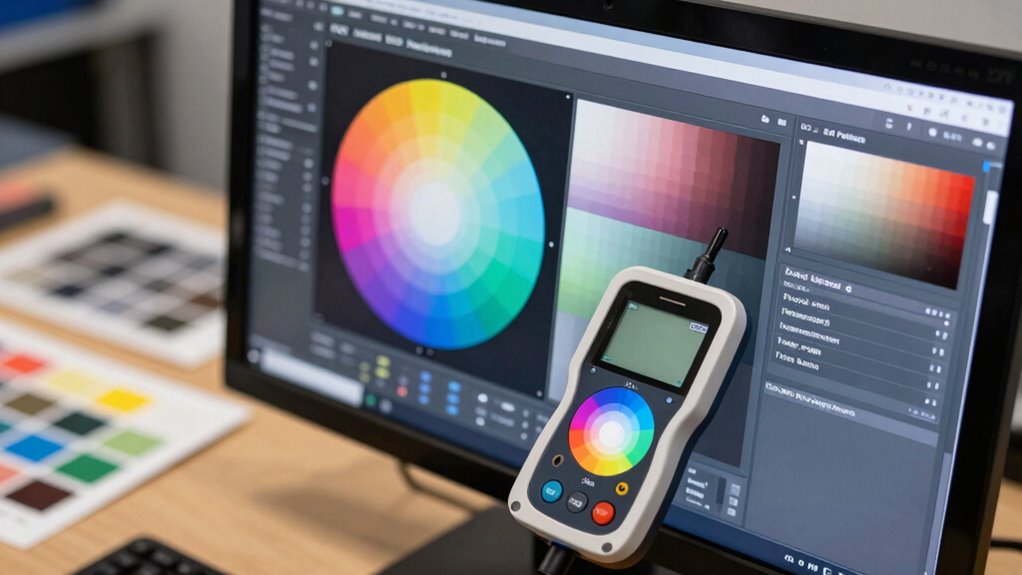
ICC profiling tools are essential for ensuring color accuracy across different devices and media. When you’re working in a print environment, maintaining consistent color can be a challenge because each device—whether a monitor, scanner, or printer—interprets color differently. This is where ICC profiles come into play. They act as standardized references, allowing you to communicate color information accurately from one device to another. By creating and applying these profiles, you ensure that the colors you see on your screen match the final printed piece as closely as possible. This process, known as printer calibration, is vital to achieving predictable results, especially when working with complex color workflows. Without proper calibration, you risk discrepancies that can lead to wasted materials, time, and frustration.
ICC profiles ensure consistent, accurate color communication across devices for reliable print results.
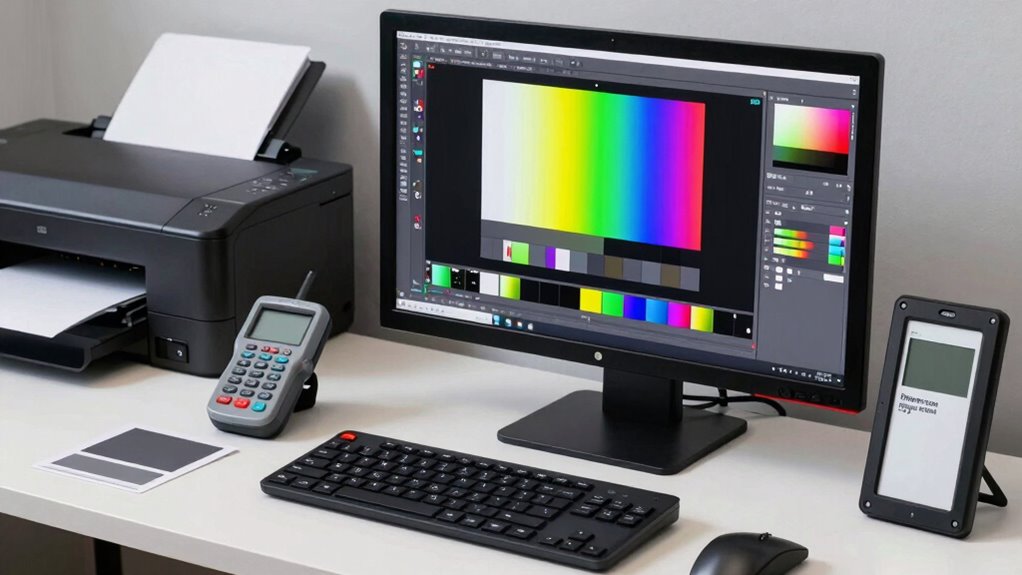
Using ICC profiling tools, you can systematically measure how your printer reproduces colors and then generate a profile that corrects those deviations. These tools typically involve specialized hardware, like spectrophotometers, which scan test prints to gather precise color data. Once the data is collected, the software creates a custom ICC profile tailored specifically to your printer, ink, and paper combination. This profile acts as a bridge, translating color data from your digital files into print output that aligns with your desired color standards. In effect, it makes your printer behave more predictably, reducing the guesswork involved in color management. Color calibration is a crucial step in maintaining consistent color accuracy over time. Regularly updating profiles based on environmental changes is also important for color consistency, especially in professional workflows. Additionally, consistent color management practices ensure that your entire production process remains reliable. Proper device profiling helps in identifying and correcting color deviations early, saving time and resources.
Printer calibration through ICC profiling isn’t a one-time task; it’s an ongoing process that ensures your colors stay consistent over time. As inks fade, paper batches vary, or environmental conditions change, recalibrating your printer with updated profiles keeps your output reliable. Many print teams rely on these tools daily to streamline workflows, minimize errors, and maintain high standards of color fidelity. Implementing routine profile updates can further enhance the longevity of your calibration efforts and ensure long-term color stability. When you prioritize proper calibration, you’re investing in the integrity of your print projects, reducing the need for reprints and extensive color corrections later on.
Ultimately, ICC profiling tools empower you to control color accuracy from start to finish. They simplify the complex task of translating digital colors into physical prints, making your workflow more efficient and your results more predictable. Whether you’re producing fine art prints, commercial graphics, or photographic work, these tools are indispensable. They give you confidence that your printed materials will meet your clients’ expectations and uphold your quality standards, all through precise printer calibration and consistent color management.
Products Worth Considering

Logitech MX Keys S Wireless Keyboard, Graphite

Bose QuietComfort Wireless Noise-Cancelling Over-Ear Headphones, Black

Apple Watch Series 8 GPS, 41mm, Midnight Aluminum Case with Midnight Sport Band (S/M)
As an affiliate, we earn on qualifying purchases.
Frequently Asked Questions
Can ICC Profiles Improve Color Consistency Across Different Printers?
Yes, ICC profiles can improve color consistency across different printers. By using these profiles, you engage in effective color management and printer calibration, ensuring colors stay true regardless of the device. You’ll reduce mismatched hues and achieve uniform results, which is essential for professional-quality prints. Regularly updating and customizing ICC profiles allows your print team to maintain reliable color accuracy across all printers.
How Often Should ICC Profiles Be Recalibrated or Updated?
Think of your printer’s color management as a garden that needs regular tending. You should recalibrate or update ICC profiles every few months, especially if you notice color shifts or changes in print quality. Regular calibration frequency guarantees your prints stay true to your vision, maintaining consistency across projects. Keep an eye on your printer’s performance, and update profiles proactively to keep colors vibrant and accurate, just like a well-tended garden blooms beautifully.
Are Free ICC Profiling Tools as Effective as Paid Options?
Free ICC profiling tools can be effective for basic color matching, but they often lack advanced calibration features found in paid options. You might get decent results, but for precise calibration frequency and consistent color accuracy, paid tools usually offer better calibration controls and updates. If you need high-quality, consistent prints, investing in paid profiles can guarantee your color matching stays accurate over time.
Do ICC Profiles Affect Print Speed or Workflow Efficiency?
Yes, ICC profiles can impact print speed and workflow efficiency. When you use accurate profiles, your prints achieve better color accuracy, reducing trial-and-error adjustments. Proper print calibration streamlines the process, minimizing delays caused by color mismatches or reprints. Although profiling might take some initial setup time, it ultimately enhances workflow efficiency by ensuring consistent, predictable results, saving you time and resources in the long run.
Can ICC Profiling Be Used for Non-Standard or Specialty Inks?
Imagine your printer as a painter with a blank canvas; ICC profiling becomes your palette for specialty inks. You can absolutely use ICC profiling for non-standard or specialty inks, enabling precise color calibration. This allows for custom color matching, ensuring vibrant, consistent results even with unique inks. By tailoring profiles to your specific inks, you achieve professional quality, maintaining accurate colors across different substrates and conditions.
Conclusion
Think of ICC profiling tools as the compass guiding your print journey—without them, you’re steering blindly. They’re the lighthouse illuminating true colors amidst a foggy sea of potential inaccuracies. With these tools, you hold the map that transforms your visions into vivid reality, ensuring every print is a masterpiece. Embrace their power, and watch your work sail smoothly across the horizon of perfection, where vivid hues and sharp details become your signature signature.