
TL;DR

Get business pricing on monitors, keyboards and dev gear
- Business-only prices and quantity discounts
- Tax-exempt purchasing
- Multiple users, one account, clear invoices
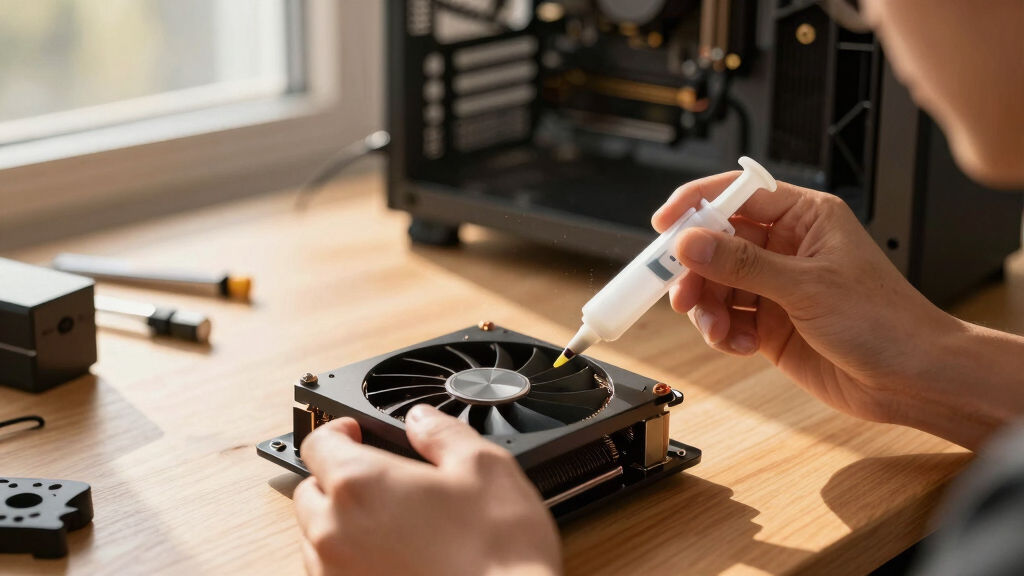
Thorsten Meyer AI published a 2026 thermal-interface guide for high-TDP GPUs, naming Honeywell PTM7950 as its top pick for sustained 24/7 AI workloads. The report says long-term stability matters more than day-one temperature because conventional paste can degrade under constant heat.
Thorsten Meyer AI has published a 2026 thermal-interface guide for high-TDP GPUs, recommending Honeywell PTM7950 phase-change material as the top option for sustained 24/7 AI workloads because the site says it resists pump-out better than traditional paste.
The guide names Honeywell PTM7950 as the preferred choice for GPUs running sustained inference or workstation loads, while listing Arctic MX-6 as the easiest conventional paste, Noctua NT-H2 as a premium paste option, and Thermal Grizzly Kryosheet as a reusable graphene pad. The site also says users should refresh VRM and memory thermal pads when they already have a card disassembled, while matching the original pad thickness.
The report’s central claim is that many paste rankings focus too heavily on day-one temperatures. Thorsten Meyer AI argues that continuous heat can push traditional paste away from the GPU die over time, creating air gaps and higher temperatures. The guide says that process, known as pump-out, can matter more in 24/7 AI systems than in gaming PCs that spend more time at partial load or idle.
The article includes an affiliate disclosure and warns that repasting a GPU can void a warranty or damage hardware if done incorrectly. It also says prices and availability change often, and readers should confirm current pricing before buying.
Why It Matters
The guidance matters for users running high-power GPUs for AI inference, rendering, or other long-duration workloads because small changes in thermal performance can affect fan speed, noise, boost behavior, and long-term stability. A card that slowly runs hotter may throttle or require louder cooling, even if it was stable when first installed.
The recommendation also shifts the buying question from peak thermal performance to durability under sustained heat. For workstation owners, that can make a less familiar phase-change pad more relevant than a conventional paste that performs well immediately after application.
Honeywell PTM7950 phase-change GPU thermal paste
As an affiliate, we earn on qualifying purchases.
As an affiliate, we earn on qualifying purchases.
Background
The guide is positioned as a companion to Thorsten Meyer AI’s broader workstation-cooling series, focused on tuning high-power AI systems. It describes thermal-interface replacement as a low-cost lever compared with larger cooling changes, though it says undervolting may remove more heat with less physical risk.
The site says its picks draw on 2026 thermal-paste testing, including a Tom’s Hardware 90-paste roundup, and reports from GPU repasting communities. Those references support the guide’s product selection, but the source does not present a controlled, card-by-card benchmark table for every listed material.
“The standard coldest on day one advice is wrong for a 24/7 rig.”
— Thorsten Meyer AI
“Best for a sustained 24/7 GPU: Honeywell PTM7950.”
— Thorsten Meyer AI
“A fresh repaste can drop 10°C on a GPU with old, pumped-out paste.”
— Thorsten Meyer AI
“Repasting may void warranty.”
— Thorsten Meyer AI
high TDP GPU thermal pads replacement
As an affiliate, we earn on qualifying purchases.
As an affiliate, we earn on qualifying purchases.
What Remains Unclear
It is not yet clear how each recommended product performs across every GPU cooler design, mounting pressure, workload, and installation method. The guide says performance varies by card, mounting, and application. Long-term durability claims also depend on sustained use over time, which may not match every reader’s system.
reusable graphene GPU thermal pad
As an affiliate, we earn on qualifying purchases.
As an affiliate, we earn on qualifying purchases.
What’s Next
Readers considering a repaste should first check warranty status, confirm pad thicknesses for their specific GPU model, compare current prices, and decide whether the expected temperature gain is worth opening the card. The next practical milestone is system-specific testing before and after any repaste, using sustained workloads rather than short gaming benchmarks.
best thermal paste for 24/7 GPU workloads
As an affiliate, we earn on qualifying purchases.
As an affiliate, we earn on qualifying purchases.
Key Questions
What is the top recommendation for a 24/7 high-TDP GPU?
The guide names Honeywell PTM7950 as the best option for sustained 24/7 GPU use, citing its resistance to pump-out and long-term thermal stability.
Which paste is recommended for easier application?
Thorsten Meyer AI lists Arctic MX-6 as the easier conventional paste choice, describing it as non-conductive and simple to apply.
Are graphene pads safe for GPU repasting?
The guide lists Thermal Grizzly Kryosheet as a reusable graphene option but warns that it is electrically conductive, meaning installation errors can carry added risk.
Should VRM and memory pads be replaced too?
The source says users should consider refreshing VRM and memory pads if the GPU is already disassembled, but they need to match the correct thickness for the card.
Is repasting always worth doing?
No. The guide points to repasting when temperatures have risen over time, when a card is already being opened, or when preparing a GPU for sustained duty. It also says undervolting may deliver larger heat reductions with less effort.
Source: Thorsten Meyer AI
Fall Picks
fall essentials
As an affiliate, we earn on qualifying purchases.