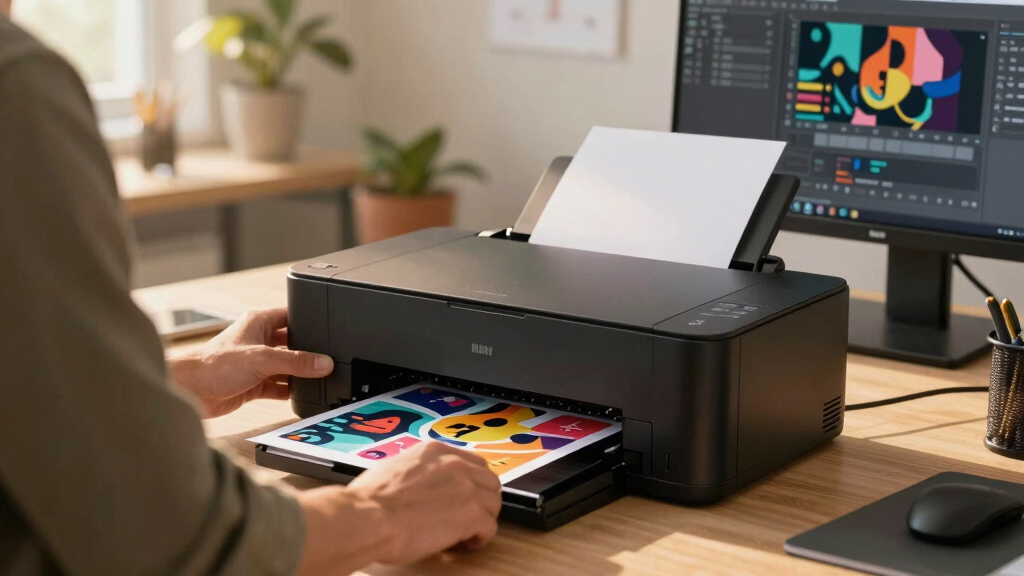

When selecting the best business inkjet printer for graphics, the focus shifts to print quality, color accuracy, and versatility. The Epson EcoTank ET-4800 stands out for its all-in-one capabilities and cartridge-free design, making it a versatile choice for most small businesses. For high-quality photo and graphics printing, the Canon Pixma iX6820 offers impressive resolution and wide-format support, though it lacks some office features. Tradeoffs in this category often involve balancing print quality against cost, speed, and ease of maintenance. Continue reading to see how these options stack up across different needs and budgets.
Key Takeaways
- High-resolution models like the Canon Pixma iX6820 excel in print quality but may lack some office functions.
- EcoTank and refillable models provide the best value over time, especially for high-volume printing.
- All-in-one features such as scanning and copying are common but can add to the cost and complexity.
- Speed and duty cycle vary significantly; choose based on your expected monthly volume.
- Connectivity options, including Wi-Fi and cloud support, are essential for seamless workflow integration.




More Details on Our Top Picks
Epson EcoTank ET-4800 Wireless All-in-One Cartridge-Free Supertank Printer with Scanner, Copier, Fax, ADF and Ethernet – Ideal-for Your Home Office, White
This Epson model stands out for its cost-effective high-capacity refillable ink tanks, making it a top choice for those who print frequently without the hassle of replacing cartridges. Compared to the Canon IX6820, which offers superb resolution but relies on expensive cartridges, the ET-4800 minimizes ongoing costs while still providing impressive print quality—especially for graphics and photos. Its built-in scanner, copier, and fax features add versatility, though the small display may feel limited for some users. The print resolution maxes at 5760 x 1200 dpi, ensuring sharp text and vibrant colors, ideal for detailed graphics. The wireless and Ethernet connectivity support seamless integration into busy home setups. A tradeoff is the slower print speed (5 ppm color), which might affect high-volume workflows. Overall, this pick is perfect for those seeking a reliable, low-cost solution for graphics-heavy home printing, with the understanding that speed is not its strongest suit.
Pros:- High-capacity refillable ink tanks reduce long-term costs
- Impressive 5760 x 1200 dpi resolution for detailed graphics
- Wireless and Ethernet connectivity for flexible setup
- Built-in scanner, copier, and fax increase multifunctionality
Cons:- Slower print speed (5 ppm color), not ideal for high-volume needs
- Small, rigid display limits on-printer navigation
- Initial setup can be slow due to refilling process
Best for: Home users who print large volumes of high-quality graphics and need low running costs.
Not ideal for: Users requiring rapid printing or bulk production, as print speeds are moderate.
- Printer Type:All-in-One Supertank
- Print Resolution:5760 x 1200 dpi
- Connectivity:Wi-Fi, Ethernet
- Item Weight:11 Pounds
- Maximum Media Size:8.5 x 14 inches
- Paper Capacity:100 sheets
Bottom line: This Epson model is best suited for home offices prioritizing quality and cost savings over speed, especially for graphics-intensive printing.
Canon Pixma iX6820 Wireless Business Printer with AirPrint and Cloud Compatible, Black,23.0” (W) x 12.3” (D) x 6.3” (H)
This Canon PIXMA iX6820 excels in producing highly detailed, vibrant graphics and photos thanks to its 9600 x 2400 dpi maximum resolution, making it ideal for professional-quality prints. Compared to the Epson EcoTank ET-4800, which emphasizes low-cost operation, the IX6820 focuses on top-tier print clarity, especially for large-format photos up to 13″ x 19″. Its five individual ink tanks allow precise color management and replacement, leading to vivid, smooth color transitions—perfect for high-quality photo graphics. The printer’s compatibility with AirPrint and cloud services streamlines workflow in busy environments. However, its running costs are higher due to the need for frequent ink replacements, and its speed (15 ppm black, 9 ppm color) is moderate for high-volume tasks. This printer makes sense for graphic artists or photographers needing exceptional detail and color fidelity, with the caveat that ink expenses are ongoing.
Pros:- Exceptional 9600 x 2400 dpi resolution for detailed graphics
- Separate ink tanks for vibrant, accurate colors
- Supports wireless, cloud, and AirPrint for flexible workflow
- Large-format printing up to 13″ x 19″
Cons:- High ongoing ink costs due to multiple cartridges
- Slower print speeds (15 ppm black, 9 ppm color)
- Relatively large footprint for small offices
Best for: Photographers and artists who need detailed, color-rich large-format prints.
Not ideal for: High-volume business environments where speed and low costs are priorities.
- Printer Type:Wireless Large-Format Inkjet
- Maximum Print Resolution:9600 x 2400 dpi
- Media Size:Up to 13 x 19 inches
- Print Speed:15 ppm black, 9 ppm color
- Connectivity:Wi-Fi, Cloud, AirPrint
- Item Weight:18.7 Pounds
Bottom line: Ideal for creative professionals demanding high-resolution, color-accurate large-format prints but willing to manage higher ink costs and moderate speed.
Brother Work Smart 1360 Wireless Color Inkjet All-in-One Printer with Automatic Duplex Printing and 1.8” Color Display | Includes Refresh Subscription Trial(1) (MFC-J1360DW)
This Brother MFC-J1360DW offers a well-rounded package with decent print quality suitable for home users needing occasional high-quality graphics. Its 1200 x 1200 dpi resolution is more than enough for vibrant color prints and detailed images, though not quite at the level of professional photo printers. Compared to the Epson EcoTank ET-4800, this model provides faster speeds (up to 16 ppm black, 9 ppm color) and a larger paper tray (150 sheets), making it better for small-volume workloads. Its automatic duplex and cloud connectivity support efficient workflows. The 1.8″ color display simplifies operation, and the optional Refresh subscription helps keep ink costs reasonable. Downsides include less precise color accuracy for critical graphics and slower color print speeds. This model suits small home offices or casual graphic projects, with the understanding that it’s not a high-end photo printer.
Pros:- Fast print speeds and large paper capacity
- Affordable ink via optional subscription
- Automatic duplex and cloud printing support
- Simple 1.8” color touchscreen
Cons:- Lower color accuracy compared to dedicated photo printers
- Moderate resolution (1200 x 1200 dpi) for detailed graphics
- Print quality may vary with different media types
Best for: Small home offices or hobbyists needing reliable color printing at a lower cost.
Not ideal for: Professionals requiring precise color management and the highest resolution for detailed graphics.
- Printer Type:Wireless All-in-One
- Print Resolution:1200 x 1200 dpi
- Connectivity:Wi-Fi, Cloud
- Paper Capacity:150 sheets
- Maximum Media Size:8.5 x 14 inches
- Item Weight:16.8 Pounds
Bottom line: A reliable, budget-friendly option for home users needing decent quality graphics without high-end photo precision.
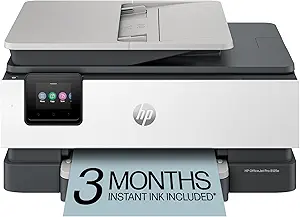
HP OfficeJet Pro 8125e Wireless All-in-One Color Inkjet Printer, Print, scan, Copy, ADF, Duplex Printing Best-for-Home Office, 3 Month Instant Ink Trial Included, AI-Enabled (405T6A)
This HP OfficeJet Pro 8125e delivers solid print quality with a max resolution of 4800 x 1200 dpi, making it suitable for vibrant business graphics and reports. Its faster speed (10 ppm color) and 225-sheet input tray outperform many competitors like the Epson EcoTank for quick turnaround and larger volume. The AI-enabled features help optimize print layouts, removing unwanted content for cleaner, more professional graphics. The automatic duplex, ADF, and wireless connectivity make it a user-friendly choice for small business environments. Downsides include slightly less color fidelity than high-end photo printers and a higher cost per page, especially with non-HP ink. This model is excellent for business graphics intended for presentations and reports where speed and volume matter, but not for ultra-detailed photo work.
Pros:- Fast 10 ppm color printing for quick turnaround
- Large 225-sheet input tray reduces refilling frequency
- AI-enhanced layout optimization for clean graphics
- Wireless, duplex, and ADF support for efficiency
Cons:- Color fidelity not matching dedicated photo printers
- Higher ongoing ink costs with non-HP cartridges
- Limited maximum resolution for ultra-fine detail
Best for: Small business users needing reliable, high-volume color graphics and professional document quality.
Not ideal for: Photographers or artists requiring the utmost color fidelity and fine detail in print.
- Printer Type:Wireless All-in-One
- Print Resolution:4800 x 1200 dpi
- Connectivity:Wi-Fi, Duplex, ADF
- Paper Capacity:225 sheets
- Maximum Media Size:8.5 x 14 inches
- Item Weight:8 Kilograms
Bottom line: A top choice for small businesses needing volume, speed, and decent graphic quality over photo-grade fidelity.
Epson Expression Photo HD XP-15000 Wireless Color Wide-Format Printer, Amazon Dash Replenishment Ready, Black, Large
This Epson XP-15000 excels in producing large, high-quality borderless prints up to 13″ x 19″ with a maximum resolution of 5760 x 1440 dpi, making it ideal for photographers and artists demanding wide-format photo graphics. Compared to the Canon IX6820, which offers excellent detail but smaller media options, the XP-15000 supports a broader range of media, including specialty papers, and includes a wider color gamut thanks to its additional red and gray inks. Its six-color Claria Photo HD ink system ensures vibrant, accurate colors and smooth tonal transitions. The printer’s wireless and Dash Replenishment features facilitate easy, ongoing printing. The main trade-off is its larger size and higher ink costs, which may deter casual users. This model is perfect for professionals creating large, detailed photo graphics, with the understanding that it requires space and budget for ink.
Pros:- Supports borderless printing up to 13″ x 19″
- Six-color Claria Photo HD inks for vivid, accurate colors
- Wide media compatibility including specialty papers
- Wireless connectivity with automated ink replenishment
Cons:- Larger footprint requiring dedicated space
- Higher ink costs due to multiple cartridges
- Slower print speeds for large jobs
Best for: Photographers and artists producing large, detailed, wide-format photo graphics.
Not ideal for: Small offices or casual users needing compact, low-cost printers for standard graphics.
- Printer Type:Wide-Format Wireless
- Maximum Print Resolution:5760 x 1440 dpi
- Media Size:Up to 13 x 19 inches
- Number of Inks:6
- Connectivity:Wireless, Dash Replenishment
- Item Weight:Approximately 25 Pounds
Bottom line: A top-tier wide-format photo printer for professionals needing large, vibrant, borderless images, accepting space and ink expense as tradeoffs.
Canon PIXMA TS6520 Wireless Color Inkjet Printer Duplex Printing, White – Home Printer with Copier/Scanner, 1.42” OLED Display, Intuitive Control Panel, Compact Design
This Canon PIXMA TS6520 stands out for its impressive balance of quality, affordability, and user-friendly features. Compared with the HP OfficeJet 9125e, it offers a more compact footprint and a simpler setup, making it ideal for small households or casual users. While it doesn’t support fax, its auto duplex printing and vibrant photo quality make it excellent for creative projects and everyday printing. The 1.42″ OLED display simplifies monitoring ink levels and adjusting settings, enhancing overall convenience. However, its two-cartridge system means ink costs can add up over time, especially for high-volume use. Its reliable Wi-Fi and mobile printing support are perfect for families, but the absence of an automatic document feeder limits productivity for scanning multiple pages. This pick makes the most sense for users seeking reliable, vibrant printing with minimal fuss, especially in shared home environments.
Pros:- Affordable and easy to set up with mobile printing support
- Compact design that fits into small spaces seamlessly
- Vivid photo and document print quality
Cons:- Limited to two cartridges, which can increase long-term ink costs
- No automatic document feeder, reducing efficiency for large scans or copies
Best for: Families and students who want a compact, easy-to-use printer for occasional photo and document printing without complex features.
Not ideal for: High-volume office users needing automatic document feeders or multi-tray setups, as it lacks advanced paper handling features.
- Printer Type:Inkjet
- Maximum Print Resolution:1200 x 1200 dpi
- Connectivity:Wi-Fi, Mobile Printing
- Display Type:OLED
- Media Support:Up to 8.5” x 11”
- Paper Handling:1 Tray, 100 Sheets
- Weight:15.65 Pounds
- Special Features:Auto Duplex, Copier/Scanner
Bottom line: This printer suits home users who prioritize simplicity, vibrant output, and space-saving design over advanced office features.
HP OfficeJet Pro 9125e Wireless All-in-One Color Inkjet Printer, Print, scan, copy, fax, ADF, Duplex printing best-for-office, 3 month Instant Ink trial included, AI-enabled (403X0A)
This HP OfficeJet Pro 9125e excels in office environments, offering fast printing speeds up to 18 ppm color and a large 250-sheet paper tray. It outperforms many in its class by providing built-in fax and duplex scanning, making it suitable for busy workspaces. The AI-enabled HP Smart app ensures streamlined workflow integration, and the 3-month Instant Ink trial reduces ongoing supply costs. Unlike the Canon TS6520, it supports automatic document feeding and a higher paper capacity, which boosts efficiency. However, its size is less compact, and long-term ink costs can be high due to proprietary cartridges. Despite some setup complexity and occasional connectivity hiccups with the app, its robust security and high-volume capabilities make it ideal for small teams or small businesses needing reliable, fast printing with multifunction features.
Pros:- High paper capacity with two 250-sheet trays
- Fast print speeds and multifunction capabilities including fax
- Built-in security and AI-powered workflow features
Cons:- Relatively bulky, takes up significant desk space
- Proprietary cartridges can lead to higher ongoing costs
Best for: Small office teams or remote workgroups requiring high-volume, fast, multifunction printing with security features.
Not ideal for: Home users or casual printers needing only occasional printing, due to its larger size and higher operational costs.
- Printer Type:Inkjet
- Maximum Print Resolution:4800 x 1200 dpi
- Print Speed:20 ppm color
- Connectivity:Wi-Fi, Ethernet, USB
- Display Type:Touchscreen
- Media Handling:2 trays, 500 sheets
- Weight:26.1 Pounds
- Special Features:Auto Duplex, Fax, Security
Bottom line: This printer is ideal for small offices that need reliable, high-volume multifunction printing with integrated security.
HP OfficeJet Pro 9135e Wireless All-in-One Color Inkjet Printer, Print, scan, copy, fax, ADF, Duplex printing best-for-office, 3 month Instant Ink trial included, AI-enabled (404M0A)
This HP OfficeJet Pro 9135e is tailored for demanding office environments, delivering impressive speeds of up to 20 ppm color and 25 ppm black. Its 500-sheet capacity and dual 250-sheet trays mean fewer interruptions, ideal for high-volume printing. The inclusion of duplex printing and scanning, plus an auto document feeder, makes it efficient for multi-tasking. While it surpasses the Canon TS6520 in size and capacity, its setup and app connectivity can be finicky, especially with frequent updates. The 3-month Instant Ink trial significantly reduces supply costs, but proprietary cartridges may lead to higher long-term expenses. Its robust security and multi-tray design make it suitable for busy offices that require reliable, fast, and secure document handling.
Pros:- High paper capacity with dual trays
- Fast printing and multifunction features including fax
- Enhanced security and AI-enabled workflow
Cons:- Large footprint may require dedicated space
- Cartridge costs can be high over time
Best for: Medium-sized offices or busy workgroups needing rapid, high-volume, multifunction printing with security features.
Not ideal for: Small households or infrequent printers, as its size and supply costs are less suited for casual use.
- Printer Type:Inkjet
- Maximum Print Resolution:4800 x 1200 dpi
- Print Speed:20 ppm color
- Connectivity:Wi-Fi, Ethernet, USB
- Display Type:Touchscreen
- Media Handling:2 trays, 500 sheets
- Weight:15.6 Pounds
- Special Features:Auto Duplex, Fax, Security
Bottom line: This model is best for offices with high printing demands that value speed, security, and multifunctionality.
Epson EcoTank ET-2800 Wireless Color All-in-One Cartridge-Free Supertank with Scan and Copy, The Ideal Basic Home Printer – Black
This Epson EcoTank ET-2800 is designed for budget-conscious home users, offering cartridge-free printing with refillable ink tanks that last for thousands of pages. Compared to the Canon TS6520, it provides a more economical long-term solution due to its high-yield ink bottles, which are equivalent to about 80 cartridges each. Its setup is straightforward, and the print quality for documents and photos is commendable, especially considering its lower operating costs. However, it has a slower print speed of about 10 pages per minute and lacks features like duplex printing or an automatic document feeder, making it less suitable for high-volume or office tasks. Its compact size and refillable design are perfect for casual, infrequent printing and reducing waste, but it’s not ideal for busy or photo-intensive projects.
Pros:- Cost-effective with refillable ink tanks lasting thousands of pages
- Easy to set up and operate with clear instructions
- Reduces plastic waste significantly
Cons:- Slower print speed, about 10 pages per minute
- Lacks duplex printing and automatic document feeder
Best for: Home users who prioritize low running costs and environmentally friendly features for occasional document and photo printing.
Not ideal for: High-volume or office environments needing fast, duplex, or multi-page scanning capabilities.
- Printer Type:Cartridge-Free Supertank
- Maximum Print Resolution:5760 x 1440 dpi
- Print Speed:10 ppm
- Connectivity:Wi-Fi, USB
- Display Type:LCD
- Media Support:Up to 8.5” x 14”
- Weight:8.8 Pounds
- Special Features:Cartridge-Free, EcoTank
Bottom line: This printer is perfect for budget-minded home users seeking economical, eco-friendly printing for infrequent use.
HP OfficeJet Pro 8139e Wireless All-in-One Color Inkjet Printer, Print, scan, copy, fax, ADF, Duplex printing Best-for-home office, 1 year Instant Ink trial included, AI-enabled (40Q51A)
This HP OfficeJet Pro 8139e is tailored for small home offices or personal use, combining reliable performance with compact size. It features fast black-and-white and color printing, with speeds up to 10 ppm and 20 ppm respectively, and includes an auto document feeder for multi-page scans. Its design emphasizes space efficiency without sacrificing core multifunction features like fax, scan, and duplex printing. While its print quality is solid, it’s less suited for high-volume or photo printing, as it lacks advanced features found in larger office models like multiple trays. The 1-year Instant Ink trial offers some savings, but proprietary cartridges can be costly over time. Overall, this model is ideal for users who need a dependable, all-in-one printer in limited space, with occasional high-quality output.
Pros:- Compact and space-efficient design
- Fast setup and reliable performance for everyday tasks
- Includes fax and duplex printing
Cons:- Limited media capacity with only one tray
- Cartridge costs may be higher for frequent printing
Best for: Small home offices or personal users needing reliable, multifunction printing in a compact footprint.
Not ideal for: High-volume offices or users requiring advanced paper handling or photo printing capabilities.
- Printer Type:Inkjet
- Maximum Print Resolution:4800 x 1200 dpi
- Print Speed:10 ppm color
- Connectivity:Wi-Fi, USB
- Display Type:LCD
- Media Handling:1 tray, 100 sheets
- Weight:17.6 Pounds
- Special Features:Auto Duplex, Fax
Bottom line: This printer is best for small home offices needing reliable, all-in-one features without extra bulk.
Epson EcoTank ET-2800 Wireless Color All-in-One Cartridge-Free Supertank with Scan and Copy, The Ideal Basic Home Printer – Black
This Epson EcoTank ET-2800 offers an economical solution for home users who print irregularly. Its refillable ink tanks eliminate the need for cartridges, drastically reducing ongoing costs and waste. Compared with the Canon TS6520, it provides a larger ink capacity and higher page yields—up to 4,500 black and 7,500 color pages—making it ideal for low-frequency, high-volume printing. Its setup process is simple, and quality for documents is solid, with vivid, sharp output. However, it’s relatively slow at around 10 pages per minute, and lacking features like duplex printing or an automatic document feeder, limiting its efficiency for busy households or office tasks. Its compact size and eco-friendly design make it perfect for casual printing needs with a focus on savings and sustainability.
Pros:- Low operating costs with high page yields from refillable tanks
- Eco-friendly and reduces plastic waste
- Easy setup and excellent document quality
Cons:- Slow print speed of about 10 ppm
- No duplex or multi-page scanning features
Best for: Home users who want low-cost, infrequent printing with minimal waste and easy operation.
Not ideal for: High-volume or photo-intensive printing, as its speed and features are limited.
- Printer Type:Supertank
- Maximum Print Resolution:5760 x 1440 dpi
- Print Speed:10 ppm
- Connectivity:Wi-Fi, USB
- Display Type:LCD
- Media Support:Up to 8.5” x 14”
- Weight:8.8 Pounds
- Special Features:Cartridge-Free, EcoTank
Bottom line: This printer is suited for casual, budget-conscious households needing economical, eco-friendly printing for occasional use.
Brother INKvestment 6560 Wireless Color Inkjet All-in-One Printer with 11”x17” Capabilities and 2.7” Color Touchscreen | Includes Refresh Subscription Trial
This Brother model stands out for its impressive media handling, supporting media up to 11”x17”, making it a strong choice for businesses that need large-format graphics. Compared with the Epson EcoTank ET-2800, it offers faster print speeds and a larger paper tray, which benefits high-volume workflows. However, its ink yield is lower than refillable tanks, requiring more frequent replacements, and the setup can be more complex. The 2.7″ touchscreen enhances ease of operation, and wireless connectivity supports multiple users. Its robust media flexibility makes it ideal for print shops or offices needing detailed, large-format graphics, though it may be overkill for simple small-format printing. The main tradeoff is that its upfront cost is higher than smaller or less feature-rich printers, but for high-quality, large-scale graphics, it delivers reliable performance.
Pros:- Supports media up to 11″x17″ for large-format graphics
- Fast print speeds of up to 31 ppm in black and 30 ppm in color
- Includes high-yield cartridges for lower running costs
Cons:- Higher initial purchase price compared to basic models
- Lower ink yield than refillable tank systems, requiring frequent cartridge replacements
Best for: Small businesses or print shops needing to produce large-format, high-quality graphics regularly
Not ideal for: Home users with minimal space or occasional printing needs, due to its size and cost
- Print Speed Black:31 ppm
- Print Speed Color:30 ppm
- Media Size Support:Up to 11″x17″
- Paper Capacity:250 sheets
- Touchscreen:2.7″ color
- Connectivity:Wireless, Ethernet, USB
Bottom line: This printer is best suited for small businesses or graphic-focused offices that prioritize large-format capabilities and speed over initial cost.
HP Smart Tank 5101 Wireless All-in-One Refillable Printer, Scanner, Copier with 2 years of Ink included
This HP Smart Tank 5101 shines for its incredible ink efficiency, offering up to 2 years of ink included, which minimizes ongoing costs for high-volume graphic production. Compared to the Brother INKvestment 6560, it provides a refillable ink system that drastically reduces cost per page and waste, making it a smarter long-term investment for large-volume printing. Its automatic duplex and high page yields support sustained productivity, while the simple refill process reduces downtime. However, it lacks the media size support of the Brother 6560, with a maximum of 8.5″x14″, limiting its use for larger prints. The 2-year ink supply and low running costs make it ideal for high-volume, everyday printing of colorful graphics, but its slightly slower print speeds and smaller media support may be less suitable for fast-paced commercial environments. The key tradeoff is that its initial cost is higher, but operational savings compensate over time.
Pros:- Includes enough ink for up to 2 years of printing
- Extremely low cost per page, ideal for high-volume output
- Easy refill system reduces mess and downtime
Cons:- Limited media size support, up to 8.5″x14″ only
- Slower print speeds compared to high-end models
Best for: Home offices or small businesses with high-volume color printing needs on standard media
Not ideal for: Large-format graphic producers or shops needing media larger than 8.5″x14″
- Print Speed Black:12 ppm
- Print Speed Color:5 ppm
- Media Size Support:Up to 8.5″x14″
- Page Yield:Up to 6,000 color pages
- Connectivity:Wireless, USB
- Ink System:Refillable tanks with 2-year supply included
Bottom line: This printer is perfect for budget-conscious users with consistent high-volume color printing on standard media sizes.
Brother INKvestment 1365 Wireless Color Inkjet All-in-One Printer with Automatic Duplex Printing and 1.8” Color Display | Includes Refresh Subscription Trial
This Brother MFC-J1365DW offers a compact solution for small businesses and home offices, with a 1.8″ color display that simplifies navigation. It supports media up to 8.5″x14″ and boasts automatic duplex printing, making it suitable for producing detailed color graphics for small-scale projects. Compared to the Epson EcoTank ET-2803, it has faster initial print times and a more straightforward setup, especially for users who prefer traditional ink cartridges over refillable tanks. Its 150-sheet paper tray and wireless connectivity support flexible workflows, but it does lack the large media support needed for bigger graphics. The 1,200-page yield cartridges are reliable but may incur higher ongoing costs compared to refillable tank models. This pick makes the most sense for small offices that need reliable, versatile printing without large-format requirements.
Pros:- Automatic duplex printing for efficiency
- Compact size with a user-friendly 1.8″ color display
- Supports wireless and mobile printing
Cons:- Limited media size support for larger graphics
- Cartridge-based ink system may lead to higher ongoing costs
Best for: Small businesses or home offices with moderate color printing needs and limited space
Not ideal for: High-volume or large-format graphic production requiring media larger than 8.5″x14″
- Print Speed Black:10 ppm
- Print Speed Color:5 ppm
- Media Size Support:Up to 8.5″x14″
- Display:1.8″ color
- Connectivity:Wireless, USB
- Paper Tray Capacity:150 sheets
Bottom line: Ideal for small offices or home users needing reliable, versatile color printing with automatic duplex and good connectivity.
Epson EcoTank ET-2800 Wireless Color All-in-One Cartridge-Free Supertank with Scan and Copy
This Epson EcoTank ET-2800 provides excellent value for home users who want a reliable, easy-to-use printer for occasional large-format or photo printing. It supports media up to 8.5″x14″ and boasts high-resolution printing at 5760 x 1440 dpi, ensuring sharp, vibrant graphics and photos. Compared with the HP Smart Tank 5101, it offers a slightly lower initial cost and comparable high page yields, making it suitable for families or hobbyists. Its refillable ink system reduces waste and ongoing expenses, though its slower print speeds and basic interface mean it’s less suited for demanding commercial environments. The built-in scanner and copier are high quality, supporting versatile home projects. The main tradeoff is that it’s not designed for high-volume commercial work, but it excels at producing quality graphics with minimal fuss.
Pros:- Supports media up to 8.5″x14″ for versatile printing
- High-resolution output for sharp graphics and photos
- Refillable ink tanks reduce waste and lower ongoing costs
Cons:- Slower print speeds compared to laser or high-end inkjet printers
- Basic interface and setup may frustrate advanced users
Best for: Home users or hobbyists needing occasional high-quality photo and graphic printing
Not ideal for: High-volume professional printing or large-format commercial projects
- Print Resolution:5760 x 1440 dpi
- Print Speed Black:10 ppm
- Media Size Support:Up to 8.5″x14″
- Connectivity:Wireless, USB
- Scan Type:Flatbed
- Ink System:Refillable tanks
Bottom line: A solid choice for home users valuing quality and economy for occasional graphic and photo printing.
Epson EcoTank ET-2803 Wireless Color All-in-One Cartridge-Free Supertank with Scan, Copy and AirPrint Support
This Epson EcoTank ET-2803 offers a straightforward, efficient solution for families and small offices, supporting media up to 8.5″x14″ and featuring high-quality 5760 x 1440 dpi printing. It excels in producing vibrant graphics and crisp text, with an easy refill ink system that minimizes waste. Compared with the Epson ET-2800, it adds AirPrint support, which simplifies wireless printing from Apple devices, making it more versatile for family or casual use. Its 10 ppm black and 5 ppm color speeds are suitable for moderate use, though it’s not tailored for rapid, high-volume output. The flatbed scanner and copier support everyday document needs, and the simple setup makes it accessible for non-tech users. The main tradeoff is slower speed, but for infrequent, high-quality graphics printing, it’s a reliable choice.
Pros:- Supports media up to 8.5″x14″ for diverse projects
- Excellent print resolution for vibrant graphics
- Includes AirPrint for easy iOS device printing
Cons:- Slower speeds not suited for high-volume demands
- Limited media size support for very large prints
Best for: Families or small offices needing reliable, high-quality color printing with Apple device compatibility
Not ideal for: High-volume professional printing or large-format commercial graphics
- Print Resolution:5760 x 1440 dpi
- Print Speed Black:10 ppm
- Print Speed Color:5 ppm
- Media Support:Up to 8.5″x14″
- Connectivity:Wireless, AirPrint
- Scanner Type:Flatbed
Bottom line: This printer is ideal for family or small office use where quality and ease of connection are priorities over speed.
How We Picked
I evaluated these printers based on a combination of print quality, color accuracy, and versatility—key factors for graphics printing in a business setting. Durability and ease of maintenance also played roles, as frequent printing demands can impact operational costs and downtime. Price-to-performance ratio was considered, ensuring options provide value whether for small offices or more demanding environments. The ranking reflects a balance of professional-quality output, ease of use, and ongoing costs, prioritizing models that excel in producing high-quality graphics while remaining manageable for business users.Factors to Consider When Choosing Best Business Inkjet Printer For Graphics
Choosing the best inkjet printer for graphics in a business context involves weighing multiple factors. Beyond initial cost, consider print quality, color accuracy, and operational expenses. Versatility in handling different media sizes and types can elevate your output, especially for marketing materials or presentations. Connectivity options are also critical for smooth integration into your workflow. Recognizing common pitfalls—such as undervaluing ink costs or overestimating speed—can help you make a smarter purchase that aligns with your specific needs.Print Quality and Color Accuracy
For high-quality graphics, look beyond resolution alone. Color accuracy and the ability to reproduce fine details matter just as much, if not more. Models with advanced color management and wider color gamuts will produce more vibrant, true-to-life images. Keep in mind that higher resolution often means slower printing, so balance quality with your production speed requirements. Avoid models with subpar color fidelity, as they can undermine your professional presentation materials.
Cost of Ink and Ongoing Maintenance
Many buyers focus on the initial purchase price but overlook long-term costs. Refillable EcoTank systems or cartridges with high page yields significantly reduce per-page expenses, especially for high-volume use. However, these models tend to have a higher upfront cost. Conversely, cheaper models with small ink cartridges can become costly over time and require frequent replacements. Consider your expected printing volume to find a balance that minimizes ongoing expenses while delivering the quality you need.
Media Handling and Print Size
If your business produces large-format graphics or needs to print on specialty media, select a model with wide-format support and flexible media handling. Not all printers can handle thick or textured stock, which limits creative options. Also, check the maximum paper size—an overlooked factor that can restrict your output. Investing in a model that accommodates your media needs prevents costly upgrades or workflow interruptions later.
Connectivity and Workflow Integration
Wireless and cloud connectivity options streamline the printing process, especially in busy offices. Features like AirPrint, Google Cloud Print, or Ethernet support reduce setup time and improve flexibility. Consider whether the printer supports mobile printing, multiple-user access, or remote management, which can boost productivity. Avoid models lacking these features if your team relies heavily on seamless, multi-device workflows.
Speed and Duty Cycle
High-quality graphics often require longer print times, so evaluate your patience threshold and throughput needs. A model with a higher duty cycle can handle larger jobs without frequent breakdowns or slowdowns. For frequent, bulk printing, prioritize speed and durability, but for occasional high-quality outputs, slower, more precise models may suffice. Recognize that faster printers might trade some color accuracy or detail for speed, so choose according to your priorities.
Frequently Asked Questions
Can I use third-party ink cartridges for the best graphics quality?
While third-party inks can lower costs, they often compromise print quality and may damage your printer over time. For the best graphics results, especially for professional presentations or marketing materials, it’s advisable to use manufacturer-approved ink. This ensures color fidelity and longevity of your prints, reducing the risk of smudging or fading. Investing in genuine ink is a wise choice when high-quality output is a priority.
What is the ideal duty cycle for a business inkjet printer focused on graphics?
The ideal duty cycle depends on your volume, but for most small to medium businesses, a duty cycle of at least 1,000 pages per month provides ample headroom for high-quality graphics printing. Higher duty cycles, around 2,000-3,000 pages, are better suited for larger workloads without risking frequent breakdowns. Be cautious of models with low duty cycles, as they may struggle with frequent high-resolution prints and require more maintenance.
How important is media handling capability for print quality?
Media handling directly impacts your ability to produce professional-quality graphics. A printer with adjustable paper guides, support for thick or textured media, and wide-format support allows for more creative flexibility. Poor media handling can lead to misalignments, smudges, or uneven prints, especially with glossy or specialty papers. Investing in a model with robust media handling options ensures your graphics look sharp and consistent across different materials.
Is wireless connectivity essential for a business inkjet printer?
Wireless connectivity significantly enhances workflow flexibility, especially in collaborative environments. It allows multiple users to print from various devices without cumbersome cables, and enables mobile printing from smartphones or tablets. If your office already relies on wireless networks and cloud services, choosing a Wi-Fi-enabled printer will streamline your operations. However, for security reasons, ensure your network is protected, and consider models with secure printing features.
Should I prioritize speed over print quality?
In the context of graphics printing, quality generally takes precedence over speed. High-resolution, color-accurate prints often require longer processing times. If your workflow demands quick turnaround and your graphics are less detailed, a faster model with slightly lower resolution might suffice. Nonetheless, for professional-quality materials, sacrificing some speed in favor of precision and color fidelity usually yields better results and a more polished final product.
Conclusion
For businesses prioritizing overall print quality and versatility, the Epson EcoTank ET-4800 offers a balanced blend of features and economy. Small offices or startups aiming for high-quality graphics at a lower ongoing cost should consider refillable models like the HP Smart Tank 5101. Those needing wide-format capabilities or professional photo printing might prefer the Canon Pixma iX6820 or Epson’s wide-format options. For beginners or those with limited budgets, compact all-in-one models with decent quality still deliver value. Ultimately, your choice depends on your specific volume, media needs, and budget—match the model accordingly to your business priorities.