Touchscreens make large-format printers easier to use by replacing complicated menus with intuitive, touch-based controls. You can quickly navigate, modify, and troubleshoot with gestures like pinch, swipe, and tap. Features like adjustable fonts, high-contrast modes, and visual feedback help you work more comfortably and accurately. These innovations boost efficiency, making the printing process smoother and more engaging. Keep exploring to discover how these advancements can transform your printing experience even further.
Key Takeaways
- Touchscreens simplify navigation with intuitive, touch-based interfaces, reducing reliance on complex buttons and menus.
- Gesture controls enable direct, natural manipulation of print previews and design adjustments.
- Visual feedback provides immediate confirmation, minimizing errors and enhancing workflow efficiency.
- Accessibility features like adjustable fonts and screen readers make large-format printing more inclusive.
- Enhanced user engagement and streamlined interactions improve overall usability and productivity.
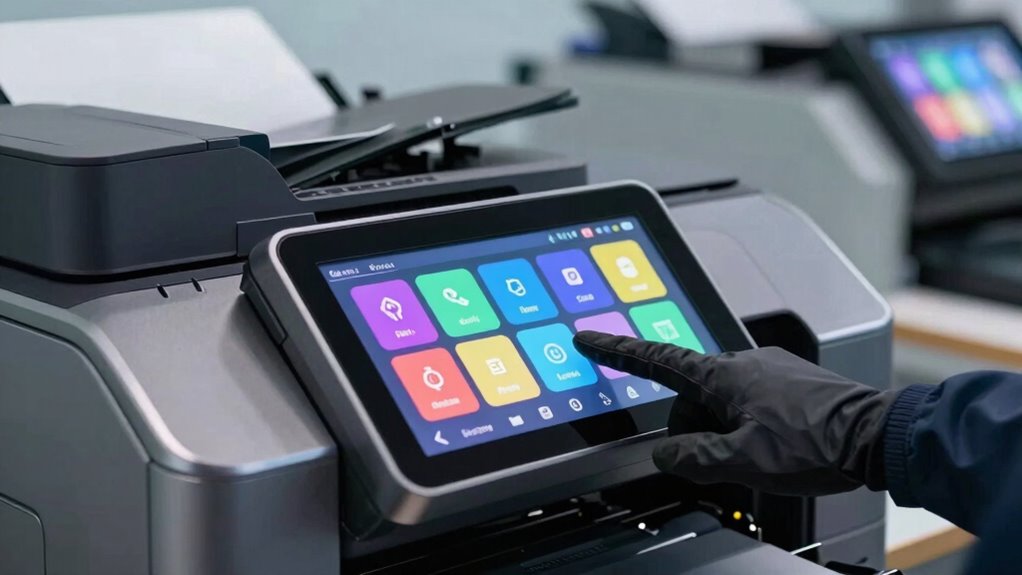
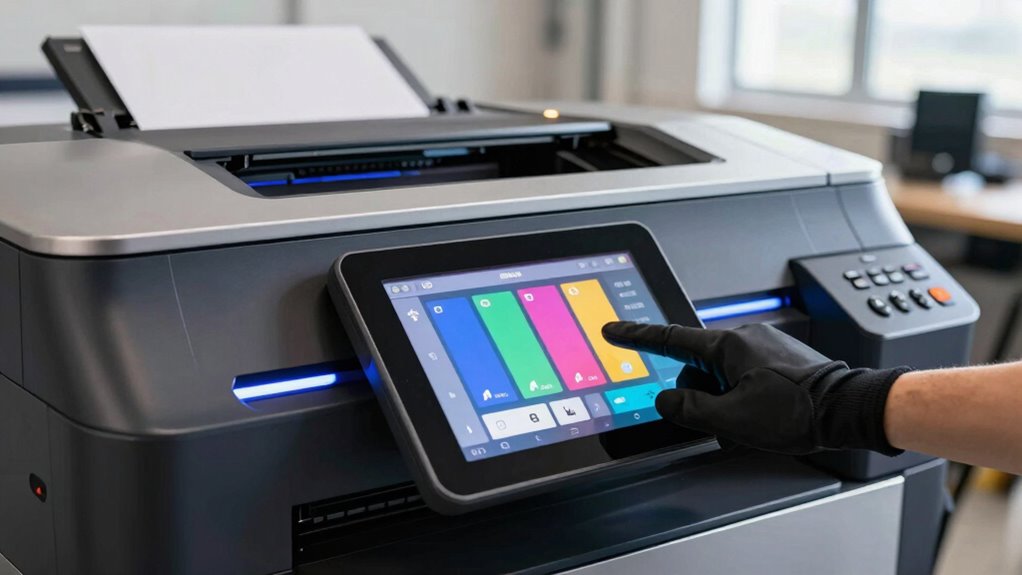
Touchscreens are transforming printer usability by making device controls more intuitive and accessible. When you interact with large-format printers, the days of fiddling with complex buttons and confusing menus are fading. Instead, you can now navigate effortlessly through touch-based interfaces that respond quickly to your commands. These screens often feature gesture controls, allowing you to pinch, swipe, or tap to zoom in on images, scroll through options, or adjust settings with natural movements. This intuitive interaction mimics familiar smartphone gestures, reducing the learning curve and speeding up your workflow.
Touchscreens simplify large-format printing with intuitive, gesture-based controls that speed up workflow and reduce confusion.
Moreover, the integration of accessibility features into touchscreen interfaces ensures that a broader range of users can operate large-format printers comfortably. For example, adjustable font sizes and high-contrast modes help those with visual impairments read the display easily. Screen readers can vocalize menu options, enabling visually impaired users to navigate the system independently. These accessibility features not only promote inclusivity but also enhance overall usability, making the printers more adaptable to different needs and environments. Incorporating user-centered design principles further ensures that interfaces are tailored to diverse user preferences and requirements.
The large, vibrant touchscreens on modern printers also give you immediate visual feedback, which simplifies complex tasks. Instead of deciphering multiple buttons or referencing manuals, you can see all options laid out clearly on the screen. You can quickly select print jobs, modify settings, or troubleshoot issues with a few taps. The clear interface reduces errors, saves time, and decreases frustration, especially when managing large-format prints that often involve multiple steps. Understanding ergonomic design principles can help create interfaces that are easier and more comfortable to use over extended periods. Additionally, designing for intuitive navigation ensures that users can easily find and operate features without confusion, further improving the overall experience.
Gesture controls further streamline operations, allowing you to manipulate images directly on the screen. Want to resize a design? Just pinch or stretch with your fingers. Need to rotate a print preview? A simple swipe can do the trick. These natural gestures make the process more tactile and engaging, giving you a sense of control and precision. Additionally, customizable control panels enable you to arrange frequently used functions for quick access, enhancing your efficiency.
Furthermore, the user experience is significantly enhanced by these touchscreen innovations, making interaction more engaging and less tedious. Altogether, the combination of gesture controls and accessibility features in touchscreen large-format printers transforms the user experience. You no longer need to rely on manual buttons or complicated menus; instead, you benefit from a responsive, user-friendly interface designed to meet diverse needs. This advancement not only makes printing more straightforward but also opens up new possibilities for creative professionals, large-scale project managers, and everyday users alike. Touchscreens have truly revolutionized how you interact with large-format printers, making the process smoother, more accessible, and far more intuitive.

Epson Workforce Pro WF-7820 Wireless Duplex All-in-One Wide-Format Printer, Copier, Scanner, and Fax with 50 Page ADF, 250 Sheet Paper Capacity and Mobile Printing, Black
- Genuine Epson Cartridges Required: Use only Epson genuine cartridges to avoid damage
- High-Speed Wide-Format Printing: Prints up to 13 x 19 inches quickly
- Fast Print Speeds: 25 black/12 color ISO ppm with quick first page
As an affiliate, we earn on qualifying purchases.
As an affiliate, we earn on qualifying purchases.
Frequently Asked Questions
How Do Touchscreens Impact Printer Maintenance Costs?
Touchscreens reduce your maintenance costs by simplifying troubleshooting and repairs, leading to fewer service calls. They enhance user convenience, allowing you to quickly identify issues and perform basic diagnostics yourself. This streamlined approach minimizes downtime and associated expenses. Overall, touchscreens contribute to cost reduction by making printer upkeep more efficient, saving you time and money while ensuring smoother operation and easier management of your large-format printers.
Are Touchscreens Compatible With All Large-Format Printer Models?
You might find that touchscreens aren’t compatible with all large-format printer models. Compatibility issues can arise, especially with older or specialized printers, causing frustrating delays. However, manufacturers often release firmware updates to improve compatibility, making it easier to connect your touchscreen seamlessly. Keep in mind, checking your printer’s specifications before upgrading can prevent surprises, ensuring you enjoy the intuitive, vibrant interface that touchscreens provide.
Do Touchscreens Require Special Training for New Users?
You don’t usually need special training to use touchscreens on large-format printers. User familiarity with touchscreen interfaces helps you navigate features easily, even if the interface seems complex initially. Most models are designed with intuitive layouts, so you can quickly learn basic functions. However, for advanced features or troubleshooting, brief guidance or tutorials can boost your confidence and efficiency, making the process smoother and more approachable.
How Do Touchscreens Affect Printer Durability in Harsh Environments?
Touchscreens can be vulnerable in harsh environments, but modern designs enhance environmental resilience and touchscreen durability. If you use a printer with a ruggedized touchscreen, it’s built to withstand dust, moisture, and impacts, boosting overall durability. Proper maintenance and selecting models with protective coatings help guarantee your touchscreen remains functional in tough conditions. While exposure to extreme elements can affect durability, choosing the right equipment minimizes risks and extends the lifespan of your printer’s touchscreen.
Can Touchscreens Be Customized for Specific User Needs?
Yes, you can customize touchscreens to suit your specific needs. You can modify the user interface, making frequently used functions easily accessible and simplifying complex tasks. Additionally, accessibility features like larger buttons, voice commands, or high-contrast modes can be added to accommodate different users. Customization enhances efficiency, user satisfaction, and accessibility, ensuring the large-format printer works seamlessly for your unique requirements.

Epson Workforce Pro WF-7310 Wireless Wide-Format Printer with Print up to 13" x 19" Auto Double-Sided Printing max 11" x 17", 500-sheet Capacity, 2.4" Color Display, Smart Panel App – Black
- Epson printing system is designed to be used…
- High-performance wide-format printing — accomplish more with fast…
- High-speed printing — PrecisionCore Heat-Free Technology streamlines workflow…
As an affiliate, we earn on qualifying purchases.
As an affiliate, we earn on qualifying purchases.
Conclusion
With touchscreens transforming large-format printers, you open unmatched usability and understanding. Seamless, swift, and simple, these smart screens greatly streamline your printing process, sparking satisfaction and reducing stress. As you tap, toggle, and troubleshoot with confidence, you’ll feel empowered and efficient. Touchscreens turn technical tasks into tempting, tactile experiences, elevating your expertise and enjoyment. Embrace this innovative integration, and let your printer’s potential truly blossom—making every print a perfect, pleasurable performance.

HP DesignJet T210 Large Format 24-inch Plotter Printer, for Easy CAD & Poster Prints (8AG32D)
- Ideal for Technical and Creative Prints: Precise CAD, posters, maps, and patterns
- Media Size Compatibility: Supports up to 24-inch rolls and 13×19-inch sheets
- Flexible Media Handling: Sheet feed, roll feed, and automatic cutter
As an affiliate, we earn on qualifying purchases.
As an affiliate, we earn on qualifying purchases.

The Supplierhub Custom America P3L Thermal Receipt Printer | USB, Serial & Ethernet | 200mm/s High-Speed | 203 dpi | Auto Cutter | 80/58mm Paper | Windows, Linux, Android, iOS Compatible
- High-Speed Printing: 200mm/s speed with 203 dpi resolution
- Multiple Connectivity Options: USB, Serial, Ethernet ports
- Durable Auto Cutter: Rated for 1.5 million cuts
As an affiliate, we earn on qualifying purchases.
As an affiliate, we earn on qualifying purchases.