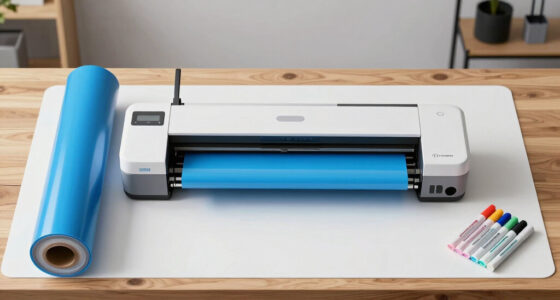
Searching for the best wide format printer for canvas roll media? The HP DesignJet T650 stands out as the overall best for its reliable performance and support, making it suitable for professional artists and print shops. The Canon imagePROGRAF PRO-4600 offers exceptional print quality for high-end gallery work, while the HP DesignJet T210 provides a more affordable option for smaller-scale projects. Each model faces tradeoffs, like size, cost, and media handling, which are critical to consider. Keep reading for a detailed breakdown to help you find the perfect fit for your canvas printing needs.

Get business pricing on monitors, keyboards and dev gear
- Business-only prices and quantity discounts
- Tax-exempt purchasing
- Multiple users, one account, clear invoices
Key Takeaways
- High-end models like the Canon PRO-4600 deliver superior print quality but come at a higher price point, suitable for professional galleries or commercial use.
- The HP DesignJet T650 offers excellent reliability and support, making it ideal for busy print environments where uptime matters.
- Size and media handling capabilities vary significantly; larger models can handle bigger canvases but require more space and investment.
- Cost is a major factor—affordable options like the HP T210 suit hobbyists or small businesses, while premium models serve high-volume needs.
- Ease of use and maintenance differ; some printers require technical expertise, while others are designed for straightforward operation by artists and small studios.
| HP DesignJet T650 Large Format 36-inch Plotter Printer with 2-Year Onsite Support |  | Best Overall for Professional Technical and Large-Format Printing | Media Sizes: Up to 36-inch wide media rolls, up to 13×19-inch sheets | Media Handling: Sheet feed, roll feed, automatic switch, media bin, horizontal cutter | Connectivity: Gigabit Ethernet, Hi-Speed USB 2.0, Wi-Fi 802.11 | VIEW ON AMAZON | See Our Full Breakdown |
| HP DesignJet T210 Large Format 24-inch Poster Printer |  | Best for Small Offices and On-the-Go Professionals | Media Sizes: Up to 24-inch wide media rolls, up to 13×19-inch sheets | Media Handling: Sheet feed, roll feed, automatic cutter | Print Speed: Up to 45 seconds per A1/D page | VIEW ON AMAZON | See Our Full Breakdown |
| HP DesignJet T630 Large Format 36-inch Plotter Printer with Auto Sheet Feeder, Media Bin & Stand |  | Best Space-Saving Model for Versatile Technical and Poster Printing | Media Sizes: Up to 36-inch wide media rolls, 13×19-inch sheets | Media Handling: Sheet feed, roll feed, automatic switch, media bin | Print Speed: Up to 30 seconds per page on A1/D size | VIEW ON AMAZON | See Our Full Breakdown |
| Canon imagePROGRAF TM-340 36″ Large Format 5-Color Poster & Plotter Printer |  | Best for Vibrant Color Output and Entry-Level Large Format Printing | Print Width: 36 inches | Number of Colors: 5 | Ink Type: Pigment ink | VIEW ON AMAZON | See Our Full Breakdown |
| Canon imagePROGRAF PRO-4600 Printer and 4 Roll Media Bundle |  | Best for Professional Fine Art and Photo Printing | Printer Type: Inkjet | Printer Output Type: Color | Item Weight: 274 pounds | VIEW ON AMAZON | See Our Full Breakdown |
| Canon imagePROGRAF TM-240 24-Inch Large Format Printer |  | Best for Versatile Outdoor Signage and High-Quality Posters | Printer Type: Inkjet | Maximum Print Size: 24 inches | Print Resolution: 2400 x 1200 dpi | VIEW ON AMAZON | See Our Full Breakdown |
| wide format printer for canvas roll media | Connectivity | Print Speed | Media Sizes | Media Handling |
|---|---|---|---|---|
| HP DesignJet T650 Large Format | Gigabit Ethernet, Hi-Speed USB 2.0, Wi-Fi 802.11 | Up to 25 seconds per page on A1/D size | Up to 36-inch wide media rolls, up to 13×19-inch sheets | Sheet feed, roll feed, automatic switch, media bin, horizontal cutter |
| HP DesignJet T210 Large Format | Gigabit Ethernet, Wi-Fi Direct, Wi-Fi 802.11 b/g/n, Hi-Speed USB 2.0 | Up to 45 seconds per A1/D page | Up to 24-inch wide media rolls, up to 13×19-inch sheets | Sheet feed, roll feed, automatic cutter |
| HP DesignJet T630 Large Format | Gigabit Ethernet, Wi-Fi 802.11 b/g/n, Wi-Fi Direct | Up to 30 seconds per page on A1/D size | Up to 36-inch wide media rolls, 13×19-inch sheets | Sheet feed, roll feed, automatic switch, media bin |
| Canon imagePROGRAF TM-340 36" | USB, Ethernet, Wireless | — | — | — |
| Canon imagePROGRAF PRO-4600 Pr | — | — | — | — |
| Canon imagePROGRAF TM-240 24-I | — | up to 3.2 ppm | — | — |
More Details on Our Top Picks
HP DesignJet T650 Large Format 36-inch Plotter Printer with 2-Year Onsite Support
The HP DesignJet T650 stands out for its impressive combination of speed, media versatility, and remote management capabilities, making it ideal for busy offices that need reliable large-format printing. Compared with the Canon imagePROGRAF TM-340, the T650 offers faster print speeds and supports media handling for sheets and rolls up to 36 inches wide, though it lacks detailed eco-friendly features. Its high-speed output—up to 25 seconds per page—couples with cost-efficient ink use, reducing routine maintenance expenses. For professionals who prioritize seamless workflow and large-volume output, this model delivers consistent results. The tradeoff is that its detailed eco-credentials are less emphasized, and it requires a network setup for full remote management. This pick makes sense for technical professionals needing fast, reliable, and wide media support without sacrificing ease of management.
Pros:- High-speed printing up to 25 seconds per page
- Supports media up to 36 inches wide, suitable for large posters and maps
- Cost-efficient ink usage reduces routine maintenance costs
- Remote management via HP Smart app simplifies workflow
Cons:- Limited eco-friendly feature details, potentially less attractive for environmentally conscious buyers
- Requires network or Wi-Fi setup for full remote capabilities
- Price not specified, possibly high for small-scale users
Best for: Architects, engineers, and construction firms requiring fast, reliable large-format printing with remote management
Not ideal for: Casual artists or small studios that need cheaper, color-accurate fine art printing without high volume demands
- Media Sizes:Up to 36-inch wide media rolls, up to 13×19-inch sheets
- Media Handling:Sheet feed, roll feed, automatic switch, media bin, horizontal cutter
- Connectivity:Gigabit Ethernet, Hi-Speed USB 2.0, Wi-Fi 802.11
- Print Speed:Up to 25 seconds per page on A1/D size
- Print Capacity:76-82 A1/D size prints per hour
- Memory:1GB
Our verdict“This model is best suited for professional offices needing fast, wide-format printing with reliable remote management.”
HP DesignJet T210 Large Format 24-inch Poster Printer
The HP DesignJet T210 makes a compelling case for space-conscious professionals who prioritize speed and ease of use. Its compact size allows it to fit comfortably in small offices or studios, unlike the larger T650. The T210 excels with fast print speeds—up to 45 seconds per page—making it suitable for quick turnaround projects. Its high-quality color accuracy and detailed line work rival the larger models, such as the Canon imagePROGRAF PRO-4600, but at a smaller media width of 24 inches. While it offers wireless connectivity and mobile management, its limited media width restricts larger projects. The initial cost can be higher than similar small-format printers, but its efficiency and portability justify the investment for those with limited space. The main tradeoff is its narrower media capacity, which may limit larger or more complex projects.
Pros:- Compact footprint fits small or crowded offices
- Fast print speeds improve workflow efficiency
- High-quality color and line detail for technical and poster printing
- Easy management via mobile apps and software
Cons:- Limited to 24-inch media width, restricting larger projects
- Optional sheet feeder adds cost, potentially complicating setup
- Higher initial purchase price relative to small-format printers
Best for: Designers, architects, and engineers needing a compact, fast printer for posters and technical prints in tight spaces
Not ideal for: High-volume print shops or artists working on large canvases or expansive displays
- Media Sizes:Up to 24-inch wide media rolls, up to 13×19-inch sheets
- Media Handling:Sheet feed, roll feed, automatic cutter
- Print Speed:Up to 45 seconds per A1/D page
- Memory:500MB
- Connectivity:Gigabit Ethernet, Wi-Fi Direct, Wi-Fi 802.11 b/g/n, Hi-Speed USB 2.0
- Included Ink:HP 712 Original Ink cartridges
Our verdict“Ideal for small offices needing fast, high-quality posters on media up to 24 inches wide, with portability in mind.”
HP DesignJet T630 Large Format 36-inch Plotter Printer with Auto Sheet Feeder, Media Bin & Stand
The HP DesignJet T630 offers a straightforward, space-efficient solution for technical and poster printing, especially where office real estate is limited. Its 36-inch media support matches larger models like the T650 but in a more compact footprint, benefiting users who need wide-format capacity without excess bulk. The T630’s versatile media handling—sheet and roll feed, automatic switch—enhances workflow flexibility, and its wireless connectivity simplifies setup. Compared with the HP DesignJet T650, the T630 might lack some speed and advanced features, but its easier setup and lower overall footprint make it attractive for smaller teams. Its eco features, reducing CO2 emissions and recycled plastic use, add appeal for environmentally conscious buyers. The main challenge is that its initial configuration may be complex for some users, and it’s limited to 36 inches wide, so larger formats aren’t supported.
Pros:- Compact design saves significant office space
- Supports media up to 36 inches wide, suitable for posters and drawings
- Fast print speeds improve project turnaround
- Eco-friendly features reduce environmental impact
Cons:- Limited to 36-inch media width, not suitable for larger formats
- Setup can be complex for new users
- Requires Wi-Fi or Ethernet for wireless connectivity
Best for: Small teams or offices needing wide-format printing with minimal space and flexible media options
Not ideal for: High-volume print shops or artists requiring larger canvas support beyond 36 inches
- Media Sizes:Up to 36-inch wide media rolls, 13×19-inch sheets
- Media Handling:Sheet feed, roll feed, automatic switch, media bin
- Print Speed:Up to 30 seconds per page on A1/D size
- Connectivity:Gigabit Ethernet, Wi-Fi 802.11 b/g/n, Wi-Fi Direct
- Eco Features:Reduces CO2 emissions up to 7.3 tons/year, uses recycled plastic
Our verdict“Best suited for space-constrained offices needing reliable, versatile wide-format printing with eco-conscious features.”
Canon imagePROGRAF TM-340 36″ Large Format 5-Color Poster & Plotter Printer
The Canon imagePROGRAF TM-340 provides vibrant color reproduction and ease of operation for entry-level users, making it a solid choice for producing posters, CAD drawings, and signage on media up to 36 inches wide. Its automatic media detection and calibration ensure consistently sharp and colorful results, comparable to the more professional Canon PRO-4600 but on a smaller scale. While it supports a 5-color pigment ink system for rich color, its 300 ml ink cartridges may require frequent refills for high-volume projects, unlike larger capacity models. Its user-friendly touchscreen and automatic features lower the learning curve, but it lacks some advanced functions that professional printers offer. This makes it ideal for smaller offices or studios that prioritize straightforward operation and vibrant output, at the expense of high-volume efficiency.
Pros:- Vibrant, sharp color and crisp text quality
- Intuitive touchscreen with animated guides for easy setup
- Automatic media detection and calibration for consistent results
- Compact flat-body design simplifies media loading
Cons:- Limited to 36-inch media width, restricting larger projects
- Only 300 ml ink cartridges, requiring frequent refilling
- Lacks advanced professional features for high-volume production
Best for: Small to medium-sized offices needing easy-to-use, colorful large-format prints for signage and presentations
Not ideal for: High-volume print facilities or artists seeking extensive media support or high-capacity ink systems
- Print Width:36 inches
- Number of Colors:5
- Ink Type:Pigment ink
- Included Ink Volume:300 ml
- Connectivity:USB, Ethernet, Wireless
- Display:4.3-inch touchscreen
Our verdict“Great for entry-level users seeking vibrant color and straightforward operation within a 36-inch media scope.”
Canon imagePROGRAF PRO-4600 Printer and 4 Roll Media Bundle
The Canon PRO-4600 elevates large-format printing to a professional level, especially for photographers and artists demanding exceptional color accuracy and longevity. Its 11-color ink system produces vibrant, detailed images with impressive lightfastness, making it ideal for gallery-quality prints on media up to 44 inches wide. When compared with the more affordable TM-340, the PRO-4600’s extended media support and premium ink technology justify its significantly higher price for serious creatives. Its heavy weight (274 pounds) and complex setup reflect its professional intent, requiring dedicated space and technical know-how. The included media bundle broadens creative options, but its size and cost make it suited primarily for high-end studios rather than casual or small-scale use.
Pros:- Outstanding color quality with 11-color ink system
- Supports media widths up to 44 inches, larger than most competitors
- Includes diverse media options for fine art and photo printing
- Long-lasting, lightfast prints suitable for gallery exhibition
Cons:- Extremely heavy and space-demanding, requiring dedicated setup
- High purchase and operational costs, not for casual users
- Complex setup demanding technical expertise
Best for: Professional photographers, fine artists, and high-end print shops requiring gallery-quality prints on large canvases and photos
Not ideal for: Small studios or hobbyists needing budget-friendly, simple large-format printing solutions
- Printer Type:Inkjet
- Printer Output Type:Color
- Item Weight:274 pounds
- Dimensions:39″D x 53″W x 46″H
- Included Media:Photo Gloss, Satin, Coated Bond, Banner Film
- Warranty:Limited
Our verdict“Designed for high-end creative professionals who need large, vibrant, and durable fine art and photo prints on canvases and specialty media.”
Canon imagePROGRAF TM-240 24-Inch Large Format Printer
The Canon imagePROGRAF TM-240 stands out for its high-resolution output and water-resistant inks, making it a strong choice for outdoor signage and professional poster work. Compared to the HP DesignJet T650, which offers a broader media width of 36 inches, the TM-240’s 24-inch size is more suitable for smaller, targeted projects, but it limits large-scale printing. Its automatic media and color calibration ensure consistent quality, which is vital for professional environments relying on sharp detail. However, its weight of nearly 90 pounds and single media tray mean it requires dedicated space and may slow workflow with media changes. The higher price reflects its advanced features and outdoor durability, making it less ideal for casual or low-volume use. Overall, this model makes the most sense for businesses needing reliable outdoor prints on a manageable width.
Pros:- High-resolution output with 2400 x 1200 dpi for sharp detail
- Water and UV resistant inks ideal for outdoor applications
- Automatic media and color calibration for consistent quality
- Fast print speed of up to 3.2 ppm for medium-volume jobs
Cons:- Heavy and bulky, requiring significant space and sturdy setup
- Limited to a single media tray, which can slow production workflows
Best for: Small to medium-sized shops focusing on outdoor signage, posters, or high-detail prints with a need for water resistance.
Not ideal for: Large-format print services demanding 36-inch or wider media capacity, or users with limited space and a need for frequent media changes.
- Printer Type:Inkjet
- Maximum Print Size:24 inches
- Print Resolution:2400 x 1200 dpi
- Number of Nozzles:15,360
- Ink Color:5-color set
- Media Compatibility:Banner paper, Glossy photo paper, High-resolution paper, Plain paper
- Item Weight:88.2 pounds
- Print Speed:up to 3.2 ppm
- Media Detection:Yes
Our verdict“This printer is perfect for smaller-scale outdoor signage and professional posters where high quality and durability outweigh the need for wider media capacity.”

How We Picked
The products in this roundup were evaluated based on performance, media handling, ease of use, build quality, and value for money. We prioritized printers that specifically support canvas roll media, ensuring they can handle the size and weight typical of art prints. Reliability, support options, and overall user experience also played key roles, as these factors influence long-term satisfaction. The ranking reflects a balance between professional-grade quality and accessibility for different user levels, from hobbyists to commercial printers.| wide format printer for canvas roll media | Media Sizes | Media Handling | Connectivity | Print Speed |
|---|---|---|---|---|
| HP DesignJet T650 Large Format | Up to 36-inch wide media rolls, up to 13×19-inch sheets | Sheet feed, roll feed, automatic switch, media bin, horizontal cutter | Gigabit Ethernet, Hi-Speed USB 2.0, Wi-Fi 802.11 | Up to 25 seconds per page on A1/D size |
| HP DesignJet T210 Large Format | Up to 24-inch wide media rolls, up to 13×19-inch sheets | Sheet feed, roll feed, automatic cutter | Gigabit Ethernet, Wi-Fi Direct, Wi-Fi 802.11 b/g/n, Hi-Speed USB 2.0 | Up to 45 seconds per A1/D page |
| HP DesignJet T630 Large Format | Up to 36-inch wide media rolls, 13×19-inch sheets | Sheet feed, roll feed, automatic switch, media bin | Gigabit Ethernet, Wi-Fi 802.11 b/g/n, Wi-Fi Direct | Up to 30 seconds per page on A1/D size |
| Canon imagePROGRAF TM-340 36" | — | — | USB, Ethernet, Wireless | — |
| Canon imagePROGRAF PRO-4600 Pr | — | — | — | — |
| Canon imagePROGRAF TM-240 24-I | — | — | — | up to 3.2 ppm |
Factors to Consider When Choosing Wide Format Printer For Canvas Roll Media
Choosing the right wide format printer for canvas roll media involves several considerations that go beyond basic specifications. It’s important to match the printer’s features to your specific needs, whether that’s high-detail gallery prints, large-scale murals, or small studio projects. Understanding the tradeoffs between price, size, media compatibility, and print quality can save you money and frustration in the long run. Here are the main factors to consider:Print Quality and Color Accuracy
For canvas printing, especially for fine art or gallery displays, print quality and color fidelity are paramount. Look for printers with high resolution and color management features that support wide color gamuts. Some models include advanced ink sets that produce richer, more accurate colors—an essential factor if your work demands precision. Keep in mind, however, that higher quality often comes with increased costs and slower print speeds, so balance your needs accordingly.
Media Handling and Compatibility
Ensure the printer can accommodate the size and weight of your canvas roll media. Larger models typically handle bigger rolls and thicker media more easily, but they also require more space and maintenance. Check for features like automatic media feeding, adjustable tension, and compatibility with various media types. Failing to match your printer’s media capabilities to your typical print jobs can result in wasted materials or subpar results.
Ease of Use and Maintenance
Printers designed for professional use can be complex and require technical know-how, but some models prioritize user-friendliness. Consider features like touchscreen controls, easy media loading, and straightforward maintenance routines. A printer that is hard to operate or maintain can cause delays and increase operational costs, especially if it requires frequent calibration or troubleshooting. For small studios or artists, simplicity can be a decisive factor.
Size and Workspace Requirements
Larger printers provide greater media capacity and bigger print sizes but also demand more dedicated space. Measure your studio or workspace carefully before purchasing, and consider future expansion needs. Compact models might be more manageable in smaller environments but could limit your maximum print size or media options. Balancing size with your actual workspace is key to ensuring smooth operation.
Cost of Ownership and Support
Beyond the initial purchase price, factor in ongoing costs like ink, maintenance, and support. Some printers have higher ink costs but offer better durability and print quality, making them more cost-effective over time. Support plans and warranty coverage are also vital; a reliable support network can minimize downtime and protect your investment. Carefully analyze total cost of ownership to avoid surprises down the line.
Frequently Asked Questions
Can I print on canvas with a regular wide format printer?
While some standard wide format printers can handle canvas, many are not optimized for thicker or textured media like canvas roll. Using a printer not designed for canvas can lead to feed issues, poor ink adhesion, or damage to the media. For consistent, high-quality results, choosing a model specifically supporting canvas roll media ensures proper handling, better color accuracy, and longer media lifespan.
What resolution should I look for in a canvas printer?
For detailed artwork and gallery-quality prints, a resolution of at least 1200 dpi is recommended. Higher resolutions allow for finer detail and smoother tonal transitions, which are vital for high-end canvas art. However, extremely high resolutions can slow down printing speeds and increase ink consumption, so balance resolution with your productivity needs and budget.
How often will I need to replace ink for large canvas prints?
Ink consumption depends on your print volume and the size of each job. Larger, high-quality prints on canvas can use significant amounts of ink, especially if you opt for premium color sets. Regular users should budget for frequent ink replacements, and some printers offer bulk or high-capacity cartridges that reduce costs over time. Monitoring ink levels and planning for replacements can help avoid delays.
Is a more expensive printer worth it for small-scale art printing?
Not necessarily. If your focus is on hobby or small-scale art projects, a less costly model that supports your required media size and provides decent color accuracy might suffice. Investing in a high-end printer makes sense if you demand gallery-quality output or plan to scale your business. For casual or occasional printing, balancing cost with features is key to a satisfying purchase.
What maintenance tasks are typical for a canvas wide format printer?
Regular tasks include cleaning print heads, calibrating color profiles, and replacing ink cartridges or maintenance tanks. Proper media loading and alignment checks also help maintain print quality. Many models have self-cleaning routines, but occasional manual cleaning may be necessary to keep the printer running smoothly. Regular maintenance ensures consistent results and extends the life of your equipment.
Conclusion
The best overall choice for most users is the HP DesignJet T650, thanks to its reliable performance and support, suitable for professional and semi-professional use. For those prioritizing top-tier quality and color accuracy, the Canon imagePROGRAF PRO-4600 is a strong premium option, ideal for galleries and high-end art reproduction. Budget-conscious buyers or small studios should consider the HP DesignJet T210, which offers solid performance at a lower price point. Beginners or casual artists may find the Canon TM-240 more manageable and space-efficient, while larger studios requiring extensive media handling should look at the HP DesignJet T630. Matching your specific needs—size, quality, budget, and workspace—will lead to the best decision.
Fall Picks
fall essentials
As an affiliate, we earn on qualifying purchases.