
AI code completion tools can suggest lines of code, explain unfamiliar projects, and help automate development tasks, but the guides in this roundup differ in how much hands-on direction they offer. My best overall pick is Mastering AI-Assisted Software Development with Claude Code and VS Code, which connects a popular editor with practical AI-assisted development. OpenAI Codex in VS Code stands out for readers focused on agentic workflows, while AI Coding Agents for Beginners offers a gentler path into tools such as Claude Code and Codex. The main tradeoff is between focused instruction for a particular tool and broader guidance that can outlast changes to any one product. Read on for the full comparison and help choosing a guide that matches your experience and goals.

Get business pricing on monitors, keyboards and dev gear
- Business-only prices and quantity discounts
- Tax-exempt purchasing
- Multiple users, one account, clear invoices
Key Takeaways
- Editor-focused instruction leads this comparison: the Claude Code and VS Code guide earns the top spot by pairing a specific development setup with day-to-day software work.
- Agentic coding is a distinct step beyond completion: the Codex and Claude Code guides cover tools that can work across tasks, so they suit readers seeking more than line suggestions.
- Beginner-friendly coverage trades depth for breadth: AI Coding Agents for Beginners introduces several tools, while single-tool guides can go further into a chosen workflow.
- Workflow collections serve a different purpose: 50 AI Workflows for Engineers is geared toward people improving engineering processes, rather than readers seeking one editor assistant.
- Broad AI development books may age differently: titles covering general software development or AI-powered applications provide wider context, but less tool-specific guidance than editor- or CLI-focused guides.




| AI code completion tool | Format |
|---|---|
| Mastering AI-Assisted Software | Guide |
| Vibe Coding with Gemini Code A | Book |
| A Simple Guide to AI Coding | Guide |
| Beyond Vibe Coding: From Coder | Not specified |
| Mastering Claude Code for Soft | Guide |
| AI Coding Agents for Beginners | Book |
| Vibe Coding Mastery: 5-in-1 Gu | Book |
| 50 AI Workflows for Engineers: | Book |
| OpenAI Codex in VS Code: The P | Book |
| Generative AI for Software Dev | Book |
| AI Programming Made Practical: | Guide |
More Details on Our Top Picks
Mastering AI-Assisted Software Development with Claude Code and VS Code
Claude Code in VS Code is the focus here, making this a practical fit for developers who want AI assistance inside a familiar editor rather than a tour of several coding tools. The described workflows, integrations, and examples give it a more hands-on angle than A Simple Guide to AI Coding, which spans Claude Code, Codex, Cursor, and Gemini. That narrow scope is also the main tradeoff: the techniques may not transfer directly to developers using another editor or AI platform. The guide assumes some existing familiarity with software development and AI tools, so it is less suited to a first-time coder. I’d choose it for an editor-specific path to AI-assisted work, not as a broad survey of code completion options.
Pros:- Focuses on practical AI-assisted development workflows
- Pairs Claude Code with Visual Studio Code
- Includes real-world examples and techniques for modern development
- Belongs to the Smart Developer’s Toolkit series
Cons:- Its Claude and VS Code emphasis limits usefulness for other tool setups
- Assumes prior knowledge of software development and AI tools
Best for: Developers who use Visual Studio Code and want practical workflows for applying Claude’s AI capabilities to everyday coding
Not ideal for: Beginners who need an introduction to programming or AI tools, and developers who want guidance across multiple editors and AI platforms
- Format:Guide
- Primary AI tool:Claude Code
- Editor:Visual Studio Code
- Series:Smart Developer’s Toolkit
- Focus:AI-assisted software development
- Coverage:Workflows, tool integrations, and techniques
Our verdict“Choose this guide if your main goal is to bring Claude Code workflows into VS Code rather than compare several AI coding assistants.”
Vibe Coding with Gemini Code Assist: Google’s AI Coding Powerhouse in Your Editor
This book’s clearest appeal is its Gemini Code Assist focus: it is aimed at readers who want to explore Google’s coding assistant within an editor. That makes it more specifically tied to one assistant than A Simple Guide to AI Coding, which names several tools, including Claude Code, Codex, Cursor, and Gemini. The available description, though, does not explain the book’s workflows, examples, format, or length, so buyers have less basis for judging its depth than they do with Mastering AI-Assisted Software Development with Claude Code and VS Code. Its place in the Vibe Coding Masterclass Series signals a series context, but not a substitute for details about the material itself. I’d treat it as a targeted Gemini option, not a broad guide to code completion.
Pros:- Centers on Gemini Code Assist in an editor
- Targets a specific AI coding assistant rather than general programming
- Part of the Vibe Coding Masterclass Series
Cons:- Available product information does not describe the content in detail
- Format and length are not specified
- The stated focus gives little guidance for users of other AI assistants
Best for: Developers specifically seeking a book about using Gemini Code Assist in a code editor
Not ideal for: Readers who need clearly documented scope, format, or depth before choosing, or developers comparing multiple AI coding assistants
- Format:Book
- Primary tool:Gemini Code Assist
- Editor focus:Using Gemini Code Assist in a code editor
- Series:Vibe Coding Masterclass Series
- Series number:Book 5
- Content detail provided:Further contents and format details are not specified
Our verdict“Pick this only if Gemini Code Assist is your priority and the limited available detail is enough for you to choose.”
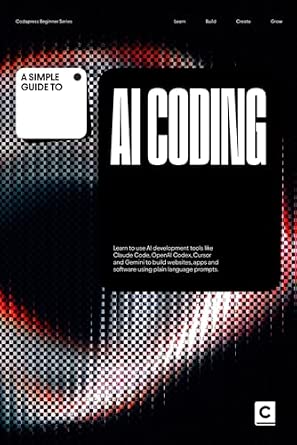
A Simple Guide to AI Coding
Tool breadth is the main reason to choose this guide: it names Claude Code, OpenAI Codex, Cursor, and Gemini, then frames their use around building websites, apps, and software. Compared with Mastering AI-Assisted Software Development with Claude Code and VS Code, it is less tied to one editor and assistant, which suits readers still deciding where to start. The tradeoff is that the product description does not identify specific workflows, integrations, or depth for any one tool, so readers seeking detailed instruction on a particular assistant may prefer a focused guide. For a roundup centered on AI code completion, this is the most cross-tool-oriented option in this batch, though its stated scope also reaches beyond completion into broader AI-enabled development.
Pros:- Covers Claude Code, OpenAI Codex, Cursor, and Gemini
- Addresses website and app development as well as software
- Offers a broader tool-selection starting point than single-platform guides
Cons:- The description does not specify the depth of coverage for each tool
- No particular editor integration or code-completion workflow is identified
Best for: Developers and learners who want an introductory view of several AI coding tools while exploring website, app, and software projects
Not ideal for: Experienced developers seeking in-depth instructions for one assistant, editor integration, or a specific code-completion workflow
- Format:Guide
- Topics:AI-assisted coding, website and app development
- Tools mentioned:Claude Code, OpenAI Codex, Cursor, Gemini
- Project scope:Websites, apps, and software
- AI development focus:Building in an AI-enabled environment
- Editor integration:No specific editor identified
Our verdict“Choose this guide for a multi-tool starting point, but select a specialist book if you already know which assistant you want to use.”
Beyond Vibe Coding: From Coder to AI-Era Developer
From coder to AI-era developer signals a wider professional lens than a guide centered on a single completion assistant. That makes this title a possible fit for readers interested in how AI changes development work, while Mastering Claude Code for Software Engineering is described around concrete tasks such as testing, refactoring, and daily CLI use. The limitation is that no product description, tools, topics, or format details are supplied here. I can’t tell from the available information whether it teaches code completion workflows, covers a particular editor, or offers practical examples. Compared with A Simple Guide to AI Coding, which at least names several tools and project types, this title provides less evidence about what a buyer will learn. Choose it for its broad framing only if that scope matches your goal.
Pros:- Frames its subject around the shift toward AI-era development
- Appeals to developers thinking beyond individual coding prompts
- Offers a broader stated perspective than a guide focused on one assistant
Cons:- Available product data does not describe its contents or methods
- No AI tools, editors, or code-completion workflows are identified
- Format and technical scope are not provided
Best for: Developers interested in a broad perspective on adapting their work for AI-era software development
Not ideal for: Buyers seeking documented code-completion workflows, named AI tools, editor guidance, or clearly described practical exercises
- Format:Not specified
- Stated focus:Moving from coder to AI-era developer
- AI tools:Not specified
- Editor integration:Not specified
- Code-completion workflows:Not specified
- Content details:Not provided
Our verdict“Consider this for a broad AI-era development perspective, but choose a more fully described title for specific completion-tool instruction.”
Mastering Claude Code for Software Engineering: Automate Testing, Refactoring, and Daily Development Tasks with Anthropic’s Agentic CLI
Testing, refactoring, and daily-task automation make this a more workflow-focused Claude guide than Mastering AI-Assisted Software Development with Claude Code and VS Code, which centers on using Claude within an editor. Here, the described approach uses Anthropic’s Agentic CLI and practical examples to show how engineers might delegate recurring work and support cleaner code. That focus can suit developers looking beyond inline suggestions toward an assistant that acts on broader tasks. It also narrows the audience: readers need familiarity with Claude and command-line interfaces, and techniques are tied to Anthropic’s ecosystem rather than Gemini, Codex, or Cursor. I’d rank it for engineers seeking task automation, not for beginners who mainly want editor-based code completion.
Pros:- Covers AI-assisted testing, refactoring, and everyday development tasks
- Uses Anthropic’s Agentic CLI as its central workflow
- Describes practical, step-by-step examples
- Connects automation with cleaner code and developer efficiency
Cons:- Requires familiarity with Claude and command-line interfaces
- Focuses exclusively on the Claude ecosystem
- Its task-automation emphasis may be less relevant to buyers seeking inline suggestions alone
Best for: Software engineers already comfortable with Claude and command-line tools who want to automate testing, refactoring, and routine development tasks
Not ideal for: New programmers, developers who prefer editor-only completion, or teams committed to AI tools outside the Claude ecosystem
- Format:Guide
- AI platform:Anthropic Claude
- Interface:Agentic CLI
- Primary tasks:Testing, refactoring, and daily development
- Instruction style:Step-by-step examples
- Intended audience:Software engineers
- Workflow focus:AI-driven development automation
Our verdict“Choose this Claude CLI guide if you want to automate engineering tasks, rather than just add AI autocomplete to an editor.”
AI Coding Agents for Beginners: Build Software with Claude Code, Codex and Other AI Coding Tools
AI Coding Agents for Beginners is the most approachable entry point in this group for readers who want to build small projects with AI assistance rather than study engineering automation in depth. Its step-by-step projects introduce tools including Claude Code and Codex, while the multi-tool focus helps readers see how different agents can fit into one workflow. Compared with 50 AI Workflows for Engineers, this guide is better suited to early exploration than to a technically experienced reader seeking a broad library of engineering processes. The tradeoff is that “beginner-friendly” may not mean programming-free: readers may need basic coding knowledge to follow along, and advanced developers may find limited depth. I’d choose it for guided first projects, not as a reference for complex production practices.
Pros:- Introduces several popular AI coding tools in one guide
- Hands-on projects give beginners a way to apply ideas
- Explains how to combine multiple agents in a workflow
Cons:- May require basic programming knowledge despite its beginner focus
- Offers limited depth for advanced development techniques
Best for: Newer programmers who know basic coding and want guided projects using more than one AI coding agent.
Not ideal for: Experienced developers seeking advanced agent design or engineering automation, or complete novices expecting to learn programming from scratch.
- Format:Book
- Audience:Beginners with some programming knowledge
- Tools covered:Claude Code, Codex, and other AI coding tools
- Instruction style:Step-by-step tutorials
- Project focus:Building software with AI coding agents
- Workflow focus:Integrating multiple AI coding platforms
Our verdict“Choose this guide for a project-led introduction to Claude Code, Codex, and other AI agents if you already have basic programming skills.”
Vibe Coding Mastery: 5-in-1 Guide to AI-Powered Prototyping & Low-Code Development
Vibe Coding Mastery is the broadest fit here for readers drawn to conversational coding, low-code approaches, and quick prototypes rather than a single editor’s completion features. Its five-topic scope frames AI as a way to move from an idea to an early working version, which sets it apart from OpenAI Codex in VS Code, a more tool-specific guide to agentic coding and delivery workflows. That breadth can help creative developers explore several ways to make software, but it also means the material may not go far into each subject. Beginners may find the range difficult to absorb, and readers who want detailed, repeatable coding exercises could prefer a narrower tutorial. I’d pick this for exploring prototyping styles, not for precise guidance on one coding assistant.
Pros:- Brings five related AI-development topics together
- Focuses on rapid prototyping and low-code strategies
- Covers conversational coding and creative workflows
- Encourages experimentation with newer development approaches
Cons:- The wide scope may overwhelm readers who are new to coding
- May provide limited hands-on examples for individual advanced topics
Best for: Creative developers and low-code users who want to explore AI-assisted prototyping and conversational development across several approaches.
Not ideal for: Beginners who need a narrow, carefully scaffolded first course or developers seeking detailed examples for one specific tool.
- Format:Book
- Coverage:Five related topics
- Primary focus:AI-powered prototyping
- Development approach:Low-code development
- Workflow topics:Conversational coding and creative development
- Intended outcome:Accelerating software creation
Our verdict“Choose this book if your priority is exploring varied AI prototyping and low-code workflows rather than mastering a specific code-completion tool.”
50 AI Workflows for Engineers: From Debugging to System Design, Code Review & Engineering Automation
50 AI Workflows for Engineers is the most practice-oriented choice for developers who want AI to support more than typing code: its examples span debugging, system design, code review, and automation. That breadth across engineering tasks gives it a different job from AI Coding Agents for Beginners, which is aimed at learning tools through guided projects. The step-by-step workflow format may help experienced engineers translate AI assistance into repeatable routines, although this is not a gentle introduction for someone still learning programming fundamentals. Its focus is also intentionally narrow: readers looking for a general overview of AI-assisted software development may find the workflow collection too specialized. I’d rank it for working engineers seeking practical process ideas, not for beginners seeking a first coding companion.
Pros:- Covers fifty workflows across several engineering tasks
- Includes step-by-step instructions and real-world examples
- Connects AI assistance to practical automation
- Addresses code review and system design as well as debugging
Cons:- Technical material may be difficult for beginners
- The focused workflow format offers limited coverage beyond engineering tasks
Best for: Working software engineers who want actionable AI workflows for debugging, design, reviews, and engineering automation.
Not ideal for: New programmers without a strong engineering background or readers looking for a general introduction to AI coding tools.
- Format:Book
- Workflow count:50
- Audience:Engineering professionals
- Topics:Debugging, system design, code review, and automation
- Instruction style:Step-by-step workflows
- Examples:Real-world engineering examples
Our verdict“Choose this guide if you already work in software engineering and want practical AI workflows beyond code completion.”
OpenAI Codex in VS Code: The Practical Guide to Agentic Coding with Codex CLI, MCP, Hooks, Intelligent Workflows, and Delivery Automation
OpenAI Codex in VS Code is the most specific pick for developers building an agentic workflow around Codex inside Visual Studio Code. Its coverage of the Codex CLI, MCP, hooks, and delivery automation goes beyond inline completion, showing how an assistant can connect to a broader development process. Compared with AI Coding Agents for Beginners, this guide is aimed at readers ready to configure and coordinate tools, not those seeking a first guided coding project. That specificity is its strength and its limitation: developers who do not use VS Code or want a quick survey of AI coding may get less from it, while the technical density can challenge newcomers. I’d choose it for hands-on Codex workflow setup, rather than as a general guide to code completion.
Pros:- Covers setup from Codex CLI through workflow automation
- Explains hooks and modular code packages
- Connects AI-assisted coding with delivery processes
- Focuses on practical VS Code integration
Cons:- Technical coverage may overwhelm readers new to programming
- Its Codex and VS Code focus may not suit users of other environments
- Dense material may be excessive for readers seeking a quick overview
Best for: Developers who use VS Code and want to configure Codex CLI, hooks, MCP, and automated delivery workflows.
Not ideal for: Absolute beginners, developers outside the VS Code ecosystem, or readers seeking a short overview of code-completion tools.
- Format:Book
- Primary platform:Visual Studio Code
- AI tool:OpenAI Codex
- Command-line coverage:Codex CLI
- Integration topics:MCP and custom hooks
- Workflow topics:Intelligent workflows and delivery automation
Our verdict“Choose this book if you already use VS Code and want detailed guidance on building Codex-powered agentic workflows.”
Generative AI for Software Development: Building Software Faster and More Effectively
Generative AI for Software Development has the broadest stated aim in this group: using generative AI to build software faster and more effectively. That makes it a potential fit for readers who want a general development perspective rather than the focused Codex setup in OpenAI Codex in VS Code or the hands-on engineering routines in 50 AI Workflows for Engineers. The available product information gives no detail on tools, chapters, examples, or technical requirements, so I can’t judge how directly it addresses code completion or how much practical instruction it offers. That lack of specificity makes it harder to recommend over books with clearly described projects and workflows. I’d treat it as a broad-topic option, not a proven guide to a particular assistant or editor integration.
Pros:- Addresses generative AI in the context of software development
- Has a broad stated focus on improving development speed and effectiveness
- May suit readers seeking a general perspective rather than a single-tool manual
Cons:- Available product information does not specify tools or editor integrations
- No provided details confirm the level of practical examples or instruction
- Its relevance to code completion specifically is unclear
Best for: Readers seeking a general introduction to how generative AI can support software development, provided they confirm the book’s contents match their needs.
Not ideal for: Buyers who need verified coverage of a particular code-completion tool, editor integration, or step-by-step workflow.
- Format:Book
- Subject:Generative AI for software development
- Stated goal:Building software faster and more effectively
- Tools covered:Not specified in provided product data
- Editor integrations:Not specified in provided product data
- Practical examples:Not specified in provided product data
Our verdict“Choose this only if you want a broad generative-AI development book and can verify its contents before relying on it for code-completion guidance.”
AI Programming Made Practical: A Step-by-Step Guide to Building AI-Powered Applications, Writing Better Code Faster, and Using Modern AI Tools with Confidence
This guide focuses on building AI-powered applications, making it a broader learning resource than a tool-specific manual on autocomplete. Its step-by-step approach connects modern AI tools and frameworks to practical implementation, which can help programmers apply AI techniques while improving their coding workflow. Compared with A Simple Guide to AI Coding, its stated emphasis on application building and implementation makes it a better fit for readers who want to create working projects, not just get oriented to AI-assisted coding. The tradeoff is that the description does not point to a dedicated code-completion product or editor workflow, so readers seeking direct guidance on inline suggestions may find the coverage less focused. It also assumes some programming experience, making it a weaker starting point for absolute beginners. Choose it for applied AI development, not as a narrow autocomplete reference.
Pros:- Step-by-step approach presents complex AI concepts in an accessible, practical sequence.
- Emphasizes implementation rather than theory alone.
- Covers modern AI tools and frameworks, offering a wider view than a single-tool guide.
- Aims to help readers improve coding speed and code quality.
Cons:- Requires prior programming experience, which may leave absolute beginners behind.
- The supplied description does not identify a specific editor or autocomplete workflow.
- Its broad application-building focus may be less useful to readers who only want code-completion advice.
Best for: Programmers with some coding experience who want step-by-step guidance for building AI-powered applications and using contemporary AI tools.
Not ideal for: Absolute beginners or developers seeking a focused manual for configuring and choosing AI code-completion tools in a specific editor.
- Format:Guide
- Instruction style:Step-by-step
- Primary focus:Building AI-powered applications
- Coding emphasis:Writing cleaner code more efficiently
- Tools coverage:Modern AI tools
- Frameworks coverage:Modern AI frameworks
- Intended reader:Programmers with some prior experience
Our verdict“Choose this guide if you already program and want practical instruction for building AI-powered applications, but skip it if your main goal is editor-specific autocomplete guidance.”

How We Picked
I ranked these guides by how directly they help a reader choose, set up, and work with AI code completion tools. I gave more weight to clear editor or CLI workflows, practical development tasks such as testing and refactoring, and guidance that helps readers judge when to accept or review AI output. Accessibility for beginners, useful breadth across tools, and the likelihood that advice remains relevant as products change also shaped the order.
The leading picks focus on concrete workflows: the Claude Code and VS Code guide is first for its editor-centered scope, while the Codex guide ranks highly for readers who want agentic coding instructions. Beginner and broad-overview titles follow when they trade specific implementation detail for wider access or context. Books centered on vibe coding, general AI development, or workflow collections have distinct audiences, but rank lower for shoppers seeking direct help with code completion in an editor. These are guides and books, not software products, so the comparison focuses on the instruction their titles promise rather than claiming hands-on tool performance.
| AI code completion tool | Format |
|---|---|
| Mastering AI-Assisted Software | Guide |
| Vibe Coding with Gemini Code A | Book |
| A Simple Guide to AI Coding | Guide |
| Beyond Vibe Coding: From Coder | Not specified |
| Mastering Claude Code for Soft | Guide |
| AI Coding Agents for Beginners | Book |
| Vibe Coding Mastery: 5-in-1 Gu | Book |
| 50 AI Workflows for Engineers: | Book |
| OpenAI Codex in VS Code: The P | Book |
| Generative AI for Software Dev | Book |
| AI Programming Made Practical: | Guide |
Factors to Consider When Choosing AI Code Completion Tools
Choose a guide by matching its scope to the work you want AI to help with. The right book depends not only on your experience, but also on whether you want editor suggestions, an agent that can carry out multi-step tasks, or a broader view of AI in software development.
Decide Whether You Want Completion or an Agent
Code completion usually refers to suggestions while you write, while coding agents can take on tasks that involve multiple files or steps. These capabilities can overlap, but a guide focused on agentic CLI work may not spend much time on the small, inline suggestions you want to improve. Before choosing, write down a typical task—such as finishing a function, tracing a bug, or running a refactor—and look for a guide that addresses that level of work. A common mistake is buying an agent-focused book when the immediate need is editor autocomplete. Paying for broader coverage makes sense when you want to grow from suggestions into delegated tasks.
Match the Guide to Your Editor and Tool
Instructions tied to VS Code, Claude Code, Gemini Code Assist, or Codex can be much easier to apply when they match your setup. A book centered on one environment may give clearer steps, but its examples can be less useful if you work in another editor or your organization restricts that tool. Check whether the guide explains transferable concepts alongside product-specific menus and commands. Avoid choosing solely by a familiar brand name; the workflow and permissions you can use matter just as much. If your setup changes often, broader principles may serve you longer than a highly specific walkthrough.
Choose the Right Amount of Technical Detail
Beginners often benefit from plain-language introductions and examples spanning several tools, while experienced developers may prefer material on testing, refactoring, hooks, or automation. A broad introduction can lower the barrier to entry, but it may not answer detailed questions about a particular coding workflow. Conversely, a specialized CLI guide can feel overwhelming if you are still learning how to prompt an assistant or review generated code. Scan the title and stated scope for the tasks you actually want to learn, rather than assuming “practical” or “mastering” guarantees a particular level. The best fit is challenging enough to move you forward without forcing you to skip foundational material.
Look for Guidance on Reviewing AI Output
Completion speed is only useful when you can spot incorrect, insecure, or poorly fitting suggestions. Favor learning material that treats tests, code review, and human judgment as part of the workflow, not optional cleanup after generation. A guide that emphasizes automation without explaining verification may encourage readers to accept changes too quickly. For production work, consider how it handles changes across files, test failures, sensitive data, and project conventions. These safeguards can matter more than a long list of prompts or features.
Weigh Specificity Against Shelf Life
AI coding products change quickly, so highly detailed instructions can become dated when interfaces, model names, or commands change. At the same time, general advice may stay relevant but leave you without steps you can use today. Look for a balance: practical examples paired with principles such as breaking work into small tasks, checking generated code, and maintaining tests. A book focused on a named tool is a sensible choice when you need current, concrete help with that tool; a broader development guide may be a better reference across changing products. Avoid treating any single guide as a substitute for checking current product documentation.
Set a Clear Learning Goal Before Buying
Pick one outcome you want from the material: faster editor suggestions, a first working agent workflow, AI-assisted prototyping, or a wider understanding of software development with AI. This prevents a common mismatch in which a guide is useful but answers a different question from the one you have. Workflow collections can help experienced engineers find new applications, while beginner guides may be better for building basic confidence across tools. If you want to build AI-powered applications rather than use AI to write code, choose a development-focused title that addresses that separate goal. A narrow goal also makes it easier to tell whether a book’s examples are relevant before committing to its approach.
Frequently Asked Questions
Which guide should I choose if I mainly want better suggestions inside my editor?
Start with Mastering AI-Assisted Software Development with Claude Code and VS Code if VS Code is part of your workflow and you want editor-centered guidance. The Gemini Code Assist title is another focused option if you specifically want to learn about Google’s coding assistant in an editor. The Codex guide takes a more agentic direction, so it may be a better match if you want to delegate multi-step work rather than focus on inline completion. Check the guide’s tool scope against your actual editor before choosing.
Can a beginner start with an agentic coding guide, or should I learn autocomplete first?
You can start with agentic coding, but you will get more from it if you already understand basic coding and can review the changes an assistant proposes. AI Coding Agents for Beginners is the most direct entry point in this lineup because it introduces multiple tools for new users. If you are new to programming itself, a broad introductory guide may be less frustrating than a CLI-heavy workflow book. Whichever path you choose, practice checking outputs and running tests rather than treating generated code as automatically correct.
Should I choose a guide about one tool or one that covers several?
A single-tool guide is usually the better fit when you have already settled on an editor or assistant and need instructions for specific workflows. A multi-tool guide can help you compare approaches and avoid tying your learning to one product, but it may give each tool less room. If you are still deciding, begin with the beginner or broader overview material, then use a focused title when you know what you want to adopt. If you need to solve a concrete task now, specificity is often more useful than a wide survey.
Are these books a substitute for current product documentation?
No. The titles can provide structured explanations and examples, but AI coding products may change faster than a book can be updated. Use a guide to learn concepts and workflows, then check current documentation for setup details, supported features, and command changes. This matters most for books centered on a named editor extension, CLI, hooks, or integrations. For longer-lasting value, favor material that explains why a workflow works as well as how to follow its steps.
Which option makes more sense for an experienced engineer improving team workflows?
50 AI Workflows for Engineers is the most directly aimed at applying AI across engineering tasks such as debugging, design, review, and automation. The Claude Code and Codex guides are better fits when your goal is to develop practical workflows around one tool or agent. Consider team policies, code privacy, and review responsibilities before adapting any workflow across a group. A collection of techniques can spark ideas, but teams still need to validate each process against their own codebase and standards.
Conclusion
My best overall pick is Mastering AI-Assisted Software Development with Claude Code and VS Code for readers who want practical, editor-centered guidance. For a focused look at agentic workflows, choose OpenAI Codex in VS Code; for engineers seeking a wider set of process ideas, 50 AI Workflows for Engineers is the best premium-style specialist pick in scope, not price. The strongest beginner choice is AI Coding Agents for Beginners, while A Simple Guide to AI Coding suits readers who want an accessible starting point. If your specific interest is Gemini inside an editor, pick Vibe Coding with Gemini Code Assist; if you want AI-assisted prototyping, explore Vibe Coding Mastery. Choose the guide that matches the work you want to do next, not simply the broadest title.