USB logic analyzers are the fastest way to see exactly what your Arduino, ARM MCU, FPGA, or I2C bus is actually doing, and the gap between a $10 eight-channel clone and a professional 16-channel instrument is wider than most beginners expect. For most engineers and serious hobbyists, the DreamSourceLab DSLogic Plus lands in the sweet spot: 16 channels, a genuine 400 MHz sampling rate, and 256 Mbits of onboard memory that survives long captures without USB bottlenecks. If budget dominates, the LONELY BINARY 8-channel kit pairs the classic 24 MHz open-source analyzer with a complete set of hook clips and ferrite rings, while the Saleae Logic Pro 16 remains the premium choice for anyone who needs flawless software and analog capture alongside digital. The core tradeoff in this category is software maturity and real sampling depth versus price — cheap analyzers work but leak noise and max out quickly, while pro units cost as much as a mid-range oscilloscope. Read on for the full breakdown of all 15 models.

Get business pricing on monitors, keyboards and dev gear
- Business-only prices and quantity discounts
- Tax-exempt purchasing
- Multiple users, one account, clear invoices
Key Takeaways
- The DSLogic Plus earns the top spot because it combines a true 400 MHz sample rate with 256 Mbits of onboard memory — nearly every cheaper 16-channel unit streams raw over USB and drops samples when your capture gets long.
- The four generic 24 MHz 8-channel analyzers (HiLetgo, LONELY BINARY, and two unbranded clones) share the same open-source hardware design; the only real differences are included accessories, cable quality, and ferrite rings for noise suppression.
- Software, not hardware, separates the premium tier: Saleae Logic Pro 16 and the Kingst LA5016 justify their cost through polished decoders and deep capture buffers, while budget units rely on community sigrok/PulseView support of varying quality.
- The LA104‘s built-in touchscreen makes it the only option here that works fully untethered from a PC — useful in the field, but its 100 MS/s ceiling trails the 200–500 MS/s of tethered rivals.
- Buyers should match channel count to protocol, not ambition: one I2C or SPI bus needs 4 channels or fewer, so an 8-channel unit covers most MCU debugging, and 16 channels only pays off for parallel buses or multi-protocol captures.
| DreamSourceLab DSLogic Plus USB Logic Analyzer, 16 Channels, 400MHz Sampling Rate, 256Mbits Memory | 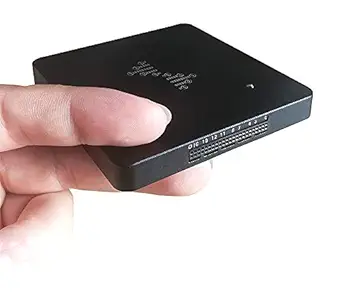 | Best Overall for Flexible Captures | Channels: 16 digital | Maximum sampling rate: 400 MHz in buffer mode with 4 channels | On-board memory: 256 Mbits SDRAM | VIEW LATEST PRICE | See Our Full Breakdown |
| LONELY BINARY 8-Channel 24 MHz USB Logic Analyzer Kit |  | Best Starter Kit | Channels: 8 | Maximum sampling rate: 24 MHz | Connectivity: USB-A and USB-C | VIEW LATEST PRICE | See Our Full Breakdown |
| LA1010 16-Channel USB Logic Analyzer with 100 MHz Sampling |  | Best for Wide-Bus Debugging | Channels: 16 digital inputs, including 2 PWM channels | Sampling rate by channel count: 100 MHz at 3 channels; 50 MHz at 6; 32 MHz at 9; 25 MHz at 12; 16 MHz at 16 | Maximum sampling depth: 10G | VIEW LATEST PRICE | See Our Full Breakdown |
| LA104 100 MSa/s USB Logic Analyzer with Touch Screen |  | Best Standalone Portable Pick | Channels: 4 | Acquisition speed: Up to 100 Mb/s | Display: 2.8-inch LCD, 320 × 240 resolution | VIEW LATEST PRICE | See Our Full Breakdown |
| InnoMaker LA2016 16-Channel USB Logic Analyzer, 200 MHz |  | Best Protocol-Decoding Value | Channels: 16 | Maximum sampling rate: 200 MHz | Memory depth: 1 Gbit | VIEW LATEST PRICE | See Our Full Breakdown |
| 8-Channel USB Logic Analyzer, 24 MHz Sampling Rate, with Ferrite Rings and USB Cable |  | Best Basic Starter Kit | Channels: 8 | Maximum sampling rate: 24 MHz | Interfaces supported: UART, I2C, SPI | VIEW LATEST PRICE | See Our Full Breakdown |
| LA5016 USB Logic Analyzer – 16 Channels, 500MS/s, 10GB Depth, PWM Generator, MCU ARM FPGA Debug Tool |  | Best Value for Advanced Debugging | Channels: 16 | Sampling rate: 500 MS/s | Memory depth: 10 GB | VIEW LATEST PRICE | See Our Full Breakdown |
| Saleae Logic Pro 16 (Red) – 16-Channel Logic Analyzer |  | Best Premium Pick | Channels: 16 (digital/analog multi-use) | Digital sample rate: Up to 500 MS/s | Analog sample rate: Up to 50 MS/s | VIEW LATEST PRICE | See Our Full Breakdown |
| DSLogic U3Pro16 USB Logic Analyzer, 16 Channels |  | Best for High-Speed Capture | Channels: 16 digital | Interface: USB 3.0 Type-C | On-board memory: 2 Gbits DDR3 | VIEW LATEST PRICE | See Our Full Breakdown |
| Logic Analyzer 16 Channels 400M Sampling USB-Based Debugging Tool (U2Basic) | 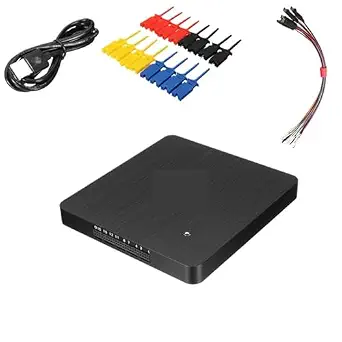 | Best Middle-Tier Channel Count | Channels: 16 | Sampling rate: 400M | Interface: USB | VIEW LATEST PRICE | See Our Full Breakdown |
| HiLetgo 8-Channel USB Logic Analyzer, 24 MHz |  | Best Starter Pick for Classic 5V Work | Channels: 8 | Maximum sampling rate: 24 MHz | Supported protocols: UART, IIC, SPI | VIEW LATEST PRICE | See Our Full Breakdown |
| USB Logic Analyzer, 24MHz 8-Channel Debug Tool for Arduino ARM FPGA |  | Best Software Flexibility | Channels: 8 digital | Maximum sampling rate: 24 MHz | Voltage range: 0 V – 5.5 V | VIEW LATEST PRICE | See Our Full Breakdown |
| USB Logic Analyzer, 24 MHz, 8 Channels |  | Best Kit Completeness on a Budget | Sampling rate: Up to 24 MHz | Channels: 8 | Maximum sample storage: Up to 10 billion samples | VIEW LATEST PRICE | See Our Full Breakdown |
| Innomaker LA1010 USB Logic Analyzer, 16 Channels, 100 MHz |  | Best Step-Up for Serious Debugging | Channels: 16 input channels | Sampling rate: 100 MHz per channel | Interface: USB 2.0 | VIEW LATEST PRICE | See Our Full Breakdown |
| 24 MHz 8-Channel USB Logic Analyzer with Test Hook Clips and Cables |  | Best for Hands-On Probing | Maximum sampling rate: 24 Msps | Digital channels: 8 | Input voltage range: 0–5 V | VIEW LATEST PRICE | See Our Full Breakdown |
| USB logic analyzers for debugging | Channels |
|---|---|
| DreamSourceLab DSLogic Plus US | 16 digital |
| LONELY BINARY 8-Channel 24 MHz | 8 |
| LA1010 16-Channel USB Logic An | 16 digital inputs, including 2 PWM channels |
| LA104 100 MSa/s USB Logic Anal | 4 |
| InnoMaker LA2016 16-Channel US | 16 |
| 8-Channel USB Logic Analyzer | 8 |
| LA5016 USB Logic Analyzer | 16 |
| Saleae Logic Pro 16 | 16 (digital/analog multi-use) |
| DSLogic U3Pro16 USB Logic Anal | 16 digital |
| Logic Analyzer 16 Channels 400 | 16 |
| HiLetgo 8-Channel USB Logic An | 8 |
| USB Logic Analyzer | 8 digital |
| USB Logic Analyzer | 8 |
| Innomaker LA1010 USB Logic Ana | 16 input channels |
| 24 MHz 8-Channel USB Logic Ana | — |
More Details on Our Top Picks
DreamSourceLab DSLogic Plus USB Logic Analyzer, 16 Channels, 400MHz Sampling Rate, 256Mbits Memory
I’d put the DSLogic Plus first for debugging that shifts between short, fast events and long-running captures. Its buffer mode reaches 400 MHz on four channels, while stream mode can record up to 16G samples; that gives it more flexibility than the InnoMaker LA2016, whose listed capture depth is 1 Gbit. The tradeoff is that the headline sampling rate uses only four channels, so a wide bus requires a slower rate. DSView runs on Windows, macOS, and Linux and includes nearly a hundred protocol decoders, which makes it a stronger fit for varied embedded work than the simpler 24 MHz LONELY BINARY kit. Adjustable thresholds and shielded leads add useful signal-control options, though buyers need to match the input setup to their circuit before probing.
Pros:- Offers buffer and stream capture modes for different debugging jobs
- Reaches 400 MHz in buffer mode when using four channels
- DSView supports Windows, macOS, and Linux with nearly a hundred protocol decoders
- Adjustable threshold and shielded fly wires support more adaptable signal capture
Cons:- The 400 MHz maximum applies to four channels, not all 16
- Requires a computer and DSView for analysis
- The listed one-pound weight is less convenient for a pocket field kit
Best for: Embedded developers who need both fast, focused captures and long recordings across multiple digital signals
Not ideal for: Beginners seeking a straightforward, accessory-rich starter kit or anyone who needs 400 MHz across all 16 channels
- Channels:16 digital
- Maximum sampling rate:400 MHz in buffer mode with 4 channels
- On-board memory:256 Mbits SDRAM
- Maximum sample depth:16G samples in stream mode
- Interface:USB 2.0 Type-C
- Threshold adjustment:0.1 V steps
- Software:DSView for Windows, macOS, and Linux
- Dimensions:3.11 × 2.91 × 0.35 inches
Our verdict“Choose the DSLogic Plus if you want one 16-channel analyzer that can also handle fast four-channel captures and extended stream recordings.”
LONELY BINARY 8-Channel 24 MHz USB Logic Analyzer Kit
The LONELY BINARY 8-channel kit is the easiest entry point here for basic microcontroller bus checks. Its 24 MHz ceiling suits routine I2C, SPI, and UART debugging, while the breadboard and breakout adapters, clips, jumper wires, and both USB cable types help a new user connect without assembling a separate probe kit. Compared with the 16-channel LA1010, it gives up channel count and higher sampling options, so it is less suited to tracking a wide bus or faster timing faults. The product data also names no specific analysis software beyond open-source compatibility, leaving more setup work to the buyer than with the DSLogic Plus and its DSView software. I’d choose it for common low-speed embedded signals, not for demanding high-speed work.
Pros:- Eight channels can monitor several digital signals at once
- Supports common I2C, SPI, and UART debugging
- Includes breadboard and breakout adapters, clips, jumper wires, and a case
- USB-A and USB-C cables support varied computer connections
Cons:- 24 MHz maximum sampling rate limits work on faster signals
- Software details are sparse beyond open-source compatibility
- Offers fewer channels and less stated capture capability than the LA1010
Best for: Hobbyists and students debugging standard I2C, SPI, or UART connections on breadboards
Not ideal for: Engineers tracing wide parallel buses or timing behavior that calls for sampling above 24 MHz
- Channels:8
- Maximum sampling rate:24 MHz
- Connectivity:USB-A and USB-C
- Supported operating systems:Windows, Mac, Linux
- Supported protocols:I2C, SPI, UART
- Included adapters:Breadboard adapter and breakout board
- Included leads and accessories:10 test clips, 5 alligator clips, jumper wires, storage case
Our verdict“Pick this kit for accessible, low-speed microcontroller debugging when included adapters matter more than high sampling rates or channel count.”
LA1010 16-Channel USB Logic Analyzer with 100 MHz Sampling
For debugging where seeing many signals together matters more than chasing the highest sample rate, the LA1010’s 16 inputs make it a practical wide-bus pick. Its sampling rate scales down as channels are added: 100 MHz at three channels, 50 MHz at six, and 16 MHz with all 16 active. That makes the channel-versus-speed tradeoff clearer than the DSLogic Plus’s 400 MHz headline, which is limited to four channels, while the InnoMaker LA2016 offers a stated 200 MHz maximum and 1 Gbit memory. The LA1010 adds finely adjustable thresholds from -4 V to +4 V in 0.01 V steps, useful when debugging signals with different logic levels. Its stated 10G sample depth is attractive, but the product data says depth may depend on computer memory, so long captures warrant checking system limits.
Pros:- Sixteen digital inputs support broad signal correlation
- Sampling options are specified for several channel counts
- Threshold adjusts from -4 V to +4 V in 0.01 V steps
- Includes test hooks, USB-C cable with USB-A adapter, and storage case
Cons:- Sampling rate falls to 16 MHz when all 16 channels are used
- The stated 10G maximum depth may depend on the computer’s memory
- Requires PC software for waveform viewing and decoding
Best for: Engineers debugging microcontrollers, ARM systems, or FPGA designs who need to observe many digital lines together
Not ideal for: Users who need the maximum listed sampling rate while all 16 channels are active, or who want a standalone analyzer
- Channels:16 digital inputs, including 2 PWM channels
- Sampling rate by channel count:100 MHz at 3 channels; 50 MHz at 6; 32 MHz at 9; 25 MHz at 12; 16 MHz at 16
- Maximum sampling depth:10G
- Interface:USB 2.0
- Threshold adjustment:-4 V to +4 V in 0.01 V steps
- Fastest digital signal:20 MHz
- Operating systems:Windows XP/Vista/7/8/10 (32-bit and 64-bit), macOS, Linux
- Dimensions:3.74 × 2.17 × 0.71 inches
Our verdict“Choose the LA1010 when simultaneous visibility across a 16-line design matters more than keeping a high sampling rate on every channel.”
LA104 100 MSa/s USB Logic Analyzer with Touch Screen
The LA104 stands apart because its 2.8-inch screen and built-in battery let me inspect captures without treating a laptop as the center of every bench session. Four channels and support for SPI, I2C, UART, and user-defined protocols cover focused debugging, while seven trigger types help isolate events of interest. Against the computer-tethered InnoMaker LA2016, this is the more self-contained option; against the 16-channel LA1010, it gives up the signal coverage needed for wide buses. Its 8 MB storage is modest beside the deep capture figures listed for those USB analyzers, and the product data does not specify input voltage ranges. I’d favor it for quick checks and portable work, but verify electrical compatibility before connecting it to unfamiliar hardware.
Pros:- Built-in screen supports on-device waveform viewing
- Battery-powered design suits portable debugging
- Supports SPI, I2C, UART, and user-defined protocols
- Seven trigger types help target particular signal events
Cons:- Four channels provide less coverage than the 16-channel LA1010
- 8 MB storage is limited for retaining extensive waveform data
- Input voltage range is not specified in the product data
Best for: Field technicians and bench users who want to inspect a small number of serial signals without relying on a computer
Not ideal for: Developers debugging wide buses, needing deep waveform archives, or requiring clearly stated input voltage limits
- Channels:4
- Acquisition speed:Up to 100 Mb/s
- Display:2.8-inch LCD, 320 × 240 resolution
- Storage:8 MB
- Battery:3.7 V, 500 mAh lithium
- Input impedance:1 MΩ
- Supported protocols:SPI, I2C, UART, user-defined
- Trigger types:7
Our verdict“Choose the LA104 for portable, focused checks where a built-in display matters more than channel count or deep capture storage.”
InnoMaker LA2016 16-Channel USB Logic Analyzer, 200 MHz
The InnoMaker LA2016 makes a strong case for projects that involve many familiar buses: it pairs 16 channels with a stated 200 MHz maximum and decodes over 20 protocols, including CAN, JTAG, and Modbus. That broader named decoder set is a useful distinction from the LONELY BINARY kit, which lists only I2C, SPI, and UART. Its 1 Gbit memory and waveform compression support captures that need more room than a basic analyzer, while export tools and a built-in PWM generator add flexibility for bench work. The DSLogic Plus offers a much deeper stated stream capture and nearly a hundred decoders, so it is the stronger choice when capture length or decoder breadth leads. The LA2016 still requires a computer, and its listed Windows compatibility stops at Windows 10.
Pros:- Sixteen channels support simultaneous observation of broad digital designs
- Decodes over 20 protocols, including CAN, JTAG, and Modbus
- 1 Gbit memory with waveform compression supports deeper capture work
- Includes data export and a built-in PWM generator
Cons:- Requires a computer to run the analysis software
- Listed Windows compatibility ends at Windows 10
- Its stated 1 Gbit memory is less than the DSLogic Plus’s 16G-sample stream depth
Best for: Embedded developers working with multiple common interfaces who want 16-channel capture and broad PC-based protocol decoding
Not ideal for: Users needing standalone operation, stated Windows 11 support, or the DSLogic Plus’s much larger stream capture capacity
- Channels:16
- Maximum sampling rate:200 MHz
- Memory depth:1 Gbit
- Decoded protocols:Over 20, including I2C, SPI, UART, CAN, I2S, USB 1.1, JTAG, and Modbus
- Software features:Waveform compression, data export/save, built-in PWM generator
- Operating systems:Windows, macOS, Linux
- Connection:USB 2.0/3.0, bus-powered
- Included accessories:Test probes, hook clips, USB cable
Our verdict“Choose the LA2016 for computer-based debugging across 16 lines when its named protocol coverage and PWM tool fit your workflow.”
8-Channel USB Logic Analyzer, 24 MHz Sampling Rate, with Ferrite Rings and USB Cable
For a first step into signal debugging, this 8-channel, 24 MHz analyzer covers the three protocols beginners actually use: UART, I2C, and SPI. It follows the same open-source hardware blueprint as the HiLetgo and LONELY BINARY 24 MHz analyzers, but stands out by including ferrite rings, which help suppress noise on the USB cable — a small touch that matters when you’re probing a noisy Arduino or STM32 board. Compared with the 16-channel LA1010, you give up half your channels and any protocol decoding beyond the basics, but for single-bus troubleshooting that rarely hurts. The tradeoff is honest: this is a low-resolution tool for slow signals, not a serious instrument.
Pros:- Covers the three most common beginner protocols: UART, I2C, and SPI
- 8 channels handle typical single-bus debugging tasks
- Included ferrite rings reduce USB noise during capture
- Simple USB plug-and-play setup with no external power needed
Cons:- 24 MHz sampling is too slow for high-speed SPI or fast microcontroller clocks
- No stated input voltage range or OS compatibility, so buyers must verify before ordering
Best for: Hobbyists and students debugging their first Arduino, ESP32, or Raspberry Pi projects at UART/I2C speeds
Not ideal for: Anyone working with fast buses like SPI above a few MHz or needing more than 8 simultaneous signals — the 24 MHz ceiling and limited channels will clip detail
- Channels:8
- Maximum sampling rate:24 MHz
- Interfaces supported:UART, I2C, SPI
- Interface:USB
- Included accessories:Ferrite rings, USB cable
Our verdict“An inexpensive, adequately equipped first analyzer for slow-bus hobby debugging, provided your signals stay under a few MHz.”
LA5016 USB Logic Analyzer – 16 Channels, 500MS/s, 10GB Depth, PWM Generator, MCU ARM FPGA Debug Tool
Sitting in the productive middle ground between budget 24 MHz tools and the Saleae Logic Pro 16, the LA5016 delivers 500 MS/s sampling across 16 channels with a genuinely deep 10GB capture buffer — enough to record long protocol transactions and zoom in afterward. Its decoder list is broader than most rivals at this tier, adding CAN, USB 1.1, RS-232/485, and HDMI CEC on top of the usual UART/I2C/SPI trio. The built-in PWM generator is the differentiator: compared with the DSLogic U3Pro16, which is capture-only, this lets you drive a signal and observe the response with one box. The catch is the same as every USB analyzer here — it’s tethered to a PC and can’t record standalone in the field.
Pros:- 500 MS/s across 16 channels captures fast buses cleanly
- 10GB memory depth allows long recordings with post-capture zoom
- Decodes an unusually wide protocol set including CAN and USB 1.1
- Built-in PWM generation adds signal-stimulus capability
- Cross-platform English software on Windows, macOS, and Linux
Cons:- Fully dependent on a connected PC — no standalone operation
- Digital-only, so mixed-signal work still requires a separate scope
Best for: Embedded engineers debugging MCU, ARM, or FPGA designs who want deep capture memory and protocol breadth without paying Saleae prices
Not ideal for: Anyone needing field captures away from a computer, or analog signal viewing — this is a digital-only instrument
- Channels:16
- Sampling rate:500 MS/s
- Memory depth:10 GB
- PWM generator:Yes
- Supported protocols:UART/RS-232/485, I2C, SPI, CAN, USB 1.1, HDMI CEC
- Interface:USB
- Compatible OS:Windows (32/64-bit), macOS, Linux
Our verdict“The strongest feature-per-dollar pick for serious digital protocol debugging, especially if CAN buses or PWM stimulus are in your workflow.”
Saleae Logic Pro 16 (Red) – 16-Channel Logic Analyzer
The Logic Pro 16 is the tool the rest of this list is measured against. Its standout capability is mixed-signal capture: 16 channels that work as digital inputs at 500 MS/s or analog inputs at 50 MS/s, something none of the LA5016, DSLogic U3Pro16, or U2Basic can do. That analog mode is what turns it from a protocol checker into a genuine debugging instrument — you can see marginal logic levels, ringing, and slow edges that a purely digital analyzer misses entirely. By streaming over USB 3.0 into PC memory, it avoids fixed buffer limits entirely, and its 25+ protocol decoders with the most polished software in the category make long analysis sessions faster. The tradeoffs are real: it demands a USB 3.0 port and a capable computer, and its price makes it overkill for occasional hobby use.
Pros:- Mixed-signal inputs: 500 MS/s digital and 50 MS/s analog on the same channels
- Effectively unlimited capture depth by streaming into PC memory over USB 3.0
- Decodes 25+ protocols with class-leading, frequently updated software
- Cross-platform support across Windows, Mac, and Linux
Cons:- Requires a USB 3.0 port and substantial PC memory — not usable standalone
- Premium pricing that exceeds what most hobbyist workflows justify
Best for: Professional firmware and hardware engineers who need mixed digital/analog capture and the most refined analysis software available
Not ideal for: Hobbyists chasing occasional UART or I2C bugs — the 8-channel 24 MHz analyzers solve those problems at a fraction of the cost
- Channels:16 (digital/analog multi-use)
- Digital sample rate:Up to 500 MS/s
- Analog sample rate:Up to 50 MS/s
- Digital sample capacity:10 Billion+ samples (uses PC memory)
- Analog sample capacity:500 Million+ samples (uses PC memory)
- Protocol decoding:SPI, I2C, and 23+ more
- Connectivity:USB 3.0
- Compatibility:Windows, Mac, Linux
Our verdict“Buy it if debugging is your profession and mixed-signal visibility saves you hours; skip it if your problems fit on a 24 MHz bus.”
DSLogic U3Pro16 USB Logic Analyzer, 16 Channels
Where most analyzers in this roundup force you to choose between streaming to a PC or buffering on-device, the U3Pro16 does both. Its on-board 2 Gbit DDR3 memory enables a buffer mode hitting 1 GHz at 8 channels — double the top rate of the LA5016 or the Saleae Logic Pro 16 — while stream mode still reaches 125 MHz across all 16 channels with up to 16G samples of depth. That makes it the pick here for genuinely fast signals: high-speed SDRAM interfaces, fast SPI flash, or FPGA internal buses. The adjustable thresholds in 0.1 V steps also let it talk to 1.8 V, 3.3 V, and 5 V logic without adapters, something the fixed-threshold budget units can’t do. Just note the rate/channel tradeoff: at 16 channels you’re capped at 125 MHz streaming or 500 MHz buffered.
Pros:- Dual capture modes: PC streaming plus on-board buffered recording up to 1 GHz
- Up to 16G samples of stream depth for very long captures
- Adjustable input thresholds in 0.1 V steps for mixed-voltage systems
- Quality build with shielded fly wires and an aluminum case
Cons:- Maximum sample rate drops as you enable more channels — 125 MHz at the full 16
- DSView software is capable but less polished than Saleae’s
- USB 3.0 Type-C port required for full performance
Best for: FPGA and high-speed embedded developers who need 500 MHz–1 GHz capture and logic-level flexibility
Not ideal for: Casual hobbyists — the channel-count-dependent sample rates and DSView software learning curve outweigh its benefits for slow UART/I2C work
- Channels:16 digital
- Interface:USB 3.0 Type-C
- On-board memory:2 Gbits DDR3
- Stream sampling:1 GHz @ 3ch; 500 MHz @ 6ch; 250 MHz @ 12ch; 125 MHz @ 16ch
- Buffer sampling:1 GHz @ 8ch; 500 MHz @ 16ch
- Max stream depth:Up to 16G samples
- Threshold adjustment:Adjustable in 0.1 V steps
- Software:DSView (Windows, macOS, Linux)
Our verdict“The fastest capture tool in this lineup, ideal when your signals move quicker than 500 MS/s instruments can honestly record.”
Logic Analyzer 16 Channels 400M Sampling USB-Based Debugging Tool (U2Basic)
The U2Basic occupies a useful gap between the 24 MHz 8-channel units and the flagship 16-channel tools: you get 16 channels at 400M sampling, which comfortably covers SPI, I2C, and UART at speeds the budget analyzers can’t resolve. Compared with the InnoMaker LA2016 at 200 MHz, the doubled sample rate gives more timing resolution when you’re characterizing edges or hunting intermittent glitches. It also undercuts the DSLogic U3Pro16 on complexity — no mode switching or threshold tuning to learn, just connect and capture. That simplicity cuts both ways: the thin documentation means you’re largely on your own for setup, software sourcing, and verifying actual performance, which is a real risk if you need dependable, documented specs for professional work.
Pros:- 16 channels support multi-signal system-level debugging
- 400M sampling rate resolves faster buses than 24 MHz entry units
- Simple USB-based setup with no external power required
- More timing headroom than the 200 MHz InnoMaker LA2016 for similar use
Cons:- Very limited published specifications — OS support, memory depth, and protocols are undocumented
- No confirmed software ecosystem, so compatibility must be verified after purchase
Best for: Intermediate makers who want 16 channels and 400M-class sampling at a lower price than the premium 16-channel options
Not ideal for: Engineers who need documented specs, verified software support, and known protocol decoding — the sparse product details make this a gamble for professional deadlines
- Channels:16
- Sampling rate:400M
- Interface:USB
- Quantity:1 unit (U2Basic model)
Our verdict“A capable-sounding 16-channel step-up for hobbyists willing to accept undocumented edges; professionals should pay more for certainty.”
HiLetgo 8-Channel USB Logic Analyzer, 24 MHz
This option stands out as the safest first logic analyzer for anyone debugging 5 V microcontroller projects, because it keeps things simple: eight channels, UART/I2C/SPI decoding, and a bundled USB and Dupont cable set that works out of the box. Compared with the generic 24 MHz analyzer with test hooks (B0CYZG4WN4), the HiLetgo covers a wider input range (-0.5 V to 5.25 V) and publishes clearer electrical specs, including a ±20 ppm crystal, which makes timing measurements more trustworthy. The tradeoff is real, though: with a 2.0 V minimum logic-high threshold, 1.8 V systems are off the table, and ±42 ns pulse-width accuracy limits precise timing work. Anyone chasing faster buses should step up to the Innomaker LA1010 and its 100 MHz sampling instead.
Pros:- Complete kit with USB and Dupont cables included
- Documented electrical specs including crystal accuracy of ±20 ppm
- Adjustable sampling rates from 25 kHz to 24 MHz
- Handles inputs up to 5.25 V
Cons:- Not recommended for 1.8 V logic systems
- Pulse-width measurement accuracy of ±42 ns limits precise timing analysis
Best for: Hobbyists and students debugging 5 V Arduino or AVR projects who want a complete, no-fuss starter kit
Not ideal for: Engineers working with 1.8 V logic or needing precise timing resolution better than ±42 ns
- Channels:8
- Maximum sampling rate:24 MHz
- Supported protocols:UART, IIC, SPI
- Input voltage range:-0.5 V to 5.25 V
- Input high voltage:2.0 V to 5.25 V
- Crystal accuracy:±20 ppm
- Pulse-width accuracy:±42 ns at 24 MHz
- Included items:Logic analyzer, USB cable, Dupont cable
Our verdict“A dependable, well-documented entry point for 5 V digital debugging — just don’t expect it to handle low-voltage logic or high-resolution timing work.”
USB Logic Analyzer, 24MHz 8-Channel Debug Tool for Arduino ARM FPGA
What separates this analyzer from the other 24 MHz eight-channel clones in this roundup is software choice. It works with both the Saleae Logic application and the free, open-source PulseView, which matters more than any hardware spec here — PulseView runs on Linux, receives constant protocol-decoder updates, and costs nothing, so you are never locked into abandonware. Compared with the HiLetgo (B077LSG5P2), this model’s 1.5 V logic threshold gives it a real edge on lower-voltage boards. The honest catch: this is a Saleae hardware clone, not an official product, so build quality and included accessories feel basic next to something like the Innomaker LA1010 with its polished KingstVIS software. For protocol-level debugging of slow buses, that tradeoff is easy to accept.
Pros:- Compatible with both Saleae software and free open-source PulseView
- 13 selectable sampling rates from 25 kHz to 24 MHz
- 1.5 V logic threshold supports lower-voltage boards
- Automatic protocol decoding for UART, SPI, and I2C
Cons:- Clones Saleae hardware rather than being an official product
- Build quality and included accessories are basic compared to premium analyzers
Best for: Makers on Linux or macOS who want free open-source software support for Arduino, ARM, and FPGA debugging
Not ideal for: Buyers who want official vendor support, polished documentation, or premium build quality
- Channels:8 digital
- Maximum sampling rate:24 MHz
- Voltage range:0 V – 5.5 V
- Logic threshold:1.5 V
- Software compatibility:Saleae Logic software, PulseView
- Protocols supported:UART, SPI, IIC (I2C)
- Selectable sampling rates:13 options from 25 kHz to 24 MHz
Our verdict“The pick if software freedom matters most — PulseView compatibility makes this clone more useful long-term than pricier closed-ecosystem rivals.”
USB Logic Analyzer, 24 MHz, 8 Channels
This model makes the list for what comes in the box: ten color-coded test wires and a USB cable, plus built-in input protection — a feature the bare-bones HiLetgo (B077LSG5P2) doesn’t advertise. That protection matters if you occasionally miswire a channel, which is exactly the mistake beginners make while probing I2C and UART lines. The claim of up to 10 billion samples of storage is generous for this class, since sample depth on USB analyzers is usually limited by PC RAM rather than the device. Where it falls short is modernity: the USB Mini connector will send most laptop owners hunting for an adapter or spare cable, and 24 MHz tops out well below the 100 MHz Innomaker LA1010 for faster signals. For slow- to medium-speed bus work, the compact 50 × 28 × 14 mm body and tidy wiring kit earn its place.
Pros:- Built-in input protection guards against miswiring
- Ten color-coded wires keep channel tracking organized
- Claimed sample storage up to 10 billion samples
- Very compact 50 × 28 × 14 mm body
Cons:- USB Mini connector may require an adapter on newer computers
- 24 MHz maximum sampling rate limits faster signal capture
Best for: Beginners who want a protected, well-organized probing kit for occasional I2C and UART debugging
Not ideal for: Owners of modern laptops without USB Mini cables, or anyone analyzing signals above 24 MHz
- Sampling rate:Up to 24 MHz
- Channels:8
- Maximum sample storage:Up to 10 billion samples
- Input voltage range:0–5.25 V
- CMOS thresholds:0.8 V low, 2.0 V high
- Input impedance:Approx. 1 MΩ
- Dimensions:50 × 28 × 14 mm
- Included accessories:10 color-coded wires, USB Mini cable
Our verdict“A thoughtful starter kit whose input protection and color-coded wiring make it forgiving for first-time debuggers on slow buses.”
Innomaker LA1010 USB Logic Analyzer, 16 Channels, 100 MHz
This is the pick that justifies spending more than pocket change. Doubling to 16 channels at 100 MHz per channel means you can watch an entire SPI bus plus GPIO handshakes simultaneously, or catch glitches the 24 MHz clones like the HiLetgo simply cannot resolve. The KingstVIS software decodes over 30 protocols, including CAN — something none of the eight-channel budget picks offer — and runs on Windows, macOS, and Linux, putting it ahead of the Windows-centric 24 MHz analyzer with test hooks (B0CYZG4WN4). It still sits below the DreamSourceLab DSLogic Plus and Saleae Logic Pro 16 in sampling rate and analog capability, so this is a middle rung, not the summit. And like every USB analyzer here, it is useless without a PC — there is no standalone display like the LA104 offers.
Pros:- 16 simultaneous channels at 100 MHz each
- Decodes more than 30 protocols including CAN
- Cross-platform support for Windows, macOS, and Linux
- Portable design with just 0.5 W power consumption
Cons:- Requires a computer and KingstVIS software to view signals
- Underspeced compared to pricier options like the DSLogic Plus or Logic Pro 16
Best for: Embedded engineers and advanced hobbyists who need CAN decoding, 16 channels, and 100 MHz capture for complex digital systems
Not ideal for: Anyone wanting standalone operation or bench use without a computer attached
- Channels:16 input channels
- Sampling rate:100 MHz per channel
- Interface:USB 2.0
- Software:KingstVIS PC software
- Protocol decoding:30+ protocols including I2C, SPI, UART, CAN
- Compatible operating systems:Windows, macOS, Linux
- Power consumption:0.5 watts
- Weight:0.28 kg
Our verdict“The most capable analyzer in this batch — worth it the moment you need CAN decoding or more than eight channels, but overkill for simple UART work.”
24 MHz 8-Channel USB Logic Analyzer with Test Hook Clips and Cables
The differentiator here is the 12 test hook clips in six colors — grabbing onto fine-pitch pins and component leads is far easier with hook clips than the bare Dupont ends most clones ship with, including the HiLetgo (B077LSG5P2). For anyone who has fumbled a loose jumper off a chip mid-capture, that alone justifies choosing this version. Otherwise it covers the familiar ground: eight channels, 24 Msps, and UART, I²C, and SPI decoding for Arduino-class work. The 0–5 V input ceiling is tighter than the 5.25 V ratings of its siblings, and the spec sheet has quirks — an oddly listed 24 kHz sampling entry and dated Windows 2000/XP support suggest older documentation. Compared with the PulseView-compatible clone (B07KW445DJ), software flexibility is weaker here, but the probing hardware is better.
Pros:- 12 test hook clips in six colors make probing small pins much easier
- Monitors up to eight digital signals simultaneously
- Supports UART, I²C, and SPI protocol debugging
- Includes USB and female cables for immediate use
Cons:- Input voltage limited to 0–5 V, tighter than similar clones
- Spec sheet is unclear, including a questionable 24 kHz sampling entry and dated OS support
Best for: Makers frequently probing breadboards and fine-pitch IC pins who need grippy hook clips for stable captures
Not ideal for: Users on modern macOS setups or those needing input tolerance above 5 V
- Maximum sampling rate:24 Msps
- Digital channels:8
- Input voltage range:0–5 V
- Input thresholds:< 0.8 V low, > 1.4 V high
- Pulse-width accuracy:±42 ns at 24 MHz
- Supported protocols:UART, I²C, SPI
- Included accessories:12 test hook clips (6 colors), USB cable, female cable
- Supported operating systems:Windows 7, Windows XP, Windows 2000, Linux
Our verdict“Choose this one for the hook clips alone if you probe awkward pins often — just verify the software works on your OS before committing.”

How We Picked
I ranked these analyzers by the factors that actually decide whether a debugging session succeeds: real sampling rate and memory depth (whether the hardware can sustain its quoted rate over a long capture, not just in short bursts), software quality and protocol decoder coverage, signal integrity (ground leads, ferrite filtering, and shielding on cheap clones), and completeness of the kit — hook clips, ribbon cables, and documentation. Because a logic analyzer lives inside its software, I weighted bundled or open-source tooling as heavily as raw specs. A 400 MHz analyzer with buggy capture software is worse than a 24 MHz clone running mature sigrok decoders.
The ranking order also reflects value scaling: the top tier blends near-professional performance with sensible pricing, the middle tier trades some sample rate or memory for affordability, and the bottom tier consists of interchangeable 8-channel clones ranked by accessory bundles and build consistency. Where two products share identical internals — as with the LA1010 entries and the 24 MHz clones — I differentiated them on included cables, noise filtering, and vendor support rather than pretending the specs differ.
Factors to Consider When Choosing USB Logic Analyzers For Debugging
Choosing a USB logic analyzer is mostly about matching three variables — sample rate, channel count, and capture memory — to the protocols you actually debug, then deciding how much you’re willing to pay for software that doesn’t fight you. These are the factors that separate a useful instrument from a drawer ornament.
Sample Rate: Buy for Your Fastest Signal, Not the Spec Sheet
The rule of thumb is that you need at least 4–5 samples per clock edge to reliably reconstruct a digital signal, so debugging a 10 MHz SPI clock means wanting 80–100 MS/s of real sampling headroom. A quoted 400 MHz rate only counts if the hardware can sustain it — many budget analyzers stream over USB 2.0 and silently throttle once the capture buffer fills. That’s why onboard memory (like the DSLogic Plus’s 256 Mbits or the LA5016’s deep buffer) matters more than peak-rate marketing. If your work is slow-speed I2C, UART, or 1-Wire on an Arduino, a 24 MHz analyzer is genuinely sufficient and paying for 400 MHz wastes money. Where fast signals bite people is edge timing: measuring the gap between two SPI transactions or a glitch requires enough temporal resolution to see it at all.
Channel Count: 8 Is Plenty Until It Isn’t
I2C needs 2 channels, standard SPI needs 4, and UART needs 1 or 2 — so an 8-channel analyzer covers the overwhelming majority of embedded debugging. The case for 16 channels is parallel buses, simultaneous multi-protocol captures, or correlating a bus with several GPIO events during a single trigger. A common mistake is buying 16 channels ‘for the future’ and discovering the extra channels add probe clutter and slower max sample rates on some hardware (some units halve their rate in high-channel modes — check the fine print). Conversely, if you debug FPGA designs or 8-bit parallel LCD/flash interfaces, 8 channels will frustrate you within a week. Match the channel count to the buses in your actual projects, not your ambitions.
Software and Decoders: The Hidden Differentiator
An analyzer is only as good as the application that decodes its captures, and this is where the price tiers genuinely diverge. Saleae’s software remains the benchmark for intuitive triggering, smooth navigation, and reliable I2C/SPI/CAN/USB decoders, which is a big part of what you’re paying for at the premium tier. The open-source sigrok/PulseView stack that powers the DSLogic, LA1010, and all the 24 MHz clones is remarkably capable and free, but the learning curve is steeper and some vendor-specific forks are buggy or abandonware. Before buying, download the vendor’s software and check that your protocol is supported — the list varies wildly between brands, and CAN, USB, and 1-Wire support are common gaps on cheaper units. Also verify the OS support: some bundled Windows-only tools leave Linux and macOS users dependent on community drivers.
Signal Integrity and Probe Quality
The cheapest clones share a known weakness: long unshielded ground leads and noisy USB power that inject false transitions into fast captures. This is why models shipping with ferrite rings and decent grabber clips rank above otherwise identical bare clones. Symptoms of poor signal integrity include phantom glitches that vanish when you shorten the ground lead, or edges that jitter by tens of nanoseconds between captures. Mitigations are cheap — a short ground connection, a powered USB hub, and quality hook probes — but a unit with better grounding architecture saves the frustration up front. On mixed 3.3V/5V systems, also confirm the input threshold behavior: most of these analyzers have fixed or coarse threshold adjustment, and a threshold set for 5V logic can misread 3.3V signals entirely.
Memory Depth and Triggering
Capture depth determines how long you can record before the buffer wraps, and it decides whether you can catch a rare event like a bus lockup that happens once every few minutes. Analyzers that stream to the PC (the 24 MHz clones) offer effectively unlimited depth at low speeds but choke at high rates; analyzers with onboard memory like the DSLogic series or LA5016 hold their rated speed for the full buffer. Triggering sophistication is the other half of the equation — a simple edge trigger forces you to manually capture and hunt, while sequential or protocol-aware triggers (I2C address match, SPI pattern match) let the hardware find the event for you. If you troubleshoot intermittent failures, prioritize triggering features over raw sample rate.
Extra Features That Earn Their Keep
Some mid-tier analyzers bundle capabilities that genuinely change workflows: the LA5016 includes a PWM signal generator so you can stimulate a circuit while observing its response, and the LA104’s touchscreen and battery operation enable standalone checks without hauling a laptop to the device. Saleae’s Pro models add analog capture channels, effectively merging a logic analyzer and a modest oscilloscope in one tool — valuable if your bench lacks a scope. Treat these as tiebreakers rather than primary reasons to buy, because a bundled feature with clunky software costs more than a dedicated tool. The one feature to be skeptical of is a high quoted sample rate on a USB 2.0 streaming device without onboard memory; the bus physically cannot sustain it.
Frequently Asked Questions
Is a 24 MHz 8-channel logic analyzer enough, or do I need a 16-channel 400 MHz model?
For Arduino, AVR, ESP32, and typical I2C/UART debugging, a 24 MHz 8-channel unit is genuinely sufficient — I2C runs at 100–400 kHz and SPI rarely exceeds 20 MHz, so the sample rate math works out. You need to step up when you debug faster clocks (40 MHz+ SPI, SDRAM, or FPGA internals), need protocol-aware triggering, or want to capture parallel buses wider than 8 bits. The other practical ceiling is memory: streaming analyzers can miss rare events during long captures, whereas buffered units like the DSLogic Plus hold the full capture onboard. A sensible path is starting with the cheap 8-channel clone and upgrading once you can name the specific limitation that bit you.
Why do several of these analyzers look identical — are the 24 MHz clones all the same device?
Largely yes. The HiLetgo, LONELY BINARY, and unbranded 24 MHz 8-channel units all trace back to the open-source Logic Sniffer/Cypress FX2 design and run the same sigrok/PulseView driver. The meaningful differences are vendor QA, cable quality, included hook clips, and extras like the ferrite rings that suppress USB power noise. In this roundup the LONELY BINARY kit ranks highest among the clones because its accessory bundle addresses the design’s known noise weaknesses out of the box. Buying the bare-bones clone saves a little money but leaves you sourcing decent grabber probes separately, which usually costs more than the bundle premium.
Can a USB logic analyzer replace an oscilloscope for debugging?
Not quite — they answer different questions. A logic analyzer only sees whether a signal is high or low, so it can’t show analog problems like ringing, slow rise times, undersized voltage swings, or noise riding on a line; those are exactly the faults that make digital circuits misbehave. Logic analyzers win decisively on channel count, protocol decoding, and capturing many signals over long time spans, which no affordable scope matches. If your symptom is ‘the firmware and protocol look wrong,’ the analyzer is the right tool; if it’s ‘the hardware seems marginal,’ you need a scope. Hybrid instruments like the Saleae Logic Pro 16 with analog channels bridge some of the gap, but at a price approaching a real entry-level oscilloscope.
What’s the difference between the LA1010, LA104, and LA2016 in this lineup?
Despite similar names, they occupy different tiers. The LA1010 is the entry 16-channel option at 100 MHz — a step up from the 8-channel clones in channel count but still streaming-dependent. The LA104 matches the 100 MS/s rate but adds a touchscreen and standalone operation, making it a field tool rather than a faster one. The InnoMaker LA2016 doubles the rate to 200 MHz for faster buses and tighter timing resolution. If you’re choosing among them, decide based on whether you need portability (LA104), raw speed (LA2016), or the lowest cost per channel (LA1010) — their decoding software is comparable, so the hardware form factor is the real differentiator.
Do these work with Linux and macOS, or only Windows?
Vendor support varies sharply. The 24 MHz clones, DSLogic family, and LA1010/LA104 all work with the open-source sigrok/PulseView suite on Windows, Linux, and macOS, which is one of the strongest arguments for that ecosystem. Saleae ships polished native software for all three platforms and maintains it actively — another part of what the premium price buys. The risk zone is mid-tier vendors whose bundled software is Windows-only with infrequent updates; on Linux you may fall back to community drivers of varying completeness. Before purchasing, check the vendor’s download page for your OS and confirm the specific protocol decoders you need are supported in the tool you’ll actually use.
Conclusion
After comparing all 15 models, the decision comes down to how fast your signals are and how much you value software polish. Best overall goes to the DreamSourceLab DSLogic Plus — 16 channels, 400 MHz sustained sampling, and deep onboard memory make it capable enough for professional work at a hobbyist-accessible price. Best value is the LONELY BINARY 8-channel kit, whose ferrite rings and complete probe set make it the smartest version of the classic 24 MHz design for Arduino and slow-bus debugging. Best premium pick is the Saleae Logic Pro 16, which justifies its cost with best-in-class software, protocol-aware triggering, and mixed analog/digital capture for engineers whose time is worth more than the price difference. For beginners, the HiLetgo or either unbranded 24 MHz clone is a low-risk way to learn protocol debugging with PulseView. For specific needs: the LA104 for standalone touchscreen use, the LA5016 for its PWM generator and deep buffer, the InnoMaker LA2016 for 200 MHz on a budget, the DSLogic U3Pro16 and LA1010/InnoMaker variants as mid-tier 16-channel workhorses, and the U2Basic if you want the DSLogic ecosystem at its lowest entry price. Match the tool to your fastest signal, and you won’t outgrow it in six months.
Fall Picks
fall essentials
As an affiliate, we earn on qualifying purchases.