
TL;DR

Get business pricing on monitors, keyboards and dev gear
- Business-only prices and quantity discounts
- Tax-exempt purchasing
- Multiple users, one account, clear invoices
The best programming software for students combines ease of use, interactive features, and affordability. Recent trends include cloud-based platforms and AI tools, making coding more accessible than ever.
Imagine trying to learn a new language without a guide. Frustrating, right? That’s what starting to code can feel like without the right tools. Luckily, today’s programming software for students offers clear, friendly interfaces and engaging features that make learning to code feel more like playing a game than studying.
In this article, you’ll discover the best tools for beginners, recent advances in coding platforms, and practical tips to select the right software for your age and goals. Whether you’re a student eager to start or a teacher seeking new resources, this guide breaks down what works now.
Start with visual programming tools like Scratch or MakeCode to build confidence and understanding.
Cloud-based platforms like Replit remove setup barriers, fostering collaboration and ease of access.
AI assistance is now a game-changer, helping students debug and learn faster—use it as a learning partner.
Choose software that matches your skill level and curriculum—don’t jump into complex environments too soon.
Consistency matters—spend even 15 minutes daily coding to develop real skills over time.
What Makes Programming Software Perfect for Students?
Good software for students is simple, fun, and supportive. It should feel like a friendly mentor guiding you through your first lines of code. Think colorful interfaces, interactive lessons, and built-in hints that help you solve problems without getting stuck.
For example, Scratch uses drag-and-drop blocks to teach young learners basic logic, making it easy to see how coding works without typing a single line of text. This approach not only reduces frustration but also emphasizes the importance of understanding core programming concepts visually. The tradeoff, however, is that while visual tools excel at teaching fundamentals, they may not prepare students for more complex, text-based coding tasks later on. Therefore, selecting a tool depends on your immediate learning goals and long-term aspirations in programming.
Key features to look for:
- Easy-to-navigate design
- Interactive tutorials
- Support for popular beginner languages (Python, JavaScript)
- Affordable or free access
- Community support and resources
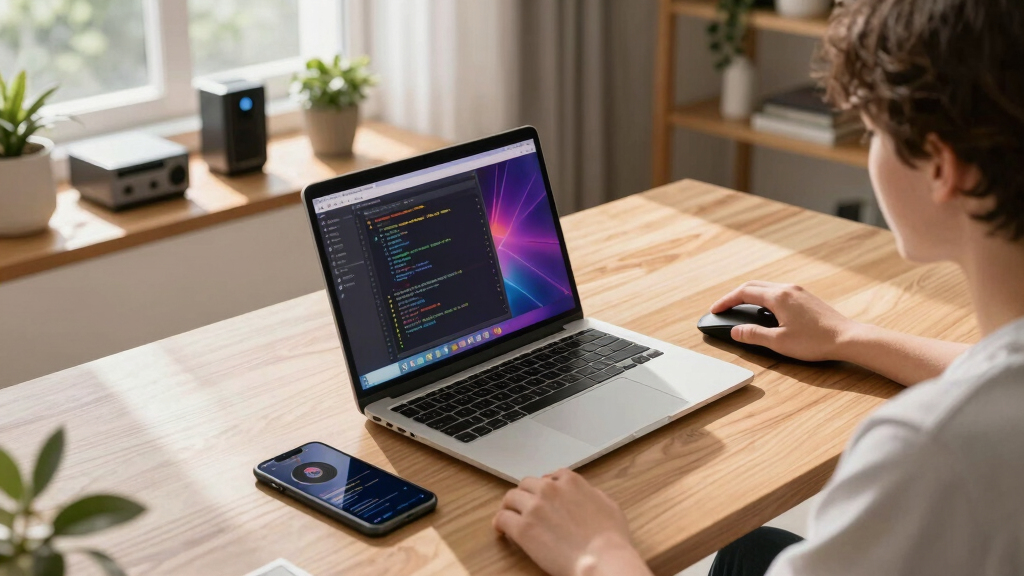
beginner programming software for students
As an affiliate, we earn on qualifying purchases.
As an affiliate, we earn on qualifying purchases.
Top 5 Programming Tools Every Student Should Know
| Tool | Best For | Cost | Platform |
|---|---|---|---|
| Scratch | Visual learning, ages 8-14 | Free | Browser, iPad |
| Thonny | Python beginners | Free | Windows, Mac, Linux |
| Replit | Coding in the cloud, collaboration | Free with premium options | Browser |
| Microsoft MakeCode | Block and JavaScript for microcontrollers | Free | Browser, micro:bit |
| CodeCombat | Game-based coding lessons | Free basic, premium for advanced features |
This table simplifies your choices. For absolute beginners, Scratch and MakeCode are perfect starting points. As skills grow, Replit and Thonny provide more depth, especially for text-based coding. It’s important to recognize that starting with visual tools can build confidence quickly, but transitioning to text-based environments is crucial for developing more advanced skills. The choice should align with the learner’s age, interest, and educational goals, balancing immediate engagement with long-term competency development.
Choosing the right tool depends on age, interest, and whether you prefer visual or text coding. The key is to start simple and gradually explore more complex environments.
As an affiliate, we earn on qualifying purchases.
How Cloud Platforms Make Coding Easier Than Ever
Cloud-based platforms like Replit and GitHub Codespaces let you code directly in your browser, no downloads needed. Imagine opening a website and jumping straight into your project. No fuss, no setup delays.
For example, a high school student working on a group project can share a link, and everyone can edit code simultaneously. This real-time collaboration mimics Google Docs but for code—perfect for classroom settings or remote learning. The tradeoff is that reliance on internet connectivity can be a barrier if access is inconsistent, so it’s important to consider your environment when choosing cloud tools. Additionally, cloud platforms often offer integrated version control and deployment options, which are valuable for students progressing toward real-world coding practices.
This trend reduces technical barriers, letting students focus on what matters: solving problems and creating.
Pro tip: Always check if the platform supports your preferred programming language and offers enough storage for your projects.
cloud-based coding platforms for students
As an affiliate, we earn on qualifying purchases.
As an affiliate, we earn on qualifying purchases.
How AI Is Changing the Coding Game for Students
AI-powered tools like GitHub Copilot or ChatGPT can suggest lines of code, identify bugs, or even explain complex concepts. For students, this means having a helpful teammate who never gets tired.
Imagine writing a Python script and being stuck on a tricky loop. An AI assistant can suggest the next line or clarify why your code isn’t working—saving hours of frustration. These tools are especially valuable when students are learning syntax and logic, as they provide immediate feedback and guidance that might not be available otherwise. However, over-reliance on AI can sometimes hinder the development of problem-solving skills if students use it as a crutch rather than a learning aid. Therefore, it’s essential to balance AI assistance with active learning to ensure foundational skills are solidified.
According to recent studies, students using AI tools progress 30% faster in grasping programming concepts. These tools aren’t replacing learning but enhancing it, making coding less intimidating. The potential tradeoff is dependency; students should use AI as a supplementary resource, not a shortcut to understanding.
Tip: Use AI helpers to learn how code works, then try writing it yourself to solidify understanding.
As an affiliate, we earn on qualifying purchases.
Frequently Asked Questions
What is the easiest programming software for absolute beginners?
Platforms like Scratch and MakeCode are designed specifically for absolute beginners. They use visual blocks to teach logic without requiring typing, making them ideal starting points for young learners or complete newcomers.
Are there free options that are good for students?
Yes, most top tools like Thonny, Scratch, Replit, and Microsoft MakeCode are free. Many online platforms also offer premium features, but the core learning tools remain accessible at no cost.
How much coding experience do I need to start?
You can begin with no experience at all. Visual tools like Scratch require no prior knowledge, and even text-based environments like Thonny are built for absolute beginners. The key is to start simple and learn gradually.
Which programming language should I start with?
Python is a popular choice because of its simplicity and wide use in real-world applications. For younger students or complete novices, visual languages like Scratch or block-based JavaScript platforms work well before moving to text-based coding.
How do I pick the right software for my age or skill level?
Match the tool to your comfort level. Younger or newer learners should start with visual, drag-and-drop environments. As confidence grows, transition to beginner-friendly text editors like Thonny or Replit, which support more advanced coding.
Conclusion
Picking the right programming software turns learning into an adventure rather than an obstacle. Focus on tools that are simple, engaging, and supportive—your future in coding begins with your first line of code.
Remember, the best way to learn is to start small, stay consistent, and embrace the tools that make coding fun. Before long, you’ll be building projects that wow friends and teachers alike.
Fall Picks
fall essentials
As an affiliate, we earn on qualifying purchases.