

TL;DR
BBEdit 16 has been officially released, offering over a hundred new features, including expanded shortcuts, AI improvements, multi-file search in images, and significant performance enhancements. The update is free for recent license holders and paid for others.
Barebones Software has released BBEdit 16, introducing over a hundred new features, performance enhancements, and workflow improvements aimed at developers and writers. The update is available immediately, with free upgrades for recent license holders and paid options for others.
BBEdit 16 brings a wide range of new capabilities, including expanded support for shortcuts via App Intents, enabling more integrated workflows with external applications. Users can now search for text within images across multiple files, a notable addition for those working with visual data. The update also introduces customizable color schemes for projects and notebooks, helping users organize their work visually.Performance improvements are a core focus, with significant throughput enhancements in the built-in SFTP file transfer engine and internal reworkings that result in faster and more responsive operations across multiple features. The syntax checker now supports W3C HTML5 standards, aiding developers in keeping their code up to date. Additional support for vi keyboard emulation and improvements to Git support further enhance BBEdit’s appeal for coding workflows. The update also includes new configuration options for website deployment environments, distinguishing between production and testing settings.
Why It Matters
This update matters because BBEdit remains a popular tool among developers, writers, and web professionals. The new features and performance boosts can improve productivity and streamline workflows, especially with enhanced automation capabilities and multi-file search in images. The support for evolving web standards and better version control integration also helps users stay current with industry practices.
As an affiliate, we earn on qualifying purchases.
Background
BBEdit has been a staple text editor for macOS users since its initial release, known for its powerful features tailored to coding, editing, and web development. Recent updates have focused on integrating modern workflows, including Git support and web standards compliance. The release of version 16 continues this trend, emphasizing performance and extensibility, aligning with industry shifts toward automation and AI-assisted tools.
“We are excited to deliver BBEdit 16 with over a hundred new features and performance improvements, reinforcing our commitment to providing a powerful, flexible editing environment.”
— Barebones Software team
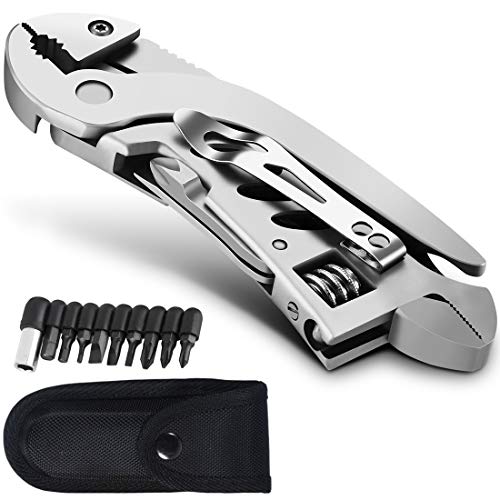
dpnao Multitool Wrench With 7 Tools/Pliers/Wire Cutter/Flat Screwdriver/Phillips Screwdriver/Portable Folding Multifunctional Adjustable Multi Purpose Stainless Steel Tool
- Compact and Lightweight: Only 5 inches long for easy carry
- Versatile 7-in-1 Tool: Includes wrench, pliers, screwdrivers, wire cutter, and blade
- Ideal for Outdoor Use: Perfect for camping, hiking, and survival tasks
As an affiliate, we earn on qualifying purchases.
As an affiliate, we earn on qualifying purchases.
What Remains Unclear
It is not yet clear how widely adopted the new features will be or how users will respond to the performance improvements in real-world scenarios. Details about future updates or plans for further AI integration remain undisclosed, and user feedback is still emerging.
![Free Fling File Transfer Software for Windows [PC Download]](https://m.media-amazon.com/images/I/41Vq6ZqHfjL._SL500_.jpg)
Free Fling File Transfer Software for Windows [PC Download]
- User-Friendly FTP Interface: Intuitive and easy to navigate
- Reliable FTP Site Management: Simplifies site maintenance
- Automated FTP Tasks: Includes automation and synchronization
As an affiliate, we earn on qualifying purchases.
As an affiliate, we earn on qualifying purchases.
What’s Next
Next steps include monitoring user feedback and reviews, especially regarding the new multi-file search in images and performance gains. Future updates may expand AI features and further refine workflow integrations. The company may also release detailed documentation and tutorials to maximize user adoption of the new capabilities.

Practical Vim: Edit Text at the Speed of Thought
As an affiliate, we earn on qualifying purchases.
As an affiliate, we earn on qualifying purchases.
Key Questions
Is BBEdit 16 a free upgrade?
Yes, BBEdit 16 is a free upgrade for all licensed BBEdit 15 customers who purchased licenses on or after November 1, 2025. It is a paid upgrade for those with earlier versions.
What are the main new features in BBEdit 16?
Key new features include expanded shortcuts via App Intents, multi-file search for text in images, customizable project colors, improved AI worksheet response streaming, support for W3C HTML5 syntax checking, vi keyboard emulation, and performance enhancements across core features.
How does the update improve performance?
Performance improvements include significant throughput gains in the SFTP engine, internal reworkings for faster operations, and overall responsiveness enhancements across multiple features.
Will future updates include more AI features?
The company has indicated ongoing development in AI integration, but specific future features have not been publicly detailed yet.
Source: Hacker News