For developers choosing secure password managers, the strongest fit in this lineup is Bitwarden, supported by several guides that explain how to set it up and organize credentials. The Complete Bitwarden Guide is the most practical starting point for a thorough walkthrough, while LastPass Password Manager focuses on setup across major operating systems. These are learning resources and a physical key safe, not eight equivalent software password managers, so the main tradeoff is between practical setup help, general security education, and offline storage. Developers handling API keys, shared team secrets, and production credentials will also need to distinguish everyday login storage from dedicated secrets management. Read on for the full breakdown and guidance on choosing an option that fits your workflow.

Get business pricing on monitors, keyboards and dev gear
- Business-only prices and quantity discounts
- Tax-exempt purchasing
- Multiple users, one account, clear invoices
Key Takeaways
- Bitwarden guides dominate the practical choices: four titles focus on Bitwarden, offering more product-specific setup help than the lineup provides for other software.
- The Complete Bitwarden Guide is the strongest all-around learning pick: its practical scope suits readers who want a fuller path from password management basics to routine use.
- LastPass is the only title centered on multi-platform setup: its iOS, Android, Windows, and Mac coverage may help readers following that product, but it does not replace a broader developer security workflow.
- Three books focus on general password-management education: they can help newcomers build safer habits, but readers seeking developer-specific secrets handling should check their coverage carefully.
- John N. Hansen Password Safe 595 is a different kind of option: it is a physical safe rather than password-manager software, so it suits offline storage needs, not fast access to credentials during coding.
| My Secure Password Manager | 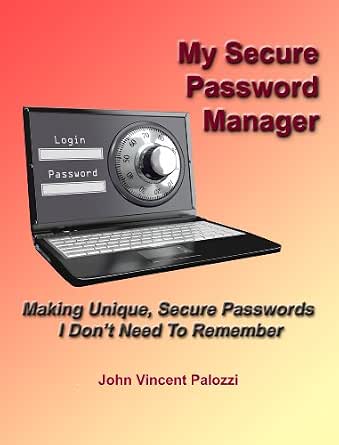 | Best for Buyers Seeking a Password-Management Title | Product name: My Secure Password Manager | ASIN: B009JOLQF6 | Product category: Password manager (indicated by title) | VIEW LATEST PRICE | See Our Full Breakdown |
| Password Managers: A Beginner’s Guide to Safer Passwords, Passkeys & Digital Security |  | Best for Passkey-Aware Beginners | Product name: Password Managers: A Beginner’s Guide to Safer Passwords, Passkeys & Digital Security | ASIN: B0HFD6ZKSY | Series: Masterclass Series | VIEW LATEST PRICE | See Our Full Breakdown |
| Password Managers Unlocked: A Beginner’s Guide to Choosing and Using Password Managers |  | Best for First-Time Manager Selection | Product name: Password Managers Unlocked: A Beginner’s Guide to Choosing and Using Password Managers | ASIN: B0DNBDJJNK | Series: Mastering Password Safety | VIEW LATEST PRICE | See Our Full Breakdown |
| The Password Drawer Cleanup: Organize Your Passwords with Bitwarden |  | Best for Moving Scattered Logins into Bitwarden | Product name: The Password Drawer Cleanup: Organize Your Passwords with Bitwarden | ASIN: B0HJ9GRRRZ | Named password manager: Bitwarden | VIEW LATEST PRICE | See Our Full Breakdown |
| LastPass Password Manager: Setup Guide for iOS, Android, Windows, and Mac |  | Best for Cross-Platform LastPass Setup | Product name: LastPass Password Manager: Setup Guide for iOS, Android, Windows, and Mac | ASIN: B0FT16TDM8 | Named password manager: LastPass | VIEW LATEST PRICE | See Our Full Breakdown |
| Bitwarden for Beginners: A Step-by-Step Guide to Password Management and Digital Security |  | Best for Hands-On Beginners | Subject: Password management and digital security | Skill level: Beginner | Learning approach: Step-by-step projects | VIEW LATEST PRICE | See Our Full Breakdown |
| John N. Hansen Password Safe 595 |  | Best Standalone Offline-Style Keeper | Brand: John N. Hansen | Model: 595 | Storage capacity: Up to 400 accounts | VIEW LATEST PRICE | See Our Full Breakdown |
| The Complete Bitwarden Guide: A Practical Beginner’s Guide to Password Management |  | Best for Bitwarden and Passkey Basics | Format: Guide | Subject: Password management | Named service: Bitwarden | VIEW LATEST PRICE | See Our Full Breakdown |
| secure password managers for developer | Product name | ASIN | Supported platform |
|---|---|---|---|
| My Secure Password Manager | My Secure Password Manager | B009JOLQF6 | — |
| Password Managers: A Beginner’ | Password Managers: A Beginner’s Guide to Safer Passwords, Passkeys & Digital Security | B0HFD6ZKSY | — |
| Password Managers Unlocked: A | Password Managers Unlocked: A Beginner’s Guide to Choosing and Using Password Managers | B0DNBDJJNK | — |
| The Password Drawer Cleanup: O | The Password Drawer Cleanup: Organize Your Passwords with Bitwarden | B0HJ9GRRRZ | — |
| LastPass Password Manager: Set | LastPass Password Manager: Setup Guide for iOS, Android, Windows, and Mac | B0FT16TDM8 | iOS |
| Bitwarden for Beginners: A Ste | — | — | — |
| John N. Hansen Password Safe 5 | — | — | — |
| The Complete Bitwarden Guide: | — | — | — |
More Details on Our Top Picks
My Secure Password Manager
My Secure Password Manager is difficult to place as a developer-focused security choice because the supplied information gives only its title, with no details about encryption, syncing, autofill, sharing, or developer workflows. That makes it less actionable than The Password Drawer Cleanup: Organize Your Passwords with Bitwarden, which at least identifies the password manager it covers and the migration task it addresses. I would treat this title as a possible starting point for research, not as evidence that a particular app is secure or suitable for storing credentials. Developers choosing a vault need to verify platform support, recovery options, and how secrets are protected before relying on it. The lack of product details is the central tradeoff: there is no basis here for comparing its security or convenience with the named guides.
Pros:- The title signals a focus on password management
- Could serve as a prompt for further research
- Does not make unsupported feature claims in the provided information
Cons:- No details are provided about security design or encryption
- No platform, syncing, or credential-sharing information is available
- The supplied data does not establish developer-specific features
Best for: Readers who want to investigate a password-management product but are willing to confirm its features and security practices independently.
Not ideal for: Developers who need verified encryption, synchronization, team sharing, or developer-specific credential workflows before choosing a password manager.
- Product name:My Secure Password Manager
- ASIN:B009JOLQF6
- Product category:Password manager (indicated by title)
- Product description:Not provided
- Encryption details:Not provided
- Supported platforms:Not provided
Our verdict“Choose this only if you are prepared to verify its security and capabilities independently; the available information is too limited for a confident developer recommendation.”
Password Managers: A Beginner’s Guide to Safer Passwords, Passkeys & Digital Security
Password Managers: A Beginner’s Guide to Safer Passwords, Passkeys & Digital Security is the clearest fit here for readers who want an introductory view that extends beyond passwords to passkeys and broader digital security. That wider scope may help a new developer understand how password vaults fit into account protection, though the supplied description does not confirm coverage of command-line tools, shared team vaults, or secrets management. Compared with Password Managers Unlocked: A Beginner’s Guide to Choosing and Using Password Managers, this title explicitly names passkeys, while the other more directly emphasizes selecting and using a manager. I would choose this for orientation, not as a technical buying manual: no specific app, security architecture, or setup steps are identified in the product data.
Pros:- Explicitly covers password managers and safer passwords
- Includes passkeys as part of its stated scope
- Connects password practices with broader digital security
Cons:- No specific password manager or security architecture is identified
- No developer workflows or team credential features are documented
- The supplied data does not confirm practical setup instructions
Best for: New developers who want a broad introduction to passwords, passkeys, and digital security before selecting a vault.
Not ideal for: Developers seeking documented setup instructions, comparisons of specific apps, or guidance on managing team and infrastructure secrets.
- Product name:Password Managers: A Beginner’s Guide to Safer Passwords, Passkeys & Digital Security
- ASIN:B0HFD6ZKSY
- Series:Masterclass Series
- Stated audience:Beginners
- Stated topic:Password managers
- Additional stated topics:Safer passwords, passkeys, and digital security
- Format or length:Not provided
Our verdict“Pick this for a beginner-level overview that includes passkeys, but look elsewhere for verified product comparisons or developer workflow guidance.”
Password Managers Unlocked: A Beginner’s Guide to Choosing and Using Password Managers
Password Managers Unlocked has the most direct stated purpose for a beginner deciding which kind of password manager to choose and how to use one. That makes it a more focused starting point than Password Managers: A Beginner’s Guide to Safer Passwords, Passkeys & Digital Security, whose stated scope also includes passkeys and broader security. For developers, that focus could help with the first step of replacing reused or scattered passwords, but the available description does not say whether the guide covers source-control credentials, team sharing, or secure notes. Its limits are just as clear as its promise: no specific apps, technical safeguards, or platform instructions are supplied. I would choose it for basic decision-making, not as a substitute for documentation on a particular vault.
Pros:- Aimed specifically at beginners
- Its stated scope covers both choosing and using password managers
- Offers a more focused selection angle than the broader passkey guide
Cons:- No specific apps or feature comparisons are identified
- Developer credential and team workflows are not documented
- No security architecture or supported platforms are provided
Best for: People new to password managers who want guidance framed around choosing and using a tool before adopting one.
Not ideal for: Developers who already know the basics and need technical detail about encryption, integrations, team vaults, or command-line access.
- Product name:Password Managers Unlocked: A Beginner’s Guide to Choosing and Using Password Managers
- ASIN:B0DNBDJJNK
- Series:Mastering Password Safety
- Stated audience:Beginners
- Stated topic:Choosing password managers
- Additional stated topic:Using password managers
- Format or length:Not provided
Our verdict“Choose this for a focused beginner introduction to selecting and using a password manager, but not for developer-specific technical requirements.”
The Password Drawer Cleanup: Organize Your Passwords with Bitwarden
The Password Drawer Cleanup stands out for a practical migration task: gathering scattered passwords, securing important accounts, and moving logins into Bitwarden. For a developer with credentials spread across browser saves, notes, and old accounts, that defined destination makes the guide more actionable than My Secure Password Manager, whose supplied data does not identify a tool or workflow. The tradeoff is its narrow scope. The description does not establish coverage of team sharing, developer secrets, command-line access, or Bitwarden’s security design, so I would not treat it as a complete guide to storing production credentials. It makes the most sense for someone who has already chosen Bitwarden and wants help organizing a personal password collection, rather than someone comparing several vaults.
Pros:- Names Bitwarden as the destination tool
- Focuses on gathering scattered passwords into one organized vault
- Includes securing important accounts as part of the stated task
Cons:- The stated scope is specific to Bitwarden rather than cross-product comparison
- No details confirm coverage of developer secrets or team sharing
- No technical security or platform information is provided
Best for: Developers who have chosen Bitwarden and need a practical path for consolidating personal logins from scattered locations.
Not ideal for: Teams comparing password managers or developers seeking documented guidance on API keys, shared secrets, or command-line workflows.
- Product name:The Password Drawer Cleanup: Organize Your Passwords with Bitwarden
- ASIN:B0HJ9GRRRZ
- Named password manager:Bitwarden
- Stated task:Gathering scattered passwords
- Additional stated task:Securing important accounts
- Stated destination:Moving passwords into Bitwarden
- Format or length:Not provided
Our verdict“Choose this if Bitwarden is already your pick and your immediate job is consolidating personal logins, not evaluating developer-focused vault features.”
LastPass Password Manager: Setup Guide for iOS, Android, Windows, and Mac
LastPass Password Manager: Setup Guide for iOS, Android, Windows, and Mac is the most platform-specific option in this group: its stated aim is step-by-step setup across mobile and desktop systems. That can suit a developer who wants installation guidance on several personal devices, while The Password Drawer Cleanup: Organize Your Passwords with Bitwarden is centered on moving a collection into a different named manager. The tradeoff is brand and scope: this guide is tied to LastPass, and the supplied information does not establish its security coverage, developer integrations, or team features. I would treat it as setup help rather than a reason to choose LastPass. Developers evaluating a vault should compare current security documentation and workflow needs separately, since those details are not included here.
Pros:- Stated as a step-by-step setup guide
- Covers both mobile and desktop platforms
- Names the password manager it addresses
Cons:- Focused on LastPass rather than cross-manager selection
- No security architecture or developer-specific features are described
- The supplied data does not confirm version-specific setup details
Best for: Developers who have already selected LastPass and want setup guidance spanning phones, tablets, and computers.
Not ideal for: Readers comparing password managers or teams needing documented guidance on shared developer credentials, integrations, or security architecture.
- Product name:LastPass Password Manager: Setup Guide for iOS, Android, Windows, and Mac
- ASIN:B0FT16TDM8
- Named password manager:LastPass
- Stated purpose:Step-by-step setup guidance
- Supported platform:iOS
- Supported platform:Android
- Supported platform:Windows
- Supported platform:Mac
Our verdict“Pick this for LastPass setup across iOS, Android, Windows, and Mac, but not as a standalone basis for choosing a secure developer vault.”
Bitwarden for Beginners: A Step-by-Step Guide to Password Management and Digital Security
This guide is the most project-oriented choice in this group: its step-by-step activities introduce password management, secure logins, and digital security through practice rather than a feature list. That makes it a better fit for a developer new to password managers who wants to build basic habits before handling a larger vault of credentials. Compared with The Complete Bitwarden Guide, the supplied description gives this title a broader password-management focus, while the other guide explicitly covers passkeys and privacy. The tradeoff is that no format, chapter list, or technical coverage is specified, so developers seeking detailed workflows for team secrets, command-line use, or integrations should not assume the guide addresses them. It is an educational resource, not a password manager or a substitute for secure storage software.
Pros:- Beginner-focused introduction lowers the barrier to learning password-management basics.
- Step-by-step projects offer a practical structure for learning.
- Covers both password management and secure logins.
- Includes digital security alongside account-access topics.
Cons:- No specific coverage of developer workflows, team sharing, or command-line tools is provided.
- The description does not specify format or the scope of its lessons.
- It teaches about security but does not itself store or protect credentials.
Best for: Developers who are new to password managers and prefer learning secure login habits through guided projects.
Not ideal for: Developers seeking a reference for team vaults, command-line workflows, or integrations, since those topics are not specified in the product information.
- Subject:Password management and digital security
- Skill level:Beginner
- Learning approach:Step-by-step projects
- Topics:Password management, secure logins, and digital security
- Product type:Guide
- Named service:Bitwarden
Our verdict“Choose this guide if you learn best by following projects and want an accessible introduction before selecting or configuring a password manager.”
John N. Hansen Password Safe 595
The Password Safe 595 takes a different route from the guides in this roundup: it is a portable electronic device for storing up to 400 account records, not a book explaining software such as Bitwarden for Beginners. Its touchscreen and standalone form may appeal to someone who wants a dedicated place for usernames, passwords, and PINs without relying on a phone app. But that separation creates a real developer tradeoff: the supplied details do not describe browser autofill, syncing, export, or integrations, so moving credentials into everyday coding and web workflows may be less convenient than with a software manager. Five incorrect PIN entries trigger a 30-minute lockout, which can hinder access after a mistake, and the listed lack of warranty offers little recourse if the device fails.
Pros:- Stores up to 400 usernames, passwords, PINs, and other account details.
- Standalone, portable format avoids depending on a password-manager app.
- Touchscreen LCD provides an on-device interface for entering records.
- Three AAA batteries are included.
Cons:- A 30-minute lockout follows five consecutive incorrect PIN attempts.
- No warranty is listed.
- The supplied product details do not specify syncing, autofill, or export options.
Best for: People who want a dedicated handheld device for a limited set of account details and do not need browser, phone, or developer-tool integrations.
Not ideal for: Developers who need synchronized credentials, browser autofill, team sharing, or integration with their daily software workflow.
- Brand:John N. Hansen
- Model:595
- Storage capacity:Up to 400 accounts
- Display:3.5-inch LCD touchscreen
- Batteries:3 AAA batteries, included
- Auto-lock:30 minutes after 5 consecutive incorrect PINs
- Dimensions:6.5 x 6.2 x 1.5 inches
- Weight:171 g
- Warranty:No warranty
Our verdict“Pick this device for a portable standalone credential store, but choose a software manager if your development workflow depends on synced access or integrations.”
The Complete Bitwarden Guide: A Practical Beginner’s Guide to Password Management
This guide is the more focused pick for beginners who have already settled on Bitwarden or want a starting point for its security features. Along with password management and secure logins, it explicitly covers passkeys and privacy, giving it a wider stated topic range than Bitwarden for Beginners, whose distinguishing feature is step-by-step projects. That makes this title a stronger match for readers who want an introduction that connects account access with newer login methods and personal privacy. The limitation is that the product information does not spell out the depth of its passkey coverage or mention developer-specific subjects such as CLI use, team vaults, or secrets management. Compared with the standalone Password Safe 595, it offers instruction rather than physical storage; readers still need a password manager to store credentials.
Pros:- Covers password management and secure logins.
- Includes passkeys and privacy as named topics.
- Beginner-focused framing suits readers learning the basics.
- Provides a Bitwarden-specific starting point rather than a standalone storage device.
Cons:- The supplied description does not specify how deeply it covers passkeys or privacy.
- No developer-focused CLI, team, or secrets-management coverage is listed.
- It is a guide, not credential-storage software.
Best for: Bitwarden-curious developers and other beginners who want an introductory guide that includes passkeys and privacy alongside secure logins.
Not ideal for: Experienced developers looking for detailed CLI, team-sharing, or application-secrets workflows, or buyers seeking a device that directly stores credentials.
- Format:Guide
- Subject:Password management
- Named service:Bitwarden
- Skill level:Beginner
- Topics:Secure logins, passkeys, and privacy
- Guide style:Practical introduction
Our verdict“Choose this guide if you want a beginner introduction to Bitwarden that also addresses passkeys and privacy, rather than project-led lessons or a standalone storage device.”

How We Picked
I ranked these eight listings by how directly they help a developer choose, set up, or maintain secure credential storage. I gave the strongest position to practical, focused guidance with clear relevance to software workflows, followed by platform-specific setup and general education that can improve everyday password habits. I also checked whether each item is software, a guidebook, or a physical safe, since those formats solve different problems and should not be treated as interchangeable.
This is an unusual roundup: the listed products are mostly books about password managers, not eight competing software services. The ranking reflects the utility suggested by each title and its fit for the stated audience, not independent testing or a claim that every book covers developer secrets, team sharing, or current product features. Buyers should verify publication details, scope, and compatibility before relying on any guide for current security procedures.
| secure password managers for developer | Product name | ASIN | Supported platform |
|---|---|---|---|
| My Secure Password Manager | My Secure Password Manager | B009JOLQF6 | — |
| Password Managers: A Beginner’ | Password Managers: A Beginner’s Guide to Safer Passwords, Passkeys & Digital Security | B0HFD6ZKSY | — |
| Password Managers Unlocked: A | Password Managers Unlocked: A Beginner’s Guide to Choosing and Using Password Managers | B0DNBDJJNK | — |
| The Password Drawer Cleanup: O | The Password Drawer Cleanup: Organize Your Passwords with Bitwarden | B0HJ9GRRRZ | — |
| LastPass Password Manager: Set | LastPass Password Manager: Setup Guide for iOS, Android, Windows, and Mac | B0FT16TDM8 | iOS |
| Bitwarden for Beginners: A Ste | — | — | — |
| John N. Hansen Password Safe 5 | — | — | — |
| The Complete Bitwarden Guide: | — | — | — |
Factors to Consider When Choosing Secure Password Managers For Developers
For developers, choosing a password manager involves more than finding a guide or a place to store website logins. I recommend separating learning material from the actual software decision, then checking whether the tool fits both personal credentials and work secrets.
Separate Password Storage From Developer Secrets Management
A password manager is well suited to website logins, recovery codes, and other credentials a person uses interactively. API keys, deployment tokens, and database credentials may need a secrets manager that supports controlled access, rotation, and integration with build or deployment systems. A common mistake is saving every secret in a personal vault because it is convenient, then losing track of who can access it. Before choosing a product, list the credential types you need to store and how each one is used. Use a password manager for human sign-ins and assess dedicated secrets tooling for machine-to-machine access. A book about general password habits may teach useful basics without addressing this technical distinction.
Check Team Access and Ownership Before Moving Work Credentials
Personal convenience and team governance are different requirements. For shared work accounts, check whether the software supports managed collections, role-based access, offboarding, and clear ownership of recovery methods. Avoid storing team-critical credentials only in one developer’s private vault, even if that person currently maintains the service. A team should also agree on who can invite users, change access, and retrieve emergency credentials. These decisions affect the product choice more than a polished browser extension does. Guides can explain setup steps, but they may not cover the policies a company needs to set around shared access.
Test the Workflow Across Browsers, Devices, and Terminals
Developers often switch among browsers, operating systems, remote sessions, and command-line tools during a workday. Check that a candidate’s autofill and synchronization behavior suits the devices you actually use, then test whether the workflow remains practical when you are coding remotely or working offline. Do not assume a book covering several operating systems proves the current software supports every feature equally on each one. Browser extensions can save time, but careless autofill on the wrong domain can expose credentials to phishing pages. Prioritize a dependable way to retrieve logins and recovery codes without weakening domain checks. The right balance favors deliberate access over speed at any cost.
Plan Recovery Before You Need It
A strong master password can still leave a user locked out if recovery arrangements are vague. Learn what happens when you lose a device, forget the master password, or lose access to a second factor before moving important accounts into a new vault. Keep recovery codes in a separate, protected location rather than inside the same vault they are meant to restore. For teams, document an approved recovery path that does not depend on one employee being available. Physical storage can help with an offline backup, but it is less convenient for frequent updates and should be protected from theft or damage. Recovery planning is a separate task from choosing a guide or installing an app.
Treat Books as Learning Aids, Not Current Security Guarantees
Password-manager interfaces, plans, and security practices can change after a guide is published. Use books to learn concepts and workflows, then confirm present-day setup details in the provider’s official documentation. This matters especially for guides tied to one product, since menu names and available features can shift. General beginner books may help readers understand passphrases, passkeys, and account hygiene, but they may not cover developer needs such as secret rotation or access auditing. Check the book’s scope and publication information before using it as an operational reference. For decisions involving work systems, follow your organization’s security policy as well.
Frequently Asked Questions
Are these eight listings all password-manager apps?
No. Most are books or instructional guides about password management, and John N. Hansen Password Safe 595 is a physical safe. They can support learning or offline storage, but they do not provide eight comparable software vaults. If you need an app, compare current services separately by security design, platform support, sharing controls, and recovery options. Treat the books as learning resources rather than substitutes for choosing and configuring software.
Which option makes the most sense if I am new to Bitwarden?
The Complete Bitwarden Guide is the most practical starting point in this lineup for someone seeking a fuller beginner-oriented walkthrough. The other Bitwarden titles may suit narrower needs, such as organizing a vault or following step-by-step basics. Compare their contents and publication details before buying, since titles alone cannot confirm how deeply they cover current features. For security-sensitive setup, cross-check instructions against Bitwarden’s current official help materials.
Can a password manager safely store API keys and deployment tokens?
A password manager may store some developer credentials, but it is not automatically the right system for every key or token. Consider how the secret is accessed, whether several people or automated systems need it, and how quickly you must revoke or rotate it. Build pipelines and production services often benefit from dedicated secrets tooling with controlled access and audit features. Avoid placing long-lived work credentials in a personal vault without an approved team policy. The guides in this roundup should not be assumed to cover those operational controls.
Should my team buy a guide or choose software first?
Start by documenting the team’s needs: shared account access, employee offboarding, recovery, supported devices, and any secrets used by automation. Then choose software that meets those requirements and use a guide to help users learn the workflow. A book can improve setup literacy, but it cannot provide team administration or access controls on its own. Assign ownership for shared credentials before migrating them, and test the process with a low-risk account. This avoids mistaking educational material for a working team security plan.
Is a physical password safe a good backup for my developer credentials?
A physical safe can protect printed recovery codes or a sealed offline record from routine online exposure, but it is a poor fit for credentials that change often or must be retrieved quickly. It also introduces physical risks, including theft, fire, and limited access when you are away from it. Do not store a master password and all recovery information together in a way that gives a single finder access to everything. Decide which records need an offline backup and protect them separately from everyday login storage. For a team, follow approved rules for custody and emergency access.
Conclusion
Best overall learning resource: The Complete Bitwarden Guide is the most rounded pick for readers who want a practical Bitwarden path. Best value in focused guidance: The Password Drawer Cleanup is a fit for people whose main task is organizing an existing Bitwarden vault. Best premium-style choice: no premium password-manager service is represented here, so I would not label any book or physical safe a premium app; developers needing advanced team controls should compare software plans directly. Best for beginners: Password Managers: A Beginner’s Guide to Safer Passwords, Passkeys & Digital Security offers broad introductory subject matter, while the LastPass setup guide is more relevant to readers following that specific product across devices. Best for a specific need: John N. Hansen Password Safe 595 may suit protected offline records, not daily credential access. My overall recommendation is to use these titles as learning aids, select current software based on your team’s workflow, and keep machine secrets in suitable secrets-management tooling.